This website requires JavaScript.

Redefine Your Live Production
with OBSBOT

Produce professional streams with a smaller team, or even solo.
Game-Changer Setup for Stunning Live Production
Transform your workspace into a high-end broadcast studio without the traditional overhead. OBSBOT Tail Series redefines the live production workflow by merging intelligent automation with cinematic precision. Whether it's a solo stream or a large-scale event, achieve a stunning visual impact with a setup that’s as powerful as it is intuitive.
Smart AI-Powered Tracking
Replace manual operators with intelligent AI Tracking. From cinematic pans to precise auto-framing, OBSBOT Tail Series automates every move. Achieve broadcast-quality results solo or with a lean team, no cues missed, no complexity added.
Seamless Multi-Cam Control
Master a complex multi-camera setup from a single interface. Use OBSBOT Center to sync multiple cameras, switch between Preset Positions, and manage your entire live production workflow solo.
Production-Ready NDI®
Upgrade to a cleaner, professional workflow. With NDI®|HX3 and PoE+, you can stream 4K video, power your camera, and send control signals through one cable. Experience studio-grade stability with zero lag and zero cable clutter.
Stunning 4K Visual Clarity
Make your content stand out with Ultra-HD 4K. Our large sensor ensures crisp, noise-free images in any venue, providing a true-to-life realism that keeps your audience fully engaged. Capture every detail with the professional clarity and fluid motion your brand deserves.
Seamless Integration, Maximum Flexibility
Expand your creative possibilities with a Multi-Port Design. Whether you're using SDI [1] for boardcast, NDI for IP workflows or USB for simple plug-and-play, OBSBOT Tail Series fits perfectly into your gear bag.
Output via
Supported Protocols
Integrate with
Steamroller Productions Case Study
London based production company offering event filming, livestreaming, filming, photography and editing.
Cade Hannan Conference
Cade Church Mass
@Cade Hannan
Band and Event Videographer
iconicon
"The OBSBOT Tail 2 is an excellent camera that has streamlined my workflow and reduced my equipment needs for events and conferences. Its optical zoom offers freedom in framing from a distance, while AI tracking keeps speakers in focus. With flexible control options via the Start app, desktop software, or on the camera itself, I can quickly adjust shots as needed. The image quality is outstanding, fitting seamlessly into a multi-camera setup, and the NDI functionality allows for lag-free feeds from anywhere, giving me the freedom to move around effortlessly."
Description
1. Connect all devices and cameras to their respective power sources. Power on all of them, including the Wi-Fi 6 router and the POE+ switcher. Wait until they complete the boot-up process.

2. Connect Talent and Tail 2 to the router and the POE+ switcher using Ethernet cables.

3. Open the Obsbot Start app on the tablet. Verify that the Obsbot Tail 2 is set to NDI mode for network-based streaming. Connect 2 other cameras to OBSBOT Talent via HDMI cables. Add the Tail 2 and other cameras as input sources within the OBSBOT Talent.

4. Plug all microphones on the deck into the Zoom recorder using XLR cables. Use a 3.5mm cable to connect the output of the Zoom recorder to the input of the Obsbot Talent. Ensure that the input mode on the Talent is set to "Line In" and adjust the audio levels to the appropriate settings.

5. Connect an additional microphone to the 3.5mm input of the Tail 2, providing scratch audio for post-production editing.

6. On the laptop, open a browser. Copy the IP address of OBSBOT Talent and enter it into the browser bar to access Talent's WebUI. Use the WebUI to configure streaming platforms, add overlays, and set up recording parameters.

7. Log into the Obsbot Start app on the tablet and use it to remotely control OBSBOT Tail 2.
VideoCol Service Case Study
With over 35 years in the AV market we can help with many things in the field of video and visuals, editing, recording, live streaming, making music videos, large screen projections and LED walls.
Sonic London 2025
Beautician Training Session
@Colin Dawley
Video Services Privider
iconicon
"Using the Obsbot Tail 2 Cameras, I can work as a 1 man band video production company. The auto-tracking system works so well that I no longer need camera operators to follow the action on stage; the auto-tracking system does a great job of it for me. This saves the client a lot of money and gains me a lot of work because of the reduced cost, as well as the ease of carrying 3 small cameras in one case, reducing transport and storage costs. Set up and breakdown is very quick using a single Ethernet cable to each camera. I mount the cameras on sturdy monopod stands, which get them high enough up to go over audience heads if required and have a very small visual impact on the audience, much better than a large camcorder on a tripod."
Description
Camera Configuration:
1. Three OBSBOT Tail 2 cameras mounted on monopod stands.
2. Connected via CAT6 cables to a Cisco POE network switch, using the NDI protocol for seamless video transmission.

Production Equipment:
1. Centralized control through a Magewell Director One production switcher and a Gl.iNet Beryl router, both connected to the POE switch using short CAT6 patch cables.
2. Audio input from the PA mixing desk routed into the line-in port of the production switcher.

Live Streaming and Recording:
1. Live Stream: Broadcasted at 1080p60 to the client’s YouTube page for an 8-hour session.
2. Main Recording: Stored directly on an SD card in the production switcher. 3. Backup Recording: 4K backups saved to SD cards in each camera.

Video Output and Display:
HDMI output connected a 5-meter-wide LED video wall, displaying both visuals and a video backdrop.

Camera Placement and Operation:
1. Camera 1 and 2: Positioned on both sides of the stage near the floor, remotely controlled via the OBSBOT wireless remote control.
2. Camera 3: Placed centrally in front of the stage, set to auto tracking mode to follow the vocalist dynamically.
3. Cameras were adjusted remotely as needed for ideal framing and angles.

Settings and Controls:
1. OBSBOT cameras configured to 1080p60 resolution.
2. Image adjustments made via the Obsbot Start app on a smartphone.
3. Live control handled using the production switcher and the OBSBOT remote controller.
Amaze Studios Live Production Case Study
Amaze Studios was founded in 1997 in Washington DC by Gary Cruz and his friends. Gary, the owner, initially served as the studio's video editor, while his partners included a musician and a 3D animation artist. When Gary moved to California, he took over the business. During the studio's early days, the primary focus was on photography, as video editing on computers was prohibitively expensive. When video became more accessible, Amaze Studios refocused on its passion for video production and began expanding its service offerings in alignment with the owner's personal journey. First, it was weddings, then cotillions (18th birthdays, theater events, etc).
Musical Theater
Outdoor Live Production
Graduation Live Production
Church Funeral Livestream
@Gary Cruz
Amaze Studios' Founder
"I was extremely surprised at how well the OBSBOT Tail Air performed in low light. In these clips, I was able to capture an entire musical theater performance with 3 OBSBOT Tail Air cameras. I wanted to show that even if the budget for mirrorless cameras or larger gear is too high, you can use an affordable solution like the Tail Air."
NWC Media Case Study
Robert Hamm Photography Case Study
We2Be DJ Studio Case Study
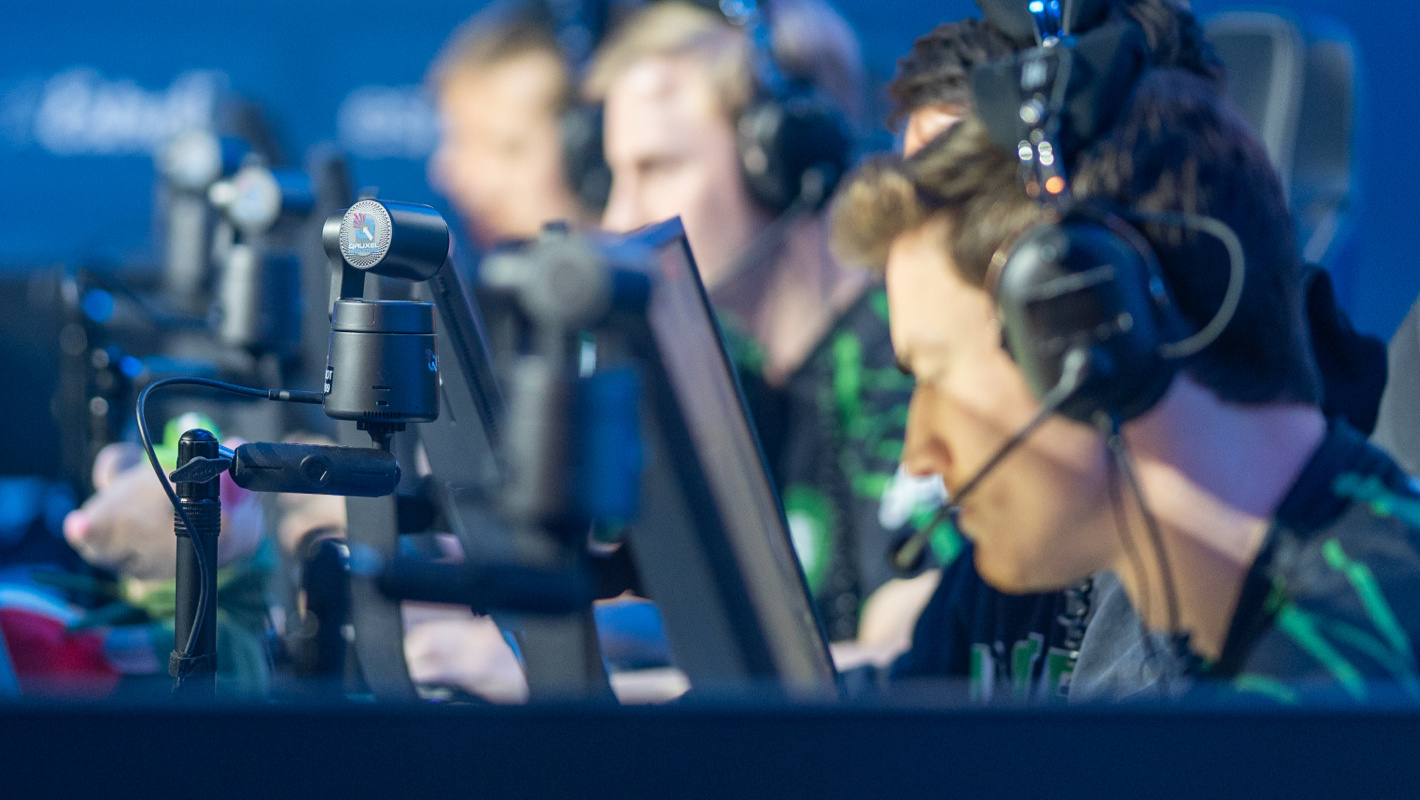
Qruxel Esports Live Production Case Study
Technical Insights: B&H x OBSBOT
Discover how the OBSBOT Tail 2 standardizes professional video production for live music, corporate events, and more. Access the full 2026 technical framework and scenario report.
image
Customize Your Live Production Equipment
Product
Accessories
Subtotal:
$0
Why Choose OBSBOT?
140+
Technology Patents
OBSBOT leads the way in videography with 100+ cutting-edge technology patents, showcasing AI tracking and video shooting expertise.
10+
Awards
OBSBOT has earned over 10 prestigious awards, recognizing its outstanding innovation, performance, and dedication to advancing imaging and videography.
120+
Countries User
OBSBOT is dedicated to connecting people and the imaging industry to the future. We connected people in more than 120+ countries, making it a preferred choice worldwide across diverse cultures and regions.
One on One
Fast and Easy Technical Support
We provide personalized and fast one-on-one technical support. Our committed team ensures effective solutions, addressing users' specific needs with responsiveness.
Join Our Facebook Group
Connect with professional broadcasters, event organizers, and tech experts in OBSBOT Facebook group. Share production tips, get expert advice, and stay ahead of the latest live production trends.