A SRT Encoder Guide: Hardware, Software, and Setup

Remote video production relies on stable transmission. Public internet connections fluctuate, causing packet loss and latency. SRT (Secure Reliable Transport) protocols resolve these issues by managing data flow efficiently. Selecting the right SRT encoder determines your broadcast stability. This comprehensive guide covers how SRT works, compares hardware versus software options, details buying criteria, and provides step-by-step setup and troubleshooting instructions.
What is A SRT Encoder?
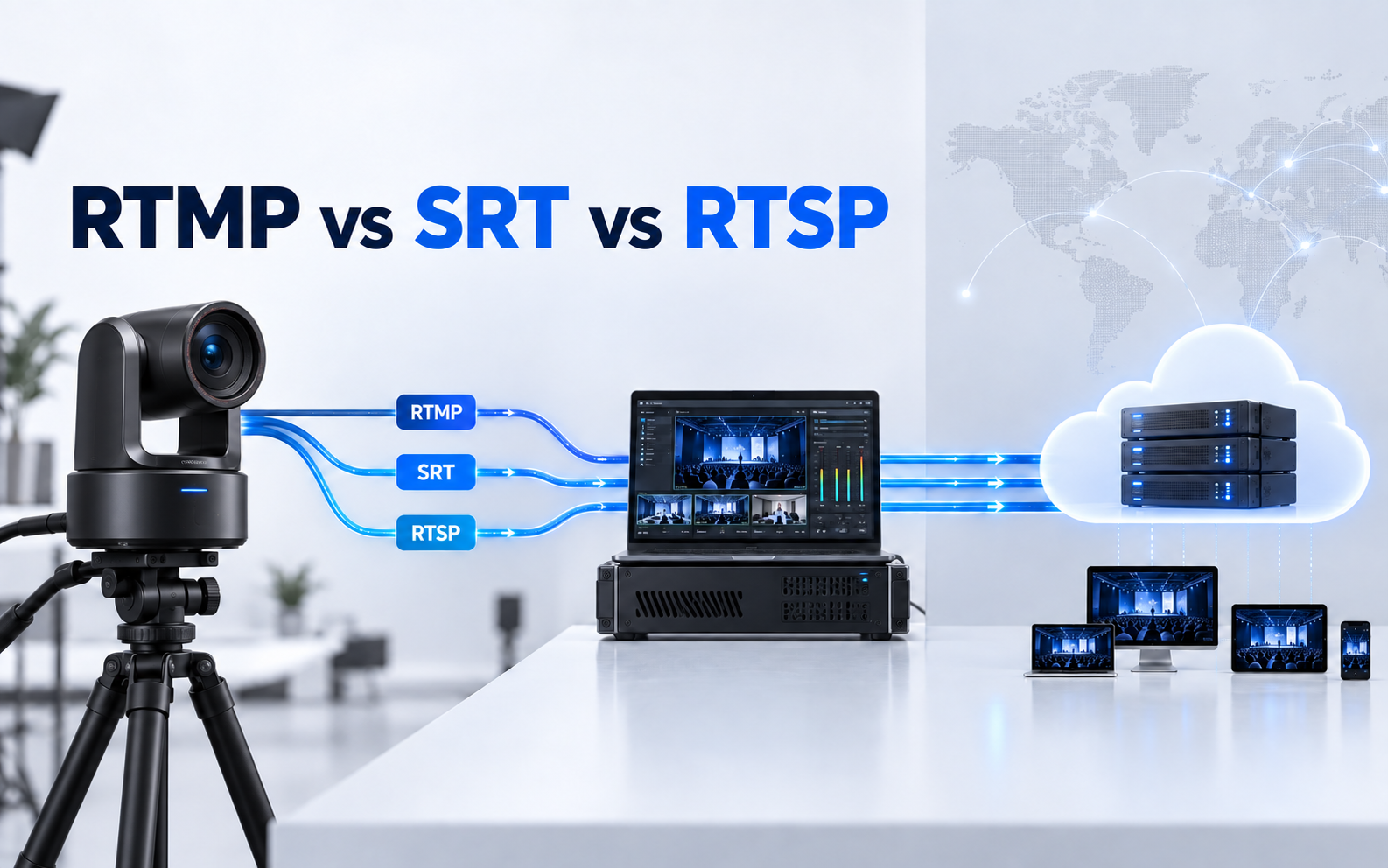
SRT is an open source video transport protocol. It optimizes streaming across variable networks. The system recovers lost packets and minimizes jitter. It creates a handshake between the sender and receiver. If data drops, the protocol requests retransmission immediately. In our field tests, we observed that SRT successfully maintained a stable stream even with 20% packet loss, where RTMP consistently failed.

How SRT encoder works:
- Source: Raw video signals are captured by and received from cameras.
- Ingestion: An SRT encoder takes this live video feed through physical SDI or HDMI inputs.
- Compression: The encoder compresses the raw signal using video codecs like H.264 or HEVC.
- Encapsulation: The encoder wraps the compressed video data into SRT packets, optimizing it for internet transport.
- Delivery: This entire process acts as a bridge, securely sending the feed from on-site cameras to distant production studios.
Hardware vs. Software SRT Encoders and Recommendations
| Feature | Hardware Encoders | Software Encoders |
|---|---|---|
| Latency | Under 50ms to 120ms via dedicated DSP hardware encoding | 200ms to 500ms due to OS thread scheduling overhead |
| Processing | Dedicated ASIC or FPGA chips supporting real time 4K 60fps HEVC encoding | Shared CPU and GPU resources susceptible to frame drops from background processes |
| Power Use | 5W to 15W supporting field operation via V mount batteries | 60W to over 300W requiring desktop workstations or fixed power |
| Reliability | MTBF over 50000 hours with instant operational state | Dependent on computer platforms requiring complex OS environment configuration |
Best Hardware SRT Encoder Recommendations
OBSBOT Talent 2 Live Streaming Studio
OBSBOT Talent 2 shines as an outstanding video encoder by integrating standalone hardware encoding into an all-in-one touch production studio. It utilizes the SRT protocol alongside NDI, RTSP, and RTMP to deliver secure, low-latency, and rock-solid video streams over unpredictable networks, handling multi-channel inputs with efficient H.264/H.265 compression without relying on a computer.
- Smart Network Bonding: Combines 4G/5G, Wi-Fi, and Ethernet for stable, intelligent network transmission.
- 16-Source Input: Supports up to 16 live video inputs, including 4 HDMI, 2 USB, and 10 IP sources via NDI, SRT, RTSP, and RTMP.
- Enhanced Wireless: Adds 4 antenna connectors with 5G and Wi-Fi 6 for more stable wireless transmission.
- 4K SRT Streaming: Supports real-time 4K SRT streaming in 16:9 landscape and 9:16 vertical formats.
- Smart Auto-Switch: Supports sequential, random, and audio-follow switching for streamlined multi-camera production.
Best for: Professional broadcast teams and corporate media setups requiring multi-camera switching, low-latency remote transport, and PC-free workflows.
Haivision Makito Series

Trusted by broadcast and defense professionals worldwide, these ultra-low latency hardware encoders specialize in mission-critical video streaming. They integrate secure, multi-bitrate encoding with dual-chip architectures and AES encryption, delivering the high-level stability and flawless synchronization required for high-budget operations.
Best for: Broadcasters, defense organizations, and high-budget mission-critical live productions.
Kiloview Encoders

Designed to maximize content reach without requiring extra infrastructure, this versatile hardware family supports simultaneous multi-platform streaming and multi-protocol conversion. Operators can easily simplify complex workflows by outputting high-bandwidth NDI for local production while concurrently transmitting SRT for remote distribution.
Best for: Hybrid production studios requiring concurrent local NDI workflows and remote SRT distribution.
Magewell Ultra Stream

Live streaming becomes effortless with these compact, plug-and-play standalone hardware encoders managed via an intuitive smartphone interface. Thanks to automated network detection and an easy-to-use mobile app, they eliminate on-site configuration hurdles to serve as the perfect choice for corporate, educational, and remote setups requiring minimal technical support.
Best for: Corporate environments, educational institutions, and non-technical users requiring plug-and-play live streaming.
Buying Criteria for A Hardware SRT Encoder
- Codec Compatibility: Choose HEVC (H.265) when possible. It provides the same quality as H.264 at half the bitrate. This saves bandwidth on cellular or hotel networks.
- Input Interfaces: Confirm your camera outputs. Professional broadcast cameras use 3G or 12G SDI. Mirrorless cameras typically use HDMI. Match the encoder inputs to your gear.
- Network Resilience: Select encoders with cellular bonding or dual Ethernet support. These features prevent stream failure if one network connection drops. Always prioritize devices supporting "Seamless Switching" between bonded interfaces.
Best Software SRT Encoder Recommendations

OBS Studio
Native SRT transmission highlights this leading free, open-source production tool. Budget-conscious creators choose it because configuring a stream requires only a quick entry of the output URL, making it an excellent option for cost-effective setups or backup encoding.
Best for: Independent creators, budget-conscious teams, and operators needing a reliable backup encoding solution.
vMix
Professional studios prefer this premium Windows switching software because its integrated SRT routing manages multiple remote guests efficiently. This integration ensures low-latency communication and broadcast-grade stability within a unified live production environment.
Best for: Professional Windows-based studios managing multiple remote guests and complex SRT routing.
Wirecast
Designed for complex multi-source workflows, this comprehensive application focuses on interface stability. It handles multiple concurrent remote feeds exceptionally well, giving live directors reliable packet delivery and flexible layout controls during demanding broadcasts.
Best for: Live directors managing complex multi-source workflows and flexible layout controls.
Setting Up an SRT Stream and Troubleshooting
The connection requires a Caller and a Listener.
- Identify the Listener: Select the host machine. Note its public IP address. Open port 5000 in your firewall. Ensure your router's NAT is set to Open for this specific port.
- Configure Port Forwarding: Access your router settings at the Listener site. Forward the chosen port to the local IP address of the host.
- Set the Caller: Enter the public IP address and the port of the Listener into your encoder settings.
- Adjust Latency: Set the buffer. A good rule involves multiplying your network ping by four. A 50ms ping requires a 200ms buffer. For unstable cellular networks, use a 6x multiplier to ensure packet recovery.
- Start Streaming: Initiate the connection on the Caller. Both endpoints perform a handshake to begin transmission.
Here is a trouble shooting instruction table of common issues:
| Issue | Root Cause | Advanced Resolution |
|---|---|---|
| Handshake Failures | NAT type conflict between endpoints blocking UDP handshake packets | Designate the side with a public IP as the Listener. If neither has a public IP, use SRT Rendezvous mode or deploy a gateway relay server. |
| High Jitter | Transmission bitrate hitting network ceiling causing bursty UDP packet loss | Calculate MTU and set encoder srtmtu to 1316. Adjust retransmission overhead limit maxbw to 1.25 times the total video bitrate. |
| Black Frames | Keyframe I frame lost during transit preventing decoder from initializing the video | Verify encoder GOP length and set it to 1 to 2 seconds. Set the configuration parameter enableretransmission to 1 to enforce packet recovery. |
FAQs about SRT Encoder
Is SRT better than NDI?
They serve different needs. NDI excels on local area networks with high bandwidth. SRT dominates public internet transmission by recovering lost packets over long distances.
How much upload bandwidth do I need for a stable SRT stream?
Your network upload speed should be at least 25% to 50% higher than your encoder's target video bitrate. Because SRT relies on UDP and retransmits dropped packets dynamically, the protocol requires extra bandwidth overhead to resend data during network fluctuations without interrupting the live broadcast.
Can I stream SRT over Wi-Fi or cellular connections?
Yes, SRT excels at stabilizing unpredictable wireless networks, though wired Ethernet remains the professional standard. When streaming over Wi-Fi or LTE networks, you must configure a higher latency buffer on the encoder to allow sufficient time for packet recovery when brief signal drops occur.
Conclusion
SRT is essential for stable remote production. Choose SRT encoders for reliability or software solutions for flexibility. Success requires correct port configuration and precise latency management.