Best Video Editors for Instagram: Top 10 Picks in 2026
 Social media is everything these days, and we don't know a single soul who doesn't use Instagram. People use it to share their favorite videos in the form of reels, stories, and even live streams. However, these videos must be engaging to attract followers. For this reason, it is recommended to use the best video editor for Instagram. We have reviewed the 10 best video editors with easy-to-use interfaces and creative features. Also, we will share the pros and cons, so you can make a good decision.
Part 1: Best 10 Video Editors for Instagram
Here's a quick overview table of the top 10 editors for Instagram:
|
Tool Name |
Platform | Key Features | Watermarks | Pricing | Level |
|
iOS/Android, Windows, macOS |
Multi-track, motion graphics templates, cloud sync |
Watermark in free trial; removed with paid plan |
From $9.99 - $69.99 per month |
Beginner/ Intermediate |
|
| Web, iOS (Phone) | Drag-and-drop templates, licensed music, web-based | Watermark on free plan | Free /From $19 - $79 per month | Beginner | |
| Splice | iOS/Android |
Mobile timeline, transitions, audio library, filters |
No watermark |
Free |
Beginner |
| Windows/macOS |
Keyframing, motion tracking, effects, green screen |
Watermark in free version |
From $49.99 - $99.99 per year |
Intermediate | |
|
iOS/Android/Web |
Multi-layer timeline, templates, AI tools |
No watermark | Basic Plan Free/Pro Plan from $19.99/month or $179.99/year | Beginner / Intermediate | |
| iMovie | iOS/macOS |
Titles, transitions, audio tools, cloud sync |
No watermark |
Free |
Beginner |
| Clipchamp | Web / Windows |
Timeline editing, stock media, templates, vertical export |
Watermark on some premium assets (free plan) | Free |
Beginner/ Intermediate |
|
Windows/macOS /Linux |
Color grading, audio post, VFX, pro-level editing |
No watermark |
Free/$295 One-time payment |
Pro | |
|
iOS/Android |
Filters, text, stickers, speed control, background blur |
Watermark in free version |
Free/$4.99(month)/ $19.99(year)/$49.99 (lifetime) |
Beginner | |
|
iOS/Android, ChromeOS |
Multi-track editing, keyframes, color correction, audio mixing |
No watermark |
$29.99 One-time payment |
Pro/Advanced |
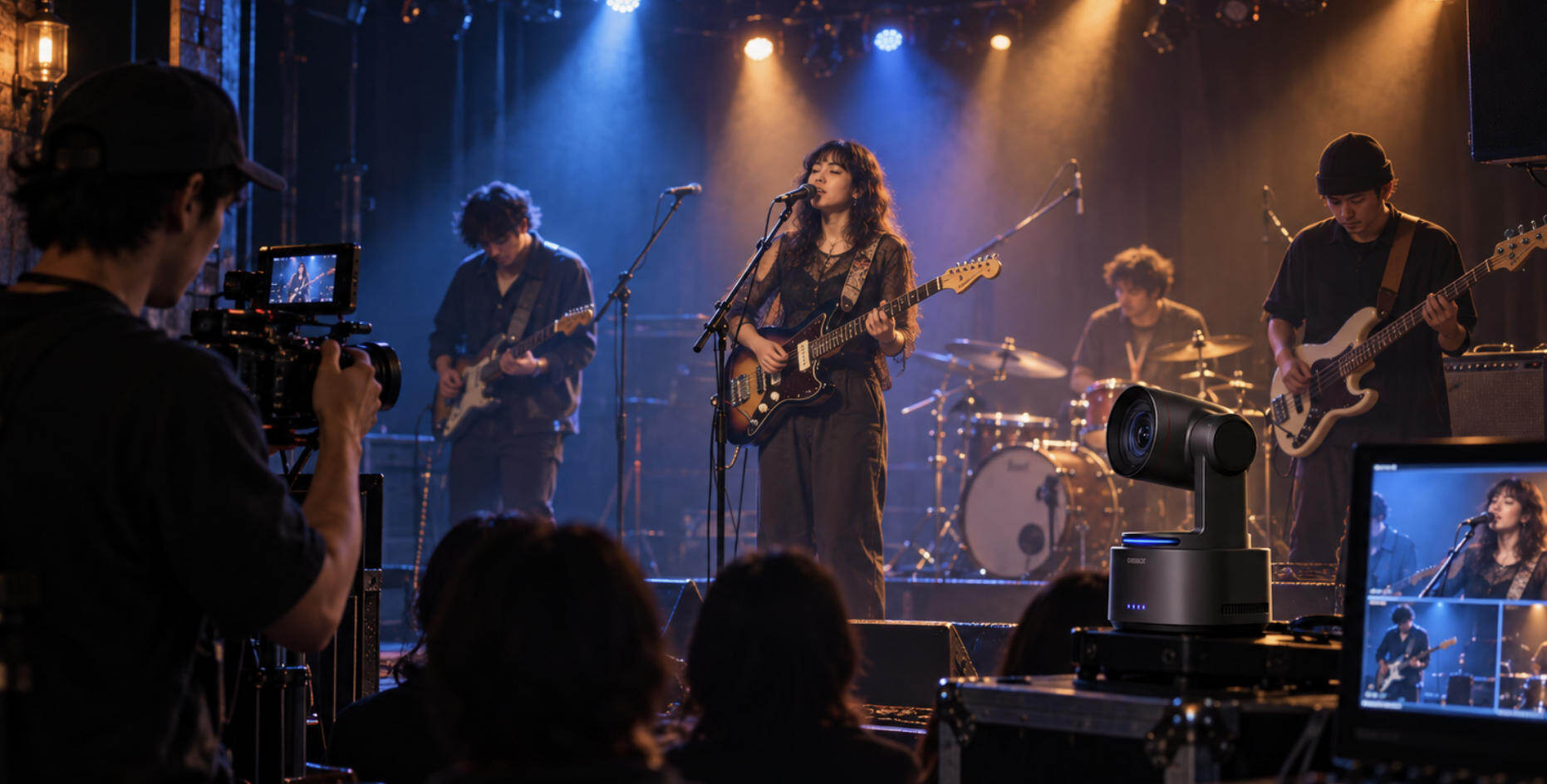
Bonus: The Best Camera for Video Recording - OBSBOT Tail 2 Live Production Camera
Instagram Reels and Stories are powerful tools for audience growth, but strong editing starts with strong footage. If your video is shaky or poorly framed, editing alone can't fix it. Pairing the right editing tools with reliable gear like OBSBOT Tail 2 ensures sharp, stable, creator-ready clips from the start—making editing easier and helping your Reels stand out.
Key Feature:
- 4K@60 fps and 1080p@120 fps: 4K@60fps delivers sharp, smooth Reels even during fast movement or cropping. 1080p@120fps enables clean cinematic slow motion for creative effects.
- Next-Level AI Tracking 2.0: Automatically locks onto your face and keeps you in focus while moving—ideal for fitness, lifestyle, and vlog content.
- Smart HDR Recording: Balances highlights and shadows for natural-looking footage, even after Instagram compression.
- Distance-Less Gesture Control 2.0: Control recording and framing with simple hand gestures—perfect for solo shooting.
- Dual Native ISO: Adapts to bright or low light automatically, keeping videos clean and noise-free.
1. Adobe Premiere Rush

Adobe Premiere Rush is Adobe's streamlined, cross-platform editor designed for creators who want to produce polished content quickly. This is the best editor for Instagram videos that supports multi-track video, has built-in motion graphics templates (via Adobe's library), and lets you adjust speed, transitions, and overlay music. It also syncs with Adobe Creative Cloud, so you can start on mobile and finish on desktop. Great for Reels and Stories since you can export directly in vertical formats and ideal resolutions for Instagram.
Pros
- Cross-device sync (start on phone, continue on computer).
- Excellent template & preset options, transitions, and motion graphics.
- Supports vertical video formats (9:16) optimized for Instagram.
- Good audio tools, ducking, noise reduction.
- Integrated with the Adobe Creative Cloud ecosystem for easy asset sharing.
2. Animoto

Animoto is a web-based video maker focused on drag-and-drop simplicity and speed. You upload clips/photos, choose a style/theme, add music, text, and export through this best app to edit reels and videos. Very useful for Stories or for carousel video posts where dynamic slides matter. It offers ready-made storyboard templates, licensed music, and a cloud-based asset library. Since everything is browser-based, there's no heavy install; good for teams, marketers, and non-tech-savvy creators.
Pros
- Very fast workflow with drag and drop templates.
- Large royalty-free music & image assets included.
- Web-based, so it runs on most machines without powerful specs.
- Good for slide-based or photo + text content.
- Interfaces are simple, nice for beginners.
3. Splice

Splice, by GoPro (originally), is mobile-first and built to edit on the go. It gives you timeline trimming, transitions, overlay audio, filters, text, speed ramps, etc. This is the best video editing software for Instagram, which is excellent for Reels, where you record short clips and need to put them together quickly. Also supports exporting in vertical formats suited for Instagram. The interface is designed for touch devices, making it fluid and responsive.
Pros
- Very intuitive mobile interface.
- Good selection of transitions and speed tools.
- Strong audio library, sound effects.
- Fast export and share directly to Instagram.
- Many free features; in-app purchases unlock extras.
4. Wondershare Filmora

Filmora offers a balance between power and ease. Available on desktop and a mobile version, it provides multi-track timelines, advanced transitions & effects, keyframing, green screen, split screen, motion tracking, and more. It has a library of presets and tools that make creating trendy Instagram Reels easier. This is good for creators who want a bit more control but without the steep learning curve of Pro Tools.
Pros
- Rich feature set: keyframing, motion tracking, green screen.
- Lots of built-in effects, filters, and transitions.
- Friendly interface, easy to learn.
- Desktop version supports high-resolution exports.
- Good support & tutorials/community.
5. CapCut

CapCut has become extremely popular, especially among Instagram and TikTok creators who need a video editing tool for Instagram. It is mobile-first but also has a web version; it offers very robust editing tools, including a multi-layer timeline, effects, keyframes, AI tools, stickers, text animation, background removal, etc. It is great for creating trendy Reels with effects, transitions, memes, etc. Also supports vertical video natively; exports in Instagram-friendly sizes. Often free or freemium, which lowers the barrier.
Pros
- Very feature-rich for a free/freemium editor: effects, transitions, keyframes.
- Strong template/community trends integration.
- Built-in tools like background removal, automatic subtitles, etc.
- Easy to use on mobile; quick exports.
- Frequent updates & growing assets library.
6. iMovie

iMovie is Apple's native video editor on macOS and iOS. It gives a clean, beginner-friendly timeline, basic transitions, titles, audio editing, color correction, and simple effects. Ideal for casual creators or those invested in the Apple ecosystem who want to produce good-quality Reels and Stories without learning advanced tools. It works smoothly on iPhones and iPads and integrates with iCloud for asset management.
Pros
- Free for Apple device owners.
- Seamless integration with iOS/macOS.
- Clean UI; easy to pick up for non-professionals.
- Good basic tools (titles, transitions, audio) that are stable.
- Reliable performance on Apple hardware.
7. Clipchamp

Clipchamp is a web-based editor (part of Microsoft's tools) that combines simplicity with enough power for social media creators. It offers timeline editing, transitions, text overlays, a green screen, and basic audio control. This will help you with trending reels editing. Since it runs in a browser (with some offline caching), it's accessible from many devices. It is good for quick editing of Reels and Stories when working from a desktop or web-capable machine.
Pros
- Web-based: no heavy installation is needed; it works on standard systems.
- Includes stock media (videos, music) and templates.
- Simple export options, including vertical formats.
- Useful collaboration/sharing options.
- Regular updates & Microsoft backing.
8. DaVinci Resolve

DaVinci Resolve is a professional-grade editor known especially for its color grading, audio post-production, VFX, and editing tools. It has a learning curve, but for creators wanting top-quality Reels or Stories (especially for brands or those making video content outside Instagram), it delivers powerful tools. It supports node-based color correction, fusion for effects, Fairlight for audio, etc. Export in any resolution or format; vertical formats are handled, though you may need to customize timeline settings.
Pros
- Extremely powerful color grading and visual effects.
- Excellent audio tools.
- The free version is very capable.
- Excellent for high-quality/professional work.
- Multi-platform (Windows, macOS, Linux).
9. InShot

InShot is a mobile-focused video editor geared for social media content. It provides trimming, splitting, transitions, overlays (text, stickers), speed control, background blur (for vertical video), audio, and canvas resizing. It is very good at quick, on-the-fly edits: record, edit, post. It also lets you export in vertical or square formats and directly share to Instagram Stories/Reels. The UI is simple and fast for novices.
Pros
- Easy to use; quick editing workflow.
- Good selection of stickers, filters, and text tools.
- Supports canvas resizing & background blur for vertical video.
- Affordable premium version; many free features.
- Fast export and optimized for mobile devices.
10. LumaFusion

LumaFusion is a powerful mobile video editor for iOS, especially on iPad. It offers multi-track editing (up to 6 video/audio tracks), advanced color correction, key frames, transitions, effects, slow motion, speed changes, audio mixing, and green-screen tools. For creators who want near-desktop power on mobile, LumaFusion is one of the best. It is ideal for making high-quality Reels or Stories where more complex editing is required and precision is desired.
Pros
- Very powerful toolset on mobile: multi-track timeline, keyframes, effects.
- Advanced color correction & grading tools.
- It supports high-res exports in various formats, including vertical ones.
- Robust audio controls.
- One-time purchase (no monthly subscription) for iOS.
Part 2: FAQs About the Best Video Editor for Instagram
1. What do Instagram users use to edit videos?
Instagram users employ a range of tools: the built-in Instagram editor for simple cuts, filters, and text; mobile apps like CapCut, InShot, and Splice for more features; and desktop tools like Adobe Premiere Rush, Filmora, or even DaVinci Resolve for professional content.
2. Is CapCut better than the Instagram video editor?
In many respects, yes. Instagram's native editor is convenient and built-in, but it is limited in effects, transitions, speed adjustment, audio layering, and finer control. CapCut gives more creative control, tools, templates, and effects. However, a native editor may be enough for basic Stories, quick Reels, or when you just need to post fast.
3. Which editor is best for Instagram?
The best editor for Instagram depends on your needs. If you want speed and trend-friendly effects, use CapCut; if you want the most powerful tool on mobile, use LumaFusion on iOS; for cross-platform simplicity, use Adobe Premiere Rush; for professional-level work, including color and audio, use DaVinci Resolve; or for beginners or Apple users wanting easy tools, use iMovie. The "best" balances your learning curve, budget, and desired quality.
4. How do influencers upload high-quality videos on Instagram?
They shoot using good equipment (high resolution, good lighting, stable framing, cameras like OBSBOT Tail 2 help). They edit with tools that allow high bitrates, avoid excessive compression, and keep frame rates high.
Conclusion
There is no one-size-fits-all solution when looking for the best video editor for Instagram. Simple tools like InShot and iMovie are great for quick Stories or Reels, while advanced editors like DaVinci Resolve, LumaFusion, or Filmora give you the control needed for polished, professional content. CapCut stands out for its free features, trendy effects, and speed. The right choice depends on your budget, device, and editing goals. Paired with recording gear like the OBSBOT Tail 2, your raw footage stays sharp and stable, making editing smoother and more creative. With this list and the right camera, you'll be ready to pick the best video editor for Instagram and create standout content.