This website requires JavaScript.
Support for
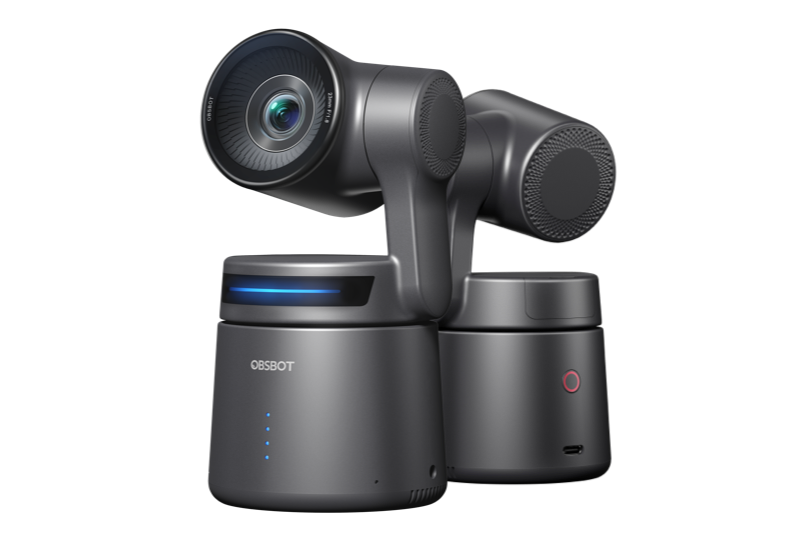
OBSBOT Tail Air
Download OBSBOT Apps

icon

Obsbot Start

System requirement: iOS 11.0 or later / Android 10.0 or later

Android
iOS

Android v1.2.9
Updated on: 6/8/2026
v1.2.9 Updates
1. Added Device Permission Settings
2. Fixed known bugs and user experience improvements
icon

OBSBOT Center (Formerly OBSBOT WebCam)

Windows® 10 (64-bit) or later / macOS® 11.0 or later

Windows
macOS

Windows v2.0.14.33
Updated on: 6/10/2026
Earlier Version
v2.0.14.33 Updates
1. Added clock support to the Overlay feature
2. Added permission management for device network connections【For OBSBOT Tail 2 / Tail Air】
3. Optimized RTC Remote Interaction with new features: AI Noise Reduction, Session Access Code, 4K Resolution Sessions, and Multi-Camera Lock
4. Added PiP deletion
5. Avatar now supports AMD GPU platforms, with improved motion capture smoothness and stability
6. Resolved known issues to improve user experience
icon

Obsbot Live

System requirement: iOS 11.0 or later / Android 10.0 or later

Android
iOS
Android v1.1.6
Updated on: 6/8/2026
v1.1.6 Updates
1. Optimize device adding and usage process for better ease of use.
2. Improve landscape/portrait switching and screen streaming experience.
3. Add green screen background support with delete option.
4. Add USB-C mode compatibility for Tail 2 audio devices.
5. Enhance AI feature performance and operation experience for Tiny 3 & Tiny 3 Lite.
6. Added device access permission management【For OBSBOT Tail 2 / Tail Air】
First Use of OBSBOT Tail Air
Mastermind Your OBSBOT Tail Air
icon
Tutorial Videos
icon
Quick Start Guide
Download
More Information About Tail Air
icon
OBSBOT Tail Air Community
Seek more fascinating product experiences!
Join Community Join Community