

A Step-by-Step Guide to Changing Characters in Fortnite
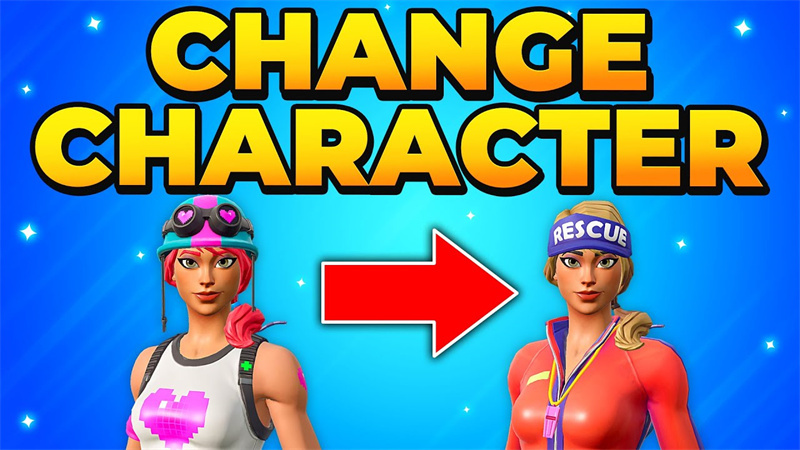
We all know Fortnite is one of the most popular Battle Royale games. It is not just about surviving to be the last one standing anymore. So many different features are available, allowing users to have a personalized gameplay experience and participate in this game. If you have ever played Fortnite, you might be aware that there are different kinds of skins and characters available that can contribute to the same personalization. There are so many players around who are involved in streaming activities as well. But some players are new to it and have no idea how to customize characters in Fortnite. If you also hit in the same category, don't worry and keep reading, as this article will clarify all your doubts!
Part 1: How to Change Character in Fortnite?
Changing a character in Fortnite is a new experience. Some people do not wish to proceed with the default characters, so they need to make some purchases. After that, they are all set to change them.
The Steps Necessary to Follow Include
Step 1: First, launch the Fortnite game on your device, whether it's a PC/Mac, mobile device, PlayStation, Nintendo Switch, or Xbox console.
Move to the item shop and check if any skin is available. If you have not received any skin or purchased any of it to date, then a default character for you will be selected, and this character will rotate automatically every few matches.
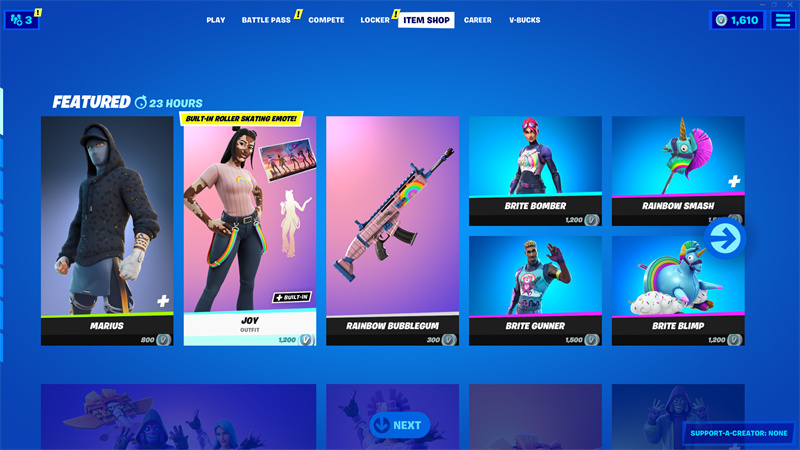
Note: You can purchase more skins from V-Bucks. To do so, head to the item shop and select a skin. Using the gift feature, you can also receive skin as a gift from friends.
Step 2: Next, you need to click on the "Locker" option. You will see it between the "Compete" and "Item Shop" options on top.
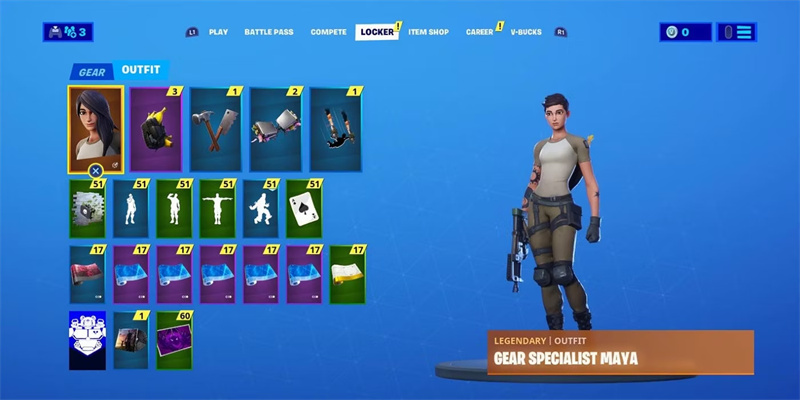
Step 3: Select the title of the T-shirt. If you are changing your character's look for the first time, you will see a T-shirt icon. If you already have a character, you will see your character wearing the current T-shirt on this tile. Once you click it, a new page will appear with all the outfit options available.
Step 4: Along with any alternate skin, an option to provide an outfit to the character is available. You can select the outfit to see a preview. If the preview appears to have an alternate skin, you can select the edit style and then make the changes.
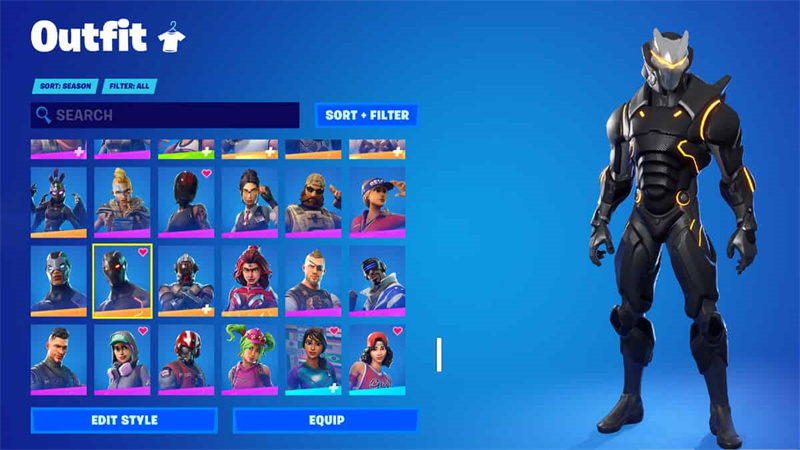
Step 5: Now select the equip option at the bottom of the screen, and the character play tab will appear. After the play tab, you can play the game with your friends with the same skin.
The Best Game Streaming Webcam for Fortnite: OBSBOT Meet 2 4K Webcam
There are so many people around who are interested in streaming. Well, streaming is fun when you have the right equipment available. We recommend that you invest in OBSBOT Meet 2. The main factor that makes it the best choice is its price point.
Features of OSBOST Meet 2:
- 1/2'' CMOS for 4K cleaner video quality.
- Multiple modes to enhance your workflow & productivity.
- Dual-omnidirectional microphone with adjustable noise cancellation for clear sounds.
- Faster and more precise focusing with PDAF.
- Compact and ease of use.
Part 2: How to Change Your Gender in Fortnite?
After knowing the steps you need to follow to change a character in Fortnite, it's time to learn about the things necessary to change gender in Fortnite. Well, you need to understand that Fortnite does not have any specific gender selection options available. Instead, the gender of the character can be decided based on the skin that you choose to equip yourself with. So, it is right to say that if you want to change the character's gender in Fortnite, you need to select a different skin from the locker.
Part 3: How to Get More Characters in Fortnite?
Users must understand that there are not really so many characters available in Fortnite to unlock. Different skins are available that will help you change the appearance of your character, but these will not significantly impact the gameplay. If you wish to acquire these cosmetic options, you can do so from an item shop, battle pass, free reward, special bundles, and V-bucks.
FAQs About Change Characters in Fortnite
1. How do you change characters in Fortnite?
You can change the characters by choosing a different skin in the locker. For this, you’ve to open the main menu, go to the Locker tab, and select the outfit that you want to use. Keep in mind that changes will be applied if you change the skin before starting the match, not during the match.
2. Can I change my gender in Fortnite?
No, it is not possible to change the gender through settings. However, the gender is decided by the skin you choose in the Locker. Some are female, some are male, and some are gender-neutral. This means that your character’s gender depends on the cosmetic choices you make.
3. How do I get different characters in Fortnite?
You can get different characters by purchasing skins from the Item Shop, earning them through the Battle Pass, or unlocking them during special events. All characters are cosmetic and don’t affect gameplay. Premium skins offer more variety and customization options.
4. Why can’t I switch characters in Fortnite?
You can’t switch characters because changes must be made before entering a match. Fortnite locks your selected skin once a game starts. If you’re already in a match, you’ll need to return to the lobby to change outfits. This keeps gameplay fair and consistent for all players.
5. How to change the default skin in Fortnite?
You can change your default skin by selecting any unlocked outfit in the Locker. If you don’t own other skins, Fortnite assigns a random default each match. Once you purchase or earn a skin, you can manually set it as your main outfit. The owned skins give full control.
6. How to get the male default skin in Fortnite?
You can’t permanently choose a specific male default skin. Fortnite randomly assigns default skins when no custom outfit is selected. To guarantee a male character, you’ll need to equip a male skin from the Item Shop or Battle Pass. Owned skins give a consistent appearance every match.
Conclusion
In conclusion, this was all about how to change characters in Fortnite easily. It is necessary for all players to understand that they are focusing on every feature in detail to avoid any sort of confusion. If you are a streamer engaged in streaming, this is the time to invest in OBSBOT Meet 2. This product will help you stream peacefully without having any problems. Now that you have learned how to change my Fortnite look, what are you waiting for? Go get started with your Fortnite journey!














