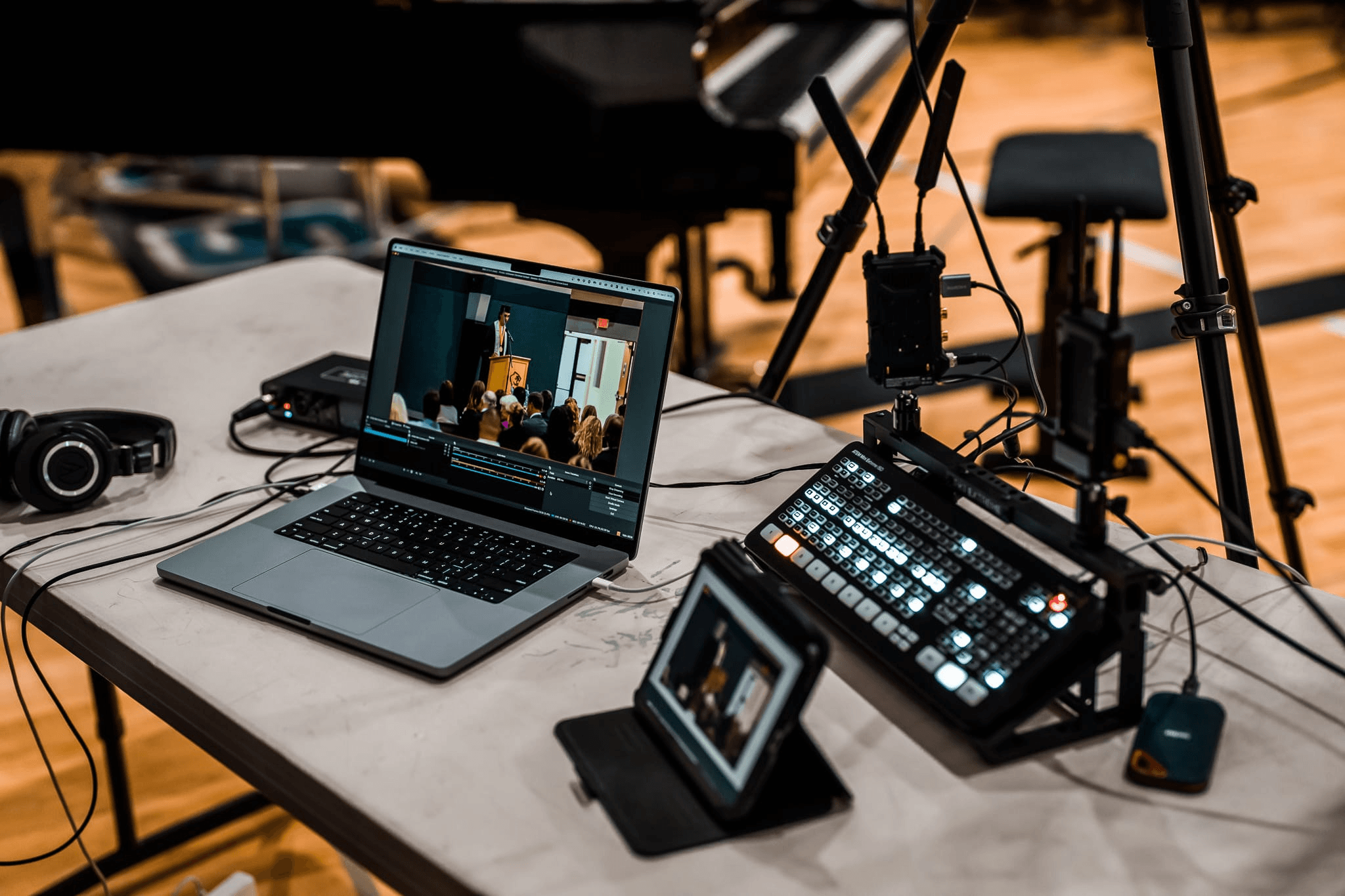
Live Streaming Equipment: For Excellent Streaming Results

Live streaming has become one of the most powerful ways to connect with audiences. If you want professional-looking streams without unnecessary complexity, choosing the right live streaming equipment is essential. This guide walks you through the best equipment for streaming, from beginner-friendly setups to advanced tools for professional results.
The Core Live Streaming Equipment Checklist
A complete live streaming setup starts with six essentials: camera, microphone, lighting, encoder, internet, and streaming software or platform. You can start simple, but each part has a job. If one part is weak, the whole stream feels less professional.
| Equipment | What It Does | Beginner Setup | Advanced Setup |
|---|---|---|---|
| Camera | Captures the video feed | Webcam or phone | PTZ camera, mirrorless camera, or multi-camera setup |
| Microphone | Captures clear voice or room audio | USB mic or wireless lav mic | XLR mic, mixer, or wireless audio system |
| Lighting | Makes faces, products, or scenes visible | Window light or LED panel | Softboxes, key light, fill light, background light |
| Encoder | Converts video/audio into a streamable format | Software encoder such as OBS Studio | Hardware encoder or production switcher |
| Internet | Sends the stream to your platform | Stable Wi-Fi | Wired Ethernet plus backup connection |
Start with audio and stability first. Viewers may tolerate average video for a while, but unclear audio, freezing video, or dropped streams quickly make the broadcast feel unreliable.
How a Live Streaming Setup Works
A live stream works like a chain: your camera and microphone capture the event, your mixer or computer organizes the signal, your encoder, and your platform deliver it to viewers.
A simple setup might be:
- Camera: webcam, phone, PTZ camera, or dedicated video camera.
- Audio: USB mic, lav mic, shotgun mic, or mixer feed.
- Control: software scenes, hardware switcher, or all-in-one production device.
- Encoding: computer software or hardware encoder.
- Delivery: YouTube Live, Twitch, Facebook Live, a webinar platform, or a private streaming service.
If you use a USB webcam, the camera can connect directly to your computer. If you use an HDMI or SDI camera, you usually need a capture card, switcher, or hardware encoder. If you use multiple cameras, you need a clean way to switch between angles without interrupting the stream.
Recommended Camera for Dynamic Streams - OBSBOT Tail 2
If your stream involves movement, demonstrations, stage activity, teaching, events, or multi-angle production, a fixed webcam can feel limiting. You either stay locked in one frame or keep adjusting the camera manually.
The OBSBOT Tail 2 is a stronger fit when your live streaming equipment needs to follow action, switch between horizontal and vertical output, or connect into a more professional production workflow.
Why It Fits Live Streaming:
- PTZR movement: Pan, tilt, zoom, and rotation help creators frame people, products, stages, or vertical content without rebuilding the whole setup.
- 4K live production quality: 4K@60fps and a 1/1.5-inch CMOS sensor help keep the stream sharp for product demos, education, events, and creator studios.
- AI Tracking 2.0: Useful for solo presenters, instructors, performers, or churches where one operator cannot manually follow every movement.
- Pro connections: HDMI, 3G-SDI, Ethernet with PoE+, USB 3.0, NDI, RTMP, RTSP, SRT, and control protocols make it easier to fit into different production chains.
- Low-light support: Dual Native ISO, HDR, and AI ISP help preserve detail in dim rooms, stage lighting, or event spaces.
Choose Equipment by Streaming Scenario
The best live streaming equipment depends on what you are streaming. A solo desk stream, a church service, a product launch, and a sports event do not need the same setup.
| Scenario | Recommended Setup | What to Prioritize |
|---|---|---|
| Solo Creator | Webcam or PTZ camera, USB mic, LED light, streaming software | Clear face framing and clean voice audio |
| Podcast or Talk Show | Multiple microphones, mixer, camera, switcher or software scenes | Audio consistency and easy guest switching |
| Church or Event | PTZ cameras, audio feed from mixer, hardware switcher, wired internet | Reliability, camera reach, and clean room audio |
| Product Demo | Main camera, overhead or close-up camera, mic, soft lighting | Close-up clarity and smooth camera transitions |
| IRL or Mobile Stream | Phone or compact camera, wireless mic, battery pack, cellular connection | Portability, battery life, and connection backup |
For home streaming, do not overbuild. A camera, microphone, light, and stable internet connection are enough to start. For events and multi-camera productions, plan the equipment around camera positions, audio routing, operator control, and backup internet before buying individual devices.
Common Live Streaming Equipment Mistakes
Most streaming problems come from missing connections, weak audio, or an unstable network. Before upgrading your camera, make sure the basic chain is reliable.
Buying a Better Camera Before Fixing Audio
Audio comes first. A sharp image will not save a stream if viewers cannot hear the host, speaker, or performer clearly. For voice-first streams, choose a dedicated microphone before spending heavily on camera upgrades.
Depending Only on Wi-Fi
Wi-Fi can work for casual streams, but wired Ethernet is more stable for events, classes, worship, webinars, and paid broadcasts. If you must stream wirelessly, test the exact location before going live and keep a backup connection ready.
Forgetting About Lighting
A camera can only capture the light in the room. If the subject is backlit, dim, or unevenly lit, the stream will look lower quality even with a good camera. Use soft light from the front or side, and avoid placing the brightest window behind the speaker.
Not Testing the Full Chain
Do a private test stream before the real broadcast. Check camera framing, audio level, sync, internet upload, encoder settings, platform connection, and recording backup. A five-minute test can prevent a very long public headache.
FAQs About Live Streaming Equipment
What equipment is needed for a live stream?
You need a camera, microphone, lighting, encoder, internet connection, and streaming platform. A beginner can use a webcam or phone with a USB mic and software encoder, while a professional setup may use PTZ cameras, a mixer, a switcher, and wired internet.
Do I need all this equipment to start streaming?
No. You can start with a smartphone, tripod, microphone, and good light. Add equipment when you know what problem you are solving, such as poor audio, unstable framing, weak lighting, or the need for multiple camera angles.
Do I need a capture card if I am using a webcam?
No. Most webcams connect directly through USB. You usually need a capture card when your camera outputs HDMI or SDI and your computer needs a way to receive that video signal.
What is the best device to use for live streaming?
The best device depends on your stream. A webcam is simple for desk streams, a phone works for mobile content, a PTZ camera works well for movement or events, and a dedicated hardware encoder or switcher is better for multi-camera productions.
What is the difference between a hardware and software encoder?
A software encoder runs on your computer and is flexible for beginners and creators. A hardware encoder is a dedicated device built for encoding and streaming, which can be more reliable for events, organizations, and longer broadcasts.
What equipment do I need for IRL streaming?
For IRL streaming, prioritize portability: a phone or compact camera, wireless microphone, stabilizer or mount, battery pack, and reliable cellular data. A backup power source and backup connection matter more outdoors than a complex studio setup.
Conclusion
The right live streaming equipment depends on your content, space, and reliability needs. Start with the signal chain: camera, audio, lighting, encoder, internet, and platform. Keep the setup simple at first, test before every important broadcast, and upgrade only when a specific part of the stream is holding you back.