12 Best Live Streaming Software for Gamers & Creators
An increasingly popular side business or full-time employment option is live streaming. According to a recent statistic, it serves an average of 2.7 million viewers and 0.1 million streamers at once. So, to gain followers and be a famous gamer, you need a live-streaming tool for video games.
Various live-streaming software options are available for gamers and creators, each with unique features and capabilities. In this topic, we will introduce 12 of the best applications for live streaming for gamers and creators, helping you choose the right one for your needs.
Part 1. Factors to Consider in Choosing Live-Streaming Software
What makes a quality live video streaming software is that its services should include capabilities for managing content and hosting videos. It should also offer fundamental embedding tools, analytics, and monetization.
Here are some essential factors to consider when getting you started:
- Ease of use and user interface: This factor refers to how easy the streaming tools are to use and navigate. A good user interface makes it simple for creators to access the software's features and settings and quickly start and stop their live streams.
- Features and functionalities: Different live streaming software offers various features and functionalities, such as overlays, chat integration, and screen sharing. Creators should consider what features they need to produce high-quality content and choose software that meets their requirements.
- Customization options: Customization options allow creators to personalize their live streams with their branding, graphics, and themes. The level of customization available in live streaming software can vary, so choosing one that matches the creator's needs and preferences is essential.
- Compatibility with different platforms and devices: Creators should consider the platforms and devices they intend to use for live streaming and choose compatible software. The software should also support the streaming platform where the creator wants to broadcast their content.
- Price and affordability: Video streaming software can range from free to expensive, as per the features and functionalities. Creators should weigh the cost against the value and choose software that fits their budget and delivers the needed features.
Part 2: Top 12 Live Streaming Software for Gamers & Creators
Now, let us look at the 12 best game streaming software you can choose from to live stream your content on various platforms.
1. OBS Studio

For serious gamers, OBS Studio is the go-to open-source game streaming software. For experienced expert gamers who are comfortable with live-streaming software, we advise it. It provides infinite sources like webcams, gaming consoles, and window capture. OBS doesn't require an in-game overlay and operates in the background, making it simple to record games for use in a playthrough guide.
Features:
- Open-source software that supports Windows, Mac, and Linux
- It offers high-performance real-time video/audio capturing, live streaming, and recording
- OBS Studio supports multiple sources, filters, and transitions and allows customized output resolution and streaming settings
- Noise reduction
- Color adjustment
- Chroma key
- Customizable hotkeys
Pros:
- Every function and tool is free
- Features all popular streaming platforms
Cons:
- For advanced users
- Complicated user interface
Pricing:
- Free and open-source
2. Streamlabs OBS
.jpg)
The next item on the list is one of the top free streaming software appropriate for companies using open-source software. It is none other than the cloud-based streaming platform Streamlabs OBS. You won't need to install it for your usage every time you need to broadcast something. It provides streaming services for well-known websites like Twitch and YouTube. Numerous themes are available to increase user involvement with this software, increasing its popularity.
Features:
- UI personalization through layout customization
- Selective recording
- Replay buffer
- Game overlay for single monitors
- Options for monetization
- Backed up to the cloud
- Add-ons and personalized templates
Pros:
- Customized UI
- Simultaneous streaming to multiple platforms
- Enables to adjust your webcam's angle
- Create videos for TikTok using clips from Twitch and YouTube
- Make swift backups of your recordings
Cons:
- High CPU usage
Pricing:
- Free & Open source
- Prime Membership - $19/month
3. XSplit Broadcaster

Windows video live software called XSplit Broadcaster allows for live streaming and recording. 4K 60fps can be streamed and recorded. You may stream to Facebook, Twitch, and YouTube with XSplit Broadcaster. You can broadcast simultaneously to several stream services.
A variety of stream management tools come with the streaming software. You can add your stinger transitions to the several already-packed transition types.
Features:
- Interaction in chats with a simple setup
- Projector mode to display various displays
- Standard editor for improved interactions
- Support for modification via NVENC NVIDIA
- Available for 4K and 60 fps streaming
Pros:
- Split mode
- Source masking
- Layout wizard
- numerous broadcast animations and effects
Cons:
- The limited free base version
- Steep learning curve
- No native macOS or Linux support
Pricing:
- Free
- Option to purchase a premium subscription for $60 per year or a lifetime license for $200
4. Wirecast

Wirecast Studio is a TV-quality web streaming software. It can stream from microphones, cameras, webcams, and IP cams. It provides an infinite number of concurrent streams and records. Over 100 built-in graphics and over 500,000 media assets are part of the Wirecast Studio. It offers numerous capabilities for live sports broadcasting, including instant replay, scoreboards, and timers.
Features:
- Layer-based compositing
- Chroma key
- Animated graphics and overlays
- Screen sharing
Pros:
- Allows simultaneous recording and streaming
- Stream to as many platforms as you want at once
- Up to eight audio tracks
- Curation of social media comments integrated feature
Cons:
- It costs more than similar software
Pricing:
- Free
- $599 for Wirecast Studio Plan
- $799 for Wirecast Pro Plan
5. vMix
.jpg)
For gaming, esports, live productions, and events, professionals can use the diverse toolkit of vMix. The generous 60-day free trial lets you precisely determine which of its many variants you will use and which you won't at various pricing points.vMix game streaming software can improve the quality of your live streaming as it offers several features, including over 100 animated titles, scoreboards, tickers, high-quality chroma keys, and animated title templates.
Features:
- Real-time color adjustment and crop input
- Add interviews and lower thirds
- 13 transition effects
- Full 3D acceleration
Pros:
- Built-in titling tool
- Multiple high-quality formats are available for live-stream recording
- Engage in video calls
Cons:
- Mac is incompatible with it
Pricing:
- 60-Day free trial
- $60 for Basic HD
- $350 for HD
- $700 for 4K
- $1200 for Pro
- $50/month for Max
6. Ecamm Live

Ecamm Live is a streaming software for Mac. Ecamm is available as a variety of apps for your iPad and iPhone for all of your live streaming requirements. Also, you can connect your iOS device to a computer to share your screen or use it as a webcam. For a unique and professional aesthetic, incorporate bespoke animations from Apple ProRes.
Features:
- A Mac-only live streaming software that offers real-time video/audio capturing, multi-source mixing, customizable overlays and effects, and integration with popular streaming platforms
- It also includes a virtual webcam feature and allows for easy recording of streams
- ISO audio recording
- Includes comment stream
- Green screen
- Picture-in-Picture
Pros:
- Streaming to all platforms without limits
- Any RTMP-compatible server can work for broadcasting
Cons:
- Only a 2-week trial is offered, not a free version forever
- Multistream needs an external app
Price:
- Free for 14 days
- $16 for Standard
- $32 for Pro
7. Be.Live
.jpg)
With the help of this live stream app for PC, broadcasting can be enjoyable and straightforward. The platform is essential for anyone wishing to live stream their material due to its user-friendly features. Be.Live is the best tool for connecting with the audience, regardless of the client's experience level as a broadcaster or if they are just getting started—the 14-day free trial offered by Be.Live is one of its outstanding features. This enables you to test the platform and discover it's user-friendly.
Features:
- The activity of the Access Controls and Permissions Dashboard
- Audience Research
- Chat/Messaging for Audience Engagement
- Tools for Collaboration
- Customizable Branding for Conferencing
Pros:
- Provides a free plan
- More than 20 platforms for streaming
- No demand for software downloads
- Technology using the cloud
- Simple streaming on mobile
Cons:
- No Instagram live streaming
- Some features are only for the paid version
- Only for those who are not tech-savvy to use
Pricing:
- 7-day free trial accessible without a credit card
- Beginning price: $39.00 per month plus a discount for a yearly subscription
- Advanced: $79 per month with a deal for a yearly membership
8. StreamYard

Streamyard is a YouTube live-stream program available to corporations and content producers. We discovered that customizing and adding your branding to your live feeds was simple. With Streamyard, you can customize the background, green screen, overlays, logos, and colors.
Features:
- 7 video layout examples
- Distinct audio files
- Extensive analytics
- Records downloadable content
Pros:
- Simple to use
- superb customer service
- Direct streaming to websites like Facebook, LinkedIn, and YouTube
- CTAs added to live streams will appear next to the live feed
- Add an interactive logo or name
Cons:
- No integrations, which may be disappointing, particularly for experienced streamers
- There are no statistics or metrics available
Pricing:
- Free
- Basic for $20/month
- Professional for $39/month
9. Restream Studio

Restream is a web streaming software enabling you to produce captivating live videos and stream them to numerous locations. Facebook, Twitter, LinkedIn, YouTube, Twitch, and other live video services support RTMP streaming. You can upload previously recorded videos to Restream to stream them live and broadcast live streams to your website.
Features:
- Browser-based live-streaming studio
- Multistream simultaneously to several platforms
- Live conversation on multiple platforms in one window
- Publish and watch recorded videos online
- Monitoring and analytics for live streams
- Use a web player to embed live feeds on your website
- Utilize unique backgrounds, logos, and graphics
- Utilize a secure link to invite distant viewers to the stream
- Plan social media activities in advance
- Save stream recordings, or use the Studio to make a video
Pros:
- One bandwidth can stream to numerous channels with negligible latency
- Simple to set up and suitable for beginners
- Link up with viewers on various platforms
- Get a Free plan with basic streaming functionality and aggregated streaming data
Cons:
- White-label video hosting is not available
- No password is required to access live streaming
Pricing:
- Basic: Free
- Regular: $16 per month
- Expert: $41 per month
- Extra: $83 per month
- Commercial: $249 per month
10. Zoom

There is a platform called Zoom for use in online meetings, webinars, and virtual events. With the help of its live streaming capability, you may broadcast live content to a bigger audience on websites like YouTube or Facebook.
Features:
- HD audio and video caliber
- Surveys and Q&A
- Advanced security
- Transcribing and recording
- Electronic backdrops
- Screen sharing.
Pros:
- For streamers with little technological knowledge, it is simple to utilize
- Zoom can accommodate a large audience
- Interoperability across multiple platforms, including Windows, iOS, and Android
- Integrations between unique streaming services and outside parties
- Run online conferences with up to 1,000 viewers concurrently
- Host live webinars that can accommodate up to 50,000 people
Cons:
- No means of monetization
- Limited branding and personalization
- intricate
Pricing:
- The free plan is available for testing
- Pro $ 149.90 /year
- Business $ 199.90/year
- Business Plus $250.00/year
11. Vimeo Livestream

Vimeo is the best streaming software that provides live video streaming and video hosting to companies of all sizes after acquiring the Livestream platform in 2017. Vimeo offers free video hosting, but you must subscribe to one of its expensive plans to use the live streaming feature. To give consumers a more integrated experience, Vimeo has also created proprietary streaming hardware and software that easily connects with its live streaming platform. Use Vimeo's over-the-top (OTT) media tools to launch your premium subscription channel. Any video media delivered over the internet instead of cable, broadcast, or satellite television is referred to as "OTT."
Features:
- Streaming at a variable bitrate
- Online events with personalized registration forms
- Lower thirds, transitions, and logos in live video
- Live chat includes features for moderating, polling, and Q&A
- Simulcast across several platforms
- Live streaming in 1080p
- Video management and archiving
- Event monetization in real time
- Experts in live video analytics
Pros:
- Beginner-friendly
- Ad-free
- Social media integration
- Using passwords and sharing secure links
- Available are white labeling and brand control
- Automatically generated closed captions for live videos
Cons:
- Need a paid subscription to use the live-streaming feature
- Vimeo has a smaller viewership than more widely used live-streaming services like YouTube
Pricing:
- $49.00 per seat per month for Advance
- Enterprise: For the price, contact Vimeo
- Contact Vimeo about pricing on Vimeo OTT
12. Facebook Live Producer

Facebook is a free broadcasting software social media giant with 2.7 billion monthly active users worldwide. The social network appeals to various age groups, with millennials making up the majority of users. With Facebook, especially if you're already active on the site, you can expand your established user network. Facebook has some drawbacks, including time constraints on streaming and limitations on monetization.
Features:
- Options for monetization
- Using both desktop and mobile devices to broadcast
- Analytics for post-production of live video
- Live conversation
- Planned live streaming
- Visit a personal profile, page, or group and go live
- It sends notifications to your followers when you go live
Pros:
- Perfect for reaching out to an established audience
- A reputable platform
- Usage is free
- Create live streaming events by using the scheduling tool
Cons:
- To activate in-stream advertisements
- User must have 10,000 followers and 600,000 minutes seen in the last 60 days
- The longest possible video is 90 minutes
Pricing:
- Free
Part 3. Additional Requirements for Successful Live Streaming
1. Hardware Requirements
-
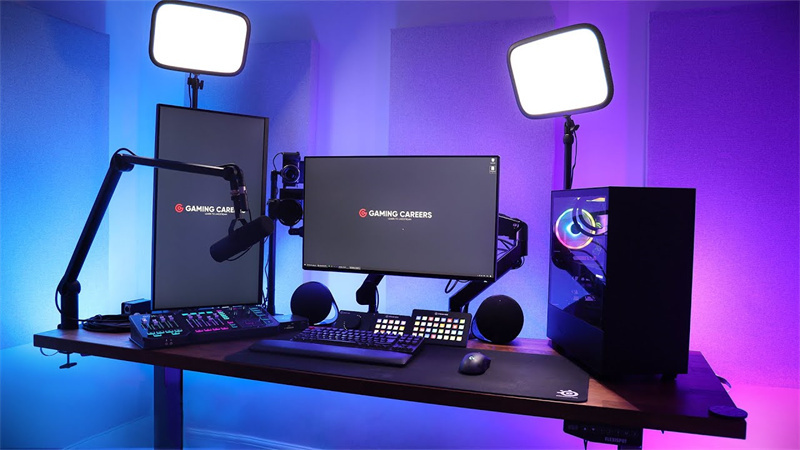
Computer or laptop
A computer running Windows 7 or a recent Windows 10 is advisable. A dual-core processor running at least 2 GHz, preferably an Intel Core i7 at 3 GHz or higher 8 GB of RAM, however 1 GB of DDR2 RAM would be ok. a hard drive with a 7200 RPM (SSD preferred)
-
Webcam or camera
Once you've determined which broadcasting software suits your requirements, it's time to decide what recording tools to buy.
Weighing the options for such an essential aspect of streaming video might be intimidating. Thus, we suggest exploring a few options before making a choice. To ensure a high-quality streaming experience, we recommend investing in a fully featured live-streaming camera if it is within your price range. A very high-quality camera will improve your broadcast significantly. Also, it will raise the caliber of the audio and visual components, which will aid in bringing in and keeping new viewers.
We recommend you make do with OBSBOT Tail Air Streaming Camera are AI-powered, and you can use an NDI connection with OBSBOT Tail Air to stream, making you enjoy high-quality, low-latency, frame-accurate video shooting.
Features:
- 4K Resolution: Capture every detail in stunning 4K resolution, ensuring crystal-clear visuals for your audience.
- AI Tracking and Framing: Never worry about staying in the frame again. With advanced AI tracking technology, the camera seamlessly follows your movements, ensuring you're always center-stage, making gameplay streams engaging and professional.
- NDI Supported: The NDI compatibility of the Tail Air empowers streamers with efficient, high-quality, and low-latency video transmission, ensuring a professional-grade streaming experience.
- Multiple Connections: The camera offers multiple built-in interfaces for seamless integration into your live streaming setup, providing versatile connectivity for a more efficient workflow.
- Easy to Use: Exclusive Mobile App for mobile and tablet devices.
-
Microphone or audio interface
A microphone arm that supports your audio source should also be purchased. There would be no need for a microphone arm if you were utilizing a collar mic or a clip-on mic. Proper setup will also allow you to stream live music on OBS seamlessly.
-
Internet Connection
Once everything is ready, check the bandwidth for your location and virtual speakers by running an internet speed test. A good upload speed is a minimum of 10 Mbps, and a good download speed is at least 25 megabits per second (Mbps). If you're hosting the event, try to go faster than you need to.
2. Streaming Platform
Selecting the best live streaming software is one of the most important factors, whether you are new to streaming or have previous experience. You need a platform that is both adaptable and dependable. You ought to be able to:
- Download recordings from streams
- Give distinct audio recordings
- Five or more distinct video layouts are available
- Include and edit lower-third graphics
- Full 1080p high-definition (HD) streaming
- Support many presenters in various venues
- Customize real-time messaging protocol (RTMP) destinations
- Utilize your customer relationship management (CRM) tool to keep track of attendees and registrations
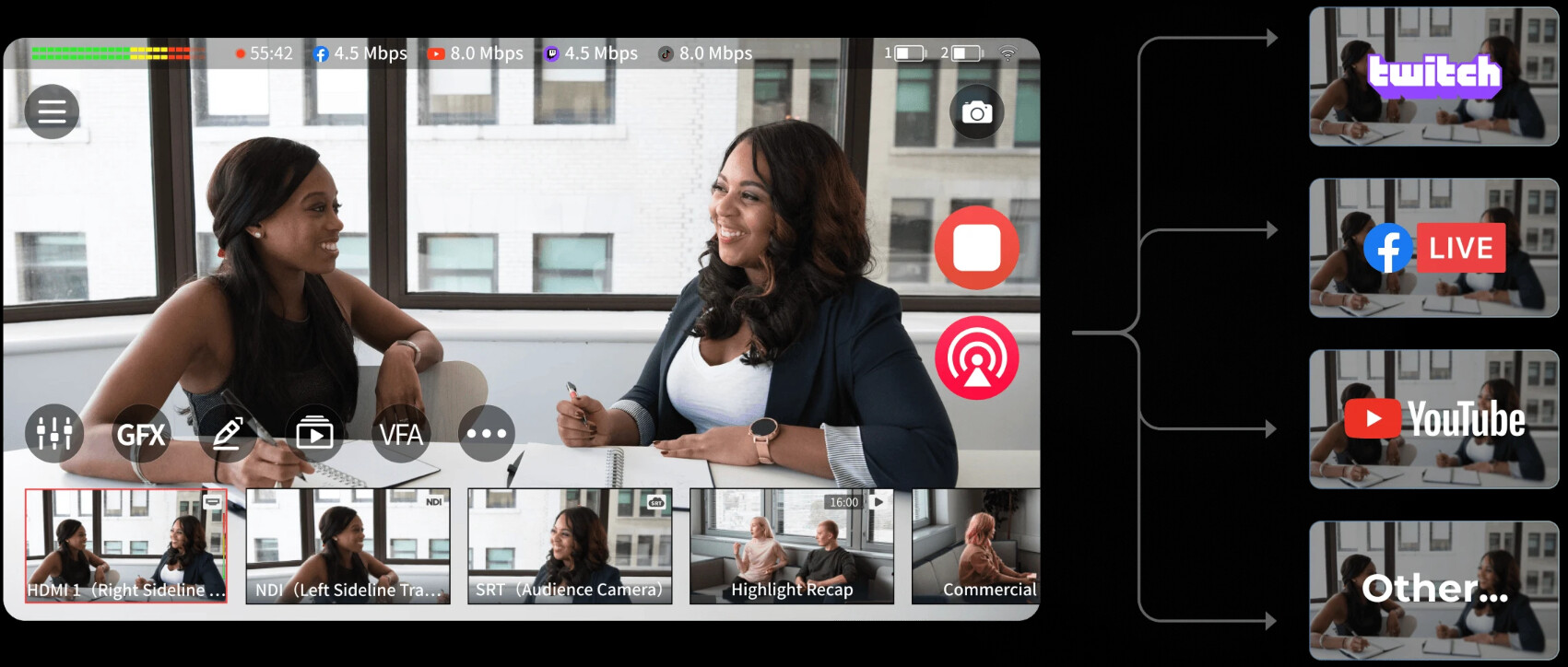
You might want to stream to several locations at once. Imagine, for instance, that you must stream to Facebook Live, YouTube Live, and Instagram Live in addition to a virtual event. In this situation, your system must simultaneously simulate or push the stream to numerous locations.
3. Setting Up and Configuration
Most of the work for live streaming is over before setting up your streaming settings, another critical factor in selecting the best streaming partner.
Think about the logos and overlays you want to use in each presentation. Identify and test the best times to switch between specific camera perspectives and computer presentations.
There are a few further parameters to take into account after that.
-
Configuration of the encoder
Do you want your message to go out loud clearly? Make sure your encoder is configured appropriately. Take into account the settings below:
-
Source inputs
For every encoder or video platform, there are different source inputs. Once you configure the encoder, attach your cameras and microphones to it so they can get included in your stream.
4. Additional Accessories
-
Capture Card
A capture card is frequently required when live streaming using a camera to turn the video into streamable media. You can buy and set up a capture card on your PC. You can connect the camera to the capture card and stream live events when everything is set up.
-
Lighting Setup
Now that your technical equipment is organized, it's time to focus on lighting, another crucial component. A well-lit environment improves the quality of your streaming and draws more people. Viewers rapidly lose interest if a video's subject is difficult to see. Therefore, improving your lighting is essential for keeping them watching.
-
Audio Mixer
I suggest getting an external microphone to enhance the audio quality of the stream. You can simultaneously manage several inputs using an audio mixer. You can control the sound and frequencies from your laptop, mobile device, and microphone by plugging them all in.
-
Green Screen
In video and photography, a chroma key green screen background is the foreground. It allows you to remove the green screen and add a fresh background after separating the topic from it.YouTubers, professional gamers, and video producers/social media influencers enjoy using green-screen videos for their videos and skits.
FAQs About Live Streaming Software
1. Is OBS Still the Best in 2025?
Yes, OBS Studio remains one of the best free streaming software options in 2025. It continues to offer professional-grade features, including high-performance real-time video/audio capturing, unlimited sources, customizable hotkeys, and support for all popular streaming platforms. While newer alternatives like Streamlabs OBS and XSplit have emerged with more user-friendly interfaces, OBS Studio's extensive customization options, zero cost, and active community support make it a top choice for serious streamers and creators.
2. How to Stream Facebook Live?
You can stream to Facebook Live using various software options. Popular choices include OBS Studio, Streamlabs OBS, XSplit Broadcaster, and the native Facebook Live Producer, which is free and built directly into Facebook. Configure your chosen software with Facebook's RTMP settings, connect your camera and microphone, set your video quality preferences, and start broadcasting. For best results, ensure you have at least 10 Mbps upload speed and quality equipment for professional-looking streams.
3. Who Is the #1 Streaming Service?
Not necessarily one definitive answer—it depends on your criteria. For live streaming software, OBS Studio leads as the most popular free option with millions of users worldwide. For platforms, YouTube and Twitch dominate gaming and creator content. Facebook Live has the largest potential audience with 2.7 billion monthly active users. For professional broadcasting, Wirecast and vMix are industry leaders. Choose based on your specific needs, target audience, and whether you prioritize platform reach or software capabilities.
4. Do I Need a Capture Card for Live Streaming?
Not necessarily—it depends on your setup. A capture card is required when streaming from external cameras or gaming consoles to convert video into streamable media for your PC. If you're using a webcam connected directly via USB or streaming PC gameplay, you don't need a capture card. However, for console gaming or professional camera setups, a capture card is essential. Pair it with quality equipment and reliable streaming software for optimal performance and video quality.
5. What Hardware Do I Need for Live Streaming?
You need specific hardware for successful live streaming. Essential requirements include a computer with at least a dual-core 2 GHz processor (Intel Core i7 at 3 GHz preferred), 8 GB RAM minimum, and an SSD hard drive. You'll also need a quality webcam or camera like the OBSBOT Tail Air with 4K resolution and AI tracking, a good microphone or audio interface, stable internet with 10 Mbps upload speed, and optional accessories like lighting setup, audio mixer, and green screen for enhanced production quality.
Conclusion
With the above-listed streaming software, YouTubers, professional gamers, and content creators now have options to get the best streaming experience using the best broadcasting apps. Also, opt for other live streaming tools like the required PC type (preferably Intel core i7 at 3 GHz or higher 8 GB of RAM), an Audio mixer, microphone, and camera.