

What is a Remote Meeting? Here is Everything You Need to Know
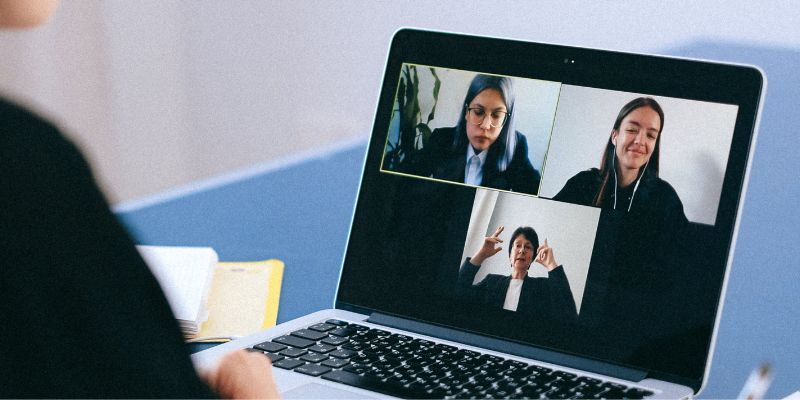
Remote meeting has shifted from a temporary solution to a permanent way of working. For professionals, founders, remote teams, and hybrid companies, virtual meetings now shape productivity, collaboration, and even company culture. This guide explains what a remote meeting really is, why it matters, and how to run remote meetings that are efficient, engaging, and worth everyone's time.
Part 1: What is a Remote Meeting?
A remote meeting, also called a virtual meeting or online meeting, is a form of communication where participants in different physical locations connect via technology to collaborate, discuss ideas, make decisions, and share information. In short, instead of being in the same physical space, participants use video conferencing software, collaboration tools, and other digital platforms to interact and conduct meetings remotely.
Types of Remote Meetings:
There are five types of remote team meetings, each catering to specific communication needs and objectives.
1. Video Conferencing Meetings
These meetings involve participants joining a virtual room using video and audio connections. Remote video conferencing allows real-time face-to-face interaction, non-verbal cues, and screen sharing. It is beneficial for discussions, presentations, and brainstorming sessions.
2. Audio Conferencing Meetings
Audio conferencing meetings rely solely on audio connections, without video. Participants join a conference call using their phones or computer audio systems. Audio conferencing is convenient for quick updates, conference calls with larger groups, or situations where video is not needed.
3. Webinars
Webinars are online seminars or presentations that allow one or a few presenters to share information with a larger audience. Participants typically join as viewers and can interact through chat features or Q&A sessions. Webinars help in training, educational purposes, or broadcasting information to a broader audience.
4. Team Collaboration Meetings
Team collaboration meetings involve using digital platforms, such as project management tools or shared document editing software, to work together on projects. Participants can communicate, assign tasks, share files, and track real-time progress. These meetings enhance teamwork and efficiency, particularly for distributed teams.
5. Hybrid Meetings
Teams' hybrid meetings combine elements of both in-person and remote sessions. Some participants gather in a physical location, while others join remotely. This type of meeting facilitates collaboration between team members in different places while accommodating those who may prefer or need to be present on-site.

Part 2: Remote Meeting Pros and Cons
Remote work meetings have become increasingly popular due to their numerous benefits and present particular challenges.
Let's explore them one by one:
Advantages of Remote Meetings:
1. Flexibility and Convenience
Join from any location, as travel is unnecessary and allows for more convenient scheduling. Saves time and reduces expenses associated with commuting or accommodation for in-person meetings.
2. Cost Savings
With remote team meetings, there is no need for expenses related to transportation, lodging, or arranging physical meeting spaces, resulting in significant cost savings over time.
3. Global Reach and Collaboration
Conduct regular business with clients, partners, and team members worldwide, facilitating international collaboration. This expanded reach allows organizations to tap into diverse talent pools, foster cross-cultural exchanges, and expand their business networks.
4. Environmental Sustainability
Decreased carbon emissions from transportation translate into a smaller carbon footprint. Embracing remote work meetings can align with corporate social responsibility goals and support eco-friendly practices.
5. Work-Life Balance
Employees can save time on commuting, have more control over their work environment, and allocate time for personal activities, leading to increased job satisfaction, a healthier work-life balance, and well-being.
Disadvantages of Remote Meetings:
1. Technical Challenges
Technical issues such as poor audio or video quality, connectivity disruptions, or compatibility problems can hinder effective communication and cause frustration for participants.
2. Lack of Non-verbal Communication
Subtle gestures, body language, and facial expressions may not be easily conveyed through video conferencing, potentially leading to miscommunication or misunderstandings.
3. Distractions and Engagement
Home environments or other external factors can divert attention and impact engagement levels. Ensuring active participation and maintaining focus throughout the meeting can be challenging.
4. Time Zone Differences
Finding a suitable time that accommodates participants in various locations may require compromise and careful planning to ensure maximum attendance and collaboration.
5. Lack of Personal Connection
The absence of informal interactions in remote work meetings, such as hallway conversations or social gatherings, may hinder team bonding and a sense of camaraderie.
Organizations can address these cons to maximize the benefits and mitigate the drawbacks of remote meetings.
Part 3: How to Plan a Remote Meeting?
Here's a breakdown of the critical stages of planning a remote meeting:
Before the Meeting:
1. Choose a Remote Meeting Software
Select a reliable remote meeting platform that suits your needs, such as Zoom, Google Meetings, etc.
2. Define the Meeting Objective
Identify the purpose of the meeting and what you hope to achieve to set an agenda and determine the necessary participants and resources.
3. Determine the Meeting Format and Duration
Decide whether a video conference, audio conference, or combination suits your meeting best. Schedule the appointment at a time that works for all participants.
4. Prepare an Agenda
Outline the topics to discuss, the allocated time for each item, and any required pre-meeting preparations. Share it with participants well in advance.
5. Communicate Meeting Details
Send meeting invitations with the date, time, and instructions. Include any relevant materials or documents participants need to review beforehand.
6. Check the Remote Meeting Tools
Make sure the video conference hardware works and all the settings are fine. Good video and audio tools can help you improve your virtual meeting experience. OBSBOT Tiny 3 4K PTZ Webcam is one of the best video conference webcams you should try.
Here are some of its significant features:
- 1/1.28'' CMOS Sensor & 4K Resolution: Known as "Tiny in size, Titan in power," the Tiny 3 offers 4K 30fps and 1080p 120fps video quality, ensuring stunning visuals even in challenging lighting with Dual Native ISO technology.
- Multiple AI Modes: Includes specialized Desktop and Whiteboard modes, perfect for collaborative brainstorming or annotating documents visually during remote interaction.
- Immersive Stereo Mic System: High-performance three microphones with noise reduction ensure your voice is captured with crystal clarity during remote video conferencing.
- AI Tracking 2.0 & Voice Tracking: The frame view intelligently adjusts using both Human Tracking and a Voice Locator to ensure all presenters are captured seamlessly and inclusively.
- Voice Control: Take advantage of hands-free meeting control. Adjust settings or camera positions using simple voice commands without interrupting your flow.
- Perfect Framing & Beauty Mode: AI Tracking 2.0 keeps you perfectly centered, while Beauty Mode optimizes lighting and appearance for a professional presence.
During the Meeting:
1. Start with Introductions and Icebreakers
Begin the meeting by introducing all participants. Incorporate icebreaker activities to foster engagement and create a positive atmosphere.
2. Follow the Agenda
Stick to the prepared agenda and ensure all necessary topics get covered within the allocated time. Encourage active participation and manage the discussion to avoid interruptions or dominance by specific individuals.
3. Utilize Collaboration Tools
Leverage the features of your chosen remote meeting tools, such as screen sharing, virtual whiteboards, and document collaboration, to facilitate effective communication and cooperation among participants.
4. Engage and Facilitate Discussion
Manage speaking turns and provide time for questions, feedback, and discussion. Visual cues, such as hand raising or chat features, facilitate orderly participation.
Troubleshooting During Meeting:
Even with careful preparation, technical issues can arise mid-remote meeting. Here's how to handle the most common problems quickly and keep things on track:
1. Poor Video or Audio Quality
Check your internet connection first — a wired Ethernet connection is more stable than Wi-Fi. If the problem persists, ask participants to turn off their cameras temporarily to free up bandwidth, and ensure your webcam and microphone drivers are up to date.
2. Echo or Background Noise
Echo usually occurs when a participant's microphone picks up audio from their speakers. Ask everyone not actively speaking to stay muted, and encourage the use of headphones to eliminate feedback loops and reduce ambient noise.
3. Screen Sharing Not Working
Restart the screen share and check that the platform has permission to access your screen in your system settings. On Mac, this is found under System Settings → Privacy & Security → Screen Recording.
4. Participants Unable to Join the Remote Meeting
Confirm the meeting link, ID, and password are correct in the invitation. If someone still cannot join, have them try a different browser or reinstall the remote meeting app, as outdated software versions are a common culprit.
5. Camera Not Recognized During Remote Meeting
Unplug and reconnect your webcam, then check whether the platform detects it under video settings. For advanced webcams like the OBSBOT Tiny 3, ensure the companion app is running, as it enables AI tracking and other features that the platform alone cannot activate.
6. Sudden Disconnection
If a participant drops out unexpectedly, the host should continue the remote meeting and send a recap afterward. Encourage all participants to keep the meeting link handy so they can rejoin instantly without needing a new invite.
After the Meeting:
1. Summarize and Share Meeting Notes
Create and share a summary of the meeting's key points, decisions, and action items with participants to ensure everyone is on the same page.
2. Follow-Up on Action Items
Assign action items to relevant individuals and set deadlines. Follow up with participants and provide any necessary support or clarification.
3. Gather Feedback
Request feedback from participants on the meeting process, effectiveness, and areas for improvement to refine future remote meetings and address any concerns or suggestions.
4. Archive Meeting Recordings and Materials
Store recordings and any shared documents or presentations in a centralized location for easy access and reference in the future.
With these steps and a professional 4k PTZ Webcam like Tiny 3, you can effectively plan, execute, and follow up on remote meetings.
Part 4: Tips for Improving Remote Meetings
So, now we will move to share a few tips via which you, as a virtual team meeting organizer, can improve the experience:
1. Prepare and Test Technology
Ensure the Internet connection, audio, and video equipment function correctly before the meeting to avoid technical issues or delays.
2. Establish Clear Communication Guidelines
Set expectations for meeting etiquette, including muting when not speaking, raising hands for questions, and using chat features for discussions or sharing links.
3. Create Engaging Visuals
Utilize visual aids such as slides, graphics, or screen sharing to enhance understanding and keep participants engaged during the meeting.
4. Encourage Active Participation
Foster engagement by involving all participants through interactive activities and discussions and asking for input and feedback on agenda items.
5. Set Time Limits for Agenda Items
Allocate specific time limits for each agenda item to ensure a focused and efficient meeting, allowing for meaningful discussions while maintaining a productive pace.
6. Follow Up with Action Items
Share meeting minutes or a summary highlighting action items, deadlines, and responsible parties. Regularly follow up on progress to ensure accountability and completion of tasks.
These tips can improve the quality, engagement, and effectiveness of your remote conferencing.
FAQs About Remote Meeting
Which tools are most effective for recording and sharing online meetings.
Zoom, Google Meet, and Microsoft Teams all offer built-in recording features that automatically save sessions to the cloud for easy sharing. For better video quality during recordings, pairing these platforms with a 4K webcam like the OBSBOT Tiny 3 ensures your footage looks professional and is worth rewatching.
How do you keep remote meeting participants engaged and focused?
Set a tight agenda with time limits per topic, use screen sharing or visual aids to anchor attention, and call on participants by name to encourage active involvement. Shorter meetings under 45 minutes with a clear purpose consistently outperform open-ended sessions in engagement.
What is the best way to handle time zone differences in remote meetings?
Use a shared scheduling tool like World Time Buddy or Calendly to find overlap windows that work across regions, and rotate meeting times fairly so the same team members aren't always joining at inconvenient hours. Always include the time zone in every meeting invite to eliminate confusion.
How can you make hybrid meetings fair for both in-person and remote attendees?
Ensure remote participants appear on a dedicated screen in the room so they're visually present, and use a PTZ webcam with auto-tracking to capture all in-room speakers automatically. Assign a meeting facilitator to actively loop in remote voices so they're never talked over or overlooked.
Conclusion
Hence, I hope you have a clear idea about how a remote meeting works, right? We also shared its difference from virtual team meetings, how to arrange them, the tools required, and what steps to take post the session.
So, what do you think? Can you conduct successful meetings using remote meeting apps now?
Lastly, I recommend the OBSBOT Tiny 3 if you haven't purchased a meeting webcam yet. This 4k PTZ Webcam will make your remote conferencing experience even better.