Cameras for Gym: Choosing the Best Tool to Track Your Progress

You can train hard every day, but if you are not seeing your form, you are only guessing your progress. Today, cameras for gym use go far beyond simple recording. They support everything from analyzing technique and tracking physique changes to filming workouts, creating social media content, live streaming sessions, and even running online coaching. Using a reliable camera for gym content gives you a clear, objective way to improve both performance and presentation. As fitness becomes increasingly measurable, the right camera for gym content helps you go beyond numbers and actually see and share your progress.
Key Selection Factors for Camera for Gym
Resolution and Frame Rates
A high resolution camera ensures your footage captures every detail of your movement. A 4K resolution camera allows you to zoom in during playback without losing clarity. Frame rate is just as important, 60fps is ideal for general workouts, while 120fps or higher helps break down fast movements like Olympic lifts or sprints.
Portability and Mounting Options
In a gym environment, space is limited. A compact camera for gym use should be easy to carry and quick to mount. Look for lightweight designs, magnetic mounts, clip systems, or tripod compatibility. Portability ensures you can reposition your camera between sets without disrupting your flow.
Autofocus Tracking and Stabilization
Reliable autofocus tracking in a camera keeps you sharp in frame as you move. This is essential for dynamic workouts like HIIT or circuit training. Stabilization, whether digital or optical, reduces shake, especially if you are placing the camera on unstable surfaces or handheld rigs.
Zoom Capability
Zoom allows you to frame your shot without moving the camera. Optical zoom maintains quality, while digital zoom can degrade clarity. For gym use, moderate zoom is useful when filming from a distance in crowded environments.
Low-Light Performance
Gyms often have uneven or dim lighting. A camera with strong low-light performance ensures your footage remains clean and usable without excessive noise or grain.
Battery Life
Long sessions require reliable battery performance. Look for cameras offering at least 90 minutes of recording time or the ability to operate while plugged in.
Budget
Your budget determines the balance between features and performance. Entry-level models are great for casual use, while premium options offer advanced tracking, stabilization, and professional-grade video quality.
5 Top-Picked Cameras for Gym
| Model | Resolution & Frame Rate | Zoom Capability | Stabilization Tech | Battery Life (Runtime) | Body Weight |
| OBSBOT Tail 2 | 4K@60 / 1080p@120 | 5x Optical / 12x Hybrid | 3-Axis Brushless Gimbal (Pan/Tilt/Roll) | 343 mins | 1066g |
| DJI Osmo Pocket 3 | 4K@120fps | 2x (4K) / 4x (1080p) Digital | 3-Axis Mechanical Gimbal | ~166 mins | 179g |
| Insta360 GO 3S | 4K@30fps | Digital Crop Only | FlowState Electronic (EIS) | ~140 mins (with Pod) | 39.1g |
| Canon M50 Mk II | 4K@24 / 1080p@120 | Lens Dependent | 5-Axis Combination IS | ~90 mins | 387g |
| Sony ZV-E10 II | 4K@60 / 1080p@120 | Lens Dependent | Active Mode Electronic (EIS) | ~125 mins | 292g |
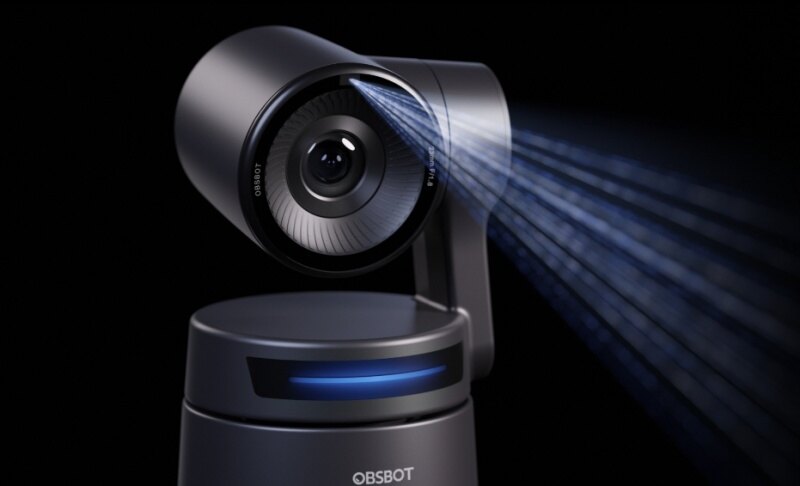
OBSBOT Tail 2 Live Production Camera
Price: $1,199
Overview:
This advanced PTZR camera combines intelligent tracking with professional-grade hardware, making it a powerful solution for hands-free recording. The camera has a 1/1.5" CMOS sensor and 12 optical lenses that delivers sharp, detailed footage even in challenging gym environments.
Why we recommend it:
- 4K@60fps & 1080p@120fps: Captures smooth, high-resolution footage, ideal for slow-motion form analysis.
- AI Tracking 2.0: Automatically follows your movement, keeping you centered without manual control.
- PTZR with 90° Rotation: Switches seamlessly between vertical and horizontal formats for different platforms.
- 5x Optical Zoom (12x Hybrid): Maintains clarity even when shooting from a distance.
- 1/1.5" CMOS Sensor: Produces sharp, detailed video in indoor gym lighting.
- NDI, SDI, HDMI, Ethernet: Supports advanced streaming and professional setups.
User Review:

DJI Osmo Pocket 3

Price: $499.00
Overview:
A compact handheld camera with a powerful 1-inch CMOS sensor that delivers detail-rich video in a pocket-sized form. It features a 2-inch rotatable touchscreen, allowing you to switch between horizontal and vertical shooting for better control and framing.
Why we recommend it:
- 1-Inch CMOS Sensor: Delivers rich detail and better low-light performance for indoor workouts.
- 4K@120fps: Enables ultra-smooth slow-motion for analysing fast movements.
- Three-Axis Mechanical Stabilisation: Keeps footage steady during dynamic exercises.
- 2” Rotatable Touchscreen: Allows quick switching between vertical and horizontal framing.
- Full-Pixel Fast Autofocus: Locks onto subjects quickly for consistent sharpness.
- 10-Bit D-Log M & HLG: Preserves accurate colours and shadows for professional-looking content.
User Review:

Insta360 GO 3S

Price: $319.99
Overview:
A thumb-sized, ultra-lightweight (1.4oz / 39g) camera that delivers powerful 4K recording in a tiny form factor. Insta360 GO 3S is designed for hands-free use, it combines portability with surprisingly high performance for everyday gym recording.
Why we recommend it:
- Ultra-Lightweight (1.4oz / 39g): Easy to wear or mount without interrupting your workout.
- 4K Hands-Free POV Recording: Captures immersive angles without holding a camera.
- MegaView FOV: Provides ultra-wide shots with reduced distortion.
- FlowState Stabilisation & Horizon Lock: Keeps footage smooth and level during movement.
- Magnetic Mounting System: Enables creative placement on equipment or clothing.
- Action Pod with 140-Min Battery: Adds extended recording time, live preview, and control.
User Review:

Canon EOS M50 Mark II

Price: $615.00
Overview:
A powerful mirrorless camera built for creators, featuring a 26MP APS-C back-illuminated Exmor R CMOS sensor that is significantly larger than smartphone and compact camera sensors, delivering high-resolution, detailed, and professional-looking images.
Why we recommend it:
- 24.1MP APS-C Sensor: Produces high-resolution images and detailed video.
- Dual Pixel CMOS AF with Eye Detection: Maintains accurate focus during movement.
- 4K@24p & 120fps HD: Supports both cinematic recording and slow-motion analysis.
- Vari-Angle Touchscreen: Makes it easy to frame shots from different angles.
- DIGIC 8 Processor: Enhances image processing and overall performance.
- Interchangeable Lenses: Allows flexibility for different gym setups and shooting styles.
User Review:

Sony ZV-E10 II

Price: $998
Overview:
A powerful mirrorless camera designed for content creators, featuring a large APS-C sensor and interchangeable lenses for greater creative control and higher image quality in both photo and video.
Why we recommend it:
- 26MP APS-C Exmor R Sensor: Delivers professional-quality images with excellent detail and low-light performance.
- Interchangeable E-Mount Lenses: Offers flexibility for wide, close-up, or cinematic shots.
- Real-Time Eye AF & Tracking: Keeps focus locked on you during movement-heavy workouts.
- 4K Video & 120fps Full HD: Supports both high-quality recording and slow-motion playback.
- Creative Look & My Image Style: Allows in-camera customisation of colours and tones.
- Fully Articulating Screen: Simplifies solo recording and framing.
User Review:

Essential Camera Gear for Your Gym Setup
Building an effective setup with cameras for gym recording goes beyond just the camera. Having the right supporting gear ensures smoother performance, better footage quality, and a more reliable camera for gym content experience during every workout.
- Storage Solutions High-resolution video consumes storage quickly. Use high-speed SD cards (UHS-I or higher) to avoid recording interruptions.
- Power Management Carry spare batteries or use power banks. Some cameras for gym content allow continuous recording while plugged in, which is useful for long sessions.
- Protective Gear Gym environments can be rough. Use protective cases or silicone covers to prevent damage from drops or sweat exposure.
- Audio Enhancement If you're recording tutorials, external microphones improve clarity significantly. Built-in mics often struggle with background noise.
- Maintenance Keep lenses clean and free from sweat or dust. Regular maintenance ensures consistent image quality.
FAQs on Cameras for Gym
Q1: Are cameras better than smartphones for gym recording?
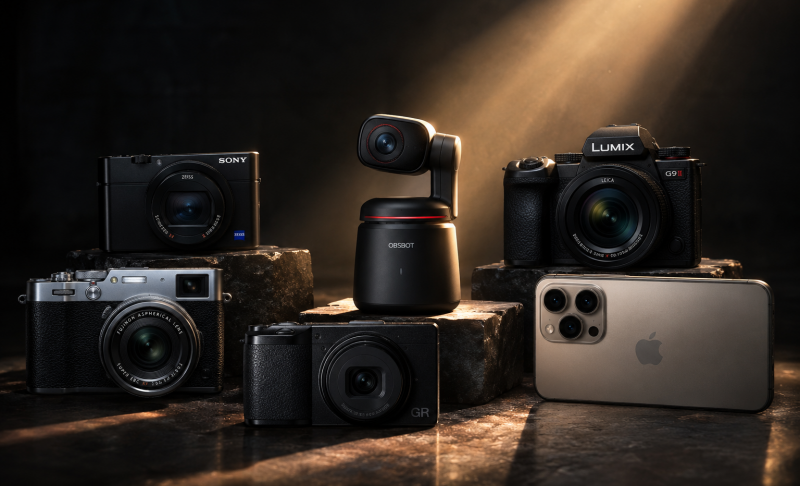
Yes, dedicated cameras for gym use provide better stabilisation, autofocus, and video quality. Devices like the OBSBOT Tail 2 also offer automated tracking, which smartphones typically lack.
Q2: How can you safely mount a camera in a busy public gym?
Use compact tripods, magnetic mounts, or clamp mounts that attach securely to equipment. Avoid placing your camera for the gym in high-traffic areas to reduce the risk of accidents.
Q3: Which frame rate is optimal for analyzing your lifting form?
For most workouts, 60fps is sufficient, but for detailed analysis, especially fast lifts, 120fps or higher provides smoother slow-motion playback.
Conclusion
Choosing the right cameras for gym recording comes down to how you train and what you want to capture. Whether you prioritise portability, stabilisation, or professional-quality visuals, the right camera for gym content can significantly improve both your performance analysis and content creation. Ranging from compact wearable devices to advanced AI-powered systems, there's a solution for every setup. Focus on features that match your routine, and you'll build a reliable recording system that supports consistent progress and high-quality results.