Best PTZ Camera for Live Streaming: 7 Picks
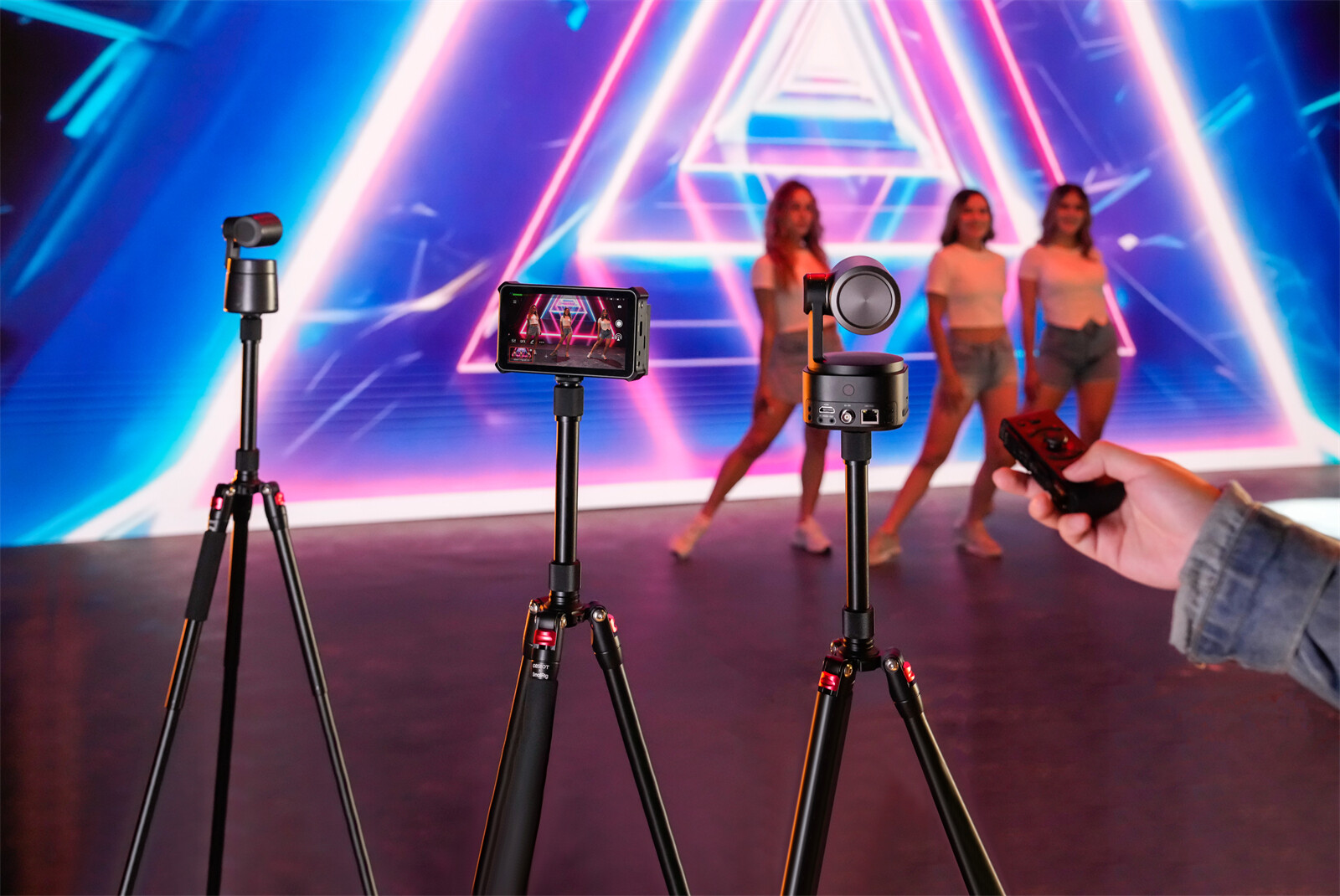
Live streaming rewards the viewers who stay — and viewers stay when the picture stays on the action. A PTZ camera for live streaming can pan, tilt, and zoom on command, so one operator can run a multi-angle show without a camera crew. But "PTZ" alone doesn’t guarantee a good stream; sensor size, zoom type, and connection method are what separate a broadcast-quality feed from a webcam feed.
This guide covers the specs that actually matter, then lists the 7 best PTZ cameras for live streaming, including dedicated picks for 4K and for church live streaming.
Part 1: What Makes a PTZ Camera Great for Live Streaming
A PTZ camera is a motorized camera that can Pan (rotate side to side), Tilt (move up and down), and Zoom — without anyone touching it. For live streaming, that means one person can follow a speaker across a stage, reframe a shot, or switch between a wide view and a close-up from a laptop or remote. How well it does that comes down to five specs.
The 30-second answer: For most live streamers, a 1080p or 4K camera with USB or NDI|HX output, real optical zoom, and AI tracking covers about 90% of setups. Step up to 20x–30x optical zoom for large venues, and to a larger sensor if your room is dim.
1. Resolution: 1080p vs 4K
1080p (Full HD) is the safe baseline for YouTube, Twitch, and Facebook Live. 4K captures four times the pixels, which pays off twice: it looks sharper on large screens, and it lets you crop or digitally zoom mid-broadcast without the image falling apart. Watching on phones? 1080p is plenty. Projecting in a hall or delivering to clients? Go 4K.
2. Zoom: Optical vs Digital vs Hybrid
These three get mixed up constantly, and they are not the same thing:
- Optical zoom moves the physical lens, so sharpness holds at full zoom. This is the number that matters in a large room.
- Digital zoom crops and enlarges existing pixels, so the picture softens as you zoom in.
- Hybrid zoom combines both — optical first, then digital to reach further.
Buy for optical reach; treat digital as a small reframing tool only.
3. Connectivity: USB vs HDMI vs NDI|HX vs PoE
- USB — plug-and-play into a computer; no capture card. Best for solo creators.
- HDMI — lowest latency and broadcast-standard, but needs a capture card and short cable runs.
- NDI|HX — sends video over your existing network on one cable, which makes multi-camera work far easier.
- PoE — video, power, and control over a single network cable. Long runs, clean installs.
4. AI Tracking, Auto-Framing, and Control
AI tracking locks onto a subject and follows them as they move; auto-framing keeps a group neatly in shot. This is what lets one operator run a two- or three-camera show. Look for app, remote, joystick, and gesture control so you can operate without being tied to a computer.
5. Low-Light Performance
Sensor size and lens aperture decide how the camera handles dim rooms — evening services or underlit halls. A larger sensor (1/1.5" or 1/1.8") keeps noise down when the lights drop, which is often the difference between a usable and an unusable stream.
Part 2: How to Choose the Best PTZ Camera for Live Streaming
Answer five questions before you compare models — they eliminate most of the list instantly.
- Where will it live? Ceiling or wall mount for a fixed church or studio; portable for creators who move around.
- How far is the subject? Small rooms need 3x–12x optical zoom; sanctuaries and auditoriums need 20x–30x.
- How dim is the room? Dim spaces reward a larger sensor.
- Who operates it? A solo streamer needs AI tracking; a team can use a joystick and presets.
- What does your platform accept? Most take RTMP/RTMPS; NDI and HDMI feed a production setup like OBS or vMix.
Part 3: Top 7 PTZ Cameras for Live Streaming
| Product | Resolution | Optical Zoom | Connectivity | Best For | Price |
|---|---|---|---|---|---|
| OBSBOT Tail 2 | 4K@60fps | 5x (12x hybrid) | SDI, HDMI, USB, PoE+, NDI | Creators & churches wanting pro I/O | ~$1,299 |
| Canon CR-N300 | 4K UHD | 20x | HDMI, NDI|HX, IP, USB | Cinematic 4K streams | ~$2,399 |
| PTZOptics Move 4K 30X | 4K@60fps | 30x | NDI|HX3, SDI, HDMI, USB, PoE | Multi-camera studios | ~$2,000 |
| Panasonic AW-UE50 | 4K UHD | 24x | SDI, HDMI, IP, PoE+ | Broadcast & worship | ~$2,400 |
| FoMaKo HDMI 30x | 1080p | 30x | HDMI, SDI, IP | Large venues on a budget | ~$699 |
| AVER VC520 Pro 2 | 1080p | 12x (18x total) | USB-C | Meeting rooms | ~$1,399 |
| HuddleCamHD 3X | 1080p | 3x | USB 2.0 | Small rooms, tight budgets | ~$400 |
1. OBSBOT Tail 2
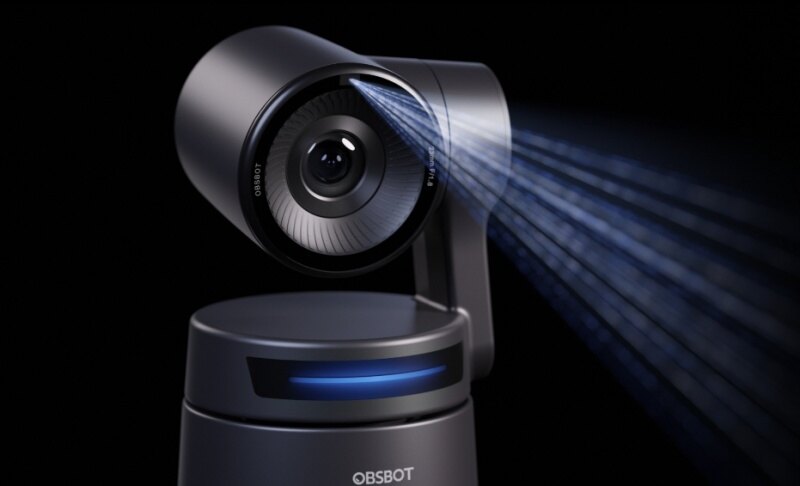
Tail 2 is the rare compact PTZ that keeps a real optical lens instead of leaning on digital zoom. A 1/1.5" sensor shoots 4K at 60fps, and its 5x optical (12x hybrid) zoom pulls distant subjects in without the softness you get from cropping. AI Tracking 2.0 follows a single speaker or a whole group, and the motorized head also rotates, so you can flip between landscape and vertical for social clips without repositioning the camera. With SDI, HDMI, USB, PoE+, NDI, and a built-in battery, it drops into both a solo desk setup and a networked multi-camera production.
- 4K@60fps on a 1/1.5" sensor: sharp, smooth motion and clean results in low light, useful for dim sanctuaries and evening events.
- 5x optical / 12x hybrid zoom: genuine reach for mid-size rooms without the pixel-softening of digital-only zoom.
- AI Tracking 2.0: group tracking and a single-subject lock let one operator keep the speaker framed without touching a controller.
- Pro connectivity with a built-in battery: SDI, HDMI, USB, PoE+, and NDI cover solo and multi-cam workflows, while the battery keeps it portable.
Pricing: ~$1,299
2. Canon CR-N300
The CR-N300 is aimed at creators who color-grade. It shoots 4K UHD through a 20x optical zoom, stabilizes the image during moves, and pairs Hybrid AF with the DIGIC DV6 processor for reliable focus. Canon Log 3 gives you the flat profile you need for cinematic-looking streams, and it plays nicely with a wide range of software and switchers.
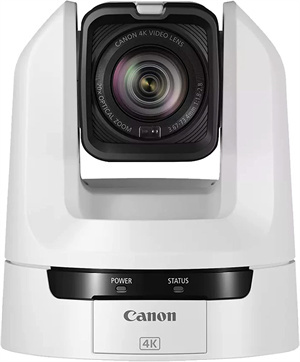
- 20x optical zoom: keeps detail in larger rooms and auditoriums.
- Dual streaming: NDI|HX and RTMP support cover both network and direct-to-platform workflows.
- Canon Log 3: delivers the dynamic range that makes a stream look produced rather than webcam-captured.
Pricing: ~$2,399
3. PTZOptics Move 4K 30X
For multi-camera studios, the Move 4K is the practical workhorse. It shoots 4K at 60fps with a 30x optical zoom, and native NDI|HX3, SDI, HDMI, USB, and IP outputs mean it fits almost any switcher. Power over Ethernet cuts the cable clutter, and built-in auto-tracking keeps the operator free to manage the rest of the show.
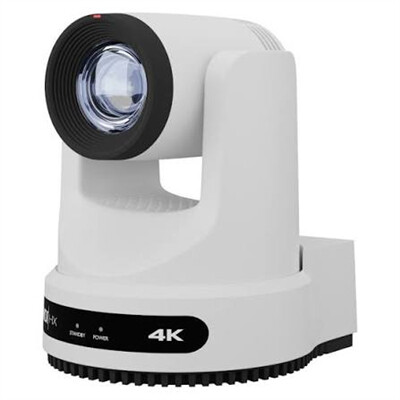
- 30x optical zoom in 4K: covers large venues while keeping the resolution headroom to crop later.
- NDI|HX3 plus SDI, HDMI, USB, and IP: plugs into nearly any production setup.
- PoE and built-in tracking: simplifies installation and keeps one operator in control of several cameras.
Pricing: ~$2,000
4. Panasonic AW-UE50
The AW-UE50 replaces Panasonic’s long-running HE40 line with 4K, a 24x optical zoom, and a 1/2.5" MOS sensor. It runs quietly, supports PoE+ for single-cable installs, and can be driven as a USB webcam with Panasonic’s free driver — handy for churches that stream to several platforms. It’s the pick for broadcast-minded teams that want dependable, low-noise 4K without a cinematic workflow.
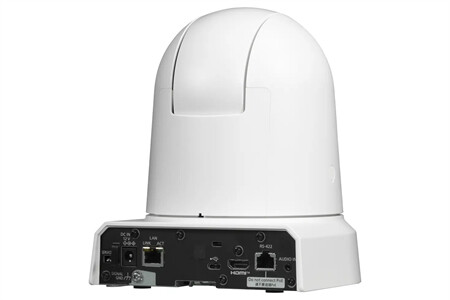
- 24x optical zoom and 4K: reach across a sanctuary and still hold detail on large screens.
- PoE+ and quiet operation: clean single-cable installs that won’t distract a congregation.
- USB webcam mode: doubles as a simple conferencing camera when you need one.
Pricing: ~$2,400
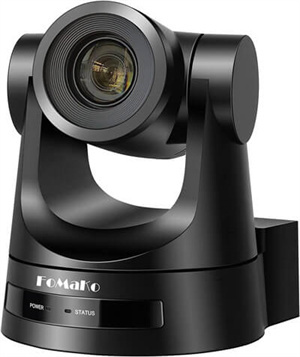
5. FoMaKo HDMI 30x
If reach matters more than resolution, the FoMaKo 30x is the budget answer. Its 30x optical zoom pulls the pulpit or stage in close from the back of a large room, HDMI keeps latency low, and RS-232 control gives you precise, repeatable moves. It stays at 1080p, but for many churches and event spaces that’s more than enough.
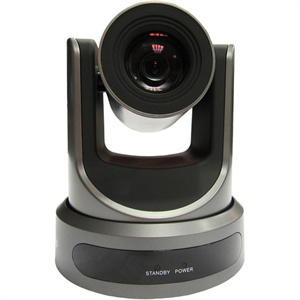
- 30x optical zoom: the long reach that large sanctuaries and auditoriums need.
- HDMI, SDI, and IP outputs: flexible integration for mixed production rigs.
- 1080p at an entry price: the best value when your priority is distance, not 4K.
Pricing: ~$699
6. AVER VC520 Pro 2
The VC520 Pro 2 is built for meetings rather than broadcast. It delivers 1080p with a 12x optical zoom (18x total), and SmartFrame auto-framing keeps every participant in shot. Dual microphones and daisy-chaining handle the audio side, so a hybrid meeting gets camera and sound from one package.
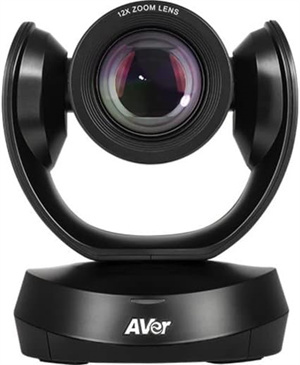
- 12x optical zoom with auto-framing: covers large meeting rooms without manual reframing.
- Integrated audio: built-in mics and daisy-chaining scale to bigger rooms.
- Single USB-C connection: fast to set up and easy to move between rooms.
Pricing: ~$1,399
7. HuddleCamHD 3X
The HuddleCamHD 3X is the entry point for small spaces. A 3x optical zoom, a wide 36–91 degree field of view, and 64 presets cover classrooms and boardrooms, and it connects over USB 2.0 with no extra hardware. It won’t reach across a sanctuary, but for a tight room on a tight budget, it does the job.
- 3x optical zoom and a wide field of view: fits small rooms where everything is close.
- USB 2.0 plug-and-play: works with Zoom, OBS, Teams, and more with no capture card.
- 64 presets: makes repeatable shots easy for beginners.
Pricing: ~$400
Part 4: Best PTZ Camera for Church Live Streaming
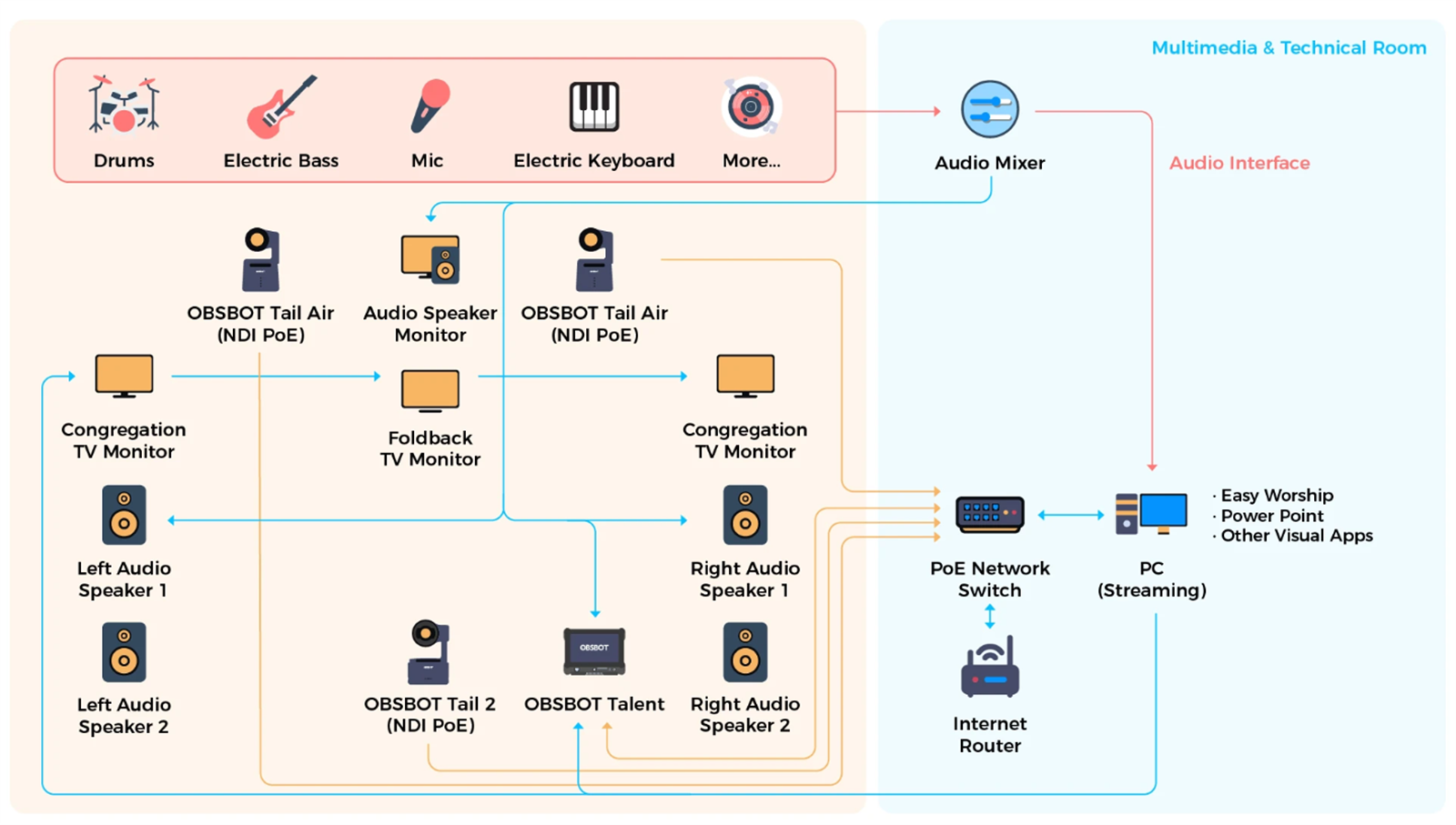
Streaming a service is not the same as streaming from a desk. A sanctuary adds three constraints: the stage is far from the camera, the light is dim and uneven, and the camera has to move quietly enough not to distract the congregation. Most churches also run on one or two volunteers — which makes AI tracking and preset recall the difference between a calm service and a stressful one.
Top Picks for Church Live Streaming
| Camera | Why It Fits a Church | Price |
|---|---|---|
| OBSBOT Tail 2 | 4K60 and a larger sensor for dim services; AI tracking follows the speaker; NDI and PoE+ for multi-cam | ~$1,299 |
| Panasonic AW-UE50 | 24x optical zoom and quiet PoE+ operation for large or low-light sanctuaries | ~$2,400 |
| FoMaKo 30x | 30x optical zoom reaches the pulpit from the back of a large room at an entry price | ~$699 |
Quick recommendation: For a small or mid-size church run by one volunteer, the OBSBOT Tail 2 gives you 4K, real optical zoom, and tracking that does the framing for you. If your sanctuary is large or dim enough that reach becomes the priority, step up to the Panasonic AW-UE50, or save budget with the FoMaKo 30x.
Part 5: Do You Need a 4K PTZ Camera for Live Streaming?
A 4K PTZ camera captures four times the detail of 1080p, and that buys you two things: a sharper picture on large screens or TVs, and the ability to crop into the frame to fake a second angle without a second camera.
You don’t always need it. If your audience watches on phones, spend the budget on optical zoom and low light instead. Choose 4K when you project in a hall, deliver to clients, or want editing headroom — the OBSBOT Tail 2, Canon CR-N300, and PTZOptics Move 4K all cover that ground.
Part 6: FAQs about PTZ Camera for Live Streaming
1. Are PTZ cameras good for live streaming?
Yes — they can pan, tilt, and zoom smoothly without being physically moved, so you can change angles mid-stream with minimal effort. They suit fixed setups rather than handheld use, which makes them ideal for podcasts, interviews, panels, and worship services.
2. What is the disadvantage of a PTZ camera?
They cost more than a basic webcam and take time to learn, especially when setting up presets and remote controls. For anyone who needs flexible framing and automation, that trade-off is usually worth it.
3. Can I use a PTZ camera as a webcam?
Yes. Most models support USB output for a direct connection to a computer, and software such as OBS or Zoom will recognize them. Some advanced features may still need extra software.
4. What are the main differences between HDMI and PoE PTZ cameras?
Cabling. HDMI cameras need separate cables for video, power, and control, and offer ultra-low latency over short runs. PoE cameras carry video, power, and control over one network cable, allowing long runs and easier network integration.
5. What is the best PTZ camera for church live streaming?
It depends on your sanctuary. For small to mid-size churches with one operator, the OBSBOT Tail 2 offers 4K, optical zoom, and AI tracking in a compact body. For large or dim sanctuaries, the Panasonic AW-UE50 brings 24x zoom and quiet PoE+ operation, while the FoMaKo 30x covers long reach on a budget.
6. How many PTZ cameras do I need for live streaming?
One can carry a simple stream if it has AI tracking. Two cover a wide shot plus a close-up; three allow wide, medium, and close-up angles with smoother switching. Start with one and add cameras as you grow — choosing NDI|HX or PoE models now makes that expansion easier.
Conclusion
The right 4K PTZ camera depends on your room, your light, and your operator. Large or dim sanctuaries call for optical zoom and low-light performance; solo creators and small churches are better served by AI tracking and portability. The OBSBOT Tail 2 is the strongest all-rounder for its mix of 4K60, real optical zoom, pro connectivity, and tracking. If you want the lowest entry price and mostly stream at a desk, the OBSBOT Tiny 2 is a lighter alternative with AI tracking, 4K, and voice and gesture control.