12 Best Podcast Microphones for Beginners & Pros
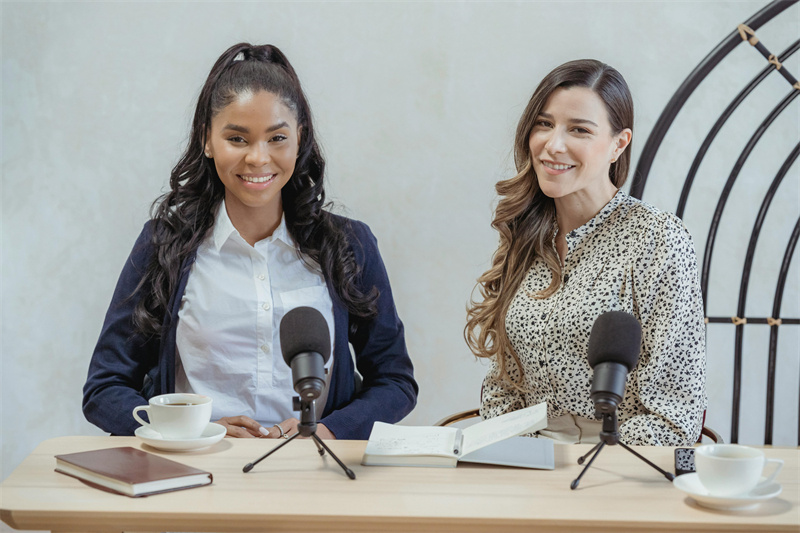
The best podcast microphones like the hybrid Shure MV7+ or the iconic Shure SM7B—focus heavily on your voice while naturally blocking out background noise and room echo. There is a lot that goes into making a podcast, but nothing matters more than how you sound, whether you are flying solo or chatting with a co-host.
In this guide, we've rounded up the top podcast microphones on the market to help you sound clear and professional. We will also explore how to pair your audio with smart video gear like the OBSBOT Tail 2 to effortlessly elevate your visual game.
Part 1: How to Choose the Right Podcast Microphone
Choosing the right podcast microphone is not a complicating thing. You only need to focus on two things first: microphone type and connection type. The table below breaks down the key differences to help you decide quickly.
1. Your Recording Environment (The Biggest Factor)
If you buy the wrong type of mic, you will spend hours editing out echoes and street noise.
- Dynamic Microphones: Choose this if you record in an untreated room (e.g., a standard home office or bedroom). They are less sensitive, meaning they reject background noise beautifully and only capture what is directly in front of the capsule.
- Condenser Microphones: Choose this ONLY if you have a sound-treated, quiet studio. They are highly sensitive and capture rich, broadcast-quality detail, but they will pick up your air conditioner, keyboard clicks, and room echo.
2. Connection Type (USB vs. XLR)
- USB (Plug-and-Play): Best for beginners, solo podcasters, or frequent travelers. Plugs directly into your laptop with zero extra gear required.
- XLR (Professional Setup): Best for multi-host podcasts or those wanting an upgrade path. Requires an external audio interface or mixer to connect to a computer, but offers significantly better audio routing and control.
3. Pickup Pattern
Always ensure the microphone features a Cardioid polar pattern. This specifically records audio from the front and blocks sound from the rear and sides, which is essential for spoken-word audio.
Bonus: When a Great Podcast Microphone Meets the Right Camera – OBSBOT Tail 2 Live Production Camera
A high-quality podcast microphone is the foundation of any great podcast. Clear vocals, natural tone, and consistent audio are what keep listeners engaged. However, as more podcasts expand to YouTube, Spotify Video, and other visual platforms, audio alone is no longer enough.
This is where pairing your podcast microphone with a capable podcast camera makes a real difference. The OBSBOT Tail 2 complements professional podcast microphones by handling the visual side automatically—tracking your movement, adjusting framing in real time, and eliminating the need for a dedicated camera operator.
Whether you're recording a solo podcast, hosting in-depth interviews, or running a multi-hour talk show, OBSBOT Tail 2 ensures your video quality matches the clarity and professionalism of your podcast microphone—without adding complexity to your setup.
Why OBSBOT Tail 2 Works Well with Podcast Microphones:
- 4K@60fps Resolution & 1080p@120fps Option: Provides ultra-high-definition video with smooth motion, giving your podcast a polished, professional look that stands out on any platform.
- All-Pixel Phase Detection Auto Focus (PDAF): Offers fast and precise focusing across the entire frame, ensuring that you stay crisp and clear even if you move slightly.
- 3-Axis Gimbal Stabilization: Delivers ultra-smooth video, keeping your footage stable even if you're moving or gesturing during your podcast recording.
- AI Tracking with "Only Me" Mode & Gesture Control: Automatically follows you as you speak or move, giving you freedom to express naturally while staying in frame.
- HDMI, USB, NDI HX3, and MicroSD Support: Offers flexible connectivity for live streaming, local recording, or multi-platform broadcasting — perfect for podcasts with video formats.
Part 2: The Best Podcast Microphones
General / All-Around Picks (Beginner → Mid-Level)
1. Blue Yeti Professional USB Microphone — $99.99
Blue Yeti is a popular starting point for many, and some stick with it for years. It uses USB, so it’s easy to set up and simple to use. Even if your room isn't soundproofed, it can still make your voice sound clear and rich. If you're doing solo shows, simple interviews, or just starting a podcast, it’s an easy choice that gets the job done.

Type: USB Condenser
Key Features: Multi-pattern pickup, low noise, plug-and-play
Best For: Beginners, interviews, people who hate fiddling with settings
Recommendation: ⭐⭐⭐⭐☆
2. FIFINE USB/XLR Dynamic Microphone — $54.99
FIFINE USB/XLR mic looks basic, but the sound surprises people. It works with both USB and XLR, so you can begin with USB and switch to XLR later without needing a different mic. It focuses on your voice, not the background noise. For the price, the quality is very good.

Type: Dynamic, USB/XLR
Key Features: Dual connection, noise rejection, simple setup
Best For: Budget podcasters who want room to grow
Recommendation: ⭐⭐⭐⭐☆
3. Rode PodMic Dynamic Microphone — $96.00
Rode PodMic has a classic radio sound that people recognize. It makes voices sound warm and clear, especially speaking voices. It's a dynamic XLR mic, so it ignores room noise and focuses on your voice. It’s so good that it feels like it does half the work for you.

Type: Dynamic XLR
Key Features: Rich low end, durable, broadcast-style tuning
Best For: Solo podcasts, talk shows
Recommendation: ⭐⭐⭐⭐☆
4. Blue Yeti Nano USB Microphone — $89.99
Blue Yeti Nano is like a smaller version of the regular Yeti. It sounds focused and clear, which is great for recording alone. It’s also compact, so it fits small setups without losing quality. You get clear sound without the big size.

Type: USB Condenser
Key Features: Clean voice, compact, plug-and-play
Best For: Solo podcasters, minimalists
Recommendation: ⭐⭐⭐⭐☆
5. Rode NT1 5th Gen Condenser Microphone — $229.00
Rode NT1 5th Gen is all about the details. It picks up small changes in your voice, making stories and narration sound real. It’s best used in a quiet room, where it can deliver very clean audio. It can make your voice sound fantastic—and sometimes a little too real.

Type: Condenser XLR
Key Features: Ultra-low noise, precise, smooth highs
Best For: Treated rooms, storytelling, high-quality voice
Recommendation: ⭐⭐⭐⭐☆
6. Blue Yeti X - $99.99
The Blue Yeti X is a popular all-in-one solution for podcasters who want great sound and real-time control without complex gear. With multiple pickup patterns, including cardioid, omnidirectional, and bidirectional, it's ideal for solo episodes, interviews, or roundtable discussions. The built-in LED metering and gain control let you monitor your levels as you record.
Type: USB Condenser
Key Features: LED meters, Blue VO!CE, multiple patterns
Best For: Streamers and podcasters who like visual feedback
Recommendation: ⭐⭐⭐⭐☆
7. HyperX QuadCast S - $159.99
The HyperX QuadCast S stands out with its eye-catching RGB design, but it's more than just looks. Its anti-vibration shock mount, built-in pop filter, and multiple polar patterns make it an excellent pick for podcasters who want broadcast-style sound without a mixer. The tap-to-mute sensor is especially handy for live streaming or podcasting in real-time.

Type: USB Condenser
Key Features: RGB, tap-to-mute, multiple patterns
Best For: Gamers who also podcast
Recommendation: ⭐⭐⭐⭐☆
8. Rode NT1 Signature - $159.00
The Rode NT1 Signature delivers warm, natural vocal tones with ultra-low self-noise, making it a go-to for podcasters recording in treated rooms. Its XLR-only output means it's best used with an audio interface, but the result is studio-grade audio that makes spoken content sound cinematic.

Type: Condenser XLR
Key Features: Studio clarity, rich detail
Best For: Voice-focused podcasts, quiet rooms
Recommendation: ⭐⭐⭐⭐☆
Professional / Advanced Picks (High-End / Long-Term)
9. Shure MV7+ Podcast Microphone — $299.00
Shure MV7+ is made for people who want great sound without extra hassle. It supports both USB and XLR, works well in less-than-perfect rooms, and keeps your voice consistent with smart processing. You can hit record and trust it to sound good, even during long sessions.

Type: Dynamic, USB/XLR
Key Features: Auto gain, noise reduction, software support
Best For: Serious podcasters, imperfect rooms
Recommendation: ⭐⭐⭐⭐⭐
10. Shure SM7B Vocal Microphone — $399.99
Shure SM7B is often described as smooth and warm. It handles both loud and soft voices well and helps control harsh tones. When set up properly, it makes voices sound confident and balanced, which is why it’s common in professional studios.

Type: Dynamic XLR
Key Features: Flat, warm sound, iconic
Best For: Professional studios, experienced creators
Recommendation: ⭐⭐⭐⭐☆
11. Electro-Voice RE20 - $449
Electro-Voice RE20 is built for long conversations and steady sound. It keeps your voice consistent even if you move while speaking. It also reduces unwanted noise naturally, making long podcasts easier to manage and more comfortable to listen to.

Type: Dynamic XLR
Key Features: Variable-D, flat frequency response
Best For: Long-form podcasts, professional studios
Recommendation: ⭐⭐⭐⭐☆
12. BEACN Mic — $299.99
BEACN Mic feels modern and software-driven, which suits creators who like to fine-tune their sound. It delivers clean, focused vocals and pairs closely with its control software. If you enjoy adjusting settings, it gives you flexibility without feeling complicated.

Type: USB Dynamic
Key Features: Software control, clean sound
Best For: Experimenters, tech lovers
Recommendation: ⭐⭐⭐⭐☆
Part 3: FAQs about Podcast Microphone
1. What Type of Mic is Best for Podcasting?
Dynamic microphones are usually best for podcasting, especially in untreated rooms, as they block background noise and focus on your voice.
2. Do Podcasters Use Dynamic or Condenser Mics?
Both are used, but dynamic mics are more common due to their noise rejection. Condenser mics work better in studio environments.
3. What Basic Equipment Do I Need to Start a Podcast?
You'll need a podcast microphone, headphones, and recording software. An audio interface is required if you're using an XLR mic.
4. How Much Does a Basic Podcast Setup Cost?
A beginner setup can cost under $100, while professional podcasting gear can go up to $500 or more, depending on your needs.
5. Do I Need a Camera When Starting a Podcast?
Not always, but video podcasts are becoming more and more popular — especially on platforms like YouTube and Instagram. If you want to record video along with your podcast microphone, a user-friendly 4K webcam like the OBSBOT Tail 2 Live Production Camera can help you look more professional without juggling complicated camera settings or lighting gear.
6. What’s the Best Podcast Mic for Beginners?
If you're just starting out and don't want to get lost in settings, beginner podcasters usually do best with a USB mic that's easy to use and sounds great right out of the box. A classic choice like the Blue Yeti or a budget-friendly dynamic mic such as the FIFINE USB/XLR gives you solid sound without making your head spin with technical stuff.
Conclusion
Along with improving sound quality, the right podcast microphone shapes how your voice is heard and remembered. Whether you're starting on a budget or building a pro studio, there's a mic that fits your style, setup, and goals. Pair it with a smart video solution like the OBSBOT Tail 2 Live Production Camera, and you're ready to create podcasts that look and sound truly professional.