Best Video Editor for TikTok in 2026: 11 Top Picks for Every Creator
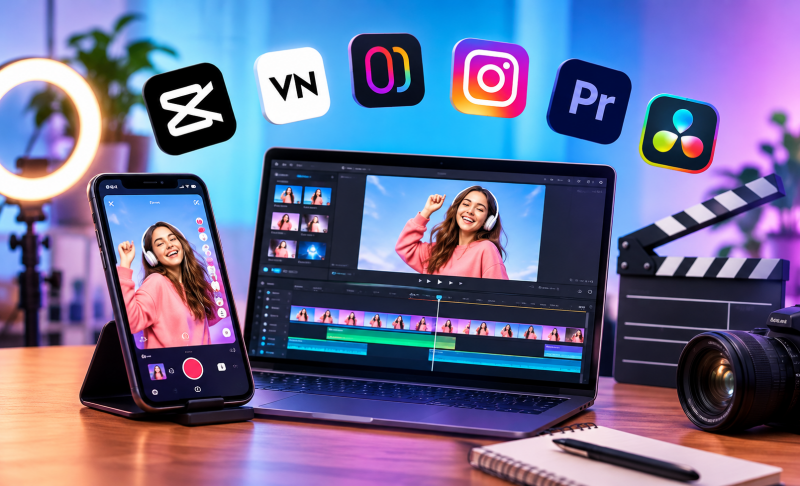
The number of TikTok creators is increasing because it's easier to gain a huge follower base there. However, you have to provide good-quality content to make sure your followers keep interacting with your content. For this purpose, you need to edit the videos nicely, but picking the best video editor for TikTok can be frustrating. So, we got to work and researched the best options. We will share options for different skill levels, video types, and budgets.
Quick picks:
- Best overall: CapCut, with templates, auto captions, and trending effects in one app
- Best free: VN Video Editor, with a full multi-track timeline and no watermark
- Best for PC: DaVinci Resolve, which gives you pro tools for free on Windows, Mac, and Linux
- Best AI/repurposing: OpusClip, which turns long videos into TikTok clips automatically
- Best for pros: Adobe Premiere Pro, the industry standard for serious editors
Part 1: The Best Video Editors for TikTok at a Glance
| Editor | Platform | Free plan & watermark |
Starting price |
Key TikTok features | Best for |
|---|---|---|---|---|---|
| CapCut | iOS, Android, Windows, Mac, Web | Yes; no watermark on basic exports, but Pro assets need a paid plan | $19.99/month |
Trending templates, auto captions, AI tools | Most TikTok creators |
| InShot | iOS, Android | Yes; watermark and ads on free exports | $3.99/month | Simple trimming, music, text, stickers | Total beginners |
| VN Video Editor | iOS, Android, Mac | Yes; no watermark | $7.99/month | Multi-track timeline, keyframes, 4K/60fps | Free editing with pro control |
| Edits (by Instagram) | iOS, Android, Mac | Yes; no watermark | Free | 4K export, green screen, AI cutouts | Creators posting on TikTok and Reels |
| Splice | iOS, Android | Free download; most tools need a subscription | $19.99/month | Speed ramps, licensed music library | Fast, polished phone edits |
| Adobe Premiere (mobile) | iOS, Android | Yes; no watermark | Free ($7.99/month for extra AI credits) | Multi-track timeline, auto captions, 4K | Phone editors who want Adobe quality |
| Adobe Premiere Pro | Windows, Mac | No (7-day trial) | $22.99/month (annual plan) | Auto reframe, captions, pro color tools | Professionals and agencies |
| DaVinci Resolve | Windows, Mac, Linux | Yes; no watermark | Free (Studio $295 one-time) | Color grading, audio tools, vertical timelines | PC users who want pro power for free |
| Movavi Video Editor | Windows, Mac | 7-day trial with watermark | $19.95/month | Easy timeline, AI background removal | Beginners on desktop |
| OpusClip | Web | Yes; watermark, files expire after 3 days | $15/month | AI clip picking, captions, virality score | Repurposing long videos |
| Descript | Windows, Mac, Web | Yes; watermarked 720p exports | $16/month (billed yearly) | Edit by text, filler word removal | Talking-head and podcast clips |
Part 2: 11 Best Free Video Editors for TikTok
You don't need to spend money to make great TikToks. Free editing apps for TikTok like CapCut, VN, and Edits cover most needs. Mobile apps work best for quick posts. Desktop software gives you more control. AI tools are best when you need a lot of clips quickly.
Best Free Video Editors for TikTok (Beginner-Friendly)
1. CapCut
When a sound starts trending on Monday morning, CapCut usually has a matching template ready before lunch. That speed comes from sharing a parent company with TikTok. The free plan exports clean 1080p video from this best TikTok editing app, though anything tagged Pro triggers a paywall at export, so check your timeline carefully before saving.
Key features:
- Auto captions sync subtitles to speech in seconds
- Background removal isolates subjects without a green screen
- Beat sync snaps cuts to your music automatically
- Cloud sync moves projects between phone and computer
Pros:
- Easy to learn, even with zero editing experience
- Posts straight to TikTok from the export screen
- Big library of free fonts, stickers, and sound effects
- Plenty of free tutorials made by other users
Cons:
- Pro plan costs $19.99/month, which is steep for casual users
- Many AI tools need a steady internet connection
2. InShot
Do you need a clip trimmed, a song added, and text placed during one bus ride? InShot keeps each tool one tap away as one of the best TikTok video editing apps, so nothing needs learning. The free version stamps a logo on every export and shows ads, but the paid upgrade costs less per year than many rivals charge monthly.
Key features:
- Canvas presets reframe any clip to 9:16 instantly
- Text animations add movement to on-screen captions easily
- Voiceover recorder lets you narrate directly over footage
- Blurred backgrounds fill empty borders on horizontal footage
Pros:
- Runs smoothly on older, budget phones
- Lifetime Pro option avoids monthly bills
- Built-in photo editor for thumbnails and carousels
- Exports up to 4K resolution
Cons:
- No auto captions, so subtitles take manual work
- No keyframes or multi-layer editing for complex edits
3. VN Video Editor
While most free editors save their best tools for paying users, this one hands you a full multi-track timeline immediately. VN Video Editor also skips the watermark entirely, which makes it a favorite among students and side hustlers. Expect a short learning curve before the layout feels natural on phones with this best TikTok video editor.
Key features:
- Keyframes animate zoom and position for smooth punch-ins
- Exports reach 4K at 60fps for crisp playback
- Precise frame-by-frame trimming lands cuts exactly on beat
- Speed curves build custom ramps for transition effects
Pros:
- Handles long, multi-clip projects without forcing upgrades
- Templates speed up repeat video formats
- Mac app available for bigger-screen editing
- Optional Pro packs are extras, not requirements
Cons:
- Fewer trend-based effects than TikTok-focused rivals
- Pro pack pricing isn't clearly published
4. Edits (by Instagram)
Meta's standalone editor, Edits, shipped more than 130 features in its first year, and it still costs nothing. Exports come in 4K with no logo when you use this best editing software for TikTok, so the same clip can go to TikTok and Reels. You'll need an Instagram account to sign in. A Mac version also launched this November.
Key features:
- AI Animate turns still photos into moving clips
- Green screen places you over any photo backdrop
- Ideas tab stores saved sounds and content notes
- High-quality camera records clips up to ten minutes
Pros:
- Share drafts through Instagram DMs for quick feedback
- Frequent updates with new effects
- Free premium-style effects and fonts
- Uncluttered layout that's easy to navigate
Cons:
- Some tools are built for Reels and don't carry over to TikTok
- Meta has hinted that some AI features may become paid later
Best Mobile Video Editors for TikTok (Fast, On-the-Go)
5. Splice
A fitness coach can film a workout and turn it into a punchy, music-backed clip before leaving the gym. That quick, polished result is exactly what Splice aims for, making it the best way to edit TikTok videos. It feels close to a desktop editor, yet most of its power sits firmly behind a weekly, monthly, or yearly subscription.
Key features:
- 6,000+ royalty-free tracks keep your videos copyright-safe
- Overlay layers stack multiple clips for split-screen storytelling
- Audio fades smoothly, with volume in and out naturally.
- Transition library smooths jumps between different scenes
Pros:
- Smooth performance, even with many layers
- Exports aren't tied to any one social platform
- Tap-to-trim controls feel natural on touchscreens
- Backed by a large, long-running user base
Cons:
- No desktop version for bigger projects
- Long-term cost adds up compared with free rivals
6. Adobe Premiere on Mobile
Surprisingly, Adobe Premiere on mobile costs nothing to download or use, and it never stamps a watermark or shows ads. It launched on iPhone first and later reached Android phones as well. Paying only adds extra Firefly AI credits and cloud storage, so the core editor stays open to everyone.
Key features:
- Multi-track timeline layers video, audio, and text precisely
- Firefly generates custom sound effects from text prompts
- 4K HDR editing preserves bright, detailed color
- Free Adobe Stock assets fill gaps in footage
Pros:
- Start editing without an Adobe account
- Send projects to desktop Premiere Pro to keep working
- Adaptive layout for foldables and tablets
- Trusted brand with regular updates
Cons:
- Android version needs Android 13+ and 5GB of RAM
- Generative features need paid credits beyond the free allowance
Best Desktop Video Editing Software for TikTok (PC & Mac)
7. Adobe Premiere Pro
For agencies juggling five brand accounts, or freelancers whose clients expect broadcast-level polish, speed matters as much as quality. Shared presets, team libraries, and tight links with After Effects keep workloads moving. Adobe Premiere Pro remains the industry standard, but there is no free plan, only a short seven-day trial.
Key features:
- Auto Reframe follows subjects when cropping to vertical
- Lumetri Color matches skin tones across different cameras
- Essential Graphics templates keep branded titles consistent everywhere
- Generative Extend lengthens short clips with AI frames
Pros:
- Massive plugin and template marketplace
- Endless tutorials and courses online
- Handles long, complex projects reliably
- Skills carry over to most professional editing jobs
Cons:
- Subscription starts at $22.99/month
- Heavy on system resources and learning time
8. DaVinci Resolve
Few free programs come close to what Hollywood colorists use, yet DaVinci Resolve hands that toolkit over at no cost. There's no subscription, no time limit, and no watermark to worry about. Most TikTok creators never need the one-time $295 Studio upgrade, but a capable graphics card is almost essential.
Key features:
- Node-based grading fixes uneven lighting shot by shot
- Fairlight mixer balances voice and music levels precisely
- Fusion builds motion graphics without opening another app
- Cut page uses dual timelines for faster trims
Pros:
- Available on Windows, Mac, and Linux
- Free official training courses from Blackmagic Design
- Trusted on real film and TV productions
- Major updates arrive at no extra cost
Cons:
- Steep learning curve for first-time editors
- Large project files fill up storage fast
9. Movavi Video Editor
If professional editing software has made you close the window within five minutes, a gentler option exists. Its timeline relies on drag-and-drop, while one-click AI tools handle chores like noise removal. Windows and Mac users can test Movavi Video Editor free for seven days, although each trial export carries a watermark.
Key features:
- Social presets export videos in the right format
- Stabilization smooths shaky handheld footage from walking shots
- Built-in title library adds polished text in seconds
- Hardware acceleration speeds up rendering on most computers
Pros:
- Lifetime license available
- 14-day money-back guarantee
- Built-in library of stock clips and music
- Free updates during your subscription
Cons:
- No multi-cam editing or motion tracking
- Many effect packs cost extra
Best AI Video Editors for TikTok (Repurposing & Automation)
10. OpusClip
Upload an hour-long podcast to OpusClip, and a batch of vertical, captioned shorts often appears within minutes. The AI scores each clip on its viral potential, which helps you decide what to post first. Free users get 60 credits monthly, but clips carry a watermark and disappear after three days.
Key features:
- Speaker tracking keeps whoever talks centered in frame
- B-roll generator fills gaps with relevant stock footage
- Social scheduler posts clips to TikTok on autopilot
- Brand templates apply your fonts and colors automatically
Pros:
- Runs in a browser with nothing to install
- Pro plan sends projects to Premiere Pro or DaVinci Resolve
- Starter plan begins at $15/month
- Handles webinars, interviews, and livestream replays well
Cons:
- Credits burn fast on long or repeated uploads
- AI sometimes picks moments that lose context
11. Descript
Editing a video here feels more like fixing a school essay than working with clips. You delete a sentence from the transcript, and Descript removes that moment from the footage. Talking-head tips, tutorials, and interview snippets benefit most. The free plan covers about an hour monthly, with watermarked 720p exports.
Key features:
- Filler removal clears every um and uh instantly
- Studio Sound makes phone audio sound professionally recorded
- Eye Contact makes you look into the lens
- AI voice clone fixes flubbed words without rerecording
Pros:
- Built-in screen and webcam recorder
- Teammates can comment and edit together
- Handles audio-only podcast projects too
- Transcription in 25+ languages
Cons:
- AI credits run out separately from media hours
- Weak for music or dance content
Bonus: Create Professional TikTok Videos with OBSBOT Tail Air 2 Streaming Camera
Great TikTok videos don't just depend on editing. If your footage looks shaky, poorly framed, or lacks detail, even the best editing software can't fully fix it. The OBSBOT Tail Air 2 helps you capture polished footage from the start, whether you're filming tutorials, product demos, talking-head videos, or creative content. Its AI-powered tracking lets you record hands-free while staying in frame, so you can focus on creating instead of constantly adjusting your camera. For creators who want more control over their video quality and a smoother filming workflow, it's a practical upgrade to their content setup.
Key Features:
- 1-inch CMOS sensor captures detailed footage, even in challenging lighting conditions
- 4K recording at up to 60fps and 1080p at up to 120fps for smooth, high-quality video
- OBSBOT Log and LUT support give you more flexibility to color grade footage in your preferred editing software
- AI Tracking 2.0 automatically follows your movements, making solo filming easier
- Built-in 3-axis gimbal helps keep footage smooth while the camera moves
- Native vertical shooting makes it easier to create content for TikTok and other short-form platforms
Part 3: How to Choose the Best Video Editor for TikTok
Look past the feature list when you need the best TikTok editor. A good choice runs smoothly on your hardware, gets you from raw clip to posted video quickly, handles captions and sound well, and keeps your text clear of TikTok's on-screen buttons. Always try a tool on a real project before you rely on it.
1. Make sure your hardware can keep up
A powerful editor is useless if it freezes every few seconds. Before you download anything, compare the software's storage, memory, and processing needs with your own phone or laptop. Picture adding one filter on an older laptop and watching the preview stutter, then losing an hour of work to a crash. A lighter program on the same machine could finish that video in minutes.
2. Time your workflow
Count how many taps or clicks it takes to go from raw footage to a finished post. If you post daily, a few extra minutes per video quickly add up to hours each week. A home baker sharing a clip before opening the shop doesn't need color grading. They need to trim, add text, and post in under 10 minutes, every single morning.
3. Test the captions before you trust them
Many people scroll with the sound off, so on-screen text often decides whether they keep watching. Auto captions save time, but accuracy drops with accents, slang, or background noise. A comedy skit that mixes English and Urdu can turn its best punchline into nonsense. Choose an editor that lets you fix words quickly and style text so it stays easy to read.
4. Think about music rights early
Trending sounds work well on personal accounts, but business accounts face stricter rules on commercial music. A clothing store that adds a chart-topping song to a product video can find the audio muted soon after posting. If you post for a brand, a client, or your own shop, look for an editor with licensed tracks, or add approved sounds inside TikTok.
5. Run a real trial before you commit
Demo videos always look perfect, so edit one real video from start to finish before you commit. Note anything that slows you down, confuses you, or appears as a surprise at export. It's easy to sign up after a slick ad, use only one feature, and forget to cancel. If you start a trial, put the renewal date in your calendar.
Part 4: FAQs About the Best Video Editor for TikTok
1. What is the best free video editor for TikTok with no watermark?
VN Video Editor and Edits by Instagram are two of the best free choices. Both export without a watermark, and VN gives you a full multi-track timeline. On a computer, DaVinci Resolve is free and has no watermark either.
2. What editing app do most TikTokers use?
CapCut is the most popular choice among TikTok creators. It's easy to use, it has lots of trending templates, and its effects often match what's going viral on TikTok.
3. Is TikTok's built-in editor good enough?
Yes, but only for quick and easy videos. TikTok's in-app editor lets you trim clips, add sounds, and use effects. But it lacks advanced tools like keyframes, multi-track editing, and fine color control.
4. Can I edit TikTok videos on my PC or Mac?
Yes, CapCut has a desktop version, and DaVinci Resolve, Premiere Pro, and Movavi all work on computers. Just set your project to 9:16 (1080 x 1920) so your video fits the TikTok screen.
5. Do I need to pay for a TikTok video editor?
No, most creators can make great TikToks with free apps. You only need to pay if you want premium templates, more AI tools, 4K exports, or watermark-free exports from apps like InShot or OpusClip.
Conclusion
Remember that great TikToks start with good ideas, and editing software is just what helps you bring those ideas to life. You don't have to stay with one option forever. Many people start with something light and move to a bigger program once they feel more confident. Whatever you go with, practice often and learn its shortcuts, because you get faster the more you use it. The best video editor for TikTok is the one you'll enjoy opening every day.