Best Online TikTok Video Makers in 2026
The best online TikTok video makers include FlexClip, CapCut, Canva, Kapwing, invideo, Adobe Express, and Clipchamp. These tools help you create and edit TikTok videos with templates, captions, effects, and AI-powered features. Compare their free plans and export options to find the right tool for your needs.
Part 1: 7 Best Online TikTok Video Makers
The 7 best online TikTok video makers offer different advantages. FlexClip focuses on templates, CapCut on trend-focused editing, and Canva on branded content. Kapwing supports collaborative workflows, while invideo offers AI-assisted editing. Adobe Express simplifies cross-platform resizing, and Clipchamp provides watermark-free HD exports. Compare their features, free-plan limits, and export quality below.
Quick Comparison Table
| Tool | Best for | Watermark on free plan | Export quality | Standout feature | Team Collaboration |
|---|---|---|---|---|---|
| FlexClip | Fast template-based TikTok creation | Yes | 720p | 6,000+ ready-made templates | Single user |
| CapCut | Trend-focused TikTok editing | No permanent watermark | Up to 4K, depending on source footage | TikTok-focused effects and social editing | 2 users in total |
| Canva | Branded TikTok content | No, as long as you use the free elements | 1080p | Design and video creation in one workspace | Single user |
| Kapwing | Team-based TikTok production | Yes | 720p | Strong browser-based team workflow | Single user |
| invideo | AI-heavy content creation | Yes | 720p | AI agents that handle repeated editing tasks | Single user |
| Adobe Express | Quick cross-platform social content | No if you don’t use premium assets | 1080p and 4K | One-click resizing for different platforms | Single user |
| Clipchamp | Free browser-based editing | No | 1080p | Unlimited HD exports without a watermark | Single user |
1. FlexClip
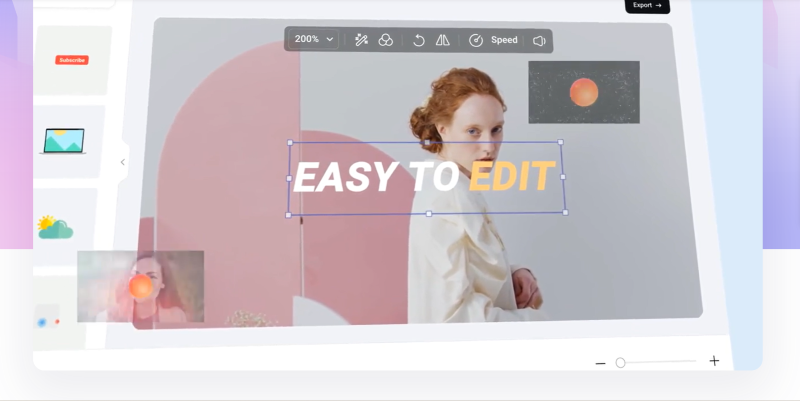
For creators who want a simple video editor online free for TikTok, FlexClip offers templates, stock media, effects, transitions, and easy editing tools in one place. Users can trim clips, add subtitles, change speed, remove backgrounds, and insert music or text. FlexClip also adds AI tools for scripts, voiceovers, translations, and video generation.
2. CapCut
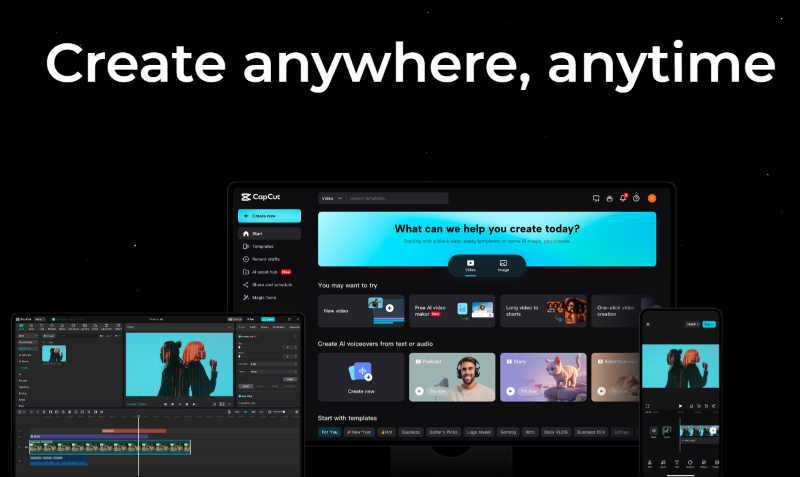
Fast-moving TikTok content often depends on captions, effects, music, and quick resizing. CapCut brings those tools together with multi-track editing, stickers, background removal, and cloud-based project management. For creators looking for an online TikTok editor, it offers a strong mix of social-first editing features and AI-assisted tools.
3. Canva
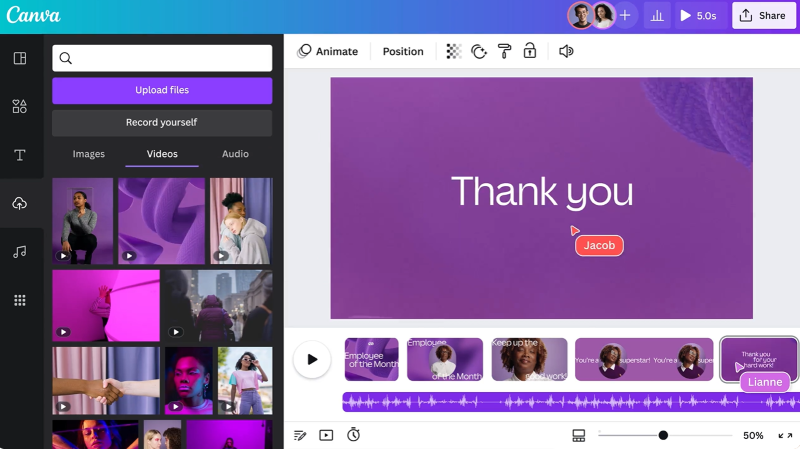
A large template library and simple drag-and-drop controls make this tool a useful free TikTok video maker for beginners. It supports layered editing, captions, animations, transitions, stock footage, and social media layouts. Canva also includes AI-assisted tools for trimming, generating clips, and turning images into video, which can speed up everyday TikTok content creation.
4. Kapwing
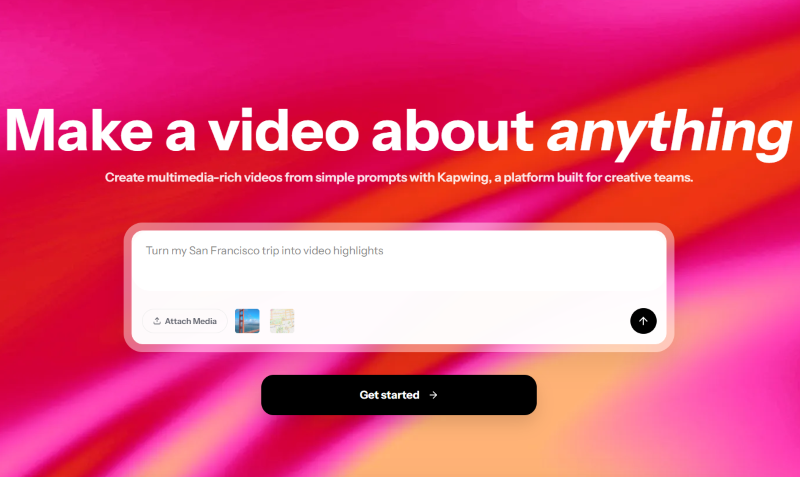
When several people need to review, edit, or update the same TikTok project, collaboration becomes just as important as editing. Kapwing supports shared workflows alongside subtitles, translation, Smart Cut, text-to-speech, audio cleanup, and AI video generation. Its browser-based workspace makes it a useful TikTok video editor online for creators and marketing teams.
5. invideo
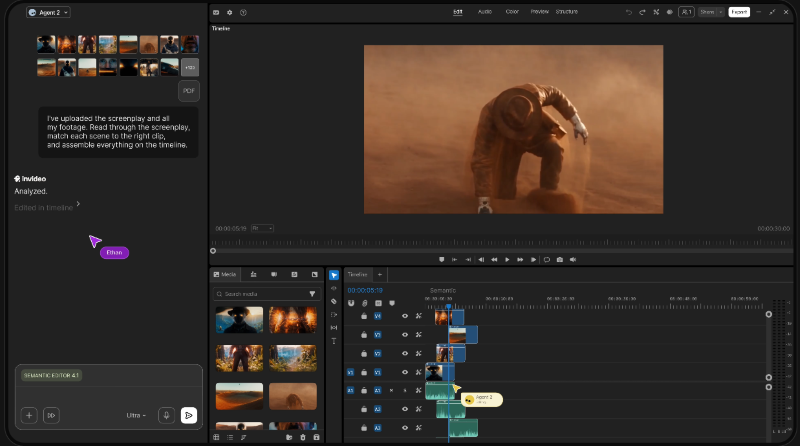
Creators who spend too much time repeating the same edits may find invideo’s AI-agent approach especially useful. It can review footage, locate moments from text descriptions, apply changes across multiple clips, and build vertical edits from one idea. This video maker for TikTok also includes storyboarding, script writing, a multitrack timeline, and real-time collaboration.
6. Adobe Express
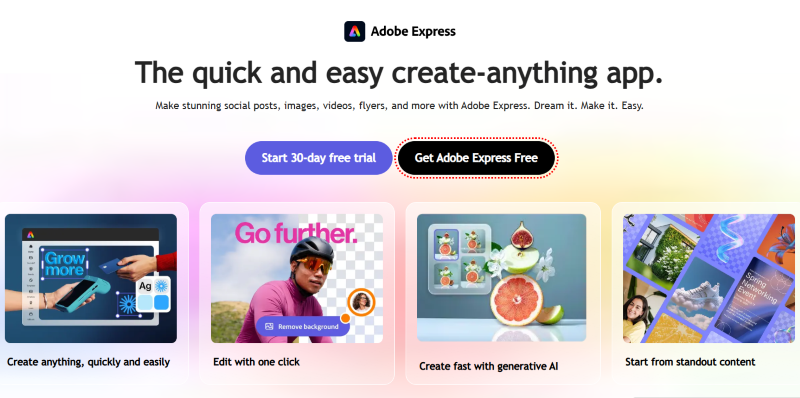
The setup suits users who want fast social content without a complex editing workflow. Quick resizing, ready-made templates, and cross-device editing make it useful for creators managing several social platforms at once. Its online video editor for TikTok includes drag-and-drop controls, self-recording, bulk edits, generative AI, and synced projects across desktop and mobile.
7. Clipchamp
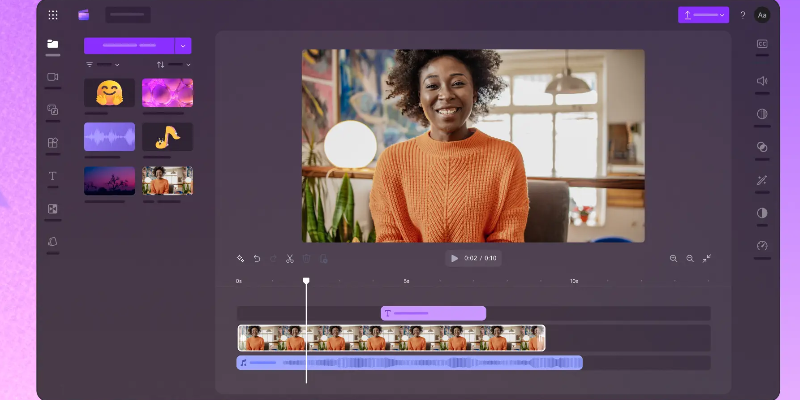
Browser editing works well for creators who want to trim, crop, record, and build social videos without installing extra software. This video editor online free for TikTok also supports AI voiceovers, audio cleanup, screen and webcam recording, plus automatic captions in more than 80 languages, all inside Clipchamp.
Bonus: Best Video Camera for Shooting TikTok Videos - OBSBOT Tail Air Streaming Camera
Editing software matters, but better source footage can also improve your TikTok videos. OBSBOT Tail Air is a PTZ camera built for creators who film themselves without a camera operator. It supports flexible setups for TikTok videos, tutorials, product demos, interviews, and livestreams.
Key Features:
- Great Video Quality: Records 4K@30fps and 1080p@60fps, giving TikTok creators detailed footage and smoother motion, so you’ve full freedom to work with the footage.
- Better Low-Light Capture: Comes with a 2 μm pixel size to collect more light in darker environments, making it apt for TikTok creators filming in rooms with limited lighting.
- Gesture Control 2.0: Use hand gestures to adjust zoom or start and stop recording, so solo TikTok creators can control the camera without touching it.
- TOF Autofocus: Uses Time of Flight technology for faster and more accurate focusing in both bright and low-light TikTok shoots.
- Versatile Connection: Balances its compact size with versatile connectivity and NDI support, making it good for TikTok streaming and multi-camera workflows.
Part 2: How to Choose the Right Online TikTok Video Maker for You
Do not choose an editor only because it has the longest feature list. You should think about the type of videos you make, how much editing you want to do, and what the free plan allows.
TikTok-Ready Video Format
Choose an online TikTok editor that supports a native 9:16 vertical canvas. This keeps your video shaped correctly for a phone screen and reduces the need to resize it later. A common working size for vertical TikTok content is 1080 × 1920 pixels. If you already have landscape footage, look for crop, resize, or automatic reframing tools that can keep the main subject visible after changing the aspect ratio.
Templates and Creative Assets
Templates are helpful when you want to create TikTok video online free without building every scene from the beginning. A good editor may include layouts designed for product videos, tutorials, vlogs, promotions, quotes, and other social content.
Also check for stock videos, music, stickers, animated text, transitions, shapes, and graphics. These assets can make a basic video look more complete, especially when you do not have advanced editing skills.
Remember to check whether an asset is actually included in the free plan. Some editors mix free and premium items inside the same library.
Editing and Caption Tools
At minimum, your editor should let you trim, split, crop, reorder, and combine clips. Text overlays, music controls, transitions, filters, and simple effects are also useful for everyday TikTok production.
Automatic captions are worth considering if your content includes speech. They can reduce the time spent typing subtitles and can help viewers understand a video when they watch without sound.
For example, Canva includes automatic caption generation in its video editor, while Clipchamp also provides caption and transcript tools.
AI Creation Features
Not every AI feature does the same job. AI generation creates new material. A tool may turn a text prompt, script, or idea into video scenes, voiceovers, images, or other content. AI-assisted editing works with material you already have. It may find useful clips, remove pauses, create captions, follow a subject during reframing, or arrange uploaded footage into a first draft.
For example, Clipchamp offers a free auto-compose feature that can arrange your media into a video draft, while Canva provides AI tools that can create short-form content from prompts. Think about which type actually saves you time instead of choosing a tool simply because it uses the word “AI.”
Export and Usage Limits
Always check export rules before spending time on a project. Free plans can limit resolution, video length, storage, premium assets, AI credits, or the number of exports.
Watermarks are another major difference. Kapwing and VEED currently add branding to free exports, while Clipchamp does not add an editor watermark. Canva can also provide clean free exports when your project contains only free content.
For TikTok, an MP4 file in a vertical layout is usually the easiest finished format to work with. Make sure your chosen tool produces a file that does not need another round of resizing before you upload it.
Part 3: FAQs About Online TikTok Video Makers
1. Can I make a TikTok video online using only photos?
Yes, many online editors can turn photos into short videos by adding motion, music, text, transitions, and timing. You can arrange several images into a vertical slideshow and export it as a video.
2. Can an online TikTok maker edit videos recorded on my phone?
Yes, most browser editors let you upload videos from a phone or computer. Some also connect with cloud storage. After uploading, you can cut scenes, add text, adjust audio, and export the finished project.
3. Do I need a powerful computer to edit TikTok videos online?
No, not usually. Browser editors handle many basic tasks without high-end hardware. However, long projects, large video files, AI processing, and high-resolution exports may work better with faster internet, more memory, and a newer computer.
4. Can I reuse one online video for TikTok, Reels, and YouTube Shorts?
Yes, these platforms all support vertical short-form video. You can reuse the basic edit, but review captions, music rights, duration, text placement, and platform interface areas before publishing each separate version.
5. Should I upload music inside the editor or add it after uploading to TikTok?
Both methods work, but adding TikTok's licensed music inside TikTok can make rights management simpler. Editor music may have separate usage terms, especially for business content, advertising, or videos shared across several platforms.
Conclusion
Browser-based editing has made short-form production much easier. The 7 options above cover everything from quick social designs and subtitle-heavy clips to AI-assisted workflows and free HD exports. The right online TikTok video maker depends on your content style, budget, and preferred workflow. Before starting a project, compare the free restrictions, output settings, creative resources, and paid features so the final file fits your publishing needs.