

Conference Room Audio Video Solutions: AV Setups for Every Room Size
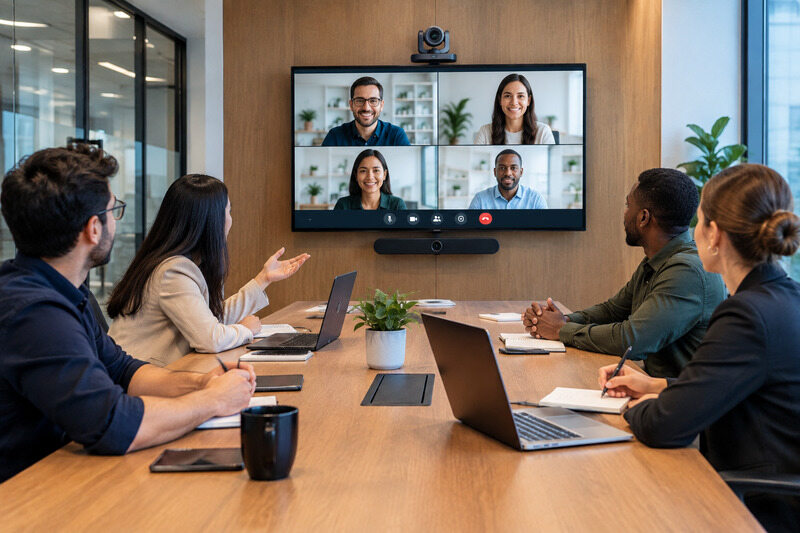
If you are stuck at building a Conference Room AV, you are at the right place.
The right conference room audio-video solutions depend first on participant count, room depth, seating layout, and whether your room runs on BYOD or a dedicated meeting platform. The best conference room audio video solutions also make everyday meetings easy to start, hear, and manage.
Along with core equipment, this guide breaks down a practical setup for each room size and gives you a clear checklist for testing.
What Does a Complete Conference Room AV Solution Include
Every conference room AV solution is built from four equipment groups. Here is every category discussed in detail.
-
Camera and video coverage. You need to match the field of view to the nearest seats and the optical zoom to the farthest ones. If you want to cover a shallow room, a wide-angle webcam is fine, but not for longer one.
A PTZ camera earns its cost once the room is long, the table is deep, or the camera needs to follow a presenter walking around.
Remember to check what USB, HDMI, SDI, or IP connections the room actually supports before buying. Basic USB conference cameras cost somewhere between $100 to $500. While the premium video bars cost $700-3,000. The professional PTZ cameras cost $1,500-$10,000. Brands worth knowing here are OBSBOT, Logitech, Poly, Yealink, AVer, Huddly, Cisco, Sony, Canon, and Panasonic.
-
Microphones, speakers, and audio systems. A simple table mic covers a huddle room without issue.
But if there are more than eight people in the room, dead zones will land you in a situation where HVAC noise bleeds into an open mic, echo off hard walls, and seats at the far end go quiet on the call.
Your first solution should be USB speakerphones from $100-$400, with ceiling or table mic arrays costing between $1,500-$8,000. You might want to explore Shure, Yealink, Poly, Jabra, Sennheiser, and Biamp.
-
Displays and content sharing. A rough rule: display diagonal in inches should roughly match the distance to the farthest viewer, measured in feet. For example, if the farthest viewer sits 15 feet away, a 65-inch display is a reasonable starting point for comfortable viewing.
The costs:
- Basic 4K displays: $500-1,500.
- Large or dual-display setups: $2,000-6,000 or more.
Samsung, LG, Sony, ViewSonic, and BenQ are some major brands you might know.
-
Room compute, control, and connectivity. This is the part people easily get forget: the mini PC or appliance running the meeting software, the touch controller on the table, and the network connection tying the whole room together.
There are certified Teams Rooms or Zoom Rooms systems that cost more upfront but offer tested hardware and better support. BYOD setups are cheaper but require users to handle more troubleshooting during meetings.
The price of basic compute and control is between $300-$1,500. While certified, fully managed systems are $2,000-$5,000 or more per room.
Visit the website of Logitech, Poly, Crestron, Extron, and Microsoft's own Teams Rooms hardware partners to find your best fit.
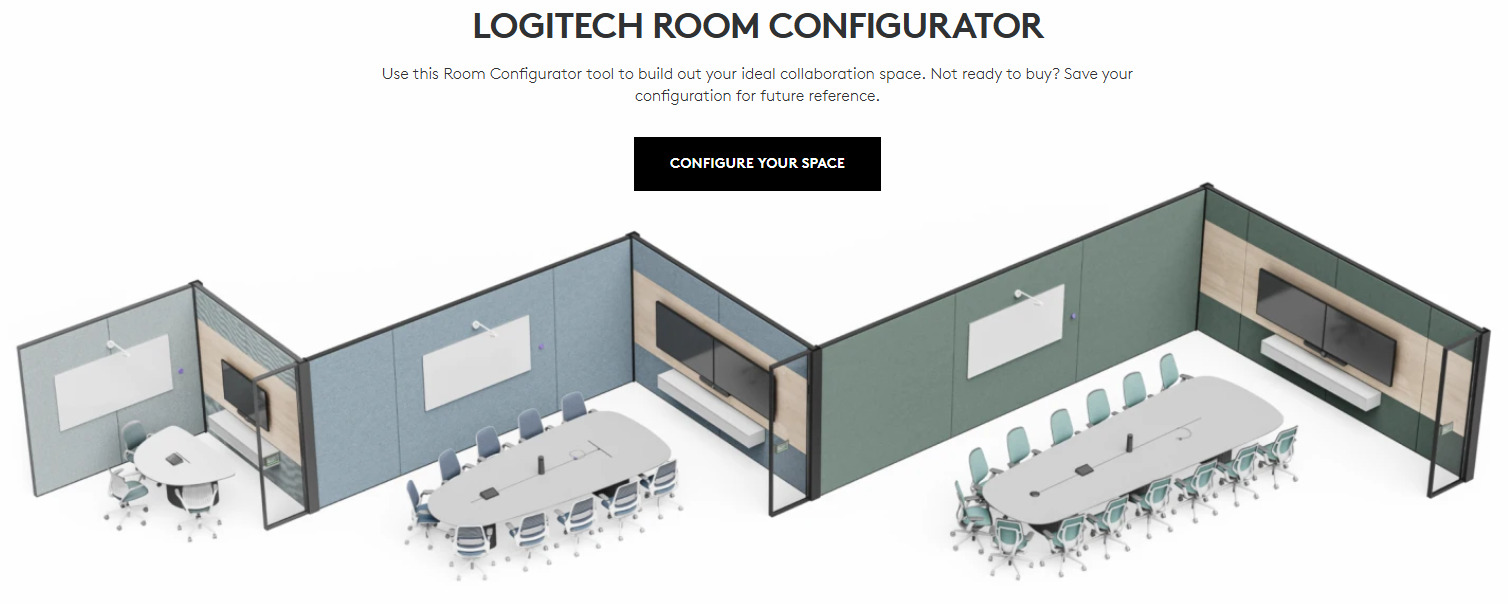
Conference Room AV Solutions by Room Size
2-6 People: Huddle Room AV Solution
One device is enough to do almost everything in a room of this size. A Poly Studio P15 or an OBSBOT Meet 2 ($129) covers camera, mic, and speaker in a single unit. It is paired with a 43-55 inch display and a laptop running BYOD rather than dedicated room compute.
You can choose to opt for a simple cabling, often just a single USB or HDMI run from the laptop to the display. Total spend: $300-1,500, not counting the laptop or display itself.
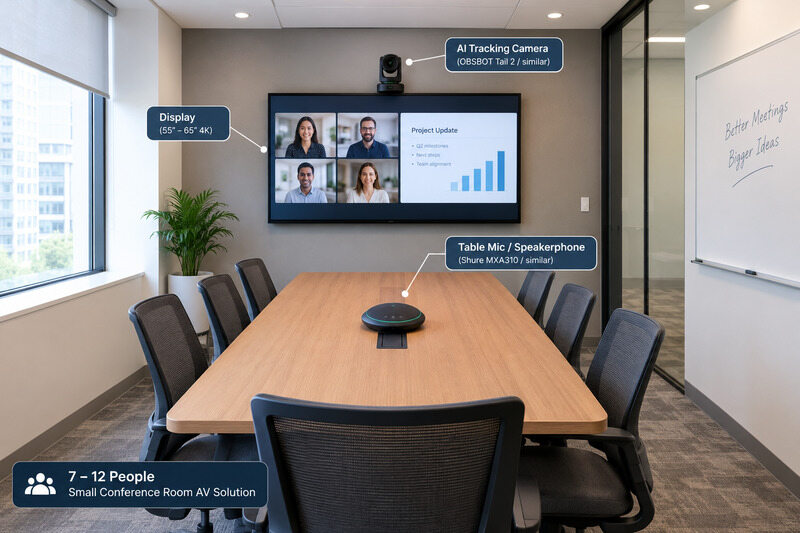
7-12 People: Small Conference Room AV Solution
The depth of your room starts to matter here. A fixed wide-angle lens starts to struggle once people sit more than ten feet from the camera. If the room runs BYOD instead of a certified bundle, an AI-tracking camera like the OBSBOT Tail 2 ($1,199) is often the video component of choice, since it auto-frames whoever's speaking without a dedicated camera operator and without locking the room into one certified ecosystem.
Key features of the Tail 2:
- AI tracking and auto-framing: AI Tracking 2.0 keeps the active speaker or presenter in frame without requiring a dedicated camera operator.
- Flexible room coverage: Its 5x optical zoom and motorized pan, tilt, and rotation help cover deeper tables and presenters moving around the room.
- Clear video: Up to 4K at 60fps provides detailed video for remote participants, presentations, and recorded meetings.
- Flexible connectivity: HDMI, 3G-SDI, USB, Ethernet, and NDI HX3 support help the camera fit BYOD rooms and more advanced AV workflows.
It is easy to pair it with a table mic like the Shure MXA310 (around $900) and a single 55-65 inch display. For model-level alternatives at this size, the best conference room cameras compares several side by side options such as the Logitech MeetUp, Poly Studio USB, and OBSBOT Meet 2. Expect $1,500-5,000 total for camera, mic, display mount, and cabling. You also have the option of professional integration especially if the room will also host clients or executives regularly.
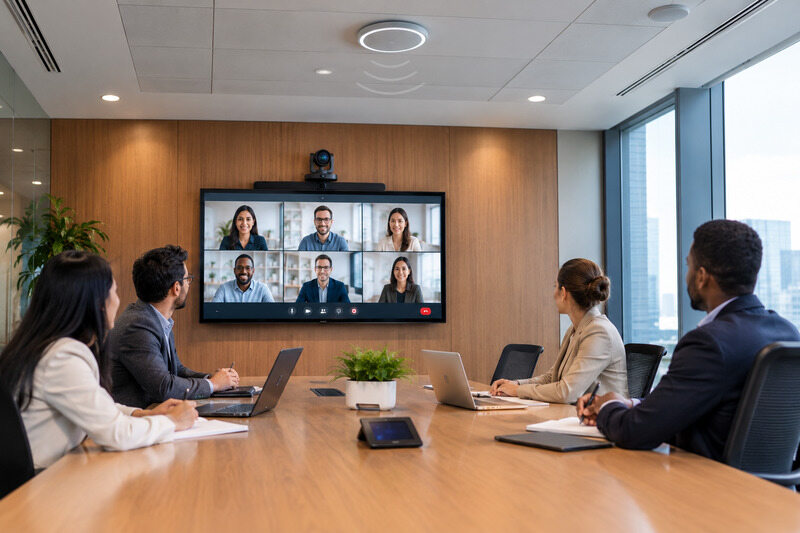
13-20 People: Medium Conference Room AV Solution
A room of 13 to 20 people will earn back the money spent on certified hardware. It is worth it.
A Poly Studio X50 (around $4,000) or a Logitech Rally Bar (around $4,000-5,000) can handle the wider field of view that a room this size needs. A Shure MXA920 ceiling array (roughly $5,200-6,500) is also worth adding. Once the table stretches past ten feet long, a single table mic starts leaving dead zones, and the ceiling array takes care of that problem.
It is recommended to run dual displays in a room this size, one for video and one for shared content. This way, a remote presenter's slides will not get crammed into the same small window as their face. A PTZ camera built for larger meeting rooms is the right fit here, rather than a fixed webcam stretched beyond its range.
There is one more thing to plan for: the cable runs get longer at this size too. It is better to plan conduit or wall paths before installation day, instead of running cables across the floor.
The total cost for a room this size comes to $5,000-15,000, with the ceiling mic array and certified compute usually being the two biggest line items.
21+ People: Large Conference Room or Boardroom AV Solution
You need a professional integration here so that a twenty-person meeting doesn’t need an IT staffer standing in the corner the entire time.
What you might need is:
- A Poly Studio X70 (around $8,000) or multiple PTZ units with automatic speaker-switching.
- A distributed Shure MXA920 array paired with a dedicated DSP.
- One or two large-format displays or a video wall are standard here.
What actually earns its keep at this scale is the control system tying everything together. Something like Crestron Flex, which handles camera switching, audio routing, and scheduling from one interface is a good choice.
Note that the hard walls and high ceilings that were a minor annoyance in a medium room become a real echo problem at boardroom scale. The solution is a DSP tuned specifically for the room’s dimensions.
Budget for $15,000-50,000 or more, and expect installation and programming to cost close to what the hardware itself does. Also, sometimes more once custom acoustic work is involved.
How to Choose the Right Conference Room AV Solution
If there is still some confusion regarding what is the best fit for your AV conference room solutions?
- Begin with matching coverage to your room size and shape. Look at your room before you buy a camera. A long, narrow room needs more zoom reach than a wide, square room, even with the same number of seats. Walk the room first. Find the farthest chair from where the camera will sit. Test the camera's view from that exact seat.
- Your audio system needs to work for everyone. If the far end of the table sounds muffled on a test call, something is wrong with the mic setup. A quiet showroom demo will hide this problem. A real meeting won't, especially once the air conditioning kicks in and a few people start talking at once.
- You need to decide early how people will join calls. BYOD means people use their own laptop, and it costs less per room. A dedicated platform costs more to set up, but every room feels and works the same way. That consistency matters once you are managing more than a few rooms.
- Also, one room is easy to fix by hand. You check a cable or restart a box yourself. Ten rooms spread across two floors are a different problem entirely. Ask whether the gear can be checked remotely. Ask whether updates can go out to every room at once. Ask whether you can actually see how each room gets used.
- Finally, when it comes to the pricing, know that the hardware is only part of the bill. Installation labor, cabling, software licenses, and ongoing support plans all add up. Together, they often cost more than the equipment itself.
Conference Room AV Installation and Testing Checklist
Below we have made a quick checklist for you to go through before making the final choice:
- Test the camera's field of view from the farthest seat in the room.
- Run an actual test call on the platform the room will use daily, whether that's Teams, Zoom, or Google Meet.
- Ensure you have checked audio quality from the farthest corner of the table with the HVAC system running.
- Did you verify wireless content sharing works from more than one device type? Since laptops and phones don't always behave identically on the same network it is good to know beforehand.
- Confirm network bandwidth and PoE power are sufficient for every connected device in the room.
- Label and document every cable run before walls or ceiling tiles close up. It is often overlooked.
- Train at least two people per room on basic restarts and common fixes. This will help you when one person responsible is out sick and meetings for the day are stalled.
- It would be help to run things smooth if you schedule a 30-day follow-up check after installation.
- It is optional but very beneficial to keep a simple written log of issues reported by meeting attendees, even minor ones.
FAQs About Conference Room Audio Video Solutions
A few questions come up constantly when planning a room, so here we have provided quick, practical answers.
How much does a conference room AV system cost?
A small meeting space can cost under $1,500. A big boardroom can cost $50,000 or more once you add proper setup and sound treatment. Most mid-size spaces fall between $1,500 and $15,000. The final price depends on which camera, microphone, and computer gear you choose.
Can one conference room system work with both Zoom and Microsoft Teams?
Yes, one conference room system can work with both Zoom and Microsoft Teams. If your hardware is certified for both platforms or configured as BYOD, you can easily use it for both. Also, some certified Teams Rooms systems do not need a separate laptop now. One can simply join Zoom calls directly through built-in interoperability.
What is the best solution for video conferences?
There isn't one universal answer, and anyone claiming otherwise is usually selling something. It depends on multiple factors like room size, available budget, and the organization's flexibility for BYOD over the a dedicated platform. If you need a big setup for a big team, there a completely different route then what is for a smaller team.
How do I reduce noise in a conference room?
Start with the microphone. When fixing the basic table mic is not saving the problem, you need a ceiling array with beamforming and echo cancellation, like the Shure MXA920fixe. Sometimes, for the rooms with hard reflective walls and high ceilings, acoustic panels and soft furnishings help too.
Conclusion
If you wish to pick the right conference room audio-video solutions, it comes down to matching camera reach, audio coverage, and compute to the room's actual size and budget, not whatever option looks most impressive on a spec sheet. It is best to the size of the four equipment groups to the room and name real products rather than guessing at specs. Also, test from the farthest seat before calling any installation finished.














