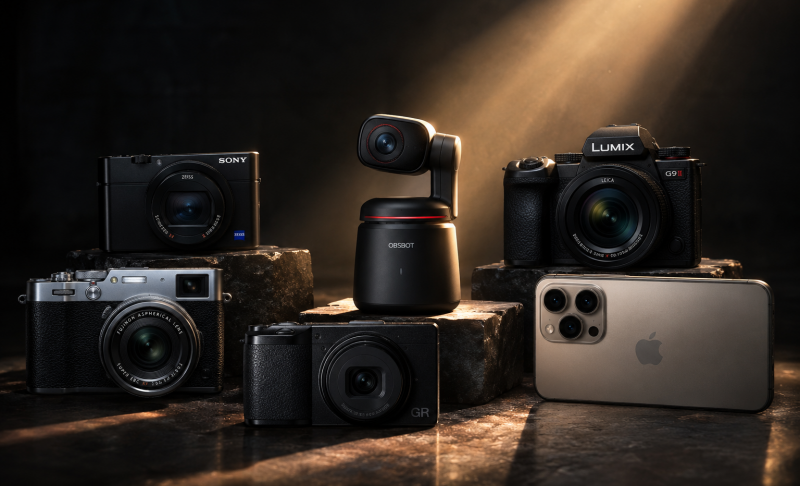
Best Auto-Tracking PTZ Cameras for Live Streaming in 2026


An auto-tracking PTZ camera can follow a speaker, teacher, or performer without a camera operator. PTZ simply means the camera can pan left and right, tilt up and down, and zoom in. The hard part is choosing a model that follows the right person, connects to your streaming setup, and fits your room. This beginner-friendly guide compares seven choices in plain English.
7 Best Auto-Tracking PTZ Cameras for Beginners in 2026
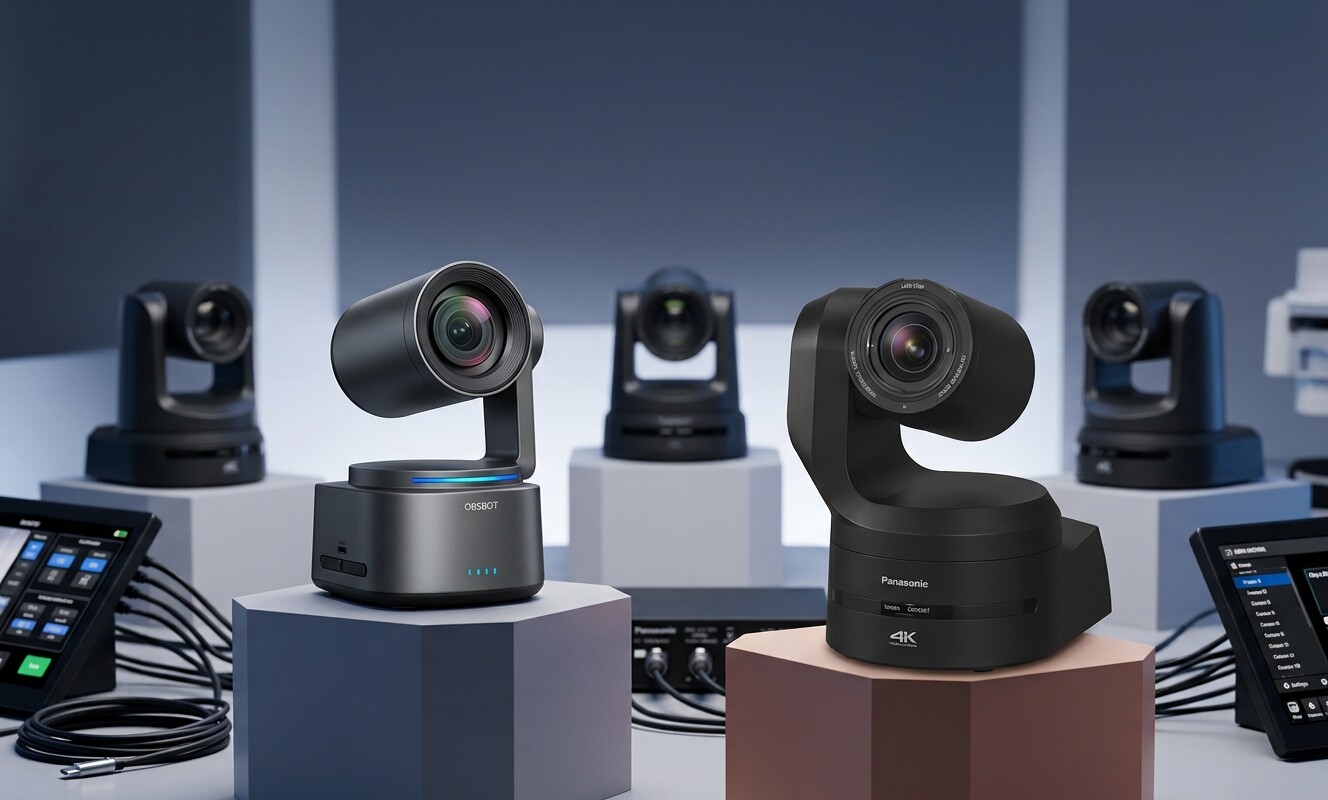
Start with your room, not the longest feature list. For a small team that moves between studios, stages, and live events, OBSBOT Tail 2 4K live streaming camera is the most flexible overall pick. A classroom with a permanently installed camera may prefer PTZOptics Move 4K. Large venues with a production team should look at the higher-end Sony, Canon, AVer, Lumens, and Panasonic systems.
| Product | Best For | Tracking Type | Optical Zoom | Price (Only for reference) |
|---|---|---|---|---|
| OBSBOT Tail 2 | Small crews and mobile productions | People, groups, animals, and objects | 5x | $1,199 |
| PTZOptics Move 4K | Churches and classrooms | Main presenter | 12x, 20x, or 30x | $1,999 |
| Sony BRC-AM7 | Premium stages and studios | People and groups | 20x | $13,900 |
| Canon CR-N700 + RA-AT001 | Large stages with set boundaries | People within chosen areas | 15x | $9549 |
| Lumens VC-TR61N | Long classrooms and auditoriums | Presenter and tracking zones | 30x | from $2830 to $3115 |
| AVer TR615 | Low-light, multi-camera productions | Presenter, zone, and voice-assisted | 19x | $8248 |
| Panasonic AW-UE100 + AW-SF200 | Campuses and many-room systems | Computer-based people tracking | 24x | $6799 |
Optical zoom matters when the camera sits far from the speaker. A 20x or 30x camera makes more sense at the back of a large hall. A 5x camera can be a better fit in a studio, meeting room, or mobile setup where the camera stays closer.
Best Overall for Small Crews: OBSBOT Tail 2
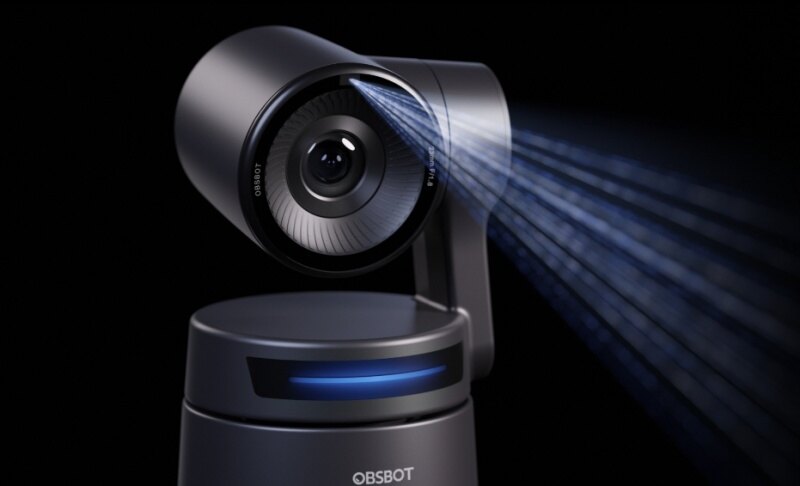
OBSBOT Tail 2 is the easiest all-around recommendation when one small team films different types of events. Its AI is built into the camera, so you do not need a separate tracking computer. It can follow a person, keep a group in view, or track selected animals and objects. That makes it useful for a presenter one day and a sports drill or product demo the next.
Why it is beginner-friendly:
- Built-in AI tracking: The camera follows people, groups, animals, or chosen objects without asking a computer to do the tracking.
- Automatic framing: Pan, tilt, and zoom work together to keep a moving subject at a useful size instead of leaving a tiny person in a wide shot.
- Real vertical video: The lens can rotate for vertical 4K video, which is useful when the same event also needs content for mobile platforms.
- Useful image quality in changing light: 4K at up to 60 frames per second and low-light tools help when a speaker moves between bright and dark parts of a stage.
- Room to grow: HDMI, SDI, USB, Ethernet, PoE+, NDI, and common streaming protocols let you start simply and add a switcher or network workflow later.
Limitation: OBSBOT Tail 2 has no built-in microphone, so you need a wireless mic, venue sound feed, or another external audio source. Its 5x optical zoom also makes it better close to the action than at the far end of a very deep auditorium.
Best for Classrooms: PTZOptics Move 4K
PTZOptics Move 4K is a practical fixed-room choice. Its Presenter-Lock mode is designed to stay with the selected speaker. You can also decide what the camera should do after it loses that person, such as waiting or returning to a saved wide shot.
Choose the 12x version for a smaller room and a longer zoom version when the camera must sit farther away. HDMI and USB are friendly for simpler setups, while SDI and NDI fit installed production systems. Skip it if you mainly need animal or object tracking rather than a human presenter.

Best Premium Pick for Quiet Stages: Sony BRC-AM7
Sony BRC-AM7 is built for polished productions where smooth camera motion and quiet operation matter. Its tracking system uses several visual clues, including a person's face and body, to keep following that person. It can also frame more than one person when the scene calls for a group shot.
The 20x optical zoom suits theaters, studios, and conference halls. It also offers professional connections for large systems. The tradeoff is cost and setup complexity. This is more camera than a solo streamer or small classroom usually needs, and some functions can depend on current firmware.

Best for Custom Tracking Areas: Canon CR-N700 with RA-AT001
This Canon setup gives a production team precise rules. You can tell the camera where tracking is allowed, where it should stop, and which areas to ignore. That helps on a busy stage where musicians, assistants, or audience members may enter the picture.
The camera can show a full body, upper body, or tighter presenter view and adjust its zoom as the person moves. The catch is that auto tracking requires the separate RA-AT001 application license. It suits organizations that want detailed control, not beginners looking for the lowest-cost plug-and-play option.

Best for Long Lecture Halls: Lumens VC-TR61N
Lumens VC-TR61N helps when the presenter is far away. Its 30x optical zoom can create a useful close-up from the back of a lecture hall. A second, wider view helps the system understand where the presenter is on the stage.
You can choose tracking modes for a stage, a wider room, or a defined section. That makes it a solid fit for universities, auditoriums, and training rooms. It is less attractive for a small studio, where the extra zoom and installation-focused design may add cost without adding much value.
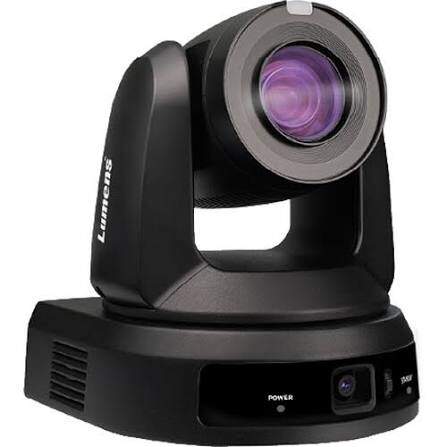
Best for Low Light and Multi-Camera Work: AVer TR615
AVer TR615 is aimed at professional rooms with difficult lighting. Its large one-inch sensor can be helpful when a venue cannot flood the stage with light. The camera supports presenter tracking, zone tracking, and multi-presenter situations.
It also fits advanced live production systems with SDI, HDMI, USB, NDI, and timing connections for several cameras. Compatible audio equipment can help the system turn toward the person speaking. Beginners should choose it only when a technician or integrator will set up the full workflow.
Best for a Campus or Many Rooms: Panasonic AW-UE100 with AW-SF200
This Panasonic combination makes sense when one system manages several rooms. Unlike cameras that do all tracking inside the camera, AW-SF200 uses a separate computer to analyze people and control compatible PTZ cameras. That adds equipment, but it also gives a technical team one place to manage tracking rules.
The AW-UE100 offers 24x optical zoom and the professional video connections used in permanent installations. It is a strong campus, corporate, or broadcast choice. A small church or solo creator may find the extra computer, software, and setup work unnecessary.

What Auto-Tracking Features Mean?
A long feature list is only useful when you know what changes on screen. These four differences affect the stream viewers actually see.
Built-In AI vs. Computer-Based Tracking
Built-in AI means the camera follows you by itself. You connect the camera, select a person, and let it move. This is usually the simpler choice for a small team.
Computer-based tracking sends video to another computer that decides how the camera should move. It takes more setup, but a school, company, or campus can manage several cameras and rooms from one system. If nobody on your team wants to maintain another computer, choose built-in tracking.
Person, Group, and Object Tracking
A person-tracking camera is ideal for a teacher, pastor, or presenter. Group tracking widens the shot when more people join. Object tracking is useful for a sports drill, moving product, or demonstration where the important subject is not always a person's face.
Do not pay for tracking modes you will never use. A lecture camera only needs to follow the presenter reliably. A flexible event camera benefits from more subject choices.
Auto Zoom and Finding You Again
Basic tracking only turns the camera left and right. Better systems also zoom out as you approach the camera and zoom in as you move away. This keeps your size more consistent on screen.
Also check what happens after you walk behind a podium or another person. A useful camera should find you again without jumping to the wrong face. This is often more important than a small difference in resolution.
Tracking Zones, Exclusion Areas, and Manual Control
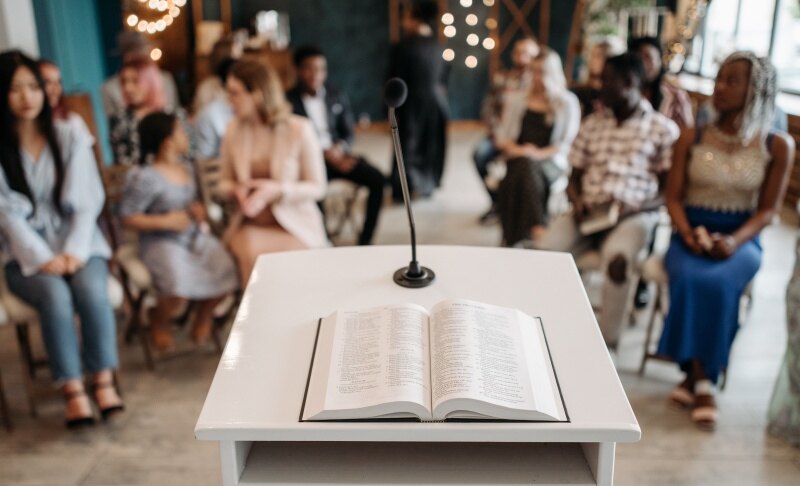
A tracking zone tells the camera where it may follow you. An exclusion area tells it what to ignore. For example, a church can track movement on the stage but ignore people walking through an aisle.
Saved positions, often called presets, let you switch from automatic tracking to a fixed pulpit, whiteboard, or wide-room shot. Make sure a volunteer can make that switch quickly. Automation should help the operator, not trap the production in one mode.
HDMI, SDI, NDI, or USB: Which Connection Do You Need?
You do not need every port. You only need the connection that reaches your streaming device reliably.
| Connection | What It Means | Best Use | Watch Out For |
|---|---|---|---|
| USB | The camera behaves much like a webcam | One nearby computer | Cable length |
| HDMI | A direct video cable | Nearby switcher or capture device | Long runs can be awkward |
| SDI | A secure video cable for production gear | Long venue cable runs | Your switcher must support it |
| NDI | Video travels through your network | Multi cameras or distant rooms | Network setup and bandwidth |
Simple rule: Choose USB for one computer, HDMI for a nearby switcher, SDI for a long dedicated cable, and NDI when cameras share a network. If NDI is new to you, this guide to NDI cameras explains the workflow before you buy network equipment.
Remember that video and audio are separate buying decisions. Even when a camera has an audio input, a wireless lapel mic or venue sound-board feed usually gives the audience clearer speech.
Test a Camera in Five Minutes Before You Buy
A short real-room test tells you more than a long spec sheet. Record the test so you can watch it later on a normal phone or laptop screen.
- Walk left and right. The camera should start moving without waiting too long. It should also stop smoothly instead of shaking or sliding past you.
- Walk toward and away from the camera. Your size should stay comfortable on screen. You should not become a tiny figure or an extreme close-up.
- Ask someone to cross in front of you. The camera should keep following you instead of switching to the passerby.
- Step behind a podium for a moment. When you return, the camera should find you again quickly and avoid choosing the wrong person.
- Switch to a saved shot, then back to tracking. A volunteer should be able to make the change without opening several menus.
Tip: Test in Your Real Lighting
A camera that tracks well in a bright showroom may behave differently under stage lights or in a dim sanctuary. Test from the planned mounting position with the lights you normally use.
Listen to the recording as well. Motor noise matters when the camera sits close to an open microphone. If you run more than one camera, repeat the test while switching views so every camera follows the same person in a similar way.
FAQs About Auto-Tracking PTZ Cameras
How does an auto-tracking PTZ camera work?
The camera finds a person or another selected subject in the picture. It then pans, tilts, and sometimes zooms to keep that subject framed. Some models do this inside the camera, while others use a separate computer.
Do I need to wear a tracking device?
Most modern AI tracking cameras can follow a person by sight, so no wearable is required. A voice-tracking or sensor-based system may use compatible microphones or other equipment, but that is a different setup.
Can an auto-tracking camera follow more than one person?
Some models such as OBSBOT Tail 2 can widen the shot to keep a group visible. Others ask you to choose one main person. Check group framing and target selection if panel discussions, worship teams, or multiple teachers are common in your room.
Will the camera switch to the wrong person?
It can happen when people cross or look similar. Features such as target selection, Only Me tracking, face registration, and exclusion zones reduce the risk. Always test this with the number of people who normally appear on stage.
Is an auto-tracking PTZ camera worth it for a small live stream?
Yes, when the presenter moves and nobody is available to operate a camera. It may not be worth the extra cost for a seated podcast, fixed lectern, or stream that already has a camera operator.
Conclusion
The best auto-tracking PTZ camera is the one your team can operate confidently. OBSBOT Tail 2 is the strongest all-around starting point for small crews that need flexible tracking and many connection choices. Pick longer-zoom installed cameras for large rooms, and consider computer-based tracking only when a technical team will manage several cameras or spaces. Before buying, run the five-minute test in your real venue.