Studio Equipment: Essential Gear for Every Creators

A great studio shapes your sound, improves your workflow, and helps you create content that feels polished from the very first second. Choosing the right studio equipment is the foundation of any successful home recording studio. This comprehensive guide covers the essential tools and gears you need to elevate your production quality.
Studio Equipment List
The table below provides a comprehensive breakdown of essential studio equipment across five major creative disciplines, helping you identify exactly what your setup requires:
| Equipment Type | Music Producer | Podcast Creator | Live Streamer | Video Production | Gamer |
|---|---|---|---|---|---|
| Computer Performance and Hardware | ✅ | ✅ | ✅ | ✅ | ✅ |
| Digital Audio Workstation (DAW) | ✅ | ✅ | ❌ | ❌ | ❌ |
| Audio Interface | ✅ | ✅ | ✅ | ✅ | ❌ |
| Recording Studio Microphone | ✅ | ✅ | ✅ | ✅ | ✅ |
| Audio Monitoring (Monitors/Headphones) | ✅ | ✅ | ✅ | ✅ | ✅ |
| Acoustic Treatment | ✅ | ✅ | ❌ | ❌ | ❌ |
| Video Gear (Cameras and Lenses) | ❌ | ❌ | ✅ | ✅ | ✅ |
| Video Encoder | ❌ | ✅ | ✅ | ✅ | ✅ |
| Studio Lighting Equipment | ❌ | ❌ | ✅ | ✅ | ✅ |
| Ergonomics, Storage, and Studio Racks | ✅ | ✅ | ✅ | ✅ | ✅ |
Below are some essential studio equipments for professional studio set up:
Acoustic Treatment
Acoustic treatment controls your studio's sound reflections and resonances, ensuring accurate monitoring and high-quality recordings. A smaller room with soft surfaces often performs better than a large empty room full of echo. In our frequency testing reveals that untreated small rooms often suffer from severe comb filtering, which creates mud in your low-mids and ruins vocal clarity.
You can significantly improve room acoustics with practical, non-permanent upgrades:
- Place acoustic foam panels directly behind your studio monitors.
- Select high-density fiberglass panels (at least 2 inches thick) instead of cheap, lightweight packaging foam to target critical mid-range frequencies.
- Install specialized bass traps in room corners to control low-frequency buildup.
- Hang thick, heavy curtains over windows to block outside noise and flutter echo.
- Keep your production desk centered along the shortest wall of the room.
- Avoid recording vocals or instruments near bare, highly reflective surfaces.
If you record vocals or voice-overs regularly, a portable vocal booth is an essential addition to your recording studio equipment. This system isolates your microphone and reduces unwanted background noise, making it ideal for shared apartments, untreated bedrooms, or multi-purpose workspaces. It minimizes room echo, improves vocal clarity, and delivers professional-level sound control while keeping your setup simple and affordable.
Computer

Every modern home studio equipment setup depends on a reliable computer. Slow systems create frustrating latency during recording, laggy playback during editing, and endless rendering times. Look for these minimum specifications when choosing:
- Processor: Multi-core performance (Intel Core i7/i9, AMD Ryzen 7/9, or Apple M-Series chips).
- Memory: At least 16GB RAM (32GB or more recommended for large sample libraries or 4K video editing).
- Storage: Fast internal NVMe SSD for the operating system and active projects.
- Cooling: Quiet cooling fans or liquid cooling to keep acoustic noise out of your microphone recordings.
- Connectivity: Multiple high-speed USB-C, USB-A, or Thunderbolt ports for connecting external hardware.
Video Gear
If your content relies on visual appeal, your camera setup is a critical component of your studio equipment planning. High-quality video captures immediate viewer attention and retains engagement. When building your visual setup, consider these essential tools:
- Mirrorless Cameras: Models from Sony, Canon, or Panasonic offer exceptional autofocus, interchangeable lenses, and clean HDMI output for live streaming.
- Studio Lenses: A fast prime lens (such as a 35mm or 50mm with an f/1.4 or f/1.8 aperture) creates a shallow depth of field, blurring out your studio background to keep focus entirely on you.
- Heavy-Duty Tripods and Mounts: Desk-mounted articulation arms save valuable floor space and keep your cameras securely positioned.
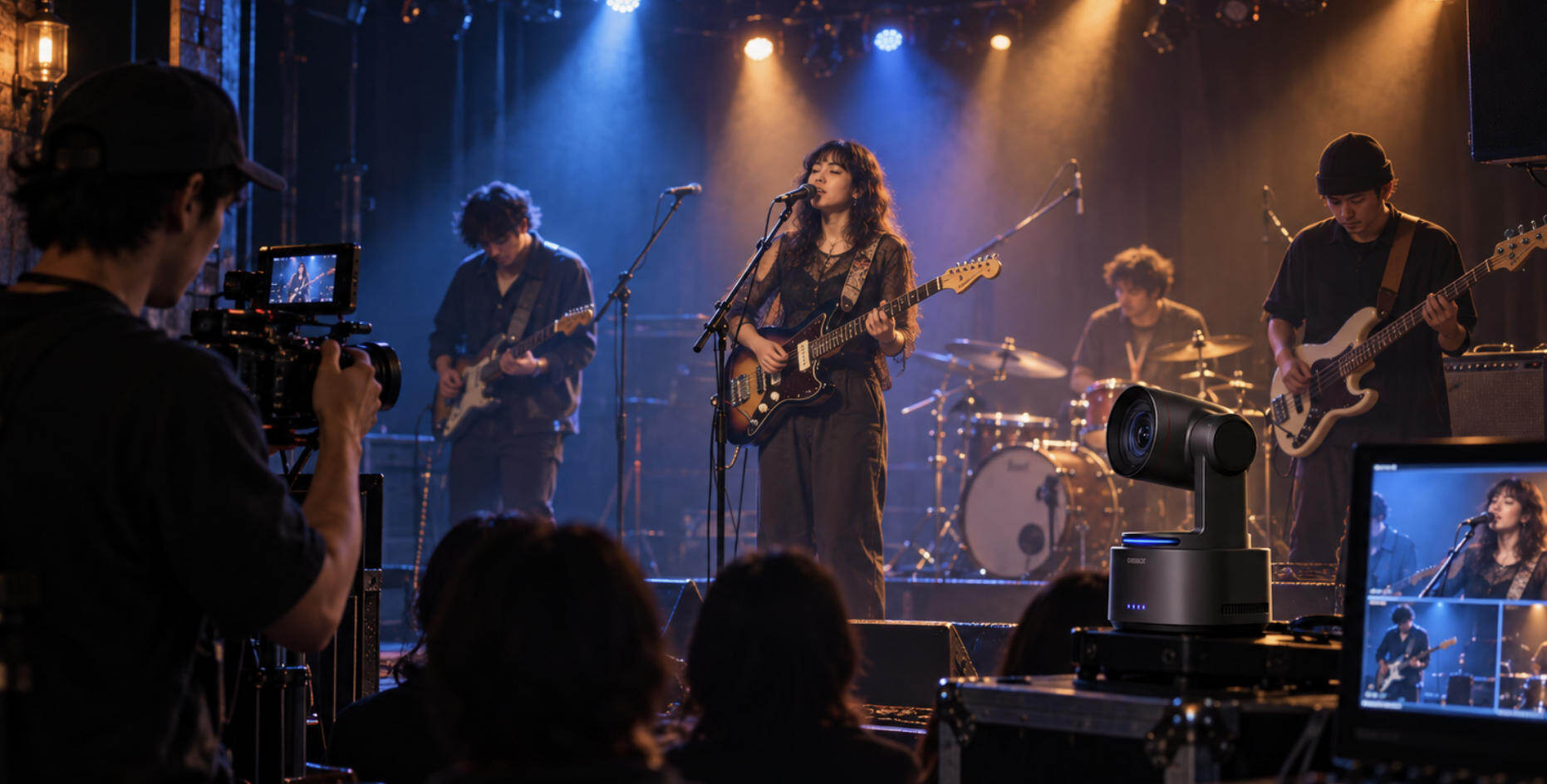
For solo music producers, vloggers, and podcasters, managing camera angles alone can ruin the creative flow. The OBSBOT Tail 2 functions as an automated camera crew within your setup. Driven by an advanced AI chip, it handles tracking, framing, and focusing independently.
- Professional Image Performance: A large 1/1.5" sensor and f/1.8 aperture deliver clean, low-noise visuals in moody studio lighting, supporting 4K@60fps for crisp streams and 1080p@120fps for cinematic slow-motion B-roll.
- PTZR mechanism: The PTZR system integrates an expansive -135° to 135° physical Roll axis with a ±175° Pan and ±90° Tilt range to completely redefine multi-dimensional camera tracking.
- AI Tracking 2.0: The camera locks onto you instantly, even if you move around the studio or get temporarily blocked by instruments and audio gear.
- Smooth Optical Zoom: The 5x optical zoom and All-Pixel PDAF let you capture intricate instrument close-ups or wide studio views smoothly.
- 5-Hour Cordless Battery: The built-in 5000mAh battery delivers up to 5 hours of continuous shooting, freeing your studio workspace from tangled power cables.
Video Encoder
A video encoder converts raw video footage from your camera into a digital format suitable for live streaming or storage. Without a proper encoding solution, your computer's processor becomes overloaded, leading to dropped frames, stream stutters, and system crashes.
- Software Encoding (CPU-driven): Uses software like OBS Studio utilizing the x264 codec. It delivers excellent image quality but requires massive processor performance, often causing lag during high-end gaming or heavy rendering.
- Hardware Encoding (GPU/Dedicated): Built directly into modern graphics cards or professional hardware encoder. They handle the heavy lifting of video processing independently, freeing up your CPU for other studio tasks.
BEST PICK: The OBSBOT Talent 2 is an exceptional hardware encoder and live streaming hub that untethers your production from heavy computer setups. It eliminates CPU stress, dropped frames, and system lag, serving as an all-in-one epicenter to monitor, switch, encode, and record multi-cam setups directly to the internet without requiring a dedicated streaming PC.
- H.264 & H.265 Hardware Encoding: Native support for modern codecs allows the Talent 2 to process video with exceptional speed, delivering crisp, high-quality 4K streams at lower bitrates so your broadcast stays stable even on constrained network connections.
- Massive Multi-Cam Capacity: The device ingests up to 16 sources across HDMI, USB, and IP feeds, and pushes the encoded output to multiple destinations at once — YouTube, Twitch, SRT, and NDI simultaneously — so a full multi-cam studio never bottlenecks through a single channel.
- Smart Auto Switching & Camera Control: Built-in NDI connectivity links and manages multiple OBSBOT cameras over the same network, with automatic switching that follows whoever's speaking, letting a solo creator run a show that would normally need a dedicated switcher operator.
- ISO Recording & Real-Time Sync: While encoding your live stream, the Talent 2 simultaneously records separate isolated camera feeds with synchronized timecodes. Your hardware manages the live broadcast and organizes your post-production editing assets at the exact same time.
Digital Audio Workstation
From recording vocals and live tracking to editing, mixing, mastering, and arranging tracks, your DAW acts as the central interface for your music recording equipment. Popular software options include:
- Ableton Live / FL Studio: Electronic music producers often prefer these platforms for their fast MIDI workflows, built-in samplers, and live performance tools.
- Pro Tools: The long-standing industry standard for commercial recording studios, favored for its advanced multitrack editing capabilities and compatibility.
- Logic Pro: A highly powerful, cost-effective choice exclusive to Mac users, offering a massive library of virtual instruments and effects right out of the box.
Audio Interfaces
Without a dedicated interface, even premium microphones suffer from background hiss, flat tone, and distracting audio latency. When shopping for this core piece of studio equipment, prioritize these technical features:
- Clean Microphone Preamps: Captures vocals and instruments with minimal self-noise and maximum clarity.
- +48V Phantom Power: Required to power condenser microphones commonly used in professional tracking.
- Low-Latency Drivers: Allows smooth, real-time monitoring while recording, streaming, or playing virtual instruments.
- I/O Flexibility: Ensure you have enough inputs and outputs for future expansion, such as adding multi-mic podcast setups or hardware compressors.
- Direct Monitoring: A physical switch or dial to hear your raw input signal in real time without any digital delay.
Studio Microphone
Your choice of microphone shapes how your audience hears your voice or music. Different recording studio microphone types suit different environments, room acoustics, and production styles. Most professional creators eventually build a collection of different recording studio mics to handle diverse recording situations.

Condenser Microphones
Condenser microphones utilize a sensitive, lightweight diaphragm to capture highly detailed vocals and subtle high-frequency textures. They are the standard choice in professional music studio equipment setups for tracking vocals, voice-overs, and acoustic instruments.
Best for: Studio vocal recording, solo podcasting, acoustic guitar tracking, voice-over work.
Dynamic Microphones
Dynamic microphones naturally reject background noise, handling louder sound sources and untreated acoustic spaces more effectively than condensers.
Best for: Live streaming, multi-person podcasting, drum recording, loud guitar amplifiers, noisy rooms.
Studio Monitors and Headphones
You cannot properly mix audio or balance levels if your speakers artificially boost frequencies. Professional creators rely on dedicated studio monitors rather than consumer-grade entertainment speakers.
The best monitor for studio use reproduces flat, uncolored sound, allowing you to hear mistakes clearly. When comparing monitoring options, focus on:
- Frequency Balance: A flat response across the entire (20 Hz - 20 kHz) spectrum ensures your mix translates well to car stereos, phones, and home theaters.
- Driver Size: Smaller rooms benefit from compact 5-inch monitors, whereas larger treated spaces can handle 7-inch or 8-inch sub-woofers.
- Stereo Imaging: The ability to accurately place instruments and sounds in the left-to-right stereo field.
Even with high-quality monitors, professional studio headphones remain essential for vocal tracking, fine-detail editing, and noise isolation. Closed-back headphones are mandatory during live microphone tracking because they seal the sound, preventing backing tracks from bleeding into your microphone. Open-back headphones are preferred for long mixing sessions because they offer a wider, more natural soundstage and minimize ear fatigue.
Studio Lighting Equipment

Even the most expensive camera sensors struggle under poor lighting conditions. High-quality studio lighting equipment improves image sharpness, balances skin tones, and eliminates distracting video grain instantly. To build a professional visual set, look into these lighting essentials:
- Key Light: The primary light source, typically a large LED panel paired with a softbox, placed at a 45-degree angle to illuminate your subject softly.
- Fill Light: A secondary, lower-intensity light placed opposite the key light to soften harsh facial shadows.
- Backlight (Rim Light): Positioned behind the subject to create a subtle glow around the hair and shoulders, separating you from the background.
- RGB Accent Lighting: LED light strips or smart bulbs used to color the studio walls, adding depth, mood, and visual branding to your video set.
Ergonomics, Storage, and Studio Racks
As your collection of gear expands, maintaining organization, posture, and data security becomes vital to your daily production workflow.
Studio Furniture and Ergonomics
Long editing, mixing, or shooting sessions become physically exhausting without proper physical support. Pair it with a supportive ergonomic chair to maintain posture, boost focus, and prevent fatigue during extended creative sessions.
Backup Storage Solutions
Reliable external storage must be integrated into your home studio equipment budget. Use a combination of fast external SSDs for active editing projects, high-capacity HDD arrays (such as NAS systems) for long-term archiving, and automated cloud backup services.
Organize Your Gear With a Studio Rack
A dedicated studio rack keeps your hardware accessible, organized, and shielded from dust or accidental spills. It eliminates cable clutter and optimizes desk space. Creators utilize studio racks to house:
- Rack-mountable audio interfaces
- Hardware compressors and limiters
- Dedicated microphone preamps
- Power conditioners (to protect gear from electrical surges and remove line noise)
- Wireless microphone receivers
Beyond pure organization, rack enclosures improve airflow around your electronics, preventing overheating and making equipment troubleshooting simple.
Budget & Scenario-Based Studio Equipment Recommendations
| Creator Type | Budget & Tier Threshold | Audio Interface | Microphone | Audio Monitoring | Video & Encoding Gear | Extra Gear / Notes |
|---|---|---|---|---|---|---|
| Music Producer | Home Starter ($200 - $500) |
Focusrite Scarlett Solo | Audio-Technica AT2020 | Audio-Technica ATH-M40x | N/A (Audio-focused setup) | Basic DAW (e.g., Ableton Live Intro), small acoustic foam panels |
| Project Studio ($500 - $1500) |
Audient iD14 MKII | Shure SM7B | KRK Rokit 5 G4 | N/A (Audio-focused setup) | Pop filter, bass traps, MIDI keyboard, standard DAW | |
| Commercial Pro ($1500+) |
Universal Audio Apollo Twin X | Neumann TLM 102 | Yamaha HS8 | N/A (Audio-focused setup) | Full room acoustic treatment, professional DAW plugins, advanced MIDI controllers | |
| Podcast Creator | Solo / Hobbyist ($100 - $300) |
Focusrite Scarlett Solo | Samson Q2U (USB/XLR) | Audio-Technica ATH-M40x | N/A (Audio-focused setup) | Basic pop filter, free DAW like Audacity |
| Indie Podcaster ($300 - $800) |
Audient iD4 | Shure SM7B | Beyerdynamic DT 770 Pro | N/A (Audio-focused setup) | Portable vocal booth, acoustic panels, subscription DAW like Reaper | |
| Network / Studio Pro ($800+) |
Universal Audio Apollo Twin X | Neumann TLM 102 | Focal Listen Professional | N/A (Audio-focused setup) | Full studio acoustic fine-tuning, professional audio editing plugins | |
| Video Vlogger / Live Streamer | Mobile / Webcam Entry ($200 - $500) |
Focusrite Scarlett Solo | Rode PodMic | Audio-Technica ATH-M40x + basic 5” monitors | Smartphone camera or basic 1080p webcam + Ring light | OBS Software (Software encoding), basic tabletop tripod |
| Solo Producer Studio ($500 - $1500) |
Audient iD14 MKII | Shure SM7B | KRK Rokit 5 G4 + Beyerdynamic DT 770 Pro | OBSBOT Tail 2 | Key + fill lights, portable vocal booth, OBS Studio software | |
| Premium Multi-Cam Suite ($1500+) |
Universal Audio Apollo Twin X | Neumann TLM 103 | Yamaha HS8 + Focal Listen Pro | OBSBOT Tail 2 + OBSBOT Talent 2 | Commercial-grade full lighting kit, premium PTZ multi-cam workflow, full acoustic treatment | |
| Gamer & Esports Creator | Casual Streamer ($100 - $300) |
USB Interface or Built-in Audio | HyperX QuadCast (USB) | Logitech G Pro X Headset | Integrated GPU/CPU Encoding (via NVENC/x264) | Basic desk lighting, standard gaming mic boom arm |
| Competitive / Pro Streamer ($300 - $800) |
Focusrite Scarlett 2i2 | Shure SM7B | Beyerdynamic DT 770 Pro | Dedicated capture card + GPU Hardware Encoding | RGB background lighting, Stream Deck control console, OBS Studio | |
| Dual-PC / Elite Tier ($800+) |
Audient iD14 MKII or UA Apollo | Electro-Voice RE20 | Focal Listen Pro + Studio Monitors | Premium PTZ Camera + OBSBOT Talent 2 | Advanced multi-zone RGB lighting, multi-cam live production hub, professional soundproofing |
FAQs about Studio Equipment
What is the difference between studio monitors and regular speakers?
Studio monitors are designed to deliver a flat, neutral sound response without altering the audio frequency. This allows audio engineers to hear tracks accurately and detect flaws. Regular speakers often boost bass or treble to make music sound more pleasant for casual listening.
Do I really need an audio interface, or can I use a USB microphone?
A USB microphone is great for beginners, podcasters, or voiceover artists because it plugs directly into a computer. An audio interface is necessary if you plan to use professional XLR microphones, record multiple instruments simultaneously, or connect studio monitors.
With a limited budget, which studio equipment should I upgrade first?
Prioritize your studio headphones and acoustic treatment. Poor room acoustics distort what you hear, making it impossible to mix accurately or spot audio flaws. Upgrading headphones and acoustic treatment directly fixes your listening environment.
Conclusion
The ultimate goal is to design a workspace that feels comfortable, efficient, and inspiring with suitable studio equipment. Improve your room acoustics, invest in accurate monitoring and lighting, and expand your studio equipment collection gradually as your workflow demands grow.