Best Camera for TikTok in 2026: 6 Top Picks for Creators
The best camera for TikTok depends on what you need to create, your budget, and how much setup you want when it comes to editing. Honestly, a recent flagship smartphone is already good enough. However, you can use a dedicated camera because it offers better video quality in low light given the sensors, better stabilization, and high-quality lenses. This means more control over your videos. Keep in mind that TikTok is meant for vertical video and 1080 x 1920 is a common size, so you don't need 8K recording. So, this article includes the 6 best cameras that will suffice for your TikTok video creation.
Part 1: 6 Best Cameras for TikTok
There is no single best TikTok camera for everyone. A beauty creator may need a flip screen and strong autofocus, while an action creator may need a waterproof camera. A live streamer may care more about connections and tracking than portability.
Comparison Table
| Camera | Resolution | Microphone | Sensor | Vertical Shooting Support | Battery | Price |
|---|---|---|---|---|---|---|
| DJI Osmo Pocket 3 | 4K@60fps 4K@120fps slow motion |
3 built-in microphones | 1-inch CMOS | Smart horizontal/vertical switching | 1300 mAh | $439 |
| Sony ZV-1 II | 4K@30fps | Built-in 3-capsule mic 3.5mm input |
1.0-type Exmor RS CMOS | Vertical metadata support | 1240 mAh | $999.99 |
| Canon EOS R50 | 4K@30fps | Built-in stereo mic 3.5mm input |
24.2MP APS-C CMOS | Dedicated Vertical Movie Mode | 1040 mAh | $679.99 |
| OBSBOT Tail Air | 4K@30fps 1080p@60fps |
2 built-in microphones 3.5mm input |
1/1.8-inch CMOS | App-controlled framing for portrait setups | 1500 mAh | $599 |
| GoPro HERO | 4K@30fps 2.7K@60fps |
Dual built-in stereo microphones | 1/2.8-inch CMOS | 4:3 capture supports vertical cropping | 1255 mAh Enduro battery | $219.99 |
| Insta360 GO 3S | 4K@30fps 2.7K@100fps |
2 built-in microphones | 1/2.3-inch CMOS | Orientation sensing switches between 16:9 and 9:16 | 310 mAh 1270 mAh (Action Pod) |
$379.99 |
1. DJI Osmo Pocket 3 – Best for Handheld and Travel TikToks
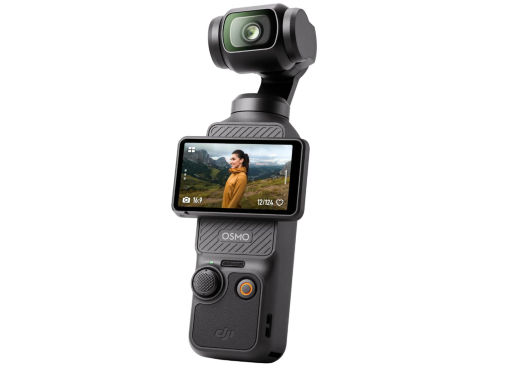
Built for creators who film while walking or traveling with their best camera for TikTok videos, this compact gimbal camera keeps movement controlled without adding bulky gear. The DJI Osmo Pocket 3 also makes switching between portrait and landscape framing simple, while its responsive controls and subject-following tools help solo TikTok creators capture spontaneous moments more easily.
Key Features:
- Three-axis gimbal keeps walking footage visibly steadier
- Rotatable touchscreen simplifies quick framing during filming
- Full-pixel focusing locks onto subjects more quickly
- Smart orientation switching supports native vertical recording
- ActiveTrack 6.0 follows moving creators automatically onscreen
- Pocket-sized body stays convenient for travel shoots
2. Sony ZV-1 II – Best Compact Camera for Talking-Head TikToks
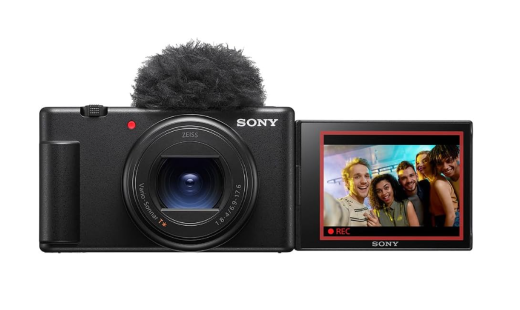
Sony ZV-1 II works well for TikTok creators who film beauty clips, product demos, and direct-to-camera videos. This is the best camera for TikTok Live, and it has a compact body. It stays easy to handle, while the wide zoom range helps frame yourself in tighter spaces. Fast subject tracking and creator-focused controls also make solo recording feel more practical and less distracting.
Key Features:
- Flip-out touchscreen simplifies self-framing during solo recording
- Real-time Eye AF keeps faces sharply tracked
- Product Showcase shifts focus quickly to displayed items
- Active Mode stabilization reduces shake during handheld filming
- Bokeh Switch creates cleaner subject-background separation instantly
- USB-C streaming support expands TikTok Live flexibility
3. Canon EOS R50 – Best Beginner Mirrorless Camera for TikTok
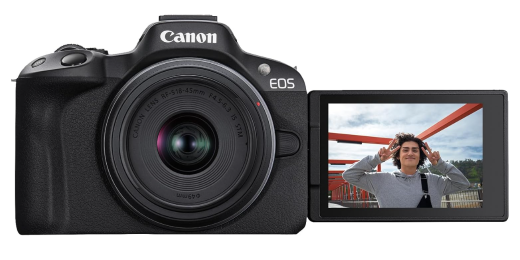
Moving from phone content to interchangeable-lens video becomes easier with a camera built around guided shooting tools, which makes it the best video camera for TikTok. TikTok creators can compose for vertical delivery, present products without manual refocusing, and monitor themselves from unusual angles. Those creator-first controls make the learning curve less intimidating on the Canon EOS R50.
Key Features:
- 651 autofocus zones maintain focus across moving subjects
- Close-Up Demo Mode redirects focus toward shown products
- Aspect Markers preview crops for different social formats
- Vertical metadata keeps portrait footage correctly oriented
- One-hour recording supports longer tutorials and batch shoots
- UVC/UAC support enables software-free computer livestreaming
4. OBSBOT Tail Air – Best for Multi-Camera TikTok Production
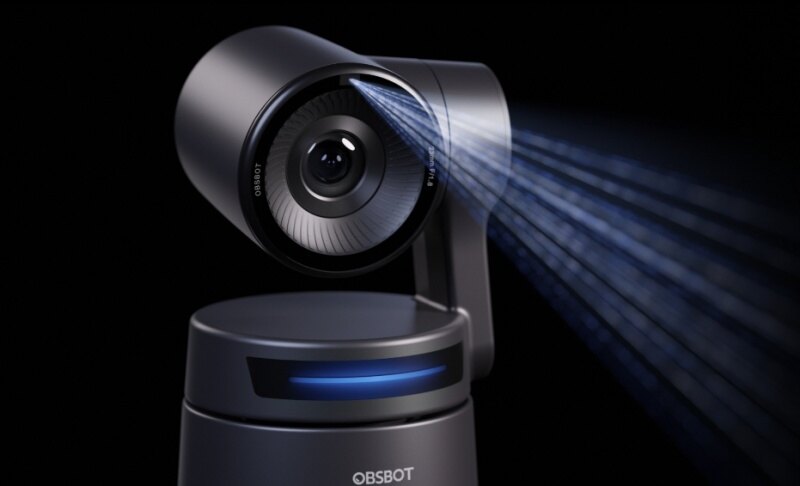
Movement is where this good camera for TikTok becomes especially useful. Presenters can walk, demonstrate products, or shift around a set while automated tracking handles the framing in real time. Gesture controls and PTZ movement reduce hands-on adjustments, while OBSBOT Tail Air fits naturally into TikTok Live setups built around solo hosting or multiple camera angles.
Key Features:
- Two recording modes: 4K@30fps and 1080p@60fps support detailed livestreams or smoother motion, giving TikTok creators more control over how movement appears.
- AI tracking system: Human, animal, and object tracking automatically keeps the selected subject in frame, which is useful for solo TikTok Live sessions and demos.
- 8-Piece Lens System: Intended to reduce distortion and produce cleaner-looking footage for better TikTok videos.
- Connectivity support: Wireless or Ethernet-based NDI connectivity can carry video, audio, and metadata through one network for coordinated TikTok production setups.
- AI Director Grids: Divide scenes into multiple smart framing options in real time, making it easier to switch viewpoints during TikTok demos and live selling.
5. GoPro HERO – Best for Action and Outdoor TikTok Videos
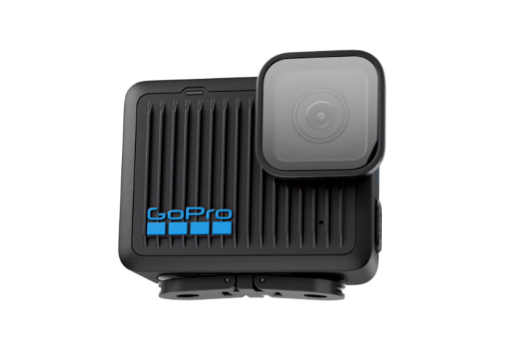
Fast-moving TikTok content often needs a camera that can be mounted, carried, and exposed to rough conditions without slowing the shoot down. This model is especially useful for biking, hiking, water activities, and first-person clips where hands-free framing matters. This camera fits those situations with a compact build and activity-focused design.
Key Features:
- 4:3 capture leaves more room for vertical reframing
- Built-in mounting fingers support low-profile action setups
- HyperSmooth processing steadies clips after Quik import
- Enduro battery technology improves cold-weather shooting endurance
- Hydrophobic lens cover clears water from wet scenes
- 35-plus compatible mounts broaden POV shooting positions
6. Insta360 GO 3S – Best for POV and Hands-Free TikToks
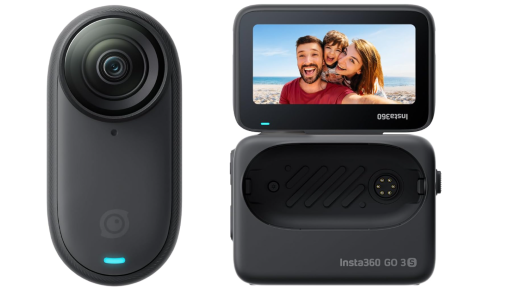
Hands-free filming opens up angles that standard cameras cannot easily capture. For TikTok creators who want unusual perspectives with minimal setup, the compact Insta360 GO 3S offers far more flexibility than its size suggests. That makes this the best camera to film TikToks, especially useful for first-person tutorials, pet footage, cooking clips, and everyday activity videos where holding a camera would get in the way.
Key Features:
- Magnetic mounting enables chest-level and overhead POV angles
- Easy Switch changes orientation with a quick twist
- FreeFrame mode allows aspect-ratio changes after recording
- FlowState stabilization smooths bumps during walk-and-talk clips
- QuickCapture starts filming instantly from powered-off state
- Action Pod provides remote preview for hidden placements
Part 2: How to Choose the Best Camera for TikTok
Do not choose the best camera for making TikTok videos only because it has the highest resolution. For TikTok, features such as autofocus, stabilization, good audio, a front-facing screen, and easy file transfer can matter much more than having 6K or 8K video. If you want to create longer videos, learn how to make a TikTok longer before choosing your recording setup.
Match the Camera to Your Content Style
Start by thinking about what you normally film. For talking-head videos, GRWM content, beauty videos, and UGC, look for a flip screen, reliable face autofocus, and good microphone options. For travel and vlogging, portability and stabilization become more important.
A camera like the Osmo Pocket 3 is useful because you can carry it easily and record smooth footage without a separate gimbal. Action and sports creators should focus on durability, waterproofing, stabilization, and easy mounting.
If you create cinematic videos, product videos, or paid brand content, a larger-sensor mirrorless camera with interchangeable lenses gives you more creative control.
Key Features That Actually Matter for TikTok
- Front-facing or flip-out screen: Makes it easier to frame yourself without another person behind the camera.
- Autofocus: Face and eye tracking can keep your face sharp while you move around the frame.
- Stabilization: Helps when you film while walking or hold the camera with one hand.
- Low-light performance: Matters if you shoot indoors, at restaurants, at events, or at night. In general, a larger sensor can collect more light and produce cleaner footage.
- Audio: Is just as important as picture quality. Look for a good built-in microphone or, even better, an external microphone input.
- Vertical shooting support: Can save time because you do not need to crop every video later.
- Battery life and connectivity: Wi-Fi, Bluetooth, USB, and companion apps can make it faster to move videos to your phone.
- Resolution: TikTok encourages vertical 9:16 content and recommends at least 720p for its advertising content. Shooting in 4K can still be useful because it gives you extra room to crop, zoom, or reframe before exporting. However, 8K is unnecessary for most TikTok creators.
Budget Guide and Do You Need a Dedicated Camera?
- Under about $400: Start with your phone or look at small action and compact cameras. Your biggest improvement may come from better lighting, cleaner audio, and a stable tripod rather than a new camera.
- Around $400 to $1,000: This is where you can find strong creator cameras, compact cameras, gimbal cameras, and beginner mirrorless models. You can expect better autofocus, larger sensors, 4K recording, and stronger controls.
- Above $1,000: Higher budgets give you access to more advanced mirrorless cameras, faster lenses, professional audio equipment, and better production setups. This level makes more sense for creators doing paid campaigns, professional brand work, or content across several platforms.
There is one simple rule to remember: if you already own a recent flagship smartphone, spend your first dollars on lighting and a microphone before buying another camera. Even TikTok's own creative guidance has noted that smartphone camera quality can be enough for the platform when footage is clear, properly lit, and made for a vertical screen.
Essential Accessories Worth Buying First
- Lighting: A ring light or LED panel makes your face and products look clearer, especially indoors.
- External microphone: Clear voice audio can make a bigger difference than upgrading from 1080p to 4K.
- Tripod or phone mount: A stable camera makes talking-head videos, tutorials, and product shots easier to film.
- Spare battery and SD card: Extra power and storage help you keep filming without stopping during longer shoots.
Part 3: FAQs About the Best Camera for TikTok
1. What is the best camera for TikTok beginners?
DJI Osmo Pocket 3 is one of the easiest cameras to use because it combines a camera and a stabilized gimbal in one small device. However, you do not need to buy a dedicated camera immediately. A recent iPhone, Samsung Galaxy, Google Pixel, or another good smartphone can already produce good videos.
2. Is a phone or a dedicated camera better for TikTok?
Yes, a phone is better for convenience. You can record, edit, add effects, and upload your TikTok from one device. A dedicated camera is better when you want stronger low-light performance, smoother stabilization, better lenses, and more control over the image.
3. What camera do most TikTok creators use?
Vloggers can use cameras such as the DJI Osmo Pocket 3, while studio creators may prefer Sony or Canon cameras. The important point is that successful TikTok content does not require an expensive professional camera.
4. Can I upload footage from a professional camera to TikTok?
Yes, you can record footage on a mirrorless, compact, action, or professional video camera, edit it on your computer or phone, and then upload the finished video to TikTok. For the easiest viewing experience, edit the final video in a vertical 9:16 format.
5. Do I need a 4K camera for TikTok?
No, you can create very good TikToks in 1080p. TikTok itself recommends at least 720p in several of its creative guidelines. Still, recording in 4K gives you more room to crop or zoom during editing while keeping the final video sharp.
Conclusion: Finding the Best Camera for TikTok
Choosing the best camera for TikTok comes down to finding gear that fits naturally into your creative routine. A useful setup should help you record quickly, stay consistent, and focus more on the idea behind each post. Instead of chasing the most advanced specifications, choose equipment that feels easy to use and supports the type of content you want to publish regularly. Most importantly, do not ignore lighting, audio, and good ideas. Those often improve a TikTok more than buying a more expensive camera.