Best Camera for Cinematic Video: 7 Picks for Every Budget
A camera can record sharp 4K and still produce flat, ordinary-looking footage. The difference usually comes from dynamic range, color depth, lenses, lighting, and how easily the camera lets you control motion and exposure. This guide compares the best cameras for cinematic video across several budgets, then gives you practical settings for turning those capabilities into better-looking footage.
7 Best Cameras for Cinematic Video in 2026
Panasonic LUMIX S5IIX is the best overall value because it combines full-frame image quality, dependable stabilization, open-gate recording, autofocus, and practical editing formats. Canon EOS R50 V is the easiest low-cost entry point, while Panasonic LUMIX GH7 provides one of the most complete video toolsets available below $2,000.
| Product | Sensor | Maximum Video | Stabilization | Best Use | Price |
|---|---|---|---|---|---|
| Panasonic LUMIX S5IIX | Full frame | 6K30 open gate | 5-axis IBIS | All-around filmmaking | $1,800 |
| Canon EOS R50 V | APS-C | 4K60 cropped | Digital and lens IS | Low-budget video | $520 |
| Blackmagic Cinema Camera 6K | Full frame | 6K60 in 2.4:1 | None in body | Narrative and grading | $1,755 |
| Nikon Z6III | Full frame | 6K60 internal RAW | 5-axis IBIS | Photo and video | $2,800 |
| Fujifilm X-H2S | APS-C stacked | 6.2K30 or 4K120 | 5-axis IBIS | Action and slow motion | $2,900 |
| Sony FX3 | Full frame | 4K120 | 5-axis IBIS | Low light and solo crews | $4,300 |
| Panasonic LUMIX GH7 | Micro Four Thirds | 5.7K60 or 4K120 | 5-axis IBIS | Compact cinema production | $1,798 |
Best Overall: Panasonic LUMIX S5IIX
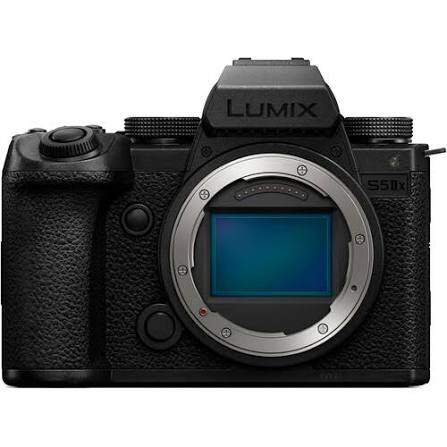
The S5IIX gives an independent filmmaker the broadest useful toolkit for the money. Its full-frame 6K open-gate mode records the entire sensor, giving you extra room to create a widescreen master and vertical social cut from one take. Phase-detection autofocus and Active I.S. also make handheld interviews, short films, and event coverage easier for a small crew.
Why it made the list: It delivers cinema-ready color, strong stabilization, and flexible framing while leaving budget for lenses, audio, and lighting.
- Flexible post-production: record 10-bit V-Log internally, ProRes to a USB SSD, or RAW to a compatible external recorder.
- Useful for mixed delivery: open-gate recording leaves room to crop the same scene for 16:9, 2.39:1, and 9:16 outputs.
- Stable handheld footage: Active I.S. is particularly useful for walking shots and lightly rigged documentary work.
Main limitation: 4K60 uses an APS-C-sized crop, while full-sensor open-gate recording tops out at 30p. Fast full-frame slow motion requires a higher-tier camera.
Best Cheap Camera for Cinematic Video: Canon EOS R50 V
The EOS R50 V makes 10-bit log recording accessible at an entry-level price. Oversampled 4K30, Canon Log 3, reliable subject autofocus, and interchangeable RF lenses give beginners enough control to learn exposure and color grading without starting with a cinema rig. It is the strongest best budget camera for cinematic video candidate when cost and ease of use matter equally.
Why it made the list: Few cameras this affordable combine oversampled 4K, 10-bit Log, dependable autofocus, and interchangeable lenses.
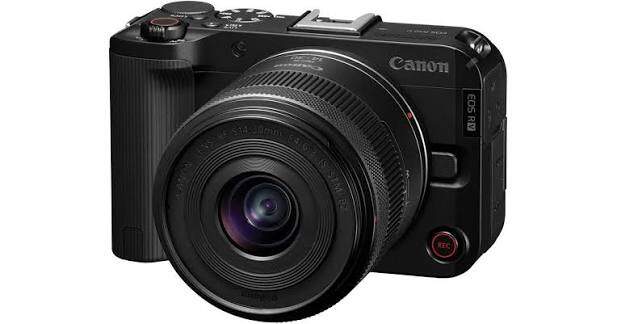
- Beginner-friendly color: Canon Log 3 and 10-bit 4:2:2 files tolerate more grading than a basic 8-bit profile.
- Useful autofocus: Dual Pixel CMOS AF II can track people, animals, and vehicles during solo shooting.
- Simple slow motion: 4K60 is available with a crop, while Full HD reaches 120p.
Main limitation: there is no in-body stabilization, and the 4K60 crop makes wide shots harder. Pair it with an optically stabilized lens, tripod, or gimbal.
Best Image Quality on a Modest Budget: Blackmagic Cinema Camera 6K
Blackmagic Cinema Camera 6K prioritizes a gradeable image over automatic convenience. Its full-frame sensor records 12-bit Blackmagic RAW, including 6K open gate for flexible reframing and 6K 2.4:1 up to 60 fps. The files move directly into DaVinci Resolve with camera metadata and broad control over exposure and white balance.
Why it made the list: Its rich, highly gradeable BRAW image can look more expensive than the camera's body price suggests.
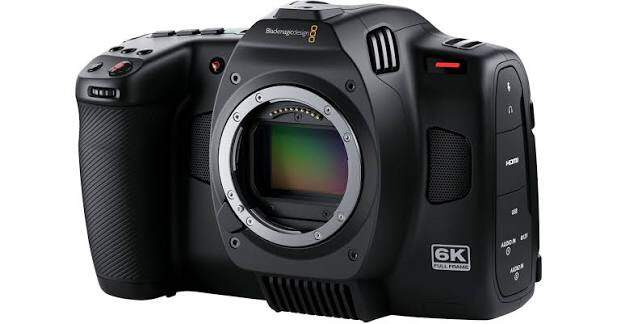
- Made for color work: 12-bit BRAW preserves more tonal and color information than compressed 8-bit video.
- Flexible lens choice: the active L-Mount works with native lenses and many adapted cinema lenses.
- Practical media options: record to CFexpress cards or directly to supported USB-C SSDs.
Main limitation: it lacks in-body stabilization and continuous subject-tracking autofocus. It works best with controlled blocking, manual focus, a tripod, shoulder rig, or gimbal.
Best Camera for Cinematic Video and Photography: Nikon Z6III
Nikon Z6III is the most convincing hybrid here when still photography matters as much as filmmaking. Its 24.5MP partially stacked full-frame sensor supports detailed photos, fast autofocus, 6K60 internal N-RAW, 4K120, and 5-axis stabilization. A wedding shooter can move from portraits to a RAW ceremony master without changing bodies.
Why it made the list: It suits creators who need serious stills and internal RAW video from one dependable body.
- RAW without an external recorder: internal N-RAW and ProRes RAW HQ support a compact production setup.
- Strong handheld operation: built-in stabilization and subject detection suit weddings, documentaries, and travel work.
- Multiple editing paths: use RAW for demanding projects or H.265 and H.264 when smaller files matter more.
Main limitation: 6K RAW creates large files and requires fast media, storage, and a capable editing computer. Lighter codecs are more practical for routine projects.
Best for Cinematic Action and Slow Motion: Fujifilm X-H2S
The X-H2S is built for scenes in which subjects and the camera both move quickly. Its stacked APS-C sensor reads out faster than conventional sensors, helping moving lines stay straighter during pans. It also combines 6.2K open gate, internal ProRes, 4K120, autofocus, and in-body stabilization in one compact body.
Why it made the list: Its fast sensor produces cleaner motion and less rolling shutter during sports, dance, and handheld action.
- Better for fast motion: quick sensor readout reduces rolling-shutter distortion during sports, dance, and handheld camera moves.
- Slow motion with editing headroom: 4K120 provides detailed slow motion, while Full HD reaches 240p.
- Efficient internal recording: ProRes 422 formats simplify editing when your computer handles them well.
Main limitation: 4K120 applies about a 1.29x crop, and the body costs close to several full-frame alternatives. Its speed is the reason to choose it.
Best for Low-Light Filmmaking: Sony FX3
Sony FX3 is a compact cinema camera for crews that work in available light and cannot risk missed focus. Its full-frame sensor, high-sensitivity design, dependable autofocus, 4K120 recording, active cooling, and included XLR handle suit documentary, event, travel, and small commercial crews.
Why it made the list: Its low-light image, autofocus, cooling, and professional audio make it a trusted choice for solo documentary and event shooters.
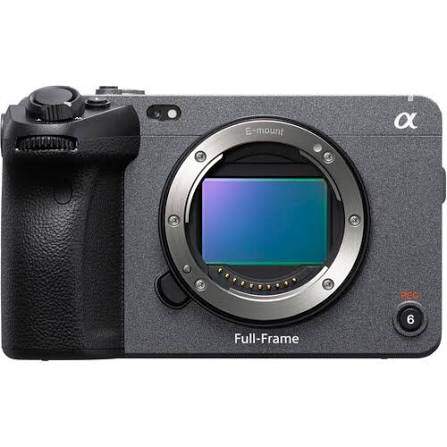
- Confident low-light capture: the 12.1MP full-frame sensor favors sensitivity over high-resolution stills.
- Ready for long takes: an internal fan reduces overheating risk during extended 4K recording.
- Professional solo workflow: the XLR handle adds physical audio controls and two full-size XLR/TRS inputs.
Main limitation: it does not record 6K or open gate, and 12.1MP stills leave less room for large photo crops. You are paying for video reliability and low-light performance.
Best Cinema Toolkit Under $2,000: Panasonic LUMIX GH7
Panasonic LUMIX GH7 packages advanced recording tools into a compact, affordable body. It records 5.7K60 and 4K120, offers open-gate framing, internal ProRes RAW, phase-detection autofocus, strong stabilization, and active cooling. Small production teams can capture demanding codecs and long takes without building a large cinema rig.
Why it made the list: It offers unusually complete cinema tools below $2,000, especially for filmmakers who value stabilization, internal RAW, and compact lenses.
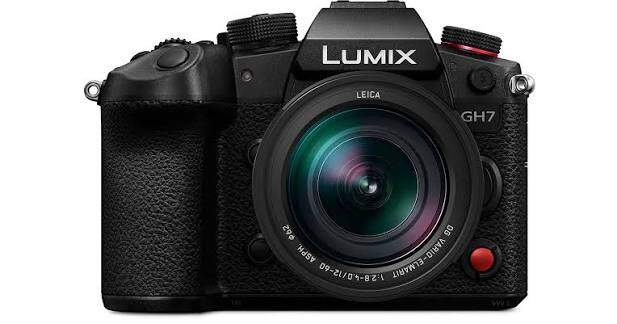
- Detailed, flexible capture: 5.7K60 supports reframing, while 4K120 creates high-resolution slow motion for action and commercial work.
- Efficient internal workflow: ProRes RAW HQ can be recorded internally, reducing the need for an external recorder.
- Reliable for long sessions: active cooling supports extended 10-bit 4K60 recording for interviews, events, and studio production.
Main limitation: the Micro Four Thirds sensor does not match the shallow depth of field or extreme low-light performance of larger full-frame cameras. Fast lenses help close that gap.
How to Choose a Camera for Cinematic Video
Choose the workflow first and the camera second. A narrative short with a focus puller benefits from RAW and manual cinema lenses; a solo documentary needs autofocus, stabilization, manageable files, and dependable audio.
Budget for Lenses, Media, Audio, and Light
A $2,000 body can become a $4,000 kit after adding a lens, ND filter, batteries, cards, microphone, monitor, and support. Leave enough budget for at least one useful lens and controlled lighting. A well-lit scene captured through a suitable lens on the EOS R50 V can look more cinematic than poorly exposed footage from a higher-end cinema body.
If you are still learning, complete several short projects with your phone before buying a camera. The problems you repeatedly notice—focus, low light, lens choice, audio, or camera movement—will reveal which upgrade actually matters. If Sony's autofocus and lens ecosystem suit your workflow, choose the strongest body your complete kit budget allows and begin with a practical zoom.
- Invest in lenses deliberately: lenses shape perspective, depth of field, flare, and focus behavior, and a useful lens set can cost more than the camera.
- Protect the audio budget: viewers tolerate modest images more readily than unclear dialogue, so include a microphone, recorder, and monitoring headphones.
- Control the light: one well-placed key light and simple diffusion often improve the image more than moving to a more expensive body.
- Check post-production capacity: 4K, 6K, ProRes, RAW, and BRAW quickly consume storage and can overwhelm an older computer. Budget for drives, backups, and proxy editing.
Prioritize 10-Bit Color, Log, or RAW
Bit depth and recording format affect how far you can adjust exposure and color before the image breaks apart. A 10-bit log file is the practical minimum for regular grading, while RAW gives you more control and much larger files. Canon EOS R50 V already provides 10-bit Canon Log 3; Blackmagic Cinema Camera 6K goes further with 12-bit BRAW.
Match the Sensor to the Shot, Not the Marketing
Full frame makes shallow depth of field and low-light shooting easier, but it is not automatically more cinematic. APS-C and Super 35 sensors remain common in professional filmmaking because they provide useful depth of field, smaller lenses, and easier focus control. Fujifilm X-H2S is the better choice than many full-frame bodies when rapid movement and rolling shutter matter most.
Decide Whether the Camera Must Stabilize and Focus for You
Choose strong autofocus and IBIS when you work alone, follow unpredictable subjects, or shoot handheld. Panasonic S5IIX, Nikon Z6III, Fujifilm X-H2S, and Sony FX3 fit that workflow. Blackmagic Cinema Camera 6K is stronger when shots are planned and a crew can manage focus and stabilization.
Best Camera Settings for Cinematic Video
There is no single cinematic preset for every project. Start with the row that matches your scene, then adjust exposure and depth of field for the location. Keep white balance manual so color does not shift during a take.
| Video Type | Frame Rate and Shutter | Color and Exposure Starting Point | Best For |
|---|---|---|---|
| Narrative dialogue | 24 fps, 1/48 or 1/50 | 10-bit Log, base ISO, f/2.8–f/4 | Short films and dramatic scenes with controlled lighting |
| Documentary or run-and-gun | 24 or 30 fps, 1/50 or 1/60 | 10-bit Log, f/4–f/5.6, limited Auto ISO | Unpredictable subjects that need more focus depth |
| Action with natural speed | 60 fps, about 1/120 | 10-bit Log, f/4–f/5.6 | Sports, dance, and smoother real-time movement |
| Cinematic slow motion | 120 fps, about 1/250 | 10-bit profile, f/2.8–f/4, added light | Emotional details, action inserts, and music videos |
| Low-light atmosphere | 24 fps, 1/48 or 1/50 | Native high ISO, f/1.8–f/2.8, manual Kelvin | Night exteriors and practical-light interiors |
| Product or commercial detail | 24 or 30 fps, 1/50 or 1/60 | 10-bit Log, base ISO, f/5.6–f/8 | Sharp products, food, tabletop work, and controlled studio shots |
Use an ND filter outdoors to preserve the chosen shutter speed and aperture. When recording 60p or 120p for slow motion, place the clip on a 24p timeline and interpret it at the intended playback speed. These settings are starting points; lighting, framing, camera movement, production design, and sound create the finished look.
Bonus: Automated Long-Range Shots for Small Crews — OBSBOT Tail 2 ADV
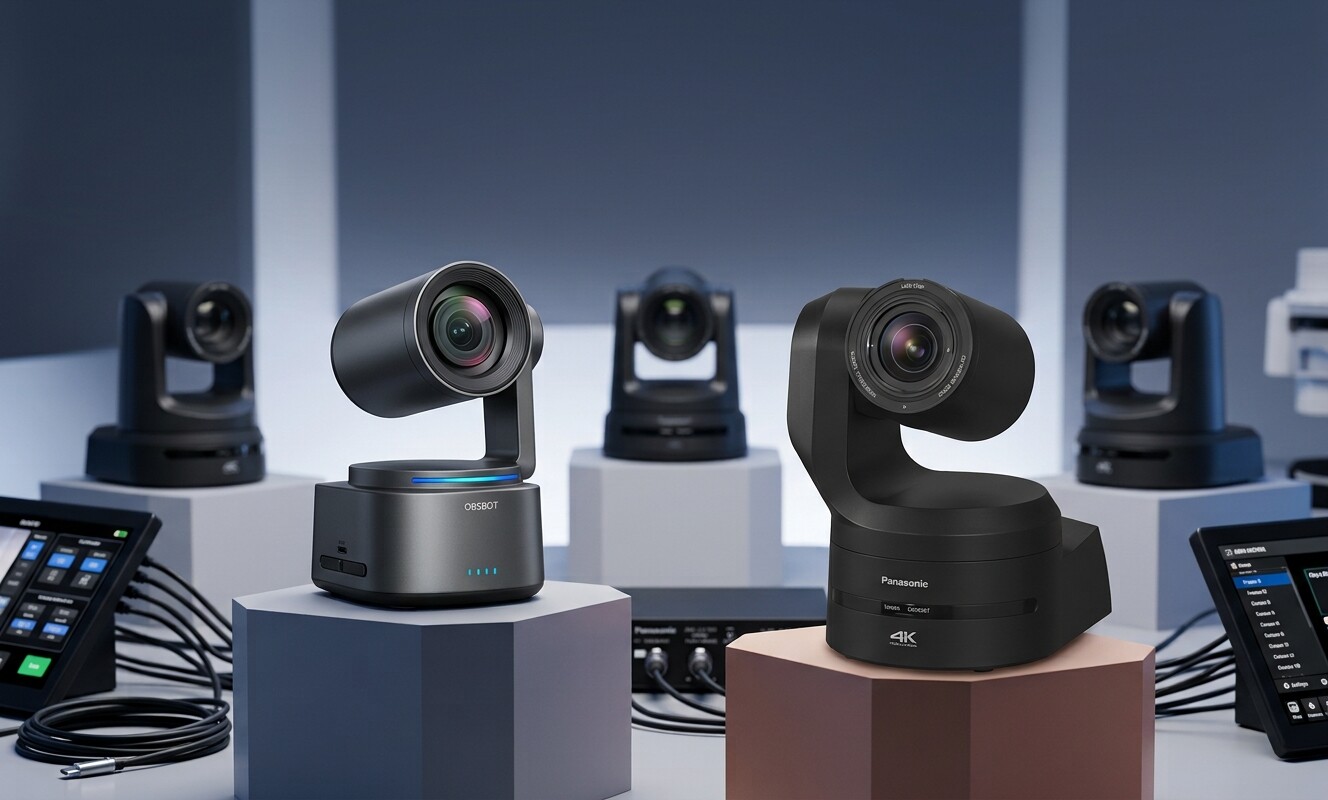
Interchangeable-lens cameras give filmmakers the most control, but a distant stage, sports field, auditorium, or concert can still require another operator and a long lens. OBSBOT Tail 2 ADV adds a remotely placed 4K PTZR angle with 21x optical zoom, automated subject tracking, and color controls designed for live and multicamera production.
It works best as a controlled secondary angle for performances, events, creator studios, and behind-the-scenes coverage. OBSBOT Log and LUT support also make it easier to bring its image closer to the look of the main camera during grading.
Why it fits this workflow:
- Long-range 4K capture: 21x optical zoom and 4K60 recording cover a full stage and distant close-ups from one fixed position.
- More matching control: variable aperture, OBSBOT Log, and LUT support provide more control over exposure and color.
- AI Tracking 2.0: tracks people, groups, animals, and selected objects while adjusting PTZR composition.
- Multi-camera workflow: timecode, PTP synchronization, NDI HX3, HDMI, 3G-SDI, Ethernet, and RS-232 support professional integration.
- Flexible deployment: its built-in battery, PoE+, native vertical recording, and compact body simplify remote camera placement.
FAQs About Cinematic Video Cameras
What is the best camera for cinematic video?
Panasonic LUMIX S5IIX is the strongest all-around choice for most independent filmmakers. It combines full-frame 10-bit video, open-gate recording, stabilization, autofocus, and flexible recording formats at a midrange price.
What is the best cheap camera for cinematic video?
Canon EOS R50 V is the best low-cost starting point. It records oversampled 4K30 and 10-bit Canon Log 3, but you will need a stabilized lens, tripod, or gimbal because the body has no IBIS.
Do I need a full-frame camera for a cinematic look?
No. APS-C and Super 35 cameras can produce professional cinematic images. Lighting, lenses, exposure, camera movement, and color work have a greater effect than sensor size alone.
Is 24 fps always the best frame rate?
Use 24 fps for traditional cinematic motion. Use 30 fps for a slightly smoother look and 60 or 120 fps when you intend to create slow motion in a 24 fps edit.
Which camera is best for both cinematic video and photos?
Nikon Z6III is the most balanced hybrid choice in this list. Its 24.5MP sensor handles serious photography while 6K60 internal RAW, 4K120, autofocus, and IBIS support advanced filmmaking.
Conclusion
Choose Panasonic S5IIX for the best overall balance, Canon EOS R50 V for an affordable start, and Blackmagic Cinema Camera 6K for maximum grading flexibility at a modest price. Nikon Z6III and Fujifilm X-H2S serve hybrid and action shooters, Sony FX3 excels in low light, and Panasonic GH7 offers one of the most complete cinema toolkits below $2,000. Reserve part of the budget for lenses, lighting, audio, media, storage, and support.