Streaming Monitoring: What It Is, Why It Fails, and How to Fix It

Your stream looks fine on your end. But somewhere between your encoder and your viewers' screens, something breaks — and you find out only when the comments blow up with "why is it buffering?" 70% of viewers abandon a live stream after buffering more than twice. That's your audience walking out the door. Streaming monitoring is how you catch those problems before your viewers do.
What Is Streaming Monitoring?
Live stream monitoring is the practice of tracking your stream's health in real time — from the moment video leaves your camera to the moment it plays on a viewer's device. It covers every link in the chain: your encoder, your network, your CDN, and the player on the viewer's end.
Key Metrics to Watch
| Metric | What It Measures | Target |
|---|---|---|
| Bitrate stability | Consistency of data output from your encoder | No drops >20% |
| Rebuffering ratio | % of playback time spent loading, not playing | <1% |
| Startup time | Seconds from "play" to first frame | <2s |
| Frame drop rate | Frames lost during encoding or transmission | <1% |
| Latency | Delay from source to viewer screen | <5s for interactive |
| A/V sync | Alignment between audio and video tracks | 0ms drift |
Live vs. VOD: Why They're Different Problems
- With VOD, you have time — detect issues post-playback and fix them before more viewers are affected.
- With live, you have seconds. A CDN failure or encoder crash during a product launch is unrecoverable. That's what makes live stream monitoring its own discipline, and why reactive troubleshooting doesn't work here.
3 Core Challenges in Streaming Monitoring

Most stream failures trace back to three root causes.
Challenge 1: Data Fragmentation
Most setups pull monitoring data from separate places: a software encoder, a CDN dashboard, an analytics platform. When something breaks, you're jumping between screens trying to match up what happened where — and viewers are already leaving.
Challenge 2: Detecting Issues Before Viewers Notice
By the time a viewer reports buffering, the problem has already happened. Manual observation doesn't scale. You need automated alerts tied to the metrics above, firing before visible quality degradation reaches the player.
Challenge 3: Network Instability Under Load
Upload speeds fluctuate. Cellular connections degrade at peak times. Software encoders on a shared laptop CPU are especially vulnerable — when the system is under load, encoding quality drops and frame rates become inconsistent.
Bonus: Monitor Your Live Production with OBSBOT Talent 2 Live Streaming Studio
Most monitoring tools focus on the delivery side, such as CDN dashboards and player analytics. OBSBOT Talent 2 brings monitoring directly into the production workflow, combining source preview, program monitoring, switching, streaming, and recording in one device. This helps production teams spot source and production issues while the show is still live, rather than waiting for downstream monitoring tools to flag them.
Where OBSBOT Talent 2 stands out for live stream monitoring:
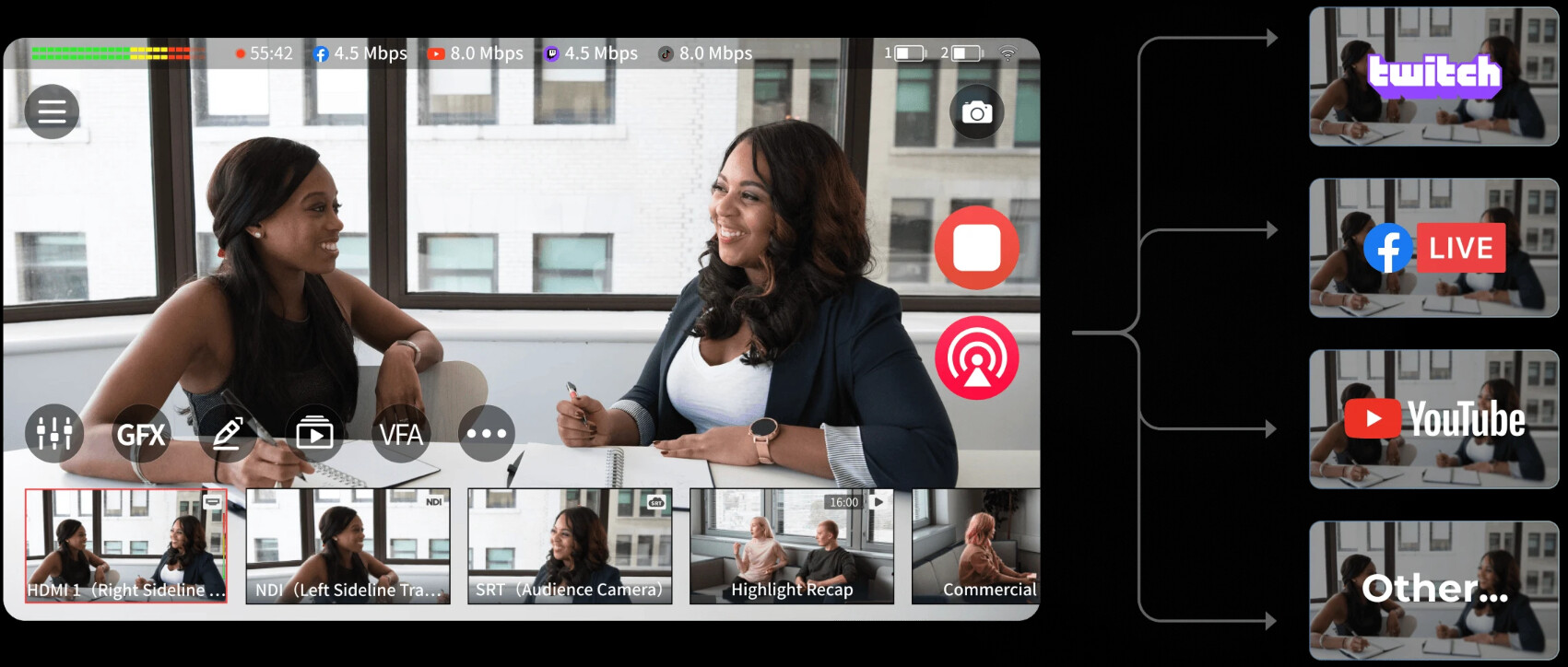
- True 4K Source Monitoring: The 7" AMOLED touchscreen lets operators preview sources and program output in up to 4K, making it easier to catch incorrect sources, framing issues, or dropped feeds.
- 16-Source Visibility: Monitor up to 16 video sources, including 4 HDMI, 2 USB, and 10 IP inputs, from a single device.
- Dedicated Hardware Encoding: H.264/H.265 encoding runs on dedicated hardware, reducing CPU and GPU load on connected computers.
- Smart Network Bonding: Combines 4G/5G, Wi-Fi, and Ethernet into one bonded connection for more reliable streaming.
- Built-In Platform Monitoring: Built-in live apps let operators check program output, live status, and viewer interaction directly on Talent 2, keeping platform monitoring close to the production workflow.
How to Set Up Streaming Monitoring

Here's how to build a monitoring workflow that actually catches problems in time.
Step 1: Choose Your Monitoring Layer
You need visibility at two distinct points:
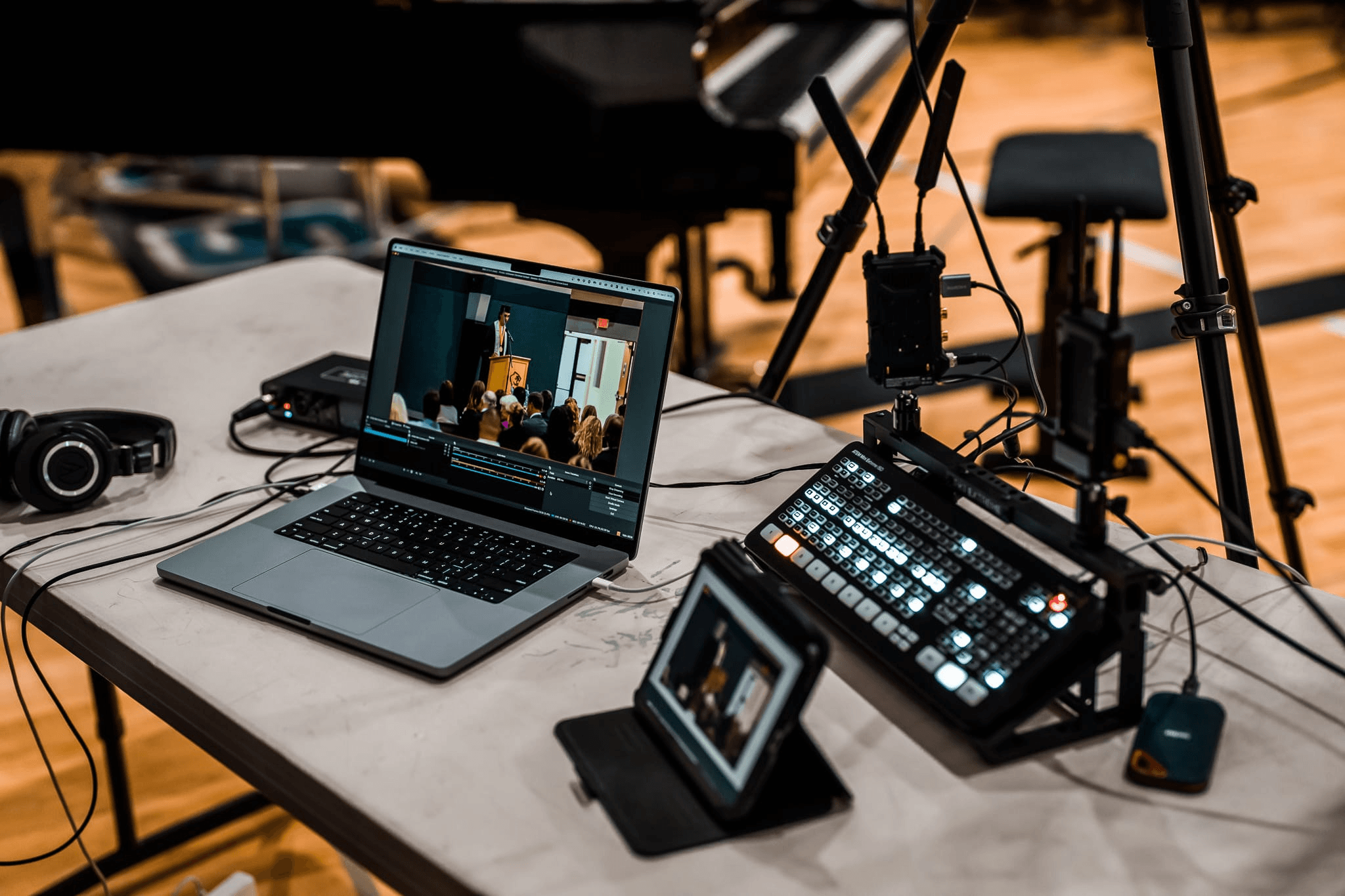
- Source-side (encoder/hardware): This is where bitrate, frame rate, and encoding errors originate. Dedicated hardware encoders like the OBSBOT Talent give you more reliable, isolated signal data than software panels.
- Delivery-side (CDN/player): Tools like Mux Data, Datadog, and Streamtest.net monitor what actually reaches the viewer — rebuffering ratio, startup time, playback failures — from geo-distributed nodes worldwide.
Most production teams need both layers. Hardware monitors catch encoder-side failures. Software platforms catch delivery-side failures.
Step 2: Set Alert Thresholds Before You Go Live
| Alert | Warning | Critical |
|---|---|---|
| Rebuffering ratio | >1% | >3% |
| Bitrate drop | >20% below target | >40% below target |
| Startup time | >2s | >4s |
| Frame drop rate | >1% | >3% |
Step 3: Monitor From the Viewer's Perspective
Open a second device on a separate network and watch your stream as a viewer. What you see in your production feed and what your audience receives are not always the same. This is the fastest way to catch CDN-side issues and geo-specific problems that source-side monitoring misses.
Step 4: Run a Pre-Broadcast Dry Run
Test on the exact network, hardware, and platform you'll use during the live event. CDN behavior, encoder load, and network routing all differ by location.
Step 5: Review After Every Broadcast
Cross-reference technical data with viewer drop-off timestamps. A spike in exits at 14:32 that matches a bitrate drop at 14:31 tells you exactly what caused it. Log findings before the next broadcast.
FAQs About Streaming Monitoring
Do I need a monitor for streaming?
Yes, you will need a monitor, otherwise you are streaming blind. An all-in-one device like OBSBOT Talent lets you monitor your live feed directly on its built-in screen so you can catch issues instantly. If you are looking for dedicated external monitors to upgrade your setup, we highly recommend the MSI MPG 321URX QD-OLED for a premium, crisp 4K experience, or the MSI MPG 271QRX for an ultra-fast, high-refresh-rate display.
Can I monitor my live stream for free?
Yes. Tools like Streamtest.net offer free-tier channel monitoring, and OBS has a built-in stats panel for basic bitrate and dropped frame tracking. Free options cover source-side basics but typically lack geo-distributed delivery monitoring.
How do I know if my viewers are experiencing buffering?
Delivery-side platforms like Mux Data show you real-time rebuffering ratios across your active viewer base. Without a tool like this, your first signal is usually viewer complaints — by which point the damage is done.
What's the difference between stream monitoring and stream analytics?
Monitoring is real-time — it tells you what's breaking right now. Analytics is retrospective — it tells you what happened after the fact. You need both, but monitoring is what prevents incidents; analytics is what helps you avoid repeating them.
Does live stream monitoring affect stream performance?
Software-based monitoring tools add some CPU overhead, which can destabilize software encoders under load. Hardware setups like OBSBOT Talent handle monitoring on-device, so there's no performance cost to the encoding process itself.
What is the best device to use for streaming?
OBSBOT Talent is your best bet. It combines an independent hardware encoder and a multi-input production monitor into a single device, eliminating the need for extra screens or bulky setups.
Conclusion
Live streaming monitoring comes down to one principle: know what's broken before your viewers do. Track the six core metrics, build visibility at both the source and delivery layer, and set alert thresholds before you go live. Whether you're running a software monitoring stack or a hardware setup like OBSBOT Talent 2, the goal is the same — fix problems in seconds, not discover them in comment sections.