How to Get More Views on TikTok
A TikTok video can get a slow start without being “shadowbanned” or needing a paid boost. More views usually come from making the video’s subject clear, holding the right viewers’ attention, and giving TikTok useful signals about who may want to watch it. This guide covers what to improve before posting, what to do after a video stalls, and how LIVE discovery differs.
What Helps a TikTok Video Reach More Viewers
TikTok recommendations are personalized, so there is no single view count or posting trick that guarantees broad distribution. TikTok says recommendations use a combination of viewer interactions, content information, and user information; for most people, interaction signals such as watching, skipping, liking, sharing, and commenting are generally weighted more heavily than other factors. That makes the viewer’s response to the actual video more useful to focus on than follower-count myths.
In practice, work on three things: make the topic obvious quickly, deliver the payoff without unnecessary setup, and label the video accurately with on-screen text, spoken words, and a relevant caption. These changes help viewers decide to stay and help TikTok interpret what the video is about. They cannot guarantee a particular number of views.
Bonus: Film Solo TikTok Videos with OBSBOT Tail Air
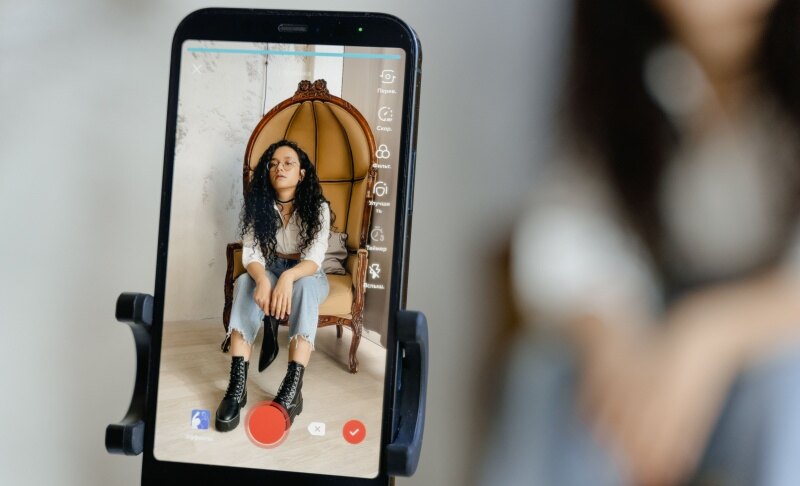
When you film tutorials, demonstrations, or LIVE sessions alone, keeping yourself in frame while presenting can take attention away from the content. OBSBOT Tail Air is a compact 4K PTZ streaming camera with AI tracking, so it can follow your movement while you demonstrate a product or move around your filming space. It supports 4K at 30 fps and 1080p at 60 fps; choose the format that fits your recording or streaming workflow. A camera can make solo filming easier, but views still depend on the video’s relevance and how viewers respond.
Key Features
- AI tracking: When you step away from your desk to demonstrate something, tracking can keep you in frame without a second person operating the camera.
- Portrait and landscape shooting: Switch orientation for vertical TikTok content or horizontal footage without relying on a vertical crop from a wide shot.
- 1080p at 60 fps: Use this mode when smooth motion matters more than 4K detail, such as movement-heavy demonstrations or a live setup.
- Flexible connections: Connect by USB-C, Micro HDMI, or Ethernet with the required adapter, depending on your recording or streaming setup.
How to Improve a Video Before Posting
Make the first seconds and the rest of the video serve the same promise. A strong opening that leads into a slow or unrelated middle will not keep viewers watching.
- Choose one viewer and one outcome. Before recording, finish this sentence: “This video helps [person] do or understand [one thing].” If the idea needs several unrelated points, split it into separate videos.
- Show the subject immediately. Open with the result, a specific question, or the moment that makes the video worth watching. For a recipe, show the finished dish or the step people usually get wrong before introducing the background.
- Remove the wait. Cut greetings, repeated explanations, pauses, and setup that do not change what the viewer learns or sees. Keep context that makes the result understandable.
- Make the video understandable without guessing. Use clear audio, readable on-screen text, and a caption that names the topic naturally. If the key information is visual, keep it in frame long enough to read.
- Use relevant discovery signals. Add a concise caption and a small set of accurate hashtags or sounds when they fit the subject. A trending sound cannot rescue a video that is unrelated to the trend or unclear to its intended audience.
- Check eligibility and originality. Post content you have the right to use and follow TikTok’s Community Guidelines.
Use TikTok’s Creator Search Insights to look for topics people search for and content gaps, where the feature is available. Pick a query that fits your expertise, then answer it directly in the video rather than forcing a popular phrase into an unrelated post.
What to Do After Posting a TikTok
After a post goes live, use its performance data to diagnose the video before changing your whole strategy. A weak opening, unclear subject, or mismatch between the promise and payoff needs a different fix.
- Give the post time to collect data. Avoid deleting and reposting immediately just because the first few minutes are quiet. A fast view count is not a reliable verdict on whether the content is useful to its intended audience.
- Check the post’s status. Review notifications and analytics for eligibility or policy messages. If TikTok says a post is not eligible for the For You feed, follow the appeal or correction options shown in the app.
- Read the retention pattern. If viewers leave early, revise the opening and remove setup. If they stay but engagement is low, make the takeaway clearer or give viewers a natural reason to respond. Compare videos with similar topics and lengths rather than treating one post as a universal benchmark.
- Respond to useful comments. Answer questions that reveal a real information gap. A follow-up video can address that question directly; do not manufacture engagement with irrelevant prompts.
- Improve the next version, not just the caption. If the video’s subject or payoff is unclear, changing hashtags alone is unlikely to fix it. Recut or remake the idea with a sharper opening and a more direct structure.
There is no reliable “hack” that can guarantee 1,000 views. Buying views or using engagement schemes can distort your analytics and may violate platform rules. Treat each post as feedback about the topic, packaging, and audience fit.
How to Get More TikTok LIVE Viewers
LIVE needs a different plan from a short post: viewers have to understand what is happening now and why they should stay. Set the topic and format before going live, then keep the opening active while people arrive.
- Give the LIVE a specific premise. “Answering beginner questions about home recording” tells viewers more than “hanging out.” Use an accurate title and relevant topic labels.
- Start with the activity. Begin the demonstration, Q&A, or performance instead of waiting silently for viewers to join. New arrivals should be able to understand the session quickly.
- Keep the conversation moving. Welcome viewers, answer questions aloud, and repeat useful context for people who just joined. If you are demonstrating something, keep the important action visible.
- Promote it with a related post. Publish a short clip that previews the subject and tell viewers when the LIVE will happen. The clip should offer value on its own, not just ask people to show up.
- Review the session afterward. Note which topics led to questions or longer conversations, then build the next LIVE around that audience interest.
TikTok’s LIVE recommendations also use signals such as watch time and interactions, alongside content information. That supports a practical focus on a clear session topic and sustained viewer participation, not just going live for longer.
FAQs About TikTok Views
How to get 1,000 views on TikTok?
There is no guaranteed route to 1,000 views. Make a focused video for a specific audience, show the subject quickly, and use analytics to improve the next post. Avoid buying views or relying on bots.
How do I make my video go viral on TikTok?
You cannot guarantee virality. You can improve the odds that the right viewers understand and watch your video by making the opening specific, delivering the promised payoff, and choosing a topic people want to watch or search for.
How to get more views on TikTok without paying?
Improve the video itself: choose a clear topic, cut slow sections, add accurate captions, and learn from retention and comment patterns. Paid promotion can buy exposure, but it does not replace audience interest or guarantee lasting organic reach.
How to get more views on TikTok after posting?
Check the post’s status and analytics, respond to relevant comments, and use what viewers’ behavior tells you to improve a follow-up. Avoid repeatedly deleting and reposting the same video as a supposed reach fix.
How to get more views on TikTok LIVE?
Use a clear LIVE topic, begin the planned activity right away, keep responding to viewers, and promote the session with a related short video. Review the session to identify which topics held attention.
Conclusion
To get more views on TikTok, make the video easy to recognize, worth watching through, and relevant to a defined audience. After posting, use eligibility notices, retention, and comments to decide what to change next. For LIVE, a clear topic and active session matter more than simply staying on air longer.