An SDI monitor is an ideal choice when your video production setup requires secure connections, reliable cable runs, professional monitoring tools, and compatibility with broadcast cameras and wireless receivers
It is useful in different production environments, from on-camera monitoring and focus pulling to directing and multi-camera shoots. The right display depends on where you work, how you monitor footage, and the level of control your production requires.
This article compares seven SDI monitor options, explains SDI standards, and shows how to integrate a monitor into wired and wireless production setups.
What Is an SDI Monitor?
An SDI monitor is a professional video display that receives its signals through Serial Digital Interface (SDI) connections, usually with BNC cables. These connections feature a locking mechanism that prevents accidental disconnection during filming.
SDI is common in professional sets such as broadcasting, filmmaking, and live production because it supports dependable video transmission over longer cable runs than HDMI.
But you will still find HDMI connections in mirrorless cameras, computers, and consumer video equipment. One major downside is that HDMI connectors can become loose when equipment is moved frequently.
When choosing between SDI and HDMI, consider their differences in connection security, cable distance, equipment compatibility, and supported video formats. Read our HDMI vs. SDI comparison to learn more about their differences and which one is better for you.
Best SDI Monitors for Different Production Needs
The following monitors serve different purposes, from affordable camera-top displays to professional production screens.
Here's a quick comparison of their most important features.
| Product | Best for | Screen size | Native resolution | SDI standard and I/O | Brightness | Approx. price |
|---|---|---|---|---|---|---|
| FEELWORLD SC6 | Budget field monitoring | 6 inches | 1920 × 1080 | 3G-SDI in/out | 1,500 nits | $228 |
| Lilliput Q7 Pro | Budget camera-top monitoring | 7 inches | 1920 × 1200 | 3G-SDI in/out | 500 nits | $520 |
| Portkeys BM5 IV | Focus pulling and outdoor filming | 5.5 inches | 1920 × 1080 | 3G-SDI in/out | 2,000 nits | $499 |
| Blackmagic Video Assist 5-inch 12G HDR | Monitoring and recording | 5 inches | 1920 × 1080 | 12G-SDI in/out | 2,500 nits | $745 |
| Atomos Shogun Classic | Director and client monitoring | 7.2 inches | 1920 × 1200 | 12G-SDI in/out | 3,000 nits | $1,199 |
| Portkeys MT22DS P3 | Studio production | 21.5 inches | 1920 × 1080 | 3G-SDI in/out | 1,200 nits | $1,499 |
| SmallHD Cine 18 4K | Professional video village | 18.4 inches | 3840 × 2160 | 12G-SDI in/out | 1,100 nits | $6,399 |
Best Budget SDI Monitors
FEELWORLD SC6 ($228)
The FEELWORLD SC6 is a suitable option for independent filmmakers and small production teams who need professional monitoring features on a tight budget. Its straightforward menu system, accessible shortcut buttons, and solid build make it easy to use during production, even for smaller teams working with limited equipment.
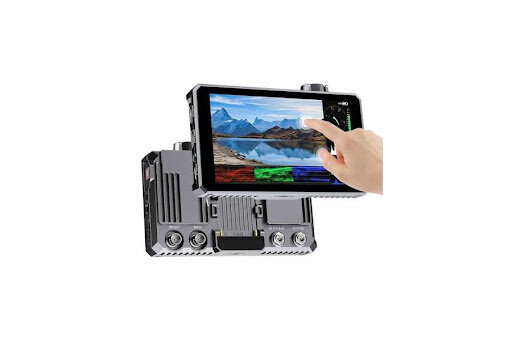
Other useful features of this 3G-SDI monitor include:
- 3D LUT support for viewing footage with custom color profiles.
- Waveform and histogram tools for exposure monitoring.
- Focus assist for checking image sharpness.
- An aluminium body designed for durability and heat dissipation.
Users praise the SC6's solid build, simple menus, and value for money, describing it as a solid choice for indie professional production. However, some report tight battery slots and insufficient brightness for demanding outdoor shoots. These are worth considering if you frequently film outside.
Lilliput Q7 Pro ($520)
Another budget SDI monitor option you may want to consider is the Lilliput Q7 Pro. It is worth considering if you prefer a slightly larger display (7-inch) than the 6-inch FEELWORLD SC6 at a relatively affordable price also.
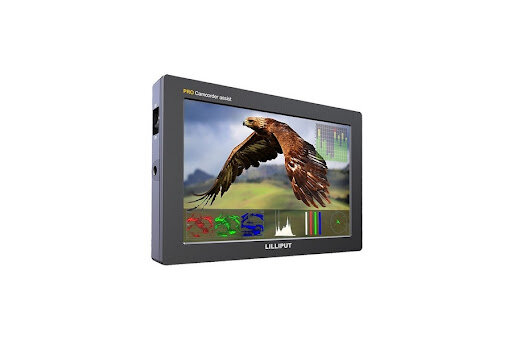
Its waveform, vectorscope, histogram, false-color, and focus-peaking tools help camera operators assess exposure and image sharpness while filming. It also supports 3D LUTs and HDR monitoring, adding flexibility to different production workflows. The monitor includes 3G-SDI and HDMI inputs and outputs, supporting different equipment configurations.
Its other features include:
- Peaking for checking focus.
- NP-F and LP-E6 battery compatibility.
- Weighs 405g, making it manageable for camera-top use.
Users generally appreciate the Q7 Pro's sturdy build, included accessories, useful exposure and focus tools, and value for money. However, some highlight that its screen visibility in bright outdoor conditions could be better, which means you may need extra shading to minimise glare.
Best On-Camera and Focus-Pulling Monitors
Portkeys BM5 IV ($499)
Many filmmakers and camera assistants look for compact SDI monitors with professional monitoring capabilities, such as checking focus, exposure, and image quality without adding unnecessary weight to their camera rigs. The Portkeys BM5 IV is designed to meet these needs.
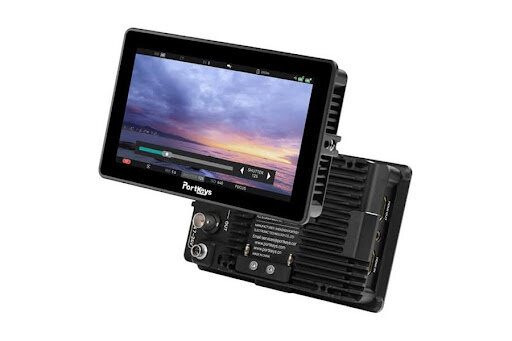
Its compact design makes it convenient for handheld shooting and focus-pulling setups, while the bright display remains visible during outdoor filming. The SDI and HDMI connections also allow it to work with different camera systems, making it a flexible choice for professional production.
This HD-SDI monitor also includes several tools that help camera operators assess footage accurately:
- Waveform and vectorscope to check exposure and maintain consistent color.
- Peaking and ARRI False Color make it easier to check focus and identify exposure problems.
- 3D LUT support to preview how custom color profiles will look while shooting.
- Split-screen monitoring allows you to compare images and check visual consistency.
Many users appreciate the BM5 IV's bright screen, durable construction, intuitive CINE NORM interface, and broad camera compatibility. However, some have experienced color banding and occasional issues with its zoom and screen capture features.
Blackmagic Video Assist 5-inch 12G HDR ($745)
The Blackmagic Video Assist 5-inch 12G HDR combines professional monitoring with onboard video recording.
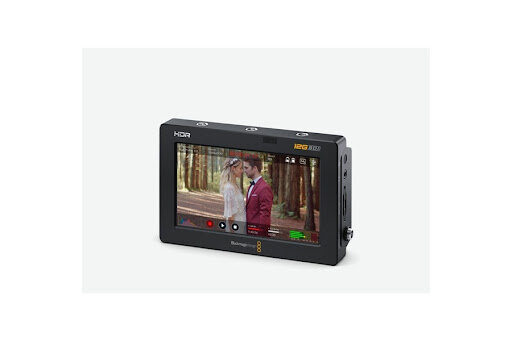
Its 5-inch Full HD display delivers up to 2,500 nits of brightness, making it particularly useful for outdoor filming and situations where you may need a clear view of the footage.
Unlike basic field monitors, this Blackmagic Video Assist model can also record video directly to an SD card.
Key features of this HD SDI monitor include:
- 12G-SDI input and output: Enables high-bandwidth video transmission to compatible equipment.
- HDMI 2.0a connectivity: Supports connections to different cameras and devices.
- HD, Ultra HD, and 4K DCI support: Allows monitoring across different video resolutions.
- 3D LUT support: Helps preview custom color grades while filming.
- Waveform and exposure tools: Help maintain accurate exposure.
- Focus assist: Makes checking image sharpness easier.
- ProRes and DNx recording: Provides professional formats for post-production.
A reviewer found the Blackmagic Video Assist 5-inch particularly useful for field production, praising its bright screen for framing, focus, and exposure monitoring.
They also valued its backup recording capability, which adds an extra layer of security when filming important events.
Best Director and Client Monitors
Atomos Shogun Classic ($1,199)
If you're a filmmaker, director, or production team looking for a larger display with professional monitoring and recording features, the Atomos Shogun Classic is worth considering.
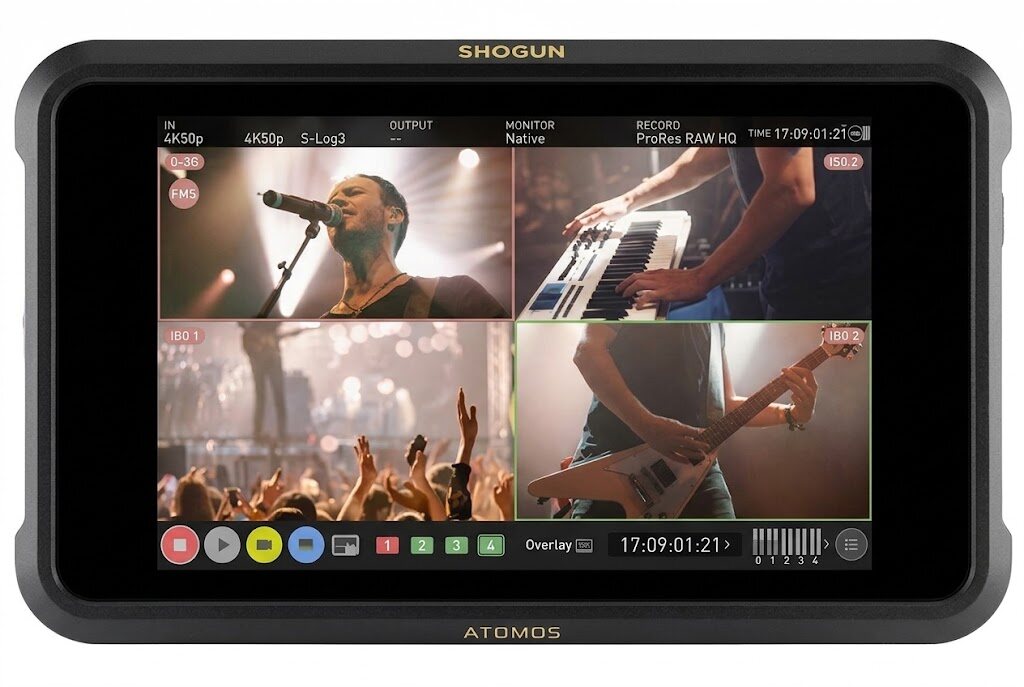
Its 7.2-inch screen has a native resolution of 1920 × 1200 and reaches 3,000 nits of brightness, making it suitable for outdoor production, particularly when multiple people need to review footage.
With 12G-SDI and HDMI 2.0 connections, the Shogun Classic fits easily into professional camera setups, while SDI loop-out lets directors and camera operators share the same feed with additional displays. This makes it more convenient to review footage and coordinate shots on set.
Another advantage is its recording functionality. The Shogun Classic supports Apple ProRes and Avid DNx recording formats, allowing you to capture footage directly from compatible cameras.
To better understand how these displays fit into a production setup, see our guide on the best director's monitors for filmmaking.
The Atomos Shogun delivers impressive 4K recording and a sharp display with easy-to-navigate controls. However, one reviewer raised concerns about its reflective screen, short battery life, and fragile construction.
Best Studio and Broadcast Production Monitors
Portkeys MT22DS P3 ($1,499)
The Portkeys MT22DS P3 is a 21.5-inch professional video monitor designed for studio environments, video villages, and broadcast control areas.
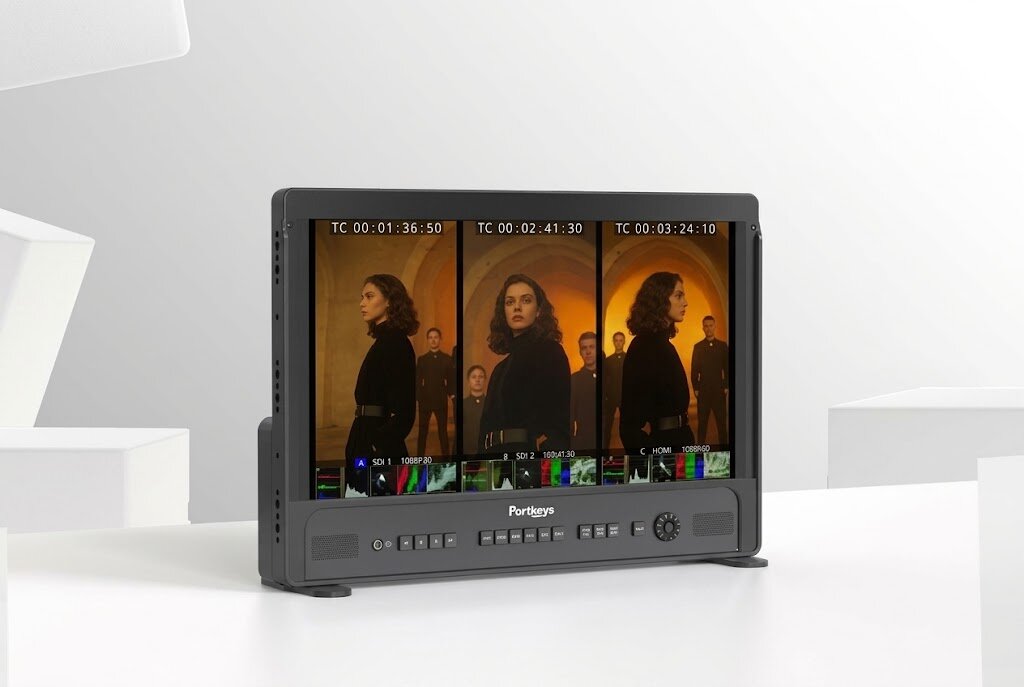
It delivers 1,200 nits of brightness and 97% P3 color coverage. This provides a larger viewing area for directors, cinematographers, and production teams reviewing footage.
The monitor has two 3G-SDI inputs, one 3G-SDI output, and HDMI connectivity, allowing production teams to connect multiple video sources, switch between feeds, and distribute signals to other equipment during studio production.
Other features of the MT22DS P3 include:
- Split-screen monitoring for easy comparison.
- Waveform, vectorscope, and histogram tools to help check exposure and color accuracy.
- 3D LUT monitoring and output for previewing and sharing custom color looks.
- ARRI False Color and focus peaking to help identify exposure and focus issues.
- Two XLR audio outputs with 48V phantom power.
- V-Mount and Gold Mount battery compatibility, providing flexible power options on set.
- VESA mounting points for installation for easy installation in studios and video villages.
Reviewers also draw attention to the MT22DS P3's lightweight protective case and extensive monitoring tools, alongside its durable aluminium build and multiple SDI/HDMI connections.
SmallHD Cine 18 4K ($6,399)
Another broadcast production monitor also designed for video villages, directors, cinematographers, and digital imaging technicians is the SmallHD Cine 18 4K.
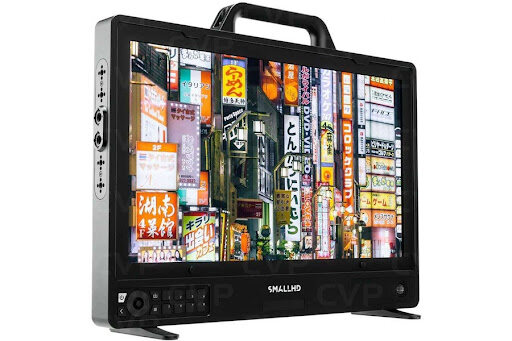
The Cine 18 4K SDI monitor is equipped with four 12G-SDI inputs and four 12G-SDI outputs, alongside HDMI 2.0 connectivity. This allows production teams to monitor multiple camera feeds and route video signals to other displays or equipment.
Its PageOS platform also provides tools such as waveform, vectorscope, focus assist, false color, and 3D LUT overlays to help cinematographers and DITs assess footage and maintain consistent image quality.
The monitor also features a rugged aluminium chassis, customizable mounting points, and two 12V accessory power outputs for connecting compatible on-set equipment. Hot-swappable power options support continuous operation during longer production sessions
One reviewer particularly valued the Cine 18's lightweight design, flexible mounting options, and ability to display multiple camera feeds for easier exposure matching.
HD-SDI vs. 3G-SDI vs. 6G-SDI vs. 12G-SDI
SDI standards determine how much video data a connection can carry. The higher the bandwidth, the more demanding video formats it can support.
For example, a monitor that supports 3G-SDI may work perfectly with a 1080p60 camera but cannot receive a native 4K60 signal through that connection.
| SDI standard | Typical maximum video format | Common application |
|---|---|---|
| HD-SDI | 1080i or 720p | Traditional HD broadcasting |
| 3G-SDI | 1080p60 | Full HD production |
| 6G-SDI | 4K30 | 4K production at 30fps |
| 12G-SDI | 4K60 | Professional 4K production |
Before purchasing a monitor, check the SDI standard supported by both your camera and display.
How to Use an SDI Monitor in Wired and Wireless Workflows
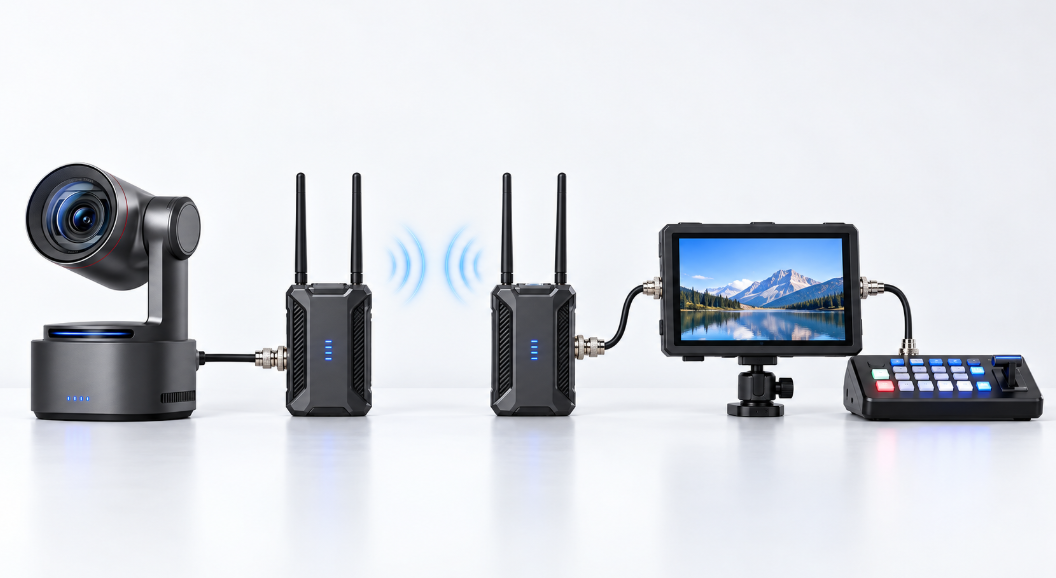
An SDI monitor can connect directly to a camera, pass video to another device, or receive a wireless feed through a compatible transmitter and receiver.
Direct Camera Monitoring
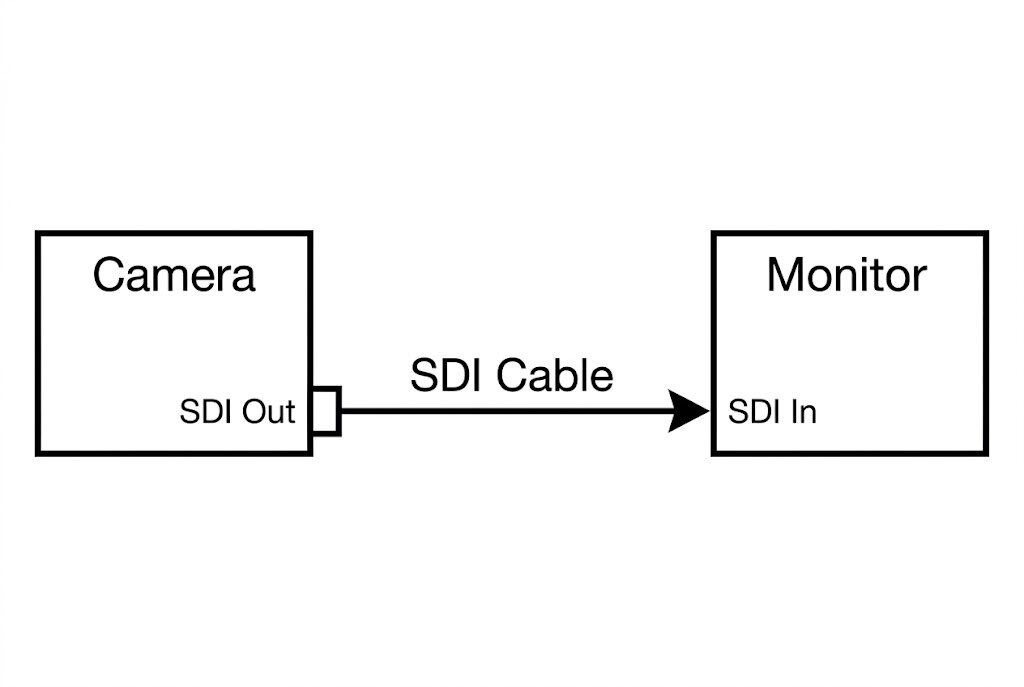
Connect the camera's SDI output to the monitor's SDI input using a compatible cable. Before connecting the equipment, confirm that both devices support the same resolution, frame rate, SDI level, and output format.
If the monitor displays no image, try a known-good cable and a common format such as 1080p59.94 or 1080p60.
Monitoring with SDI Loop-Out
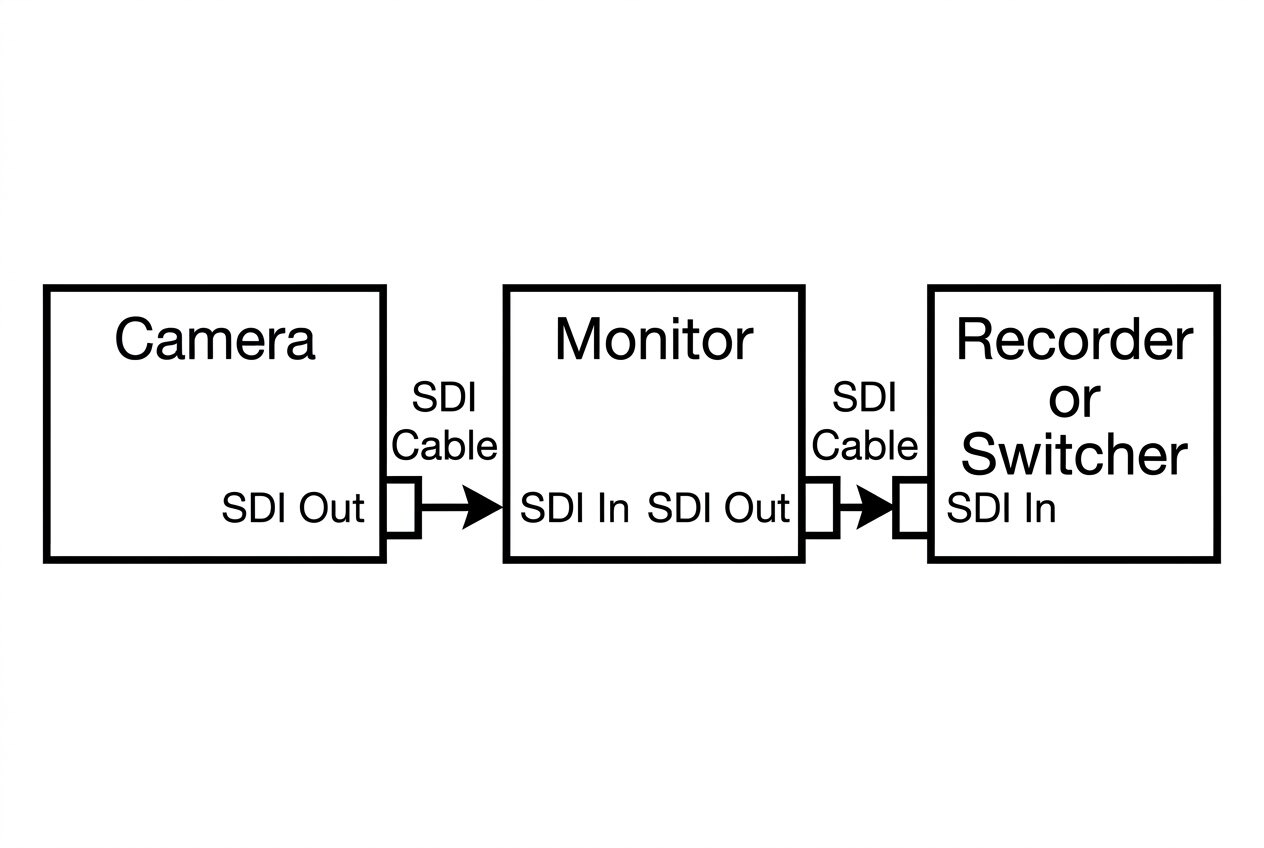
This setup allows the camera operator to monitor footage while sending the same signal to a recorder or video switcher.
The monitor's SDI loop-out passes the incoming signal to another compatible device. This removes the need for a separate distribution amplifier, especially in basic one-to-one connections.
If you need to send the feed to several destinations, use a proper SDI distribution amplifier instead of repeatedly connecting multiple devices in a chain.
FAQs About SDI Monitors
These answers address some common questions about SDI compatibility and production requirements.
Is an SDI monitor better than an HDMI monitor?
SDI monitors are generally better for professional production setups requiring secure BNC connections, longer cable runs, and compatibility with broadcast equipment.
HDMI monitors, however, are best for smaller camera setups and consumer devices.
Can a 3G-SDI monitor display a 4K signal?
No, a 3G-SDI input cannot directly receive a native 4K signal because its bandwidth is designed for compatible HD formats.
You can use a separate HDMI input or a suitable signal converter if your equipment supports the required 4K format.
What brightness is best for an outdoor field monitor?
A monitor with at least 1,000 nits brightness is a great starting point for outdoor filming. Monitors with brightness levels between 1,500 and 2,500 nits may offer better visibility in brighter conditions.
Do I need SDI loop-out on a monitor?
You may need an SDI loop-out if you want to send the camera feed to another device while monitoring it yourself. It is not necessary if your setup only requires one display.
Can an SDI monitor work with a wireless video transmitter?
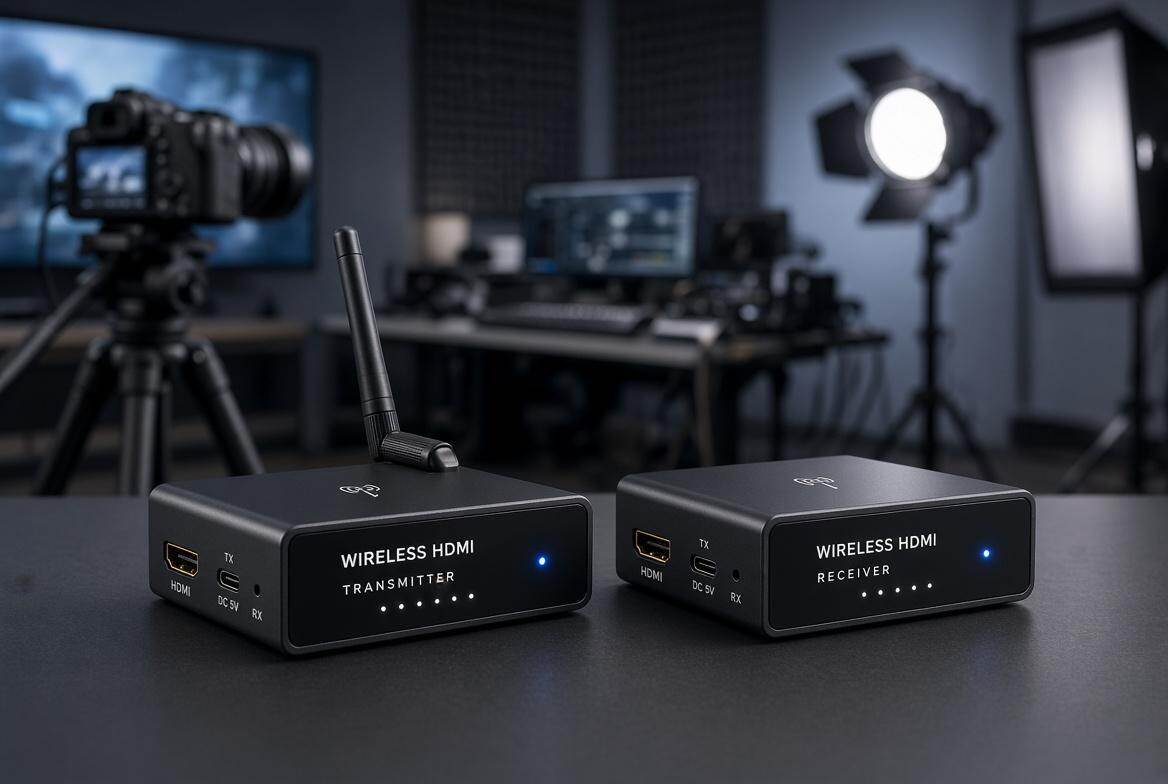
Yes, especially when you need to monitor a feed remotely. Connect a compatible transmitter to the camera's SDI output and a receiver to the monitor's SDI input. Both devices must support the same video format and SDI standard.
Conclusion
A good production monitor does more than give you a bigger view of your footage. It helps you catch exposure issues, check focus, compare camera feeds, and make confident decisions while filming.
Whether you're running a small camera setup or managing a full-scale production, the right SDI monitor can make your work on set smoother and more reliable.
Choose one that matches the demands of your setup, and you'll have a tool you can count on throughout the production.