6 Best Director's Monitors for Filmmaking in 2026
A director's monitor lets the director, producer, or client see the camera feed without standing beside the camera operator. The right choice depends less on the word "director" and more on how you work: a 7-inch handheld screen suits a moving set, while a 13- to 17-inch production monitor gives several people a clearer view at video village. This guide compares 6 best director's monitors and shows how to build a practical setup.
What Is a Director's Monitor?
A director's monitor is a portable display used to view a live camera feed on set. It helps the director judge framing, performance, camera movement, and continuity while the camera crew keeps working.
It is not a unique screen category. A director's monitor can be a 7-inch field monitor in a handled cage, a wireless monitor with a built-in receiver, or a larger production monitor at video village. The role and rig turn it into a director's monitor.
- Handheld setup: 7-inch monitor, wireless receiver, battery, cage, and handles.
- Small video village: 13- to 17-inch monitor on a stand or in a carry case.
- Multi-camera production: production monitor with several SDI inputs or a feed from a video switcher.
6 Best Director's Monitors for Film Sets in 2026
The strongest choice is the one that matches your viewing distance, lighting, camera connection, and mobility. Start with the table, then read the recommendation that matches your set.
| Product | Screen Size | Brightness | Video I/O | Wireless | Price |
|---|---|---|---|---|---|
| FEELWORLD LUT7S PRO | 7 in | 2,200 nits | 3G-SDI, HDMI | No | $380 |
| Hollyland Pyro 7 | 7 in | 1,500 nits | 3G-SDI, HDMI | Built in | $599 |
| Atomos Shinobi 7 RX | 7 in | 2,200 nits | 3G-SDI, HDMI | Atomos TX receive | $799 |
| SmallHD Ultra 7 | 7 in | 2,300 nits | 6G-SDI, HDMI | Optional system | $3,099 |
| SEETEC ATEM156S | 15.6 in | 200 nits | 4× 3G-SDI, HDMI | No | $899 |
| SmallHD Cine 13 | 13.3 in | 1,500 nits | 4× 12G-SDI, HDMI | No | $3,999 |
Best Budget Handheld Pick: FEELWORLD LUT7S PRO
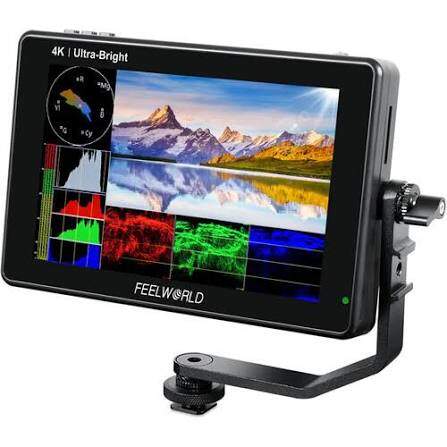
The LUT7S PRO is the cheapest monitor in this list and fits owner-operators or indie directors who need a bright handheld screen. Its 7-inch, 2,200-nit display is large enough for one person to judge framing outdoors, while 3G-SDI and full-size HDMI connect to cinema cameras, mirrorless cameras, or an external wireless receiver. An NP-F970 runs for about three hours, which covers a short shoot but calls for a second battery on a full production day.
- Waveform, false color, focus assist, anamorphic modes, and custom 3D LUTs
- 3G-SDI input and output up to 1080p60
- 4K HDMI input and output up to 30 fps
- Sony NP-F battery plate; an NP-F970 runs about three hours
Main limitation: owners report that contrast and color can look stronger than the recorded image, making camera matching unreliable without adjustment. Load a known LUT or calibrate the screen before judging exposure and color on set.
Best Integrated Wireless Pick: Hollyland Pyro 7
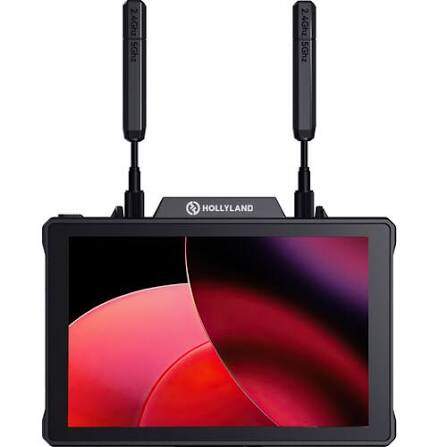
The Pyro 7 is positioned for small crews that want the director to move freely without a separate receiver hanging from the monitor. During a walk-and-talk, rehearsal, or location move, the director can carry one integrated unit and keep watching the shot without rebuilding the monitor rig.
Its 7-inch, 1,500-nit screen remains usable outdoors, and the built-in 3G-SDI/HDMI wireless system sends 1080p60 over a rated 1,300 ft line of sight. In 1-to-4 broadcast mode, one transmitter can give the director, DP, client, and lighting team separate views across a rated 650 ft range.
- 1,500-nit, 1920×1200 touchscreen
- 3G-SDI and HDMI input, output, and loop-through
- About 60 ms transmission latency at 1080p60
- Up to 1,300 ft line of sight in standard mode; 650 ft in 1-to-4 broadcast mode
- Works with Pyro H, Pyro S, and other Pyro 7 units
Main limitation: crews report more freezes and image instability in crowded 2.4/5 GHz venues, and the roughly 60 ms delay becomes obvious during fast focus pulls. Scan for a clean channel and walk-test the full set before recording.
Best for Camera Control and Wireless Expansion: Atomos Shinobi 7 RX
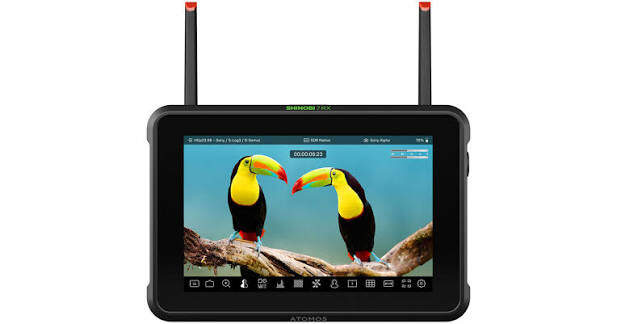
The Shinobi 7 RX suits Atomos users who want a wired director monitor now and an integrated wireless setup later. The 7-inch, 2,200-nit panel is easy to view outside, while 3G-SDI, 4K60 HDMI, camera control, and Atomos TX reception cover both cinema and mirrorless workflows. Two NP-F slots allow hot swapping, so a mobile director can replace one battery without losing the picture.
- 7-inch, 2,200-nit HDR touchscreen
- 3G-SDI up to 1080p60 and HDMI up to 4K60
- Waveform, vectorscope, false color, EL Zone, LUTs, and anamorphic de-squeeze
- Camera control and touch focus with supported cameras
- Dual NP-F battery slots for uninterrupted battery changes
Main limitation: Shinobi 7 users report that the active fan can reach a nearby on-camera microphone and that batteries drain quickly. The RX draws up to 26W, so use larger NP-F batteries or USB-C power during long, sound-sensitive shoots.
Best Professional 7-Inch Workhorse: SmallHD Ultra 7
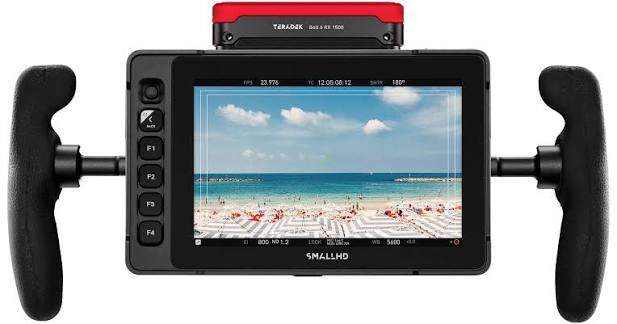
The Ultra 7 is positioned for camera assistants, operators, and directors who use one monitor every working day. Its 7-inch, 2,300-nit panel stays readable in hard daylight, while 6G-SDI, PageOS tools, physical buttons, and IP54 protection suit fast outdoor production. Optional V-Mount, Gold Mount, and B-Mount Micro plates let a crew match the monitor to an existing power system.
- 2,300-nit, 1920×1200 display
- 6G-SDI support for compatible 4K workflows
- IP54 dust and water resistance
- PageOS monitoring tools and customizable function buttons
- Optional battery plates and camera-control licenses
Main limitation: working operators describe it as noticeably heavy on handheld rigs, and some units show temporary image retention after bright static graphics remain on screen. The panel-cleaning utility clears the retention, but it interrupts monitoring during a shoot.
Best Affordable Multi-Camera Production Monitor: SEETEC ATEM156S
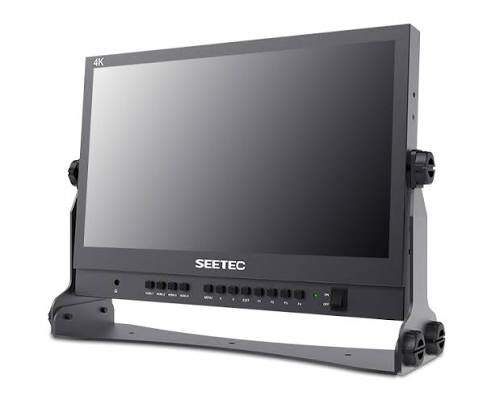
The ATEM156S is positioned for budget multi-camera control rooms, church productions, and indoor video villages. Its 15.6-inch 1080p panel gives two or three people a clear view, while four 3G-SDI inputs and quad view let a director compare wide, medium, and close-up cameras before calling a cut. This is more useful for a fixed multi-camera desk than carrying separate monitors for every feed. The included U-bracket, VESA mounting, V-Mount plate, and 21W power draw make it practical on a desk, stand, or compact production cart.
- 1920×1080 IPS panel with Rec.709 viewing
- Four 3G-SDI inputs and four loop outputs
- HDMI input, tally, timecode, waveform, vectorscope, and LUT support
- Split-screen and picture-in-picture viewing
Main limitation: users like its four-feed workflow but report that the 200-nit image washes out near windows and that embedded-audio monitoring can be inconsistent. Keep the screen shaded and verify program audio on the switcher or mixer.
Best High-End Video Village Pick: SmallHD Cine 13
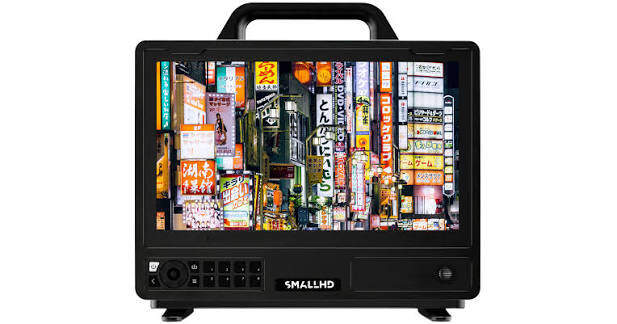
The Cine 13 is positioned for commercial video villages, DIT carts, and productions where the director, DP, and client need to judge the same image together. The director can watch performance while the DP checks lighting and fine focus without passing around a 7-inch screen. Its 13.3-inch native 4K panel makes skin texture, wardrobe detail, and set continuity easier to inspect, while PageOS multi-view tools help compare more than one feed. The 1,500-nit display works on shaded exteriors, and four 12G-SDI inputs and outputs support professional multi-camera and 4K workflows.
- 13.3-inch, 3840×2160, 10-bit display
- 1,500-nit brightness for indoor and outdoor production
- Four 12G/6G/3G/HD-SDI inputs and outputs
- HDMI 2.0 input and output
- PageOS tools for exposure, focus, LUT preview, and image comparison
Main limitation: some owners report PageOS settings disappearing after a reboot, while others have heard coil whine when powering the monitor from certain V-Mount plates. Update the firmware and test the complete power setup before the first production day.
How to Choose the Right Director's Monitor
Choose from the way the director will work, then check the specifications. A portable monitor that is easy to carry can be more useful than a larger screen that stays in its case.
Choose the Screen Size Around Viewing Distance
- 7 inches: best for one person holding the monitor or moving between sets.
- 13–17 inches: best for two or three people at a small video village.
- 21–24 inches: useful for a larger client group, fixed studio, or production cart.
A 4K panel is not essential on a 7-inch screen. At 13 inches or larger, 4K makes fine focus, textures, and split-screen camera feeds easier to inspect.
Match Brightness to the Location
Use at least 1,000 nits for shaded outdoor work. A 1,500- to 2,300-nit screen is easier to see in direct daylight. Indoor video village monitors can work well at 200–500 nits because the screen is larger and usually shaded.
Use Color Accuracy to Judge the Scene
A director may use the monitor to judge skin tones, wardrobe and set colors, lighting mood, and continuity between takes. If the screen adds too much contrast or shifts color, the director can request lighting or art-direction changes that the recorded image does not need.
Look for Rec.709 coverage, calibration controls, and custom 3D LUT support. When the camera records Log footage, load the approved viewing LUT on every monitor so the director, DP, and client see the same intended look. Calibrate the monitor before a color-sensitive production and use a reference display for final color decisions.
Pick SDI or HDMI Before Buying Accessories
HDMI is common on mirrorless cameras and budget transmitters. SDI uses locking connectors and handles long cable runs better, so it is common on cinema cameras and production switchers. If you need help matching camera output to a monitor, see this guide to SDI camera workflows.
Check the supported format on the actual port. A monitor may accept 4K through HDMI while limiting 3G-SDI to 1080p60.
Decide How Much Wireless Delay You Can Accept
- Directing and client viewing: about 60–80 ms is usually workable.
- Focus pulling: aim below 30 ms; near-zero-delay systems are safer.
- IMAG or live screens: use the lowest-delay path available and test lip sync.
Wireless range is measured with clear line of sight. People, walls, LED panels, Wi-Fi traffic, and poor antenna placement reduce the usable distance.
Buy the Complete Rig, Not Only the Screen
Budget for the monitor cage, handles, receiver, batteries, charger, sun hood, cables, stand, and case. A $400 screen can become a $1,000 working kit once it is ready for a full shooting day.
If you prefer a wireless setup, explore our guide to wireless monitors for cameras to compare different monitoring options before choosing your equipment.
How to Build a Reliable Director Monitor Setup
The signal path should be simple enough to troubleshoot in a minute. Build the wired version first, confirm the picture, then add wireless transmission.
Wired Setup
Camera → SDI or HDMI cable → director’s monitor
This is the cheapest and most dependable setup. Use it when the monitor stays near the camera, at a studio desk, or beside a video switcher. Secure the cable at both ends so one pull cannot damage the camera port.
Wireless Setup
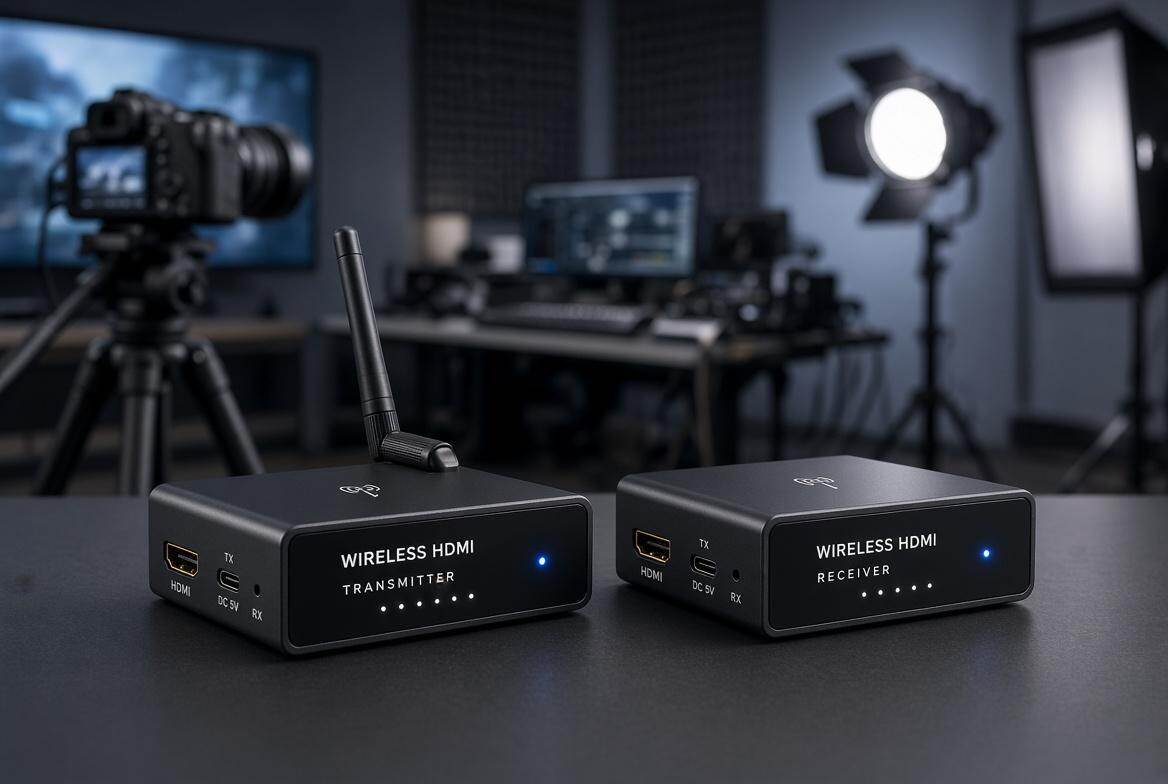
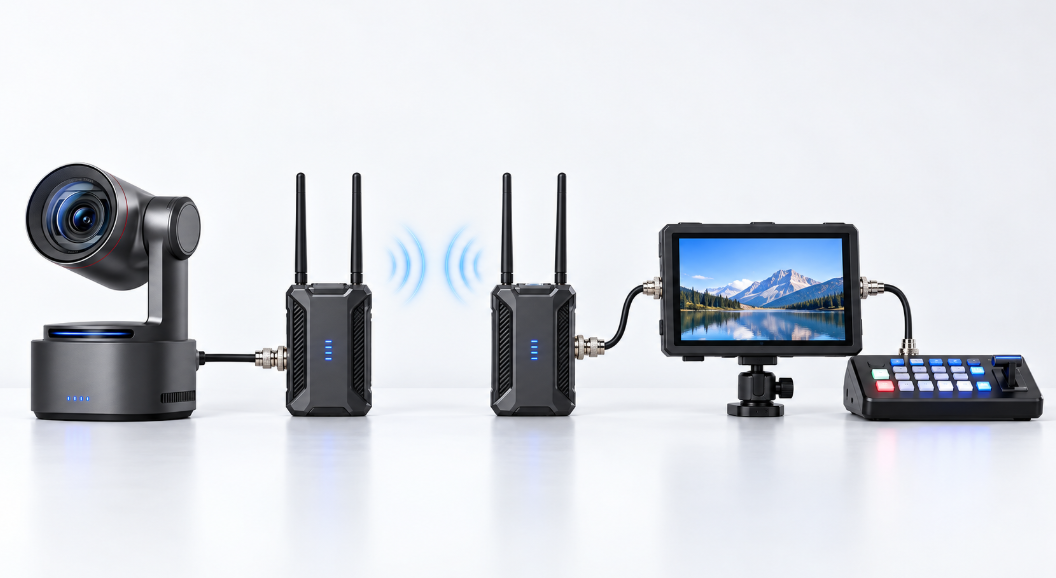
Camera → video transmitter → wireless receiver → director's monitor
An integrated monitor such as the Pyro 7 or Shinobi 7 RX removes the separate receiver-to-monitor cable. A separate receiver gives you more freedom to replace the screen later. This wireless video transmitter guide explains range, latency, and receiver choices in more detail.
- Set the camera output to a format supported by the transmitter and monitor.
- Power the camera, transmitter, receiver, and monitor from fully charged batteries.
- Pair the wireless units before the talent arrives.
- Walk the full shooting area while watching for freezes or signal drops.
- Load the approved viewing LUT and confirm whether it is display-only.
- Check framing, focus aids, audio meters, and battery status before each take.
FAQs About Director's Monitors
Can I use a phone or tablet as a director's monitor?
Yes. A compatible camera app or wireless transmitter can send video to a phone or tablet. A dedicated monitor is brighter, easier to rig, and usually offers better exposure and focus tools.
Does a director's monitor need to record video?
No. Most directors need a reliable live view, LUT preview, frame guides, and playback access. On-monitor recording is helpful for review or backup, but it is not required.
Can one transmitter feed several director monitors?
Yes, when the wireless system supports multiple receivers or broadcast mode. Check the receiver limit and the shorter range that may apply in multi-receiver mode.
Can I use a computer monitor at video village?
Yes for indoor work, if you add the right SDI or HDMI converter. Computer monitors are harder to battery-power and rig, and they may lack LUTs, scopes, and dependable signal-format support.
What is the difference between a director's monitor and a reference monitor?
A director's monitor prioritizes fast viewing, portability, and communication. A reference monitor prioritizes calibrated color and image evaluation for a DIT, colorist, or finishing workflow.
Conclusion
The best director's monitor fits the way your set moves. Choose a bright 7-inch wireless or handheld screen for mobile work, a 13- to 17-inch production monitor for video village, and a calibrated professional display when color decisions matter. Confirm the camera connection, wireless delay, battery plan, and rigging cost before you buy.