Best Wireless SDI Transmitters in 2026: 4 Pro Picks, Compatibility & Setup
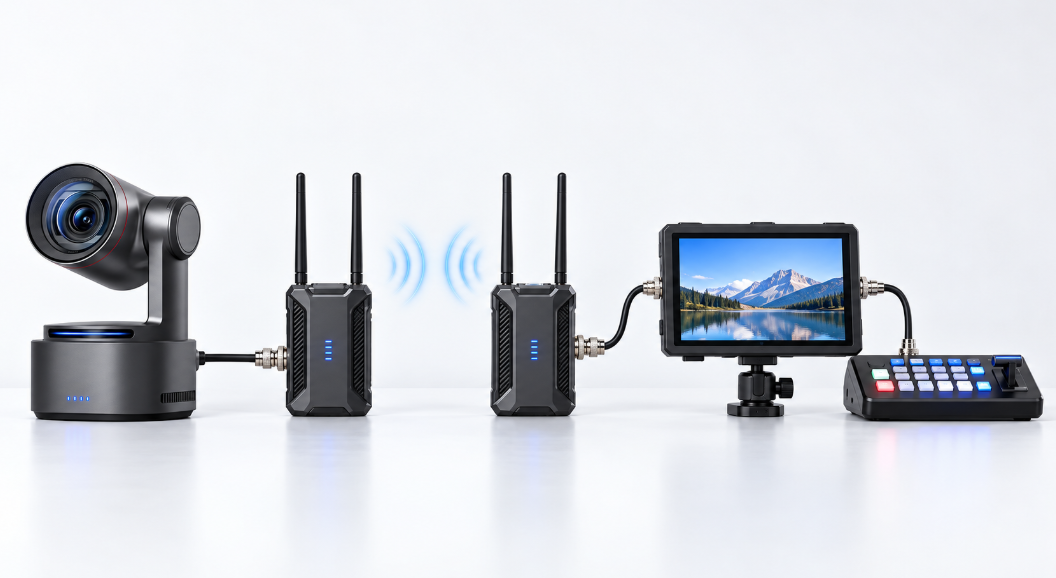
A wireless SDI transmitter carries video from an SDI camera to a receiver without running a long cable across the venue. It is useful for roaming cameras, Steadicam operators, sports coverage, churches, concerts, and event production.
For professional work, three details matter more than headline range: whether the system accepts the camera's exact SDI format, whether the signal remains stable in a crowded venue, and whether its delay is low enough for switching, focus pulling, or IMAG. The right choice therefore depends on the complete production chain, not range alone.
Best Wireless SDI Transmitters
The following wireless SDI transmitters are selected for their SDI compatibility, transmission latency, operating range, receiver configuration, and overall value for professional video production.
| Product | SDI Input/Output | Maximum SDI Resolution | Latency | Transmission Range | TX/RX Configuration | Price |
|---|---|---|---|---|---|---|
| Hollyland Pyro S | 3G-SDI In / 3G-SDI Out | 1080p60 | 50 ms | 650 ft / 200 m in 1 TX to 4 RX mode | 1 TX → Up to 4 RX | $449 (1 TX + 1 RX) |
| Teradek Bolt 6 LT 750 | 3G-SDI In / 3G-SDI Out | 1080p60 | Less than 1 ms | 750 ft / 228 m | 1 TX → Up to 6 RX | $1,990 (no-mount kit) |
| Hollyland Cosmo C2 | 3G-SDI In + Loop / Dual 3G-SDI Out | 1080p60 | 33 ms | 3,000 ft / 1,000 m | 2 TX → 1 RX | $1,299 (2 TX + 1 RX) |
| DJI Transmission Standard Combo | SDI In / SDI Out | 1080p60 | 70 ms | 20,000 ft / 6 km (FCC) | 1 TX → Unlimited RX in Broadcast Mode | $2,499 |
Best for Budget SDI Monitoring: Hollyland Pyro S
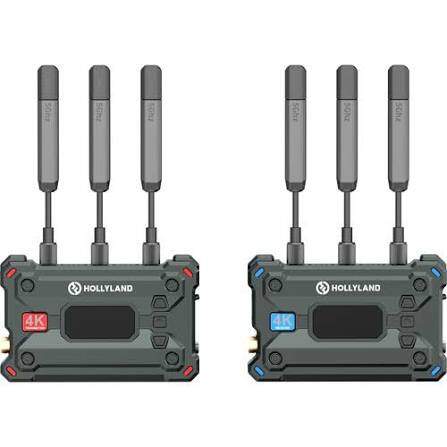
The Hollyland Pyro S is an accessible SDI monitoring and video-distribution system for small crews. Its transmitter accepts 3G-SDI or HDMI, while the receiver provides both SDI and HDMI outputs. One transmitter can serve up to four receivers, so the same camera feed can reach the director, camera assistant, client, and switcher.
- Range: Up to 650 feet or 200 meters when using the four-receiver Broadcast Mode.
- Latency: Its 50 ms delay works for general monitoring, small live events, and many church productions.
- Cost: The $449 base kit includes one transmitter and one receiver; additional receivers are sold separately.
In practice: Pyro S delivers strong value when several people need a usable monitoring feed without a premium system. Users generally find it straightforward to set up and stable across practical line-of-sight distances. Its 50 ms delay is visible when pulling critical focus or comparing a performer directly with a large IMAG screen, and the lack of an SDI loop output can complicate some camera or Steadicam rigs.
Its advertised 4K capability applies to HDMI; its SDI path reaches 1080p60. Choose it for 1080p SDI monitoring, not a 4K SDI signal path.
Best for Low-Latency Live Production: Teradek Bolt 6 LT 750
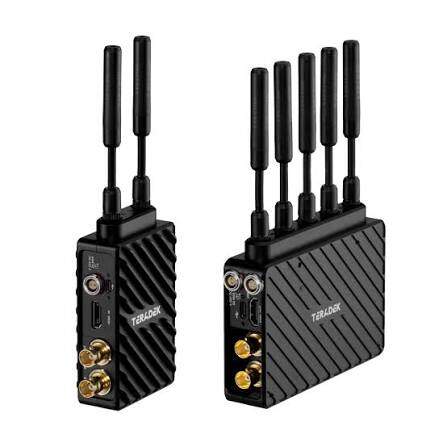
The Teradek Bolt 6 LT 750 is the professional option in this group for productions where delay must be almost invisible. Its sub-millisecond transmission lets camera operators and focus pullers respond to the image without mentally compensating for lag. It carries 10-bit 4:2:2 HDR video through its 3G-SDI workflow and can send one camera to as many as six receivers.
- Best use: Commercial sets, Steadicam work, live switching, focus pulling, and IMAG.
- Core advantage: Predictable zero-delay monitoring and access to less crowded 6 GHz channels.
- Main tradeoff: Its 750-foot range is shorter than long-range compressed systems, while the complete kit costs considerably more.
In practice: Bolt 6 LT is widely treated as a dependable working tool rather than a budget monitoring accessory. Operators report strong image quality, reliable RF performance, and better results in congested environments than earlier Bolt generations. Once paired and configured, it usually stays out of the operator’s way. The Bolt app can lose its connection during setup, while cross-generation pairing may require staged firmware updates before units link reliably.
Adding receivers, batteries, mounting hardware, and power cables can make the complete package significantly more expensive than the initial transmitter-receiver set. Its SDI connection is also limited to 1080p60; higher-resolution input depends on HDMI.
Best for Multi-Camera Production: Hollyland Cosmo C2
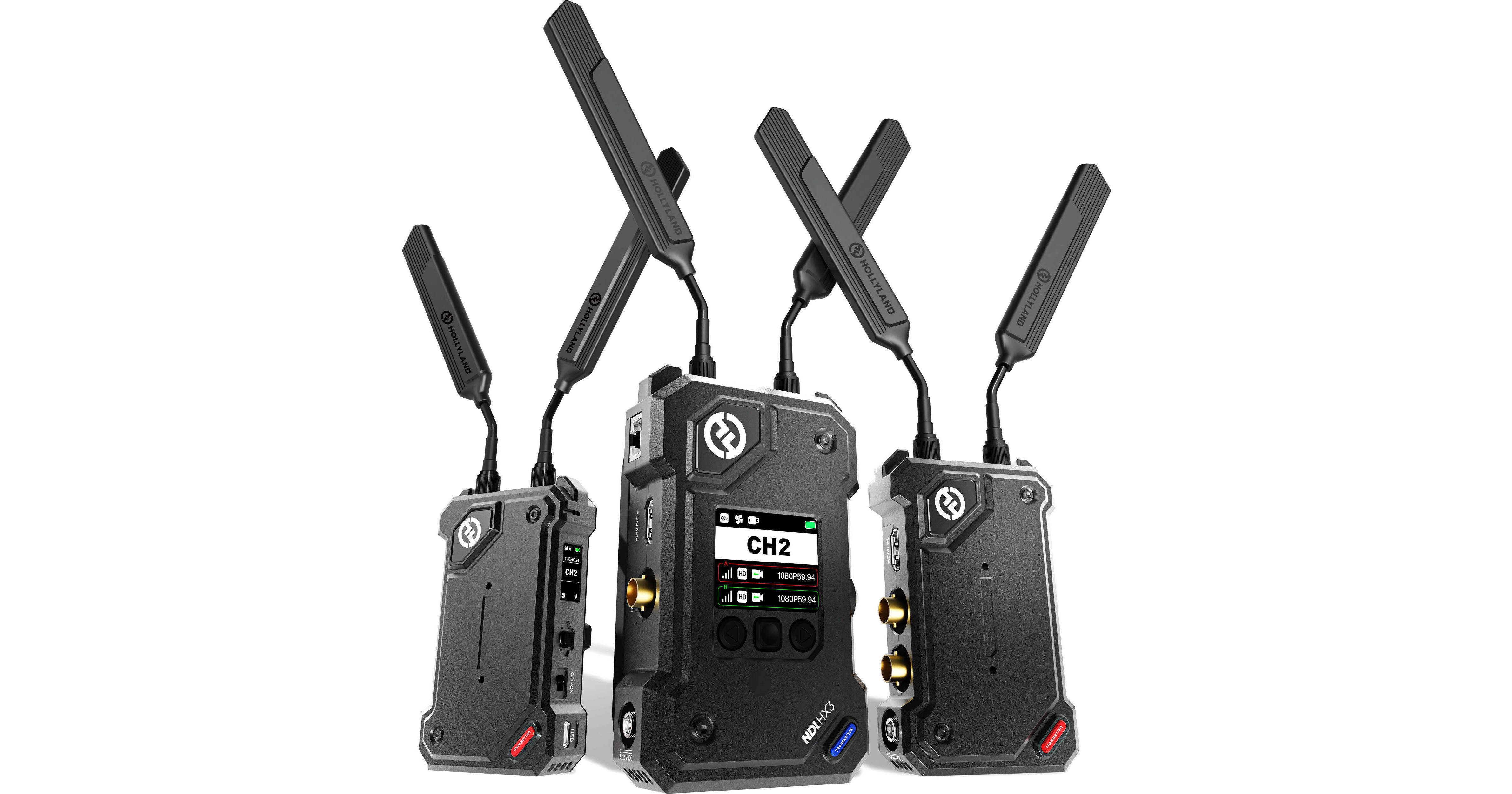
The Hollyland Cosmo C2 is a purpose-built two-camera wireless system. Its $1,299 package sends two separate camera signals to one shared receiver, which provides dedicated outputs for the production desk. This reduces receiver clutter and makes it especially useful for a two-camera church, conference, interview, or event setup.
- Format support: 1080p60 plus common fractional frame rates such as 23.98, 29.97, and 59.94 fps.
- Performance: A 33 ms delay and a rated 3,000-foot line-of-sight range place it above entry-level monitoring systems.
- Architecture: Two transmitters feed one receiver, so it simplifies camera contribution rather than distributing one camera to several monitors.
In practice: Cosmo C2 feels like a compact production tool for small multi-camera teams. It starts quickly, automatically matches channels, and generally restores the picture within a few seconds after a cable or frame-rate change. Field testing has found the SDI and HDMI feeds stable at useful distances, with solid build quality and quiet fans. The compressed image delay remains noticeable for remote focus work, and the units need open airflow during long sessions.
It is not the best architecture when one camera must feed several independent monitors around a venue.
Best for Long-Range Professional Video: DJI Transmission Standard Combo
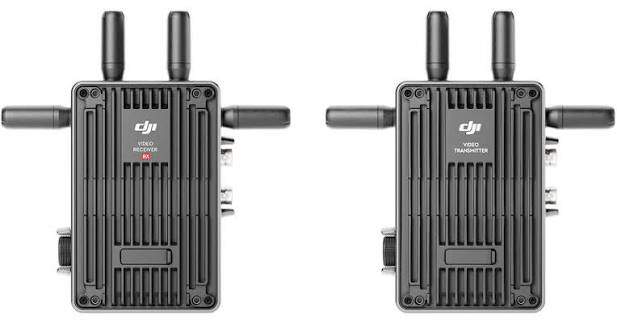
The DJI Transmission Standard Combo is the long-range choice for large sets, field production, sports, and remote camera positions. It supports SDI input and output, 1080p60 transmission, fractional frame rates, and SDI metadata workflows. Its maximum official range reaches 20,000 feet or 6 kilometers in FCC regions.
- Distribution: Broadcast Mode can send one camera feed to an unlimited number of receivers.
- Best use: Director monitoring, large video villages, field cameras, vehicle rigs, and remote production positions.
- Tradeoff: Its 70 ms latency favors range and connection stability over focus-pulling or tightly synchronized IMAG.
In practice: DJI Transmission earns its place through range and connection stability. Production users have successfully deployed it on outdoor sets and field cameras in large sports venues. The system is also easier to expand across the DJI production ecosystem. Its feed is responsive enough for monitoring and camera operation, but the delay is clear beside a zero-delay Teradek. The 350 g transmitter adds noticeable weight to a handheld rig, and its cooling fan can be picked up by an onboard microphone.
The purchase cost is higher than compact event systems, and crews should budget separately for batteries, mounting hardware, and any additional receivers.
What to Check Before Buying a Wireless SDI Transmitter
SDI Format and Resolution Compatibility
Start with the complete signal path: Check the output format of the camera, the input format accepted by the transmitter, and the format supported by the video switcher.
- 3G-SDI: Normally supports up to 1080p50/60.
- 6G-SDI: Commonly used for 4K30.
- 12G-SDI: Can carry 4K50/60 over one cable.
A transmitter advertised as "4K" may accept 4K only through HDMI while limiting its SDI input to 1080p60.
Confirm the complete format: A camera outputting 1080p59.94 may fail when a receiver or switcher expects 1080p60, 1080i, or another format. Professional systems may also distinguish between Level A and Level B 3G-SDI or handle PsF signals differently. Set the camera, transmitter, receiver, and switcher to one confirmed format before testing the wireless link.
Example: If your camera outputs 4K60 over 12G-SDI but your wireless transmitter only supports 3G-SDI, you cannot transmit the original 4K60 signal directly. Switch the camera output to 1080p60 or choose a transmitter that supports the required SDI format.
Latency and Signal Reliability
- Below 1 ms: Appropriate for focus pulling and demanding IMAG.
- Around 33–50 ms: Workable for switching, director monitoring, and many live productions.
- Above 50 ms: Easier to notice when the audience can see both the live performer and the screen.
Judge range in the real venue: Advertised range assumes favorable line of sight. People, walls, metal truss, LED processors, Wi-Fi equipment, and other wireless video systems can shorten the usable distance. Choose equipment with more range than the measured camera path requires, then test it with the audience area, stage equipment, and other transmitters active.
Receiver Compatibility and Power Options
- Video outputs: Confirm whether the receiver provides SDI, HDMI, or both. Cross-conversion helps when the camera sends SDI but a confidence monitor accepts only HDMI.
- Production data: Check support for embedded audio, timecode, record triggers, and camera metadata.
- Receiver count: Confirm whether one transmitter can serve one receiver, several receivers, or a shared multi-source receiver.
- Power: Check compatibility with NP-F batteries, V-mount batteries, DC adapters, or the power system already used by the production.
- Complete cost: Include extra receivers, batteries, mounting plates, antennas, SDI cables, and spare power in the budget.
A lower-cost transmitter becomes less attractive if it cannot support the required receiver count or production power system.
How to Set Up Wireless SDI for Multi-Camera Live Production
Connecting SDI Cameras to a Video Switcher
A three-camera live production signal chain looks like this:
- Camera 1: Wired SDI Camera → Video Switcher Input 1
- Camera 2: Wireless SDI Camera → TX 1 → RX 1 → Video Switcher Input 2
- Camera 3: Wireless SDI Camera → TX 2 → RX 2 → Video Switcher Input 3
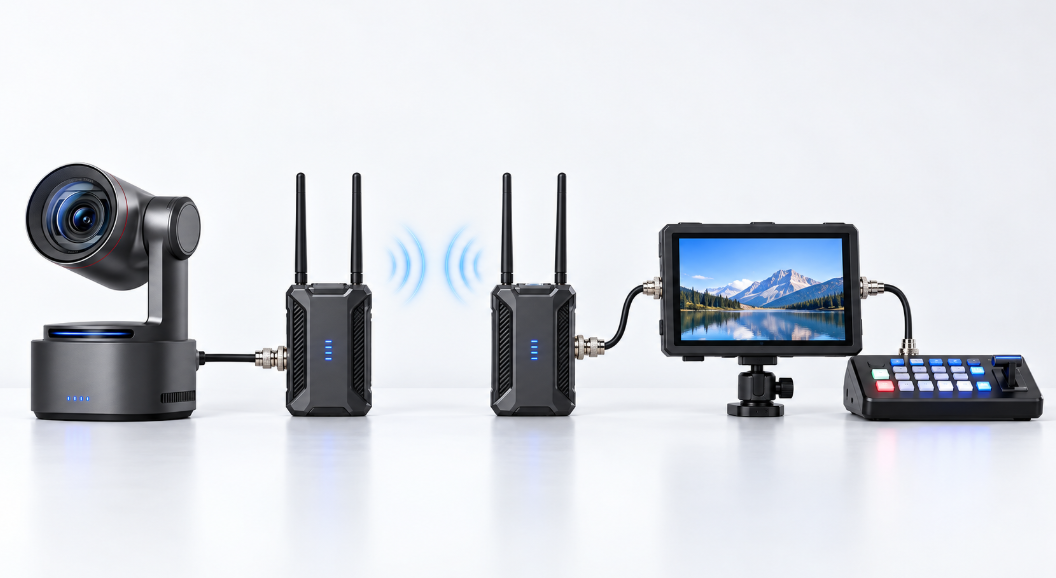
- Set the camera to a format supported by the transmitter, receiver, and switcher, such as 1080p59.94.
- Connect the camera's SDI output to the transmitter's SDI input with a short, tested cable.
- Pair the transmitter and receiver before mounting them in their final positions.
- Connect the receiver's SDI output to an input on the video switcher.
- Confirm video and embedded audio at the switcher before moving the camera away from the control position.
- Walk the complete operating route while watching for signal loss, image breakup, or increased delay.
For example, a church may keep its wide camera wired while using wireless SDI for a close-up camera and a roaming worship camera. A sports crew may use wired cameras at fixed positions and reserve wireless systems for the sideline or field camera. For more help assigning camera roles and planning switcher inputs, see this multi-camera live streaming guide.
Using Multiple Wireless Cameras and Receivers
- For more camera angles: Use one transmitter per camera. Each transmitter sends a separate feed to its assigned receiver or to a multi-source receiver such as the Cosmo C2.
- For more copies of one camera feed: Use one transmitter with several receivers. This sends the same image to multiple monitors; it does not create additional camera angles.
- For cleaner RF performance: Assign different channels where the system allows it and keep transmitters physically separated so they do not overload nearby receivers.
Before ordering: Decide whether the production needs more wireless camera angles, more copies of one camera feed, or both. These workflows require different transmitter and receiver configurations.
Keeping Wireless and Wired Camera Feeds in Sync
Wireless camera feeds often arrive later than wired SDI feeds. Use the following rehearsal check to align them:
- Enable frame synchronization on the switcher to keep switching between inputs clean.
- Switch repeatedly between wired and wireless cameras while watching movement, speech, or another clear timing reference.
- Adjust the faster feed with video delay if the timing difference is noticeable.
- Keep one main audio source and match its delay to the final video output.
How to Fix Wireless SDI Signal Drops and Latency Issues
| Common Issue | What to Check |
|---|---|
| No video signal | Match the camera and receiver formats. Test a different SDI cable, confirm TX/RX pairing, and verify that each cable is connected to the correct input or output port. |
| Signal drops in crowded venues | Scan for a cleaner channel, raise the receiver and antennas above the audience, maintain line of sight, and move transmitters away from Wi-Fi access points and LED processors. |
| Too much video delay | Use the system's low-latency mode, remove unnecessary HDMI/SDI conversions, disable extra processing, and test the entire path through the switcher and display. |
| Cameras are out of sync | Match frame rates, enable the switcher's frame synchronizers, and delay faster wired sources when necessary. Add audio delay to match the final video output. |
| Video works but audio is missing | Confirm that audio is embedded in the camera's SDI output and that the transmitter, receiver, and switcher support the selected embedded-audio format. |
| 4K works over HDMI but not SDI | Check whether the SDI ports are 3G, 6G, or 12G. A system with 4K HDMI may still limit SDI transmission to 1080p60. |
Rehearse with every wireless system, intercom, access point, and display running at the same time. A clean test in an empty room does not reproduce the RF conditions of a full event.
When to use a cable instead: Use wired SDI for fixed cameras, switcher program feeds, and paths where a dropped frame would interrupt the show. For very long permanent runs or electrically noisy environments, fiber is usually more predictable. A professional live production should keep at least one wired camera and a tested backup cable available even when most mobile cameras are wireless.
FAQs About Wireless SDI Transmitters
Does a wireless SDI transmitter need Wi-Fi or internet?
No. The transmitter and receiver create their own wireless video link. Internet access is only needed for separate streaming, firmware, or app features.
Can I mix transmitters and receivers from different brands?
Usually not. Wireless video protocols are generally brand-specific. Use a transmitter and receiver from the same compatible product family.
Can I use a wireless SDI receiver with OBS?
Yes. Connect the receiver's SDI output to an SDI capture device, then add it as a source in OBS. See the complete OBS multicam setup guide.
Can one receiver feed both a switcher and a monitor?
Yes, if the receiver has multiple outputs. Use SDI for the switcher and HDMI or a second SDI output for the monitor.
Conclusion
Choose a wireless SDI transmitter by confirming the exact SDI format first, then compare latency, real operating conditions, receiver count, and full system cost. Use low-delay systems for IMAG and focus work, and longer-range systems for remote camera positions.