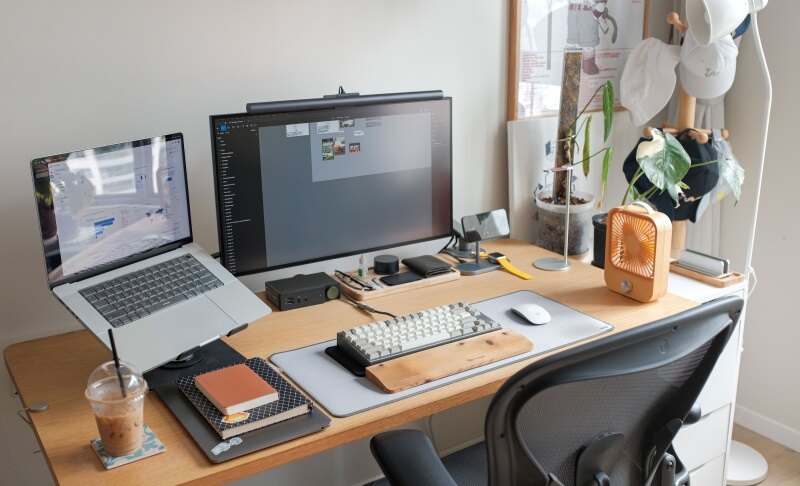
Desk Setup Accessories: 15 Essentials for a More Comfortable Home Office
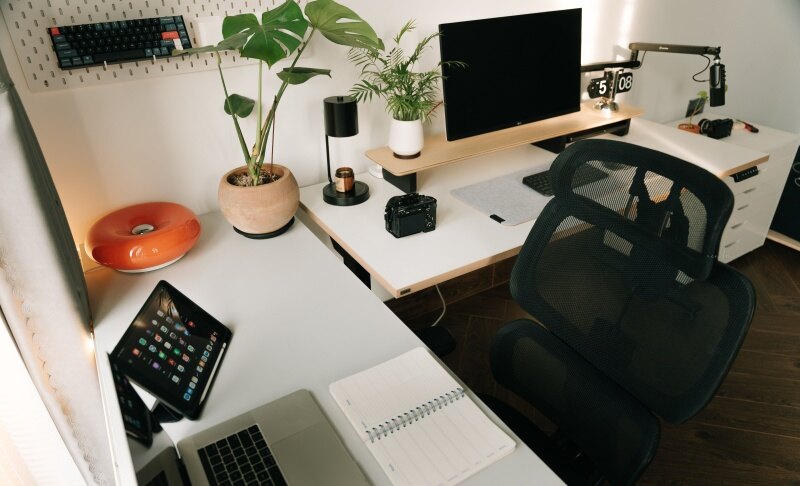
The right desk setup accessories should solve everyday workspace problems, from poor screen height and cable clutter to limited desk space and inadequate lighting. For a practical home office, prioritize ergonomic and organizational upgrades first, then add accessories for comfort, productivity, and style. This guide covers office desk setup accessories, connectivity tools, lighting, and optional gadgets to help you build a workspace that fits your needs.
Part 1: Ergonomic Desk Setup Accessories
1. Monitor Arm or Monitor Stand
A monitor arm or stand helps place your screen at a more comfortable viewing height while freeing up desk space. A monitor arm offers more flexibility for height, distance, and angle, while a fixed stand is simpler and usually takes less time to install.
Before buying, check your monitor's size, weight, VESA compatibility, and desk thickness. For small desks, a monitor arm can be one of the most useful accessories for desk setup.
2. Laptop Stand
A laptop stand raises the screen and can help create a better viewing position. For regular typing, pair it with an external keyboard and mouse rather than using the elevated laptop keyboard.
Choose an adjustable model if you frequently switch between sitting positions or work in different locations. A foldable stand is useful for compact desks and portable setups.
3. Ergonomic Keyboard and Mouse
If you type or navigate for several hours a day, your keyboard and mouse are worth upgrading. Look for a keyboard layout that matches your workflow and a mouse that fits your hand comfortably.
Wireless models reduce cable clutter, while wired peripherals avoid battery charging. The goal is comfortable positioning rather than simply adding more equipment.
4. Footrest
A footrest can help when your chair and desk heights cannot both be adjusted comfortably. Choose one with a stable base and enough height adjustment for your legs.
It is particularly useful for shorter users whose feet do not rest naturally on the floor when the chair is positioned correctly for the desk.
Part 2: Desk Organization Accessories
1. Cable Management
Cable management is one of the simplest ways to improve a workspace. Useful options include cable clips, Velcro ties, cable sleeves, and under-desk cable trays.
Use this simple process:
- Group cables by device.
- Route them toward the nearest connection point.
- Secure excess cable length underneath or behind the desk.
- Keep frequently disconnected cables easy to reach.
Good cable management makes home office desk setup accessories work together without creating another source of clutter.
2. Desk Organizer and Storage
Use organizers for items that need to stay within reach, such as pens, notebooks, documents, and small electronic accessories. Move rarely used items into drawers or other storage.
The goal is to keep the main work area clear while maintaining easy access to frequently used tools.
3. Headphone Stand or Hook
A headphone stand keeps headphones visible and accessible without leaving them on the desk. An under-desk hook saves even more desktop space, while a desktop stand can be easier to move between workstations.
4. Monitor Stand With Storage
A monitor riser with built-in storage can raise your screen while creating space underneath for a keyboard, notebook, or small accessories. It is particularly useful when you want more organization without adding another piece of furniture.
Part 3: Desk Surface and Lighting Accessories
1. Desk Mat
A desk mat protects the desk surface and provides a consistent area for your keyboard and mouse. Choose the size based on your available desk space and whether you want it to cover only your input devices or most of the working area.
Consider material, thickness, non-slip performance, and cleaning requirements before choosing one.
2. Desk Lamp or Monitor Light Bar
Choose a desk lamp when you need broader workspace illumination. A monitor light bar is useful when desk space is limited and you mainly need light around your screen and keyboard.
Look for adjustable brightness, color temperature, and glare control. More brightness is not always better; balanced lighting is more comfortable for extended work.
3. Wrist Rest
A wrist rest can add comfort when your keyboard or mouse setup causes your hands to sit awkwardly. Choose one that matches the height and width of your keyboard or mouse area.
It should support a neutral hand position rather than forcing your wrists into a fixed angle.
Part 4: Connectivity and Charging Accessories
1. USB Hub or USB-C Dock
A USB hub adds extra ports for devices such as keyboards, mice, storage drives, cameras, and other peripherals. A USB-C dock can provide broader connectivity, including displays, networking, and power delivery.
Before buying, check port types, data-transfer speeds, display support, and power delivery against your computer's requirements.
2. Desktop Charging Station
A charging station gives phones and other devices a dedicated place to charge. It can reduce loose cables and keep devices accessible without occupying the center of your workspace.
Check device compatibility and whether the station includes the cables or power adapter you need.
3. Cable Clips and Cable Routing Accessories
Small cable clips are useful for keeping charging and peripheral cables from falling behind the desk. Place them near the points where you regularly connect your phone, keyboard, mouse, headphones, or other devices.
These simple desk setup gadgets can make daily use noticeably easier without taking up additional desk space.
Part 5: Optional Desk Setup Accessories for Productivity and Personalization
1. Webcam or External Camera
An external camera can be useful for video meetings, online teaching, content creation, and streaming. Consider camera position, field of view, image quality, and computer compatibility.
If you frequently create video content, camera placement and lighting can have a bigger impact than simply adding another accessory.
Bonus: Best Webcam for Desk Setup - OBSBOT Tiny 3 Lite 4K PTZ Webcam
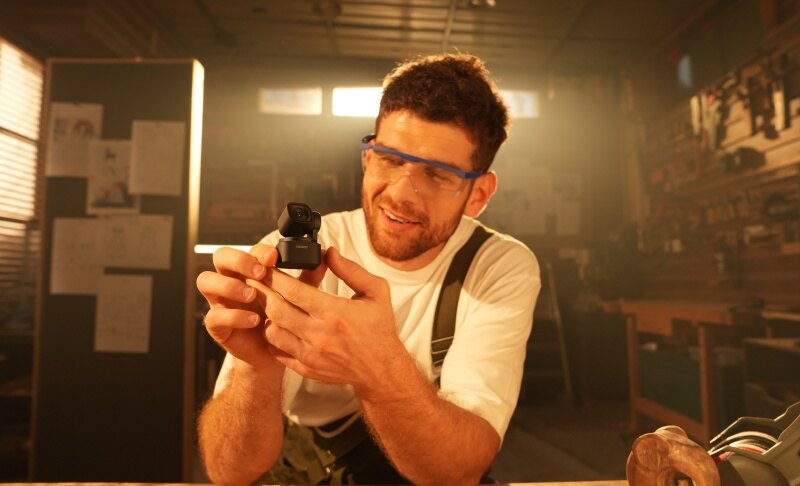
If you want to upgrade your desk setup with a webcam that delivers more than basic video calls, OBSBOT Tiny 3 Lite is a compact option for modern home offices. Its small footprint helps save valuable desk space, while its AI-powered features support video meetings, online teaching, presentations, streaming, and content creation.
Key Features:
- 4K Ultra HD: Captures detailed, high-quality video with a 1/2-inch CMOS sensor.
- AI Tracking 2.0: Keeps you in frame as you move, making it suitable for presentations, teaching, and video calls.
- 3-Microphone Stereo System: Captures clearer audio for meetings, recordings, and streaming.
- Compact Design: Takes up minimal desk space and fits easily into a clean, organized workspace.
2. Microphone or Microphone Arm
An external microphone is useful for frequent calls, recording, teaching, and streaming. A microphone arm keeps the microphone positioned consistently while freeing up part of the desk surface.
For content creators, this can be one of the best desk setup accessories to add after basic ergonomic and organization needs are covered.
3. Phone Stand
A phone stand keeps your phone visible for notifications, reference material, video calls, or quick access to apps. It also prevents the phone from taking up space beside your keyboard and mouse.
4. Small Decor and Personal Accessories
Plants, clocks, organizers, and other decorative items can make a workspace feel more personal. However, decoration should remain secondary to functionality.
The most cool desk setup accessories are not necessarily the most useful ones. Add decorative pieces only after your essential equipment has a clear place.
Part 6: How to Prioritize Desk Setup Accessories on Different Budgets
Under $50
Start with inexpensive improvements that solve visible problems:
- Cable clips and Velcro ties
- Desk mat
- Phone stand
- Desk organizer
- Basic desk lamp
$50–$150
At this range, consider upgrades with a bigger impact on daily use:
- Adjustable laptop stand
- Monitor riser
- Monitor light bar
- Ergonomic keyboard or mouse
- USB hub
$150+
For a more advanced workspace, consider:
- Monitor arm
- USB-C dock
- Premium lighting
- External camera
- Microphone and boom arm
Spend more only when the accessory solves a specific problem. A more expensive accessory is not automatically a better fit for your workspace.
Conclusion
The right desk setup accessories should make your workspace more comfortable, organized, and efficient. Start with ergonomic positioning, cable management, lighting, and space efficiency before adding decorative upgrades. Then choose accessories based on your desk size, devices, work habits, and daily workflow. Whether you are building a simple home office or a more advanced workstation, a practical setup does not require every available gadget. Choose accessories that solve real problems and support the way you work.