Equine Videography: Full Guide to Filming Horses Like a Pro
 For many videographers, capturing a horse at rest is relatively simple. However, capturing one that is running, jumping, or moving with a rider is a different challenge.
Equine videography requires you to manage fast movement, changing light, shifting distances, and continuous focus on both horse and rider. The right camera settings and shooting setup can also improve the quality of your footage and clips.
In this guide, we'll break down the equipment and techniques you need whether you're filming horse riding, creating a horse sale video, or producing content for an equestrian event.
- How to Film Different Equestrian Disciplines
- What Camera Settings are Best for Equine Videography?
- What Camera is Best for Equine Videography?
- What Lens is Best for Horse Videography?
- What should an equine videography package include?
- Example: Preparing for a Show Jumping Event
- FAQs on Equine Videography
How to Film Different Equestrian Disciplines
When it comes to equine videography, different camera positions and shot choices work best for different disciplines. This is because speed, distance, movement patterns, and shooting environments can change dramatically for each one.
| Discipline | Best Shots | Shooting Priority |
|---|---|---|
| Show Jumping | Wide course shots, jump approaches, landing shots, rider close-ups | Fast shutter speed and reliable tracking |
| Dressage | Full-body side shots, diagonal movements, rider details | Smooth panning and consistent framing |
| Eventing (Cross-Country) | Wide outdoor action, jumps, gallop sequences | Long lens reach and exposure control |
| Barrel Racing /Reining | Tracking shots, front-on shots, finish-line footage | High shutter speed and continuous autofocus |
| Western Riding | Side profiles, turns, stops, rider-horse interaction | Subject tracking and smooth camera movement |
| Training | Full arena view, individual exercises, trainer/rider details | Stable framing and clear coverage |
| Horse Sales | Conformation, walk, trot, canter, under-saddle shots | Accurate representation and consistent exposure |
What Camera Settings are Best for Equine Videography?
The right settings depend on the horse's speed, the type of footage you want—and the shooting environment. Use the table below as a starting point, then adjust for available light.
| Scenario | FPS | Shutter | Aperture | ISO | Lens | Focus | Why It Works |
|---|---|---|---|---|---|---|---|
| Horse show | 30 / 60fps | 1/60–1/125+ | f/4–f/5.6 | Low–medium | Telephoto | Continuous AF | Balances smooth motion, sharp subjects, and enough reach to film from the arena edge. |
| Slow motion | 60 / 120fps | 1/125–1/250+ | f/2.8–f/5.6 | Adjust to light | Telephoto | Subject tracking | Higher FPS captures more frames, while a faster shutter keeps slow-motion footage sharp. |
| Portrait footage | 24 / 30fps | 1/50–1/60 | f/2.8–f/4 | Low | 50–85mm | Continuous AF | Creates natural-looking motion and a softer background that keeps attention on the horse and rider. |
| Fast action | 60fps | 1/250+ | f/4–f/5.6 | Low–medium | 70–200mm | Continuous AF | A faster shutter helps freeze rapid movement while the telephoto lens captures action from a safe distance. |
| Training session | 30 / 60fps | 1/60–1/125+ | f/4–f/5.6 | Adjust to light | 70–200mm | Continuous AF | Provides smooth, detailed footage and gives you enough range to follow movement around the arena. |
| Indoor arena | 30 / 60fps | 1/60–1/125 | f/2.8–f/4 | Medium–high | 24–70mm / 70–200mm | Continuous AF | Wider apertures help compensate for limited light, while flexible focal lengths cover both wide and action shots. |
Your equine videography camera type and settings can make a major difference when filming horse riding. For the best results, here are the five settings that matter most:
- Frames Per Second (FPS): This is the number of frames the camera records every second. For standard horse-riding footage, 30fps is usually enough, while 60fps is better for fast movement and allows you to slow the footage to 50% on a 30fps timeline.
- Shutter speed: Controls how long the camera captures each frame. A good starting point is around 1/60 sec at 30fps or 1/120 sec at 60fps. For fast jumps or galloping, try 1/250 sec or faster if the lighting allows it.

- Aperture: This setting controls how much light enters the lens and how much of the scene stays in focus.For a horse-and-rider shot, f/4 to f/5.6 can be a practical starting range.

- Lens: Determines how wide or close your shot appears. A 24–70mm lens works well for wider arena shots and closer filming, while a 70–200mm lens is more practical when you're standing along the rail or farther from the action. For example, at 200mm, you can fill the frame with a horse approaching a jump without moving closer to the arena.
- ISO: Controls the camera's sensitivity to light. In bright outdoor conditions, you may be able to stay around ISO 100–400. An indoor arena may require ISO 800, 1600, or higher, depending on the lighting and lens.
- Autofocus: Helps the camera maintain focus on the horse and rider as they move through the frame. For equestrian footage, use continuous autofocus (AF-C) rather than a single-shot focus mode. If your camera offers animal or subject tracking, enable it and test it before the event.

What Camera is Best for Equine Videography?
There is no single best camera for horse videography. It depends on who is actually holding—or not holding the camera.
| For User | Recommended Camera | Key Video Features | Approx. Price | Best For |
|---|---|---|---|---|
| Solo riders, trainers, and content creators | OBSBOT Tail 2 | 4K/60fps, 1080p/120fps, 5× optical zoom, 12× hybrid zoom, AI Tracking 2.0 | $1,199 | Self-filming, tracking moving horses, live production |
| Riders and videographers who want a versatile hybrid camera | Canon EOS R7 | 4K/60p, 32.5MP APS-C sensor, advanced autofocus, IBIS | $1,549–$1,649 body | Horse shows, action, and photography |
| Professional equestrian videographers | Sony FX30 | 4K up to 120fps, 10-bit recording, advanced video features | Around $1,800 body | Cinematic footage and slow motion |
| Hybrid shooters and professional creators | Sony A7 IV | Full-frame sensor, 4K/60p, 10-bit recording | $1,999.99 body | High-quality equestrian video and photography |
The Best Camera for Equine Videography: OBSBOT Tail 2 Live Production Camera
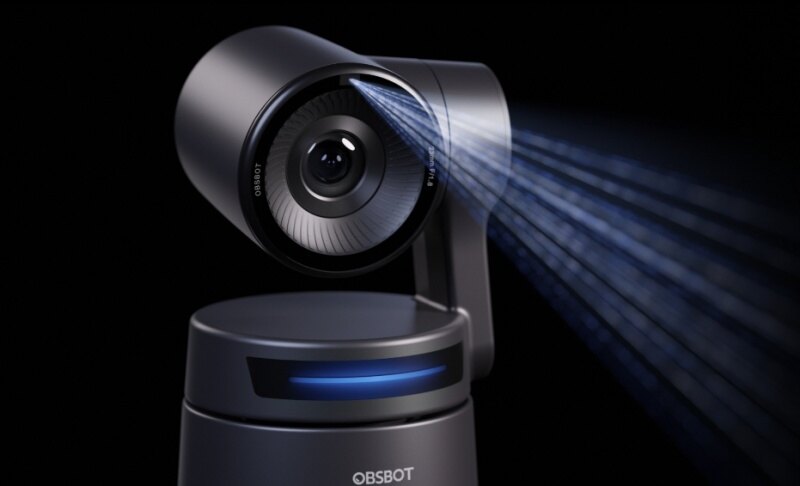
The OBSBOT Tail 2 is a practical option for riders, trainers, and creators who need to film horses without a dedicated camera operator. Its tracking, zoom, and high-resolution video features help solve common challenges when capturing fast-moving horses from a distance.
Key features for equine videography:
- AI Tracking 2.0: Keeps the horse and rider in frame during training sessions or solo rides, reducing the need for a camera operator.
- 4K/60fps video: Captures sharp, smooth footage of jumps, gallops, and other fast movements.
- 5× optical zoom: Helps you capture detailed shots from a safe distance without sacrificing image quality.
- PTZR control: Follows movement smoothly and supports vertical framing for social media clips.
- Animal tracking: Recognizes horses and helps maintain focus as they move around the arena.
- Flexible connectivity: Supports Micro HDMI, USB-C, Wi-Fi, RTMP, RTSP, and optional NDI workflows for recording, streaming, and different equestrian production setups.
What Lens is Best for Horse Videography?
When choosing a camera lens for horse videography, you should consider how far you will stand from the riding area.
| Setting | Recommended Focal Length | Why |
|---|---|---|
| Indoor arena, close rail | 24–70mm | Wide enough to keep the full horse and rider in frame at close range |
| Outdoor arena, mid-distance | 70–200mm | Reaches across the arena without losing detail |
| Cross-country / trail | 100–400mm | Compresses distance for far-off jumps and open-trail shots |
| Conformation / sale video | 50–85mm | Minimizes distortion for accurate body proportions |
A 70–200mm zoom is a strong starting point for many equestrian events because it gives you enough reach without forcing you to carry several lenses. Longer lenses also come in handy for large outdoor events because they can help you isolate the horse from spectators and other distractions.
What Should an Equine Videography Package Include?
A professional equestrian video package is more than a single edited video. The package should give the rider, owner, trainer, or stable content that works for training, promotion, sales, and social media.
For example, a useful equestrian video production package can include:
- Full ride video: The complete test, run, lesson, or training session for detailed review.
- Highlight reel: A sleek 1–3 minute edit showing the strongest moments for a rider's portfolio or barn marketing.
- Vertical social clips: 9:16 edits designed for Instagram Reels, TikTok, and YouTube Shorts.
- Horse sale video: Structured footage covering the horse at rest, movement, riding, jumping, and conformation.
- Training review footage: Clearly organised clips that trainers can review and annotate with specific feedback.

Example: Preparing for a Show Jumping Event
Suppose you are filming a rider competing in a show jumping class. Here are steps to take before the event:
- Confirm the class time and course layout.
- Identify a safe shooting position.
- Check the direction of sunlight.
- Charge batteries and prepare spare storage.
- Select 4K/50 or 60fps for the main footage.
- Test autofocus and tracking before the class starts.
- Capture establishing shots of the venue.
- Film the complete round from a stable position.
- Capture additional close-ups before or after the round.
- Create a horizontal highlight video and several vertical clips.
FAQs on Equine Videography
Still have questions about filming horse rides? These quick answers cover some of the most common questions.
What should a horse sale video include?
A strong horse sale video should give potential buyers a realistic view of the horse rather than showing only its best moments. Include the horse at rest, walk, trot, canter, under-saddle work, jumping or discipline-specific performance, conformation, rider interaction, and temperament. Where possible, try showing the horse in different environments.
However, try to avoid excessive filters, aggressive slow motion, distracting music, misleading camera angles, or edits that hide important details. Buyers only need footage that helps them assess the horse honestly.
What lens is best for horse show videography?
For most horse shows, the 70–200mm zoom is a versatile choice because it retains flexibility when the horse changes position. A 100–400mm or longer lens can be preferable for large outdoor venues. Your shooting distance, arena size, and desired framing should determine the final choice.
What editing tools to use for equine videography?
Tools such as Adobe Premiere Pro, DaVinci Resolve, and Final Cut Pro provide strong editing, color correction, audio, and slow-motion capabilities for professional projects.
However, you should choose based on your experience and delivery requirements. Most importantly, preserve the natural environment and avoid excessive effects that distract from the horse and rider.
Conclusion
One thing about equine videography is that it all comes down to matching your camera, settings, lens, and shooting approach to the horse and environment.
Whether you're filming a competition, training session, or horse sale video, the right setup helps you capture clear, natural-looking footage. With practice and the right equipment, you can create professional videos that showcase every stride, jump, and movement.