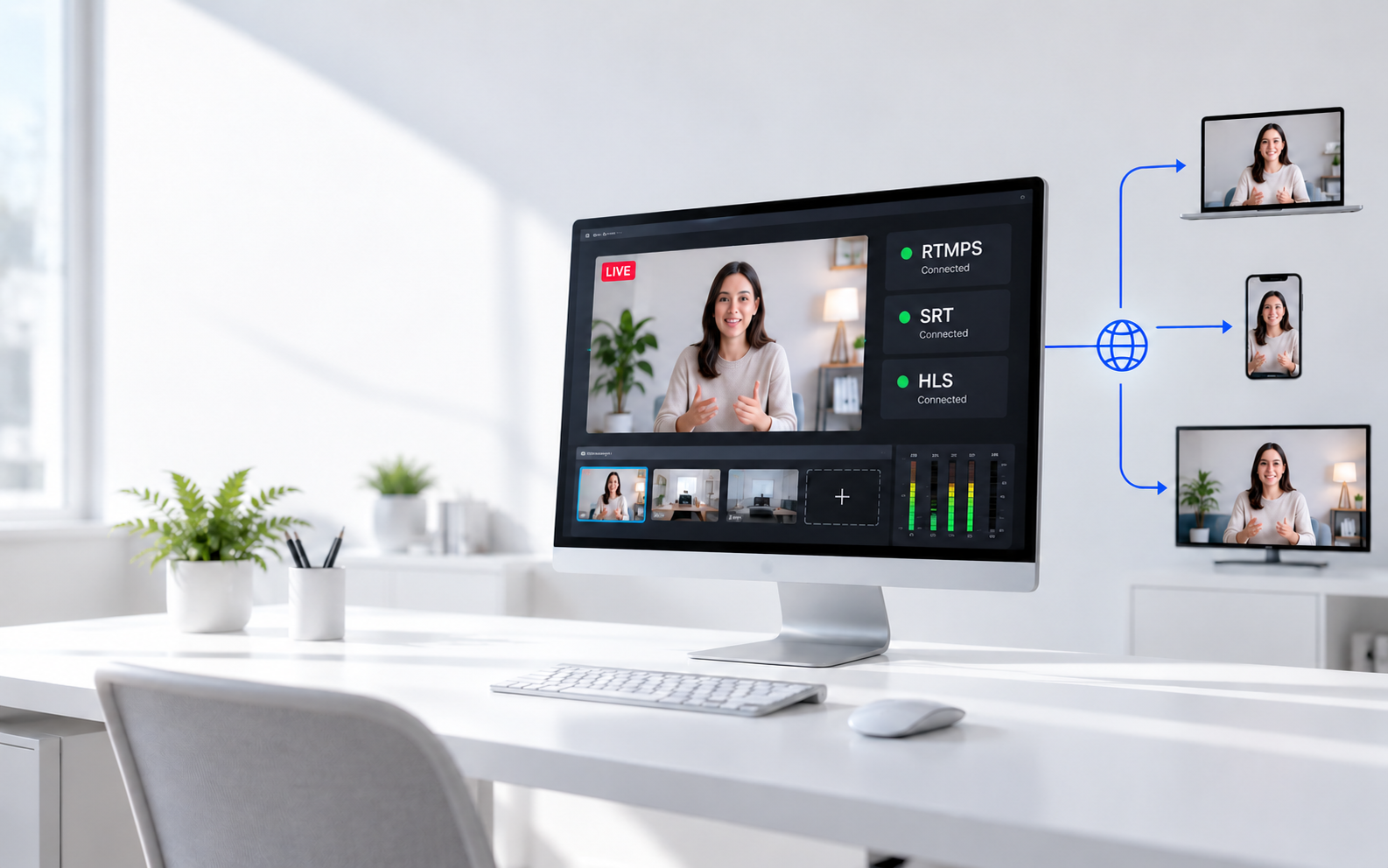
An NDI encoder turns video from an HDMI, SDI, or USB camera into a signal that production software and other devices can receive over a network. The best choice depends less on the longest specification list and more on four practical questions: what connector your camera uses, how much image quality you need, how many sources your network must carry, and whether the device also needs to decode NDI.
This guide compares six NDI encoders for webcams, single-camera streams, mobile production, studios, and multi-channel broadcast systems. Each recommendation explains what its technical specifications mean during an actual production.
NDI Encoder Comparison
Start with the connector on your camera, then decide whether you need lower-bandwidth NDI HX or higher-quality NDI High Bandwidth. Resolution matters only after those two requirements match.
| Product | Video Input | NDI Format | Maximum Output | Suitable Workflow |
|---|---|---|---|---|
| Magewell Pro Convert HDMI 4K Plus | HDMI | NDI High Bandwidth | Up to 4K60 | Professional HDMI cameras and dependable live production |
| OBSBOT UVC to NDI Adapter | USB UVC | Compressed NDI | Up to 4K60 with supported sources | Turning compatible webcams into network cameras |
| Kiloview N40 Plus | HDMI | NDI High Bandwidth | Up to 4K60 | Bidirectional 4K HDMI and NDI conversion |
| Kiloview N3-s | 3G-SDI | NDI High Bandwidth | Up to 1080p60 | SDI cameras in HD broadcast workflows |
| ZowieBox 4K | HDMI or UVC | NDI HX3 | Up to 4K30 encoding | Compact and budget-conscious productions |
| AJA BRIDGE NDI 3G | Up to 16 3G-SDI connections | NDI and NDI HX decoding | Up to 16 HD or four 4K channels | Studios, venues, broadcast facilities, and OB trucks |
Best NDI Encoders for Live Production
1. Magewell Pro Convert HDMI 4K Plus
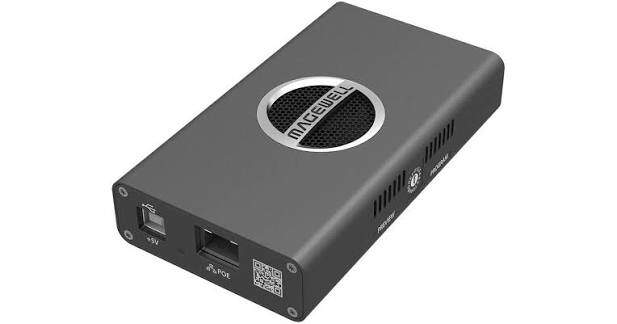
The Magewell Pro Convert HDMI 4K Plus is a strong choice when an HDMI camera must become a dependable NDI High Bandwidth source. It suits event production, studios, lecture capture, and permanent installations where the converter may remain active for long sessions.
Magewell Pro Convert supports for 4K60 lets the encoder preserve smooth motion from sports, stage performances, and camera pans. NDI High Bandwidth keeps more color and image detail than heavily compressed network video, but a 4K60 feed can occupy a large part of a Gigabit connection. It is therefore better connected to a managed wired network than ordinary venue Wi-Fi.
- 4K60 support: Useful for fast motion or for retaining a high-resolution master feed.
- HDMI loop-through: Sends the camera signal to a local monitor while the NDI feed travels across the network.
- Web-based management: Allows setup and status checks without keeping the converter beside the operator.
User feedback: Reliability is a major reason professionals choose Magewell for demanding video production setups. In a Reddit discussion, one operator shared that eight Magewell converters had performed consistently over three years, running around 80 hours each week. Another reported roughly 40–60 ms of end-to-end latency when working with 4K60 video. Magewell is worth considering when long-term stability matters more than a lower upfront cost.
Main limitation: NDI High Bandwidth at 4K60 places a heavy load on the network. Multiple units may require separate VLANs, careful switch configuration, or a faster network backbone.
2. OBSBOT UVC to NDI Adapter
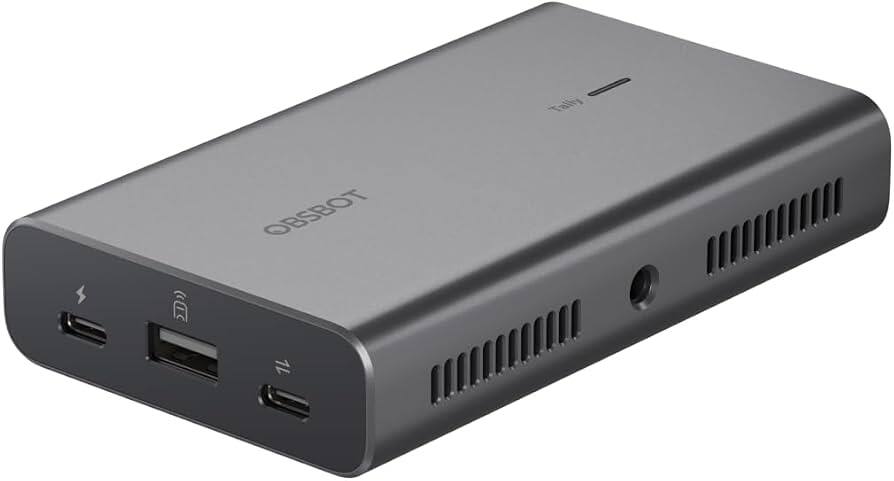
The OBSBOT UVC to NDI Adapter is different from a conventional HDMI or SDI encoder. It connects a compatible USB webcam to an Ethernet network, allowing the camera to appear as an NDI source without remaining physically attached to the production computer.
OBSBOT UVC is the USB video standard used by most webcams. The adapter receives that USB signal and performs the NDI encoding itself. Its Gigabit Ethernet port supports PoE, so one network cable can carry data and power the setup. MicroSD recording also creates a local backup while the live feed is being sent.
- Up to 4K60 output: Available when the connected camera and selected format support it.
- PoE: Reduces cable clutter when the network switch provides compatible power.
- MicroSD recording: Keeps a local copy if the network or production computer has a problem.
- Tally light: Helps the presenter identify when the camera is active.
User feedback: The adapter is particularly useful for creators who want to bring an existing high-quality camera into an NDI workflow. In a hands-on video test, a reviewer successfully used it with a DJI Osmo Pocket 3 at 4K30 after updating the camera's firmware.
Main limitation: UVC does not guarantee universal compatibility. Confirm that the exact camera model, resolution, frame rate, and control functions are supported before building a permanent system around it.
3. Kiloview N40 Plus
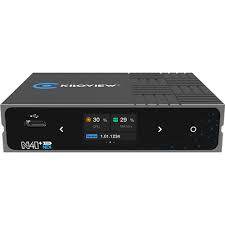
The Kiloview N40 Plus is a bidirectional converter: it can turn HDMI into NDI High Bandwidth or decode an NDI source back to HDMI. That makes it more flexible than a one-direction encoder when equipment is regularly reassigned between cameras, monitors, and production rooms.
N40's 4K60 support is useful for sports and detailed stage images, while bidirectional operation means the same box can later feed a confidence monitor or projector. A typical 4K60 NDI High Bandwidth stream can approach 250 Mbps, so three or four feeds may already consume most of a Gigabit link.
- Encoder or decoder mode: One unit can serve the camera side or display side of a workflow.
- HDMI loop-through: Provides local monitoring without adding another splitter.
- PoE and status display: Simplify installation and make connection problems easier to identify.
- Tally and intercom support: Useful when the converter is positioned near an operated camera.
User feedback: The Kiloview N40 has received positive feedback for its everyday reliability. A video engineer reported using the unit without operational issues, suggesting it can be a dependable choice for regular production work. However, the same engineer favored Magewell's actively cooled design for especially long sessions. That distinction is worth considering if your encoder will remain powered on for extended periods.
Main limitation: The N40 Plus can encode or decode, but it does not perform both directions simultaneously. Its High Bandwidth output also needs a properly planned wired network.
4. Kiloview N3-s
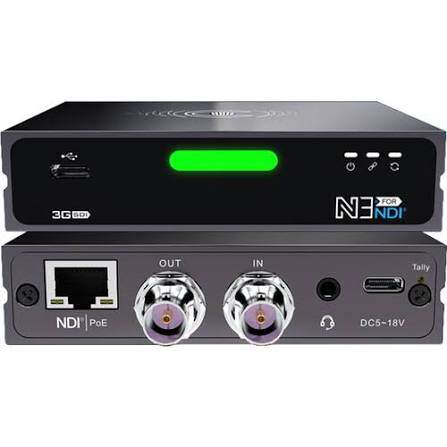
The Kiloview N3-s serves the same general purpose as the N40 Plus but uses 3G-SDI instead of HDMI. It fits cameras and switchers used in churches, event venues, studios, and broadcast environments where locking BNC connectors are preferred.
The maximum resolution of N3-s is 1080p60 rather than 4K. For livestreaming, presentations, worship services, and most web delivery, 1080p60 remains sufficient and places less pressure on storage and downstream equipment. SDI can also travel farther than ordinary HDMI and is less likely to disconnect when a camera or cable is moved.
- 3G-SDI input and output: Connects directly to common professional cameras and production switchers.
- 1080p60 NDI High Bandwidth: Preserves smooth movement and 4:2:2 color in an HD production.
- Bidirectional conversion: Works as an SDI encoder or an NDI-to-SDI decoder.
- PoE, tally, and SDI loop-through: Reduce the accessories needed at each camera position.
User feedback: For production teams looking for SDI connectivity without overspending, the Kiloview N3-s is worth considering. In a professional discussion, one operator described a setup using eight Kiloview N3- and N4-series converters, while others reported stable performance from the brand. Magewell received stronger praise for its interface and thermal design, but Kiloview remains an appealing alternative when reliable signal conversion and value are the main priorities.
Main limitation: It supports NDI High Bandwidth rather than NDI HX decoding. It also operates as either an encoder or a decoder at one time, so confirm the required direction before the event.
5. ZowieBox 4K
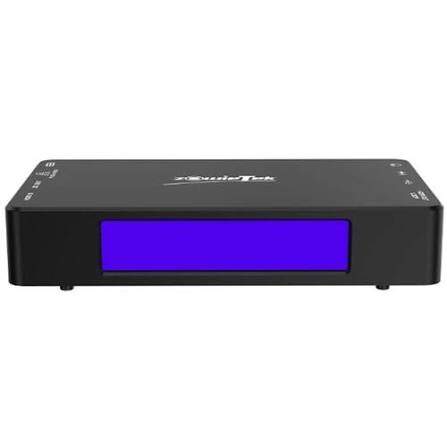
ZowieBox is a compact option for creators and smaller production teams that want HDMI or UVC conversion without moving to a high-priced broadcast converter. It can encode, decode, pass through HDMI, and work with streaming protocols beyond NDI.
NDI HX3 compresses the signal more than NDI High Bandwidth. That reduces the network load and makes several sources easier to manage on a Gigabit network. The tradeoff is additional processing delay, so it is better suited to livestreams, presentations, and remote contribution than delay-sensitive image magnification beside a live stage.
- 4K30 NDI HX3 encoding: Retains 4K detail while using less network bandwidth than High Bandwidth NDI.
- 4K60 HDMI loop-through: Keeps a smooth local signal even when the network stream is encoded at a different format.
- Encoder and decoder functions: Allow the box to move between camera and display duties.
- SRT, RTMP, RTSP, H.264, and H.265: Add options for internet contribution and direct streaming.
User feedback: ZowieBox offers an affordable way to add network video capabilities to smaller production setups. One owner's experience was particularly encouraging for creators using an iPad-based Mevo workflow. However, the feedback also points to an important setup requirement: multiple network video sources need a reliable network connection. A dedicated wired Cat6 setup is worth considering instead of relying entirely on Wi-Fi.
Main limitation: The strongest results come from a wired connection. Adding several compressed NDI sources to the same general-purpose Wi-Fi network can produce lag or dropped frames.
6. AJA BRIDGE NDI 3G
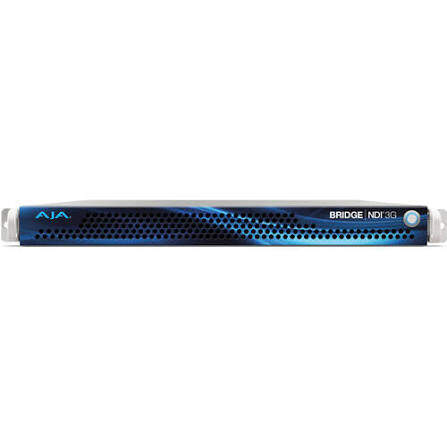
The AJA BRIDGE NDI 3G is not a small converter for one camera. It is a 1RU system for facilities that need to move numerous SDI signals into and out of an NDI production network.
Its 16 bidirectional 3G-SDI connections can handle up to 16 independent HD channels, eight video-and-key pairs, or four grouped 4K feeds. Dual 10GbE ports provide enough network capacity for that density. This replaces a rack filled with single-channel encoders, but it also requires professional networking, cooling, and signal planning.
- Up to 16 HD channels: Suitable for studios, campuses, arenas, and multi-room facilities.
- Simultaneous encoding and decoding: Connects SDI and NDI areas in both directions.
- 10GbE networking: Carries far more concurrent feeds than a standard Gigabit connection.
- Genlock, timecode, and multi-channel audio: Support coordinated broadcast workflows.
User feedback: The AJA BRIDGE NDI 3G is better suited to professional facilities than simple single-camera setups. Its value becomes clearer in larger remote productions, where managing HD and UHD video signals efficiently is essential.
Main limitation: Its cost, rackmount design, and 10GbE requirements are excessive for a creator who only needs to place one or two cameras on a network.
How to Choose the Right NDI Encoder
1. Match the Physical Camera Connection
Choose HDMI for mirrorless cameras, camcorders, and presentation devices with HDMI output. Choose SDI when the camera uses locking BNC connectors or must send video over a long cable run. Choose a UVC adapter when the source is a supported USB webcam.
An adapter cannot create an input it does not have. Buying an HDMI encoder for an SDI camera adds another converter, more cables, and another possible failure point.
2. Decide Between NDI High Bandwidth and NDI HX
| Format | What It Means | Choose It When |
|---|---|---|
| NDI High Bandwidth | Less compression, more network traffic, and usually lower processing delay | Image quality, switching speed, and post-production use matter most |
| NDI HX | More compression and lower network use, with some additional encode/decode delay | You need several feeds, longer network distribution, or a lighter infrastructure |
For example, a single NDI High Bandwidth camera may work comfortably on a Gigabit network. Adding several 4K High Bandwidth feeds can exceed that network’s practical capacity. NDI HX is often easier for schools, small studios, podcasts, and portable productions where low bandwidth is more valuable than the smallest possible delay.
3. Treat Resolution and Frame Rate as Workflow Requirements
4K is useful when the program is delivered in 4K, the feed will be cropped, or the recording must preserve extra detail. It is not automatically better for every livestream. A 1080p production is easier to transport, switch, record, and monitor.
60 fps is useful for sports, dance, games, and fast camera movement. For interviews, lectures, and presentations, 25 or 30 fps usually looks natural and uses fewer resources.
4. Calculate the Network Before Buying Several Encoders
Add the expected bitrate of every camera, preview, return feed, and recording destination. Leave headroom for traffic spikes and other devices. Use wired Ethernet for the production path, and keep video traffic away from guest Wi-Fi when possible.
- A standard Gigabit network is often sufficient for a modest number of compressed NDI feeds.
- Several 4K NDI High Bandwidth sources may require 2.5GbE or 10GbE infrastructure.
- Managed switches help separate video traffic, inspect port activity, and prioritize the production network.
- PoE can power supported devices, but the switch must have enough total PoE capacity for every connected unit.
5. Check the Functions Around the Video Signal
A converter that looks cheaper may need extra equipment if it lacks HDMI or SDI loop-through, tally, PoE, local recording, audio connections, or decoder operation. Select the features that remove equipment from the setup rather than paying for functions the production will never use.
When a Native NDI Camera Is Simpler Than Adding an Encoder
An external encoder makes sense when you already own a suitable HDMI, SDI, or USB camera. When building a new remote-controlled production, a camera with network video built in can remove the separate converter, power supply, mounting hardware, and video cable from each position.
OBSBOT Tail 2 can join a network-based live production directly and also provides AI-assisted camera movement. This is useful when one operator needs to manage several angles for a podcast, church service, lecture, performance, or small live event.
- NDI connectivity: Sends video over the production network without placing a separate encoder beside the camera.
- AI tracking: Keeps a presenter, performer, or speaker framed while the operator handles switching and audio.
- Multiple outputs: Supports workflows using NDI, HDMI, SDI, USB, or local recording.
- Remote PTZR control: Allows pan, tilt, zoom, rotation, framing, and presets to be adjusted away from the camera position.
For additional options and a clearer comparison of built-in NDI camera workflows, see our guide to the best NDI PTZ cameras.
FAQs About NDI Encoders
What is an NDI encoder?
An NDI encoder converts video from HDMI, SDI, or USB into an NDI stream that can travel over an Ethernet network. Software such as OBS Studio, vMix, or a hardware production system can then receive that stream as a video source.
What is the best NDI encoder for broadcast production?
For a single HDMI camera, the Magewell Pro Convert HDMI 4K Plus offers a strong combination of 4K60 support, low latency, and long-session reliability. For SDI, the Kiloview N3-s is a practical single-channel option. Facilities managing many SDI sources should consider a centralized system such as the AJA BRIDGE NDI 3G.
Does an NDI encoder need internet access?
No. The encoder and receiver can communicate over the same local network without an internet connection. Internet access is only required when the finished program is streamed to an online platform, managed remotely through the internet, or updated from an online server.
Can one NDI encoder handle multiple cameras?
Most compact encoders accept one physical camera signal. Multi-channel systems such as the AJA BRIDGE NDI 3G can process several sources in one chassis. Otherwise, each camera normally needs its own encoder or native NDI output.
Can an NDI encoder also work as a decoder?
Some can. The Kiloview N40 Plus, Kiloview N3-s, and ZowieBox can operate as encoders or decoders. The operating direction may need to be selected manually, and compact models usually cannot encode and decode simultaneously.
Is Wi-Fi suitable for NDI encoding?
Wi-Fi can work for a compressed feed in a controlled environment, but wired Ethernet is the better production connection. Shared Wi-Fi changes as guests join, move around, and consume bandwidth, which can create delay or dropped frames during a live event.
Do I need 4K NDI?
Choose 4K when the production will be delivered in 4K, cropped during editing, or displayed on a large high-resolution screen. Choose 1080p when lower network use, simpler recording, and wider equipment compatibility are more important.
Conclusion
The best NDI encoder is the one that fits the complete signal path. Match the camera connector first, choose between NDI High Bandwidth and NDI HX, and then check resolution, network capacity, loop-through, power, and decoder requirements. For existing cameras, a dedicated converter is usually the most practical route. For new remotely operated positions, a native NDI camera can create a cleaner and simpler system.