Streaming Protocols Explained: Types and Workflows
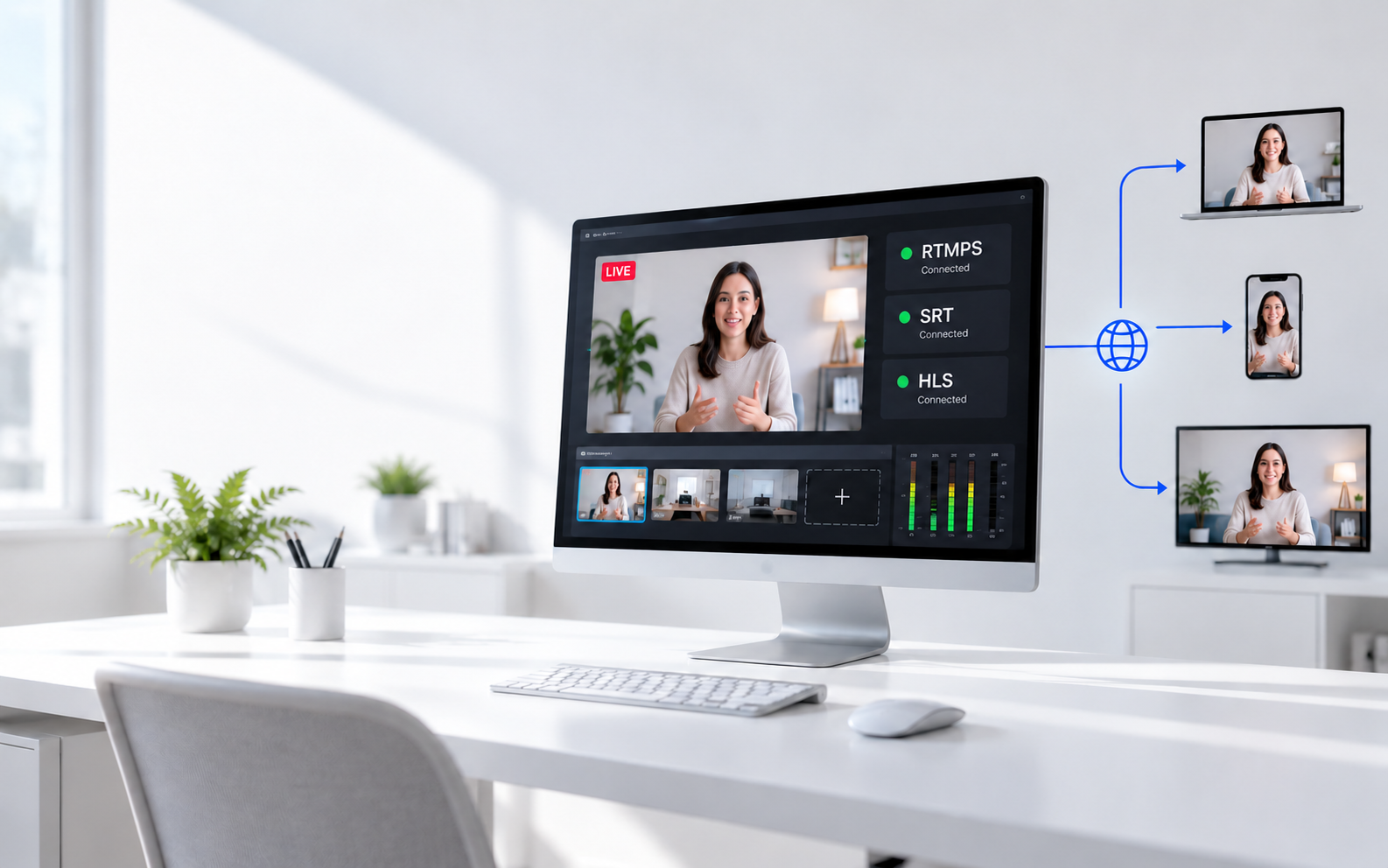
A live video may use several streaming protocols before it reaches a viewer. The connection carrying a camera feed into a studio is not necessarily the one delivering the finished show to a phone. This guide explains where the main protocols fit, shows three practical workflows, and identifies the settings you need to connect each stage.
What Are Streaming Protocols?
Streaming protocols define how software and devices exchange live or on-demand media, or control the sessions used to deliver it. Different protocols solve different parts of the video journey.
- Source access: Bring an IP camera or remote feed into production software.
- Contribution and ingest: Send video to a studio, media server, or streaming platform. Contribution commonly describes production feeds; ingest is the receiving system's entry point.
- Viewer delivery: Send playable video from a service to browsers, phones, and other viewing devices.
A protocol is different from a codec or file format. H.264 compresses video, MP4 stores media in a container, and protocols govern its transfer or playback session. Supporting the same protocol does not automatically mean two devices support the same video and audio formats.
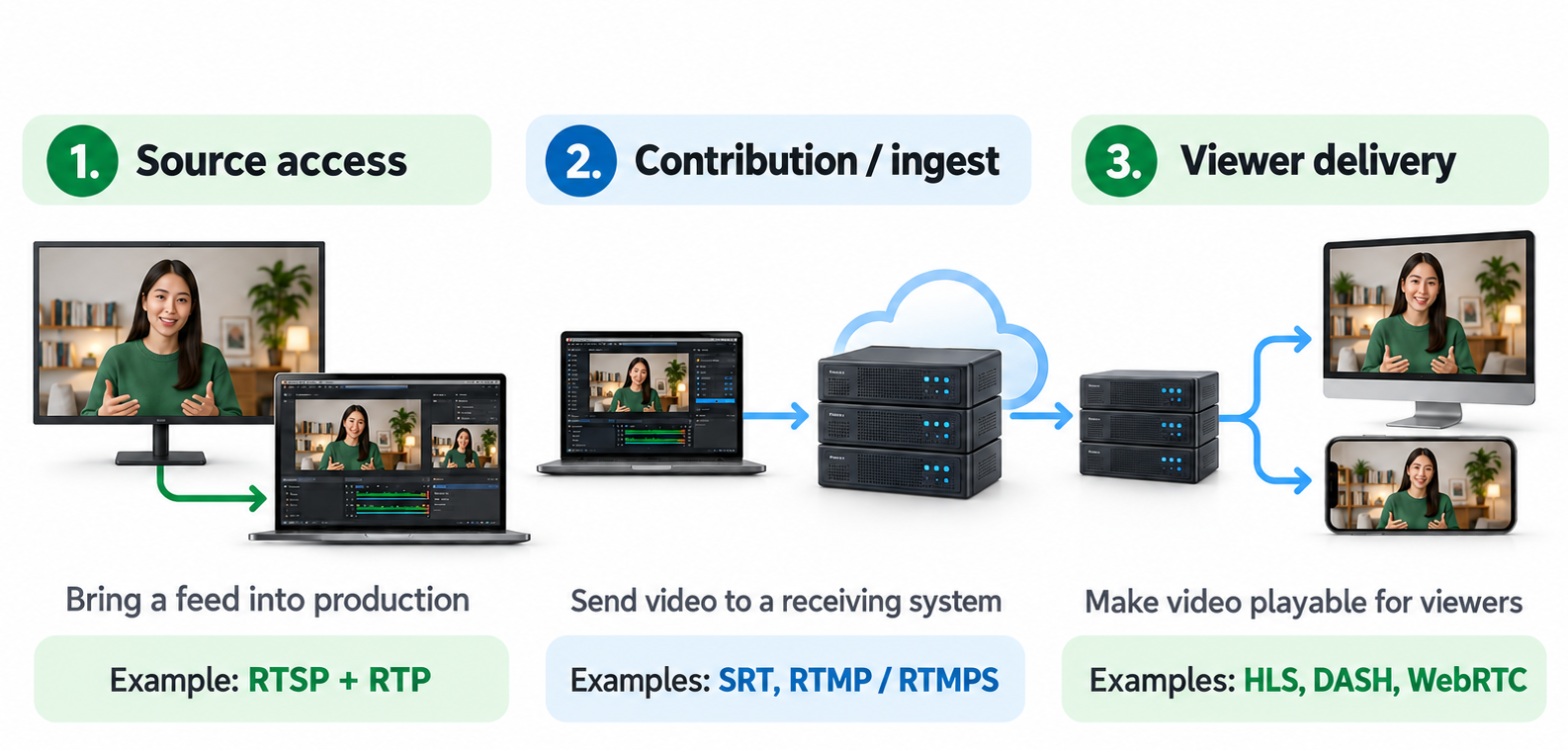
Which Streaming Protocol Handles Each Connection?
Start with what needs to connect to what. The table shows common uses.
| Protocol | Common Connection | What It Does There |
|---|---|---|
| RTMP / RTMPS | Encoder to platform ingest server | Uploads an encoded live stream |
| SRT | Field encoder to studio or cloud receiver | Transports media with packet recovery and configurable buffering |
| RTSP | IP camera or media server to a compatible client | Controls the media session; RTP commonly carries the media |
| HLS | HTTP server or CDN to a compatible player | Delivers playlists and media segments, supporting adaptive playback |
| MPEG-DASH | HTTP server or CDN to a compatible player | Delivers a manifest and media segments, supporting adaptive playback |
| WebRTC | Browser or app to another endpoint or media server | Supports real-time audio and video interaction |
For Encoder Uploads: RTMP, RTMPS, and SRT
RTMP and its TLS-protected form, RTMPS, commonly carry a finished stream from an encoder to a platform. SRT is useful when a production feed must travel between compatible systems over a network with packet loss or varying delivery times.
SRT's recovery needs time and bandwidth. It cannot repair every network problem, and its buffering must balance resilience against delay.
For Audience Playback: HLS, DASH, and WebRTC
HLS and DASH support segmented delivery through web servers and CDNs. When multiple quality versions are available, a compatible player can switch between them as conditions change.
WebRTC is a collection of technologies and protocols for real-time communication. It is relevant when participants need to respond to each other, such as a remote guest speaking with a host. It can also support interactive viewing through suitable infrastructure.
Latency is not a fixed protocol specification. Encoding, network conditions, buffering, server processing, and player settings all contribute to the delay viewers experience.
Three Streaming Workflows Explained
These examples show how protocols can work together. They are possible architectures, not mandatory configurations for every platform.
Example 1: Send a Finished Stream to an Audience
A presenter uses production software to combine a camera, microphone, and slides. The software sends the finished program to a streaming platform, which prepares it for viewer playback.
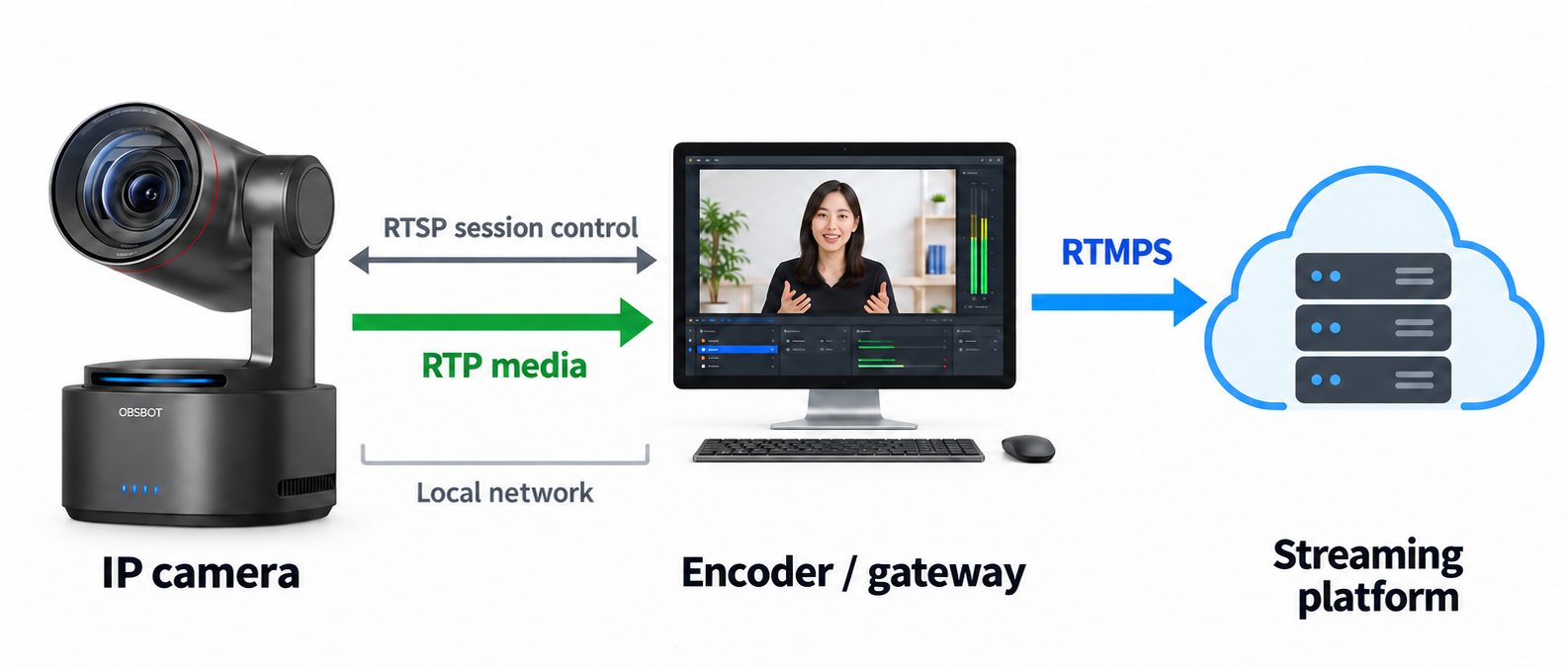
Example path: Encoder → RTMPS → streaming platform → HLS or DASH → viewers.
The creator configures the platform's ingest connection. The platform manages its playback formats, so viewers do not need to receive RTMPS directly. Other delivery methods may be used depending on the service and viewing mode.
Example 2: Bring a Remote Feed into a Studio
An event team sends a live feed from a venue to a studio. The studio adds commentary, graphics, and other sources before publishing the finished program.
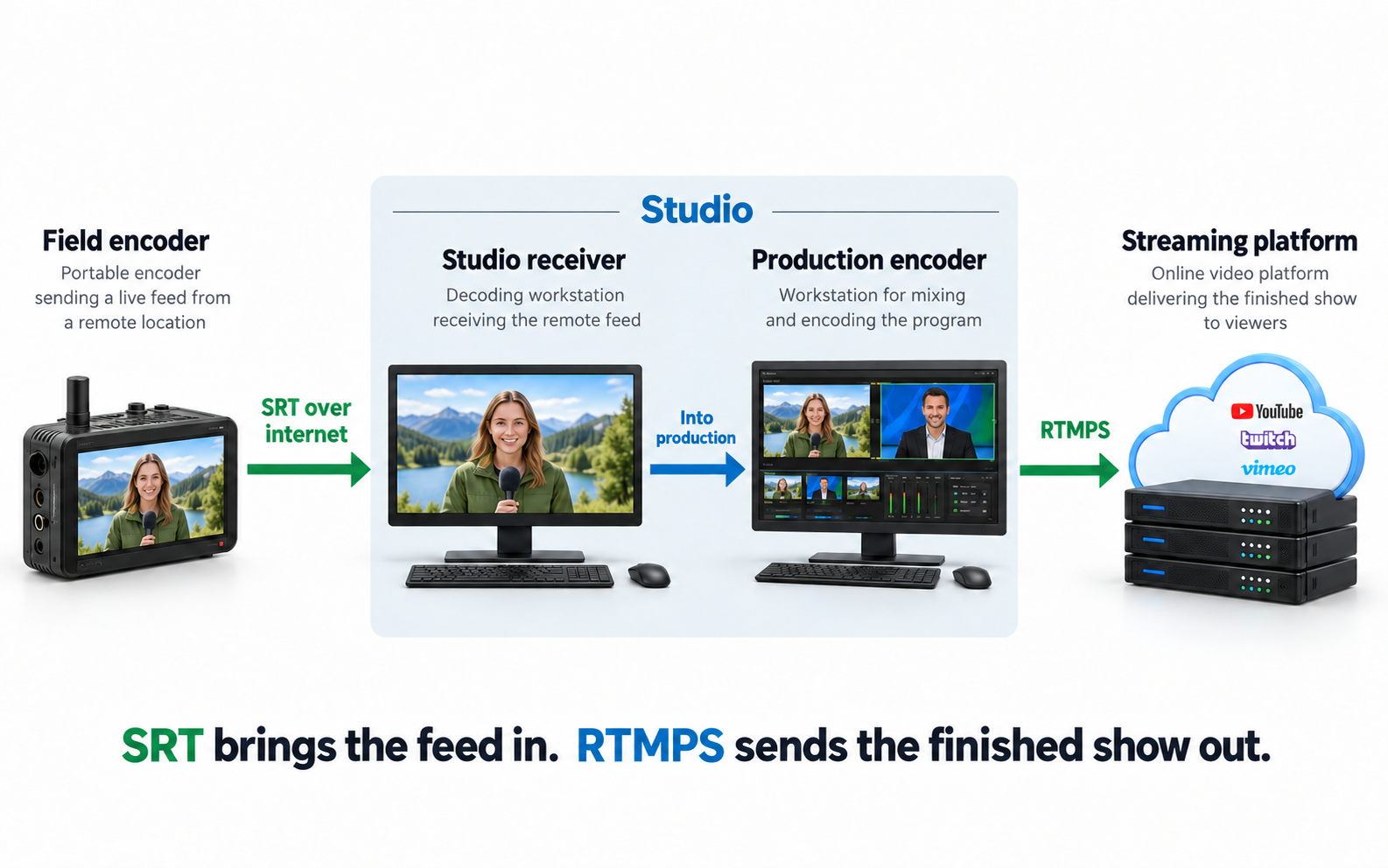
Example path: Field encoder → SRT → studio receiver and production system → RTMP → streaming platform.
SRT handles the remote contribution link. RTMP handles the later platform upload. The receiving and production functions may run on separate devices or within one compatible system.
Example 3: Bring an IP Camera Feed Online
A production operator wants to include a network camera in a public broadcast. Compatible software accesses the camera feed, then prepares an output the destination accepts.
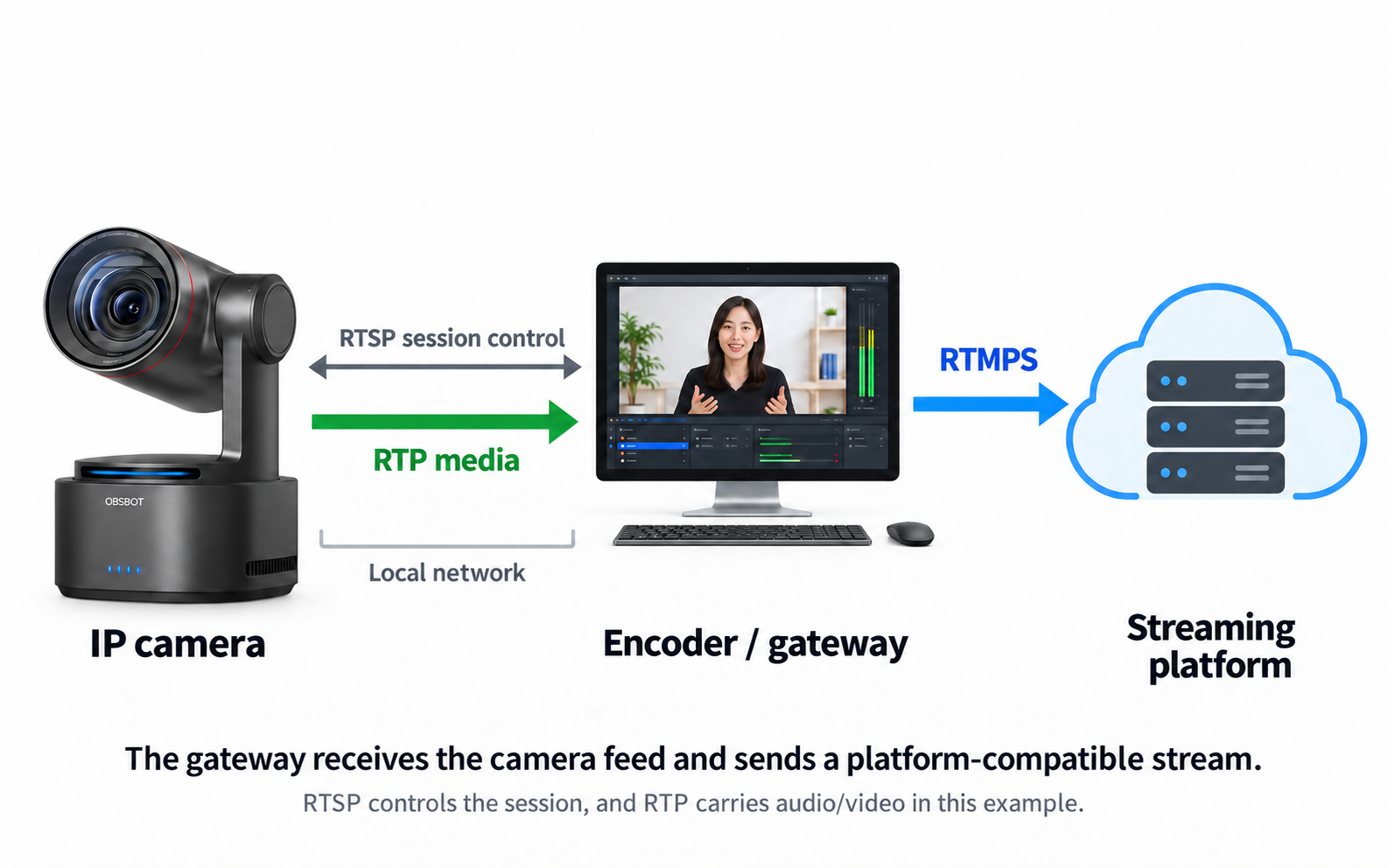
Example path: IP camera → RTSP-controlled session with RTP media → encoder or gateway → RTMP → streaming platform.
The gateway bridges the camera-side workflow and the platform-side workflow. Depending on codec compatibility, it may repackage the media or decode and re-encode it. An RTSP address is not interchangeable with a platform's ingest URL.
For a closer comparison of contribution and camera-access options, see RTMP vs SRT vs RTSP.
How to Configure the Protocol for Your Destination
Once you identify the relevant workflow, configure one connection at a time. Start with the requirements of the device or service receiving that connection.
- Find the destination's accepted input. For a streaming platform, open its encoder setup page. For a studio receiver or IP camera, open its stream settings or connection documentation. Confirm the protocol and supported codecs before entering an address.
- Enter the connection details. RTMP or RTMPS commonly requires a server URL and stream key. SRT requires the address, port, and compatible connection modes, plus any required stream ID or encryption settings. RTSP requires the camera's documented stream URL and credentials.
- Match the media settings. Set the encoder's video codec, audio codec, resolution, frame rate, bitrate, and keyframe interval to values accepted by the receiver. Matching the protocol alone is not enough.
- Verify the receiving preview. Confirm that the intended feed arrives, audio meters respond, and motion plays correctly. If nothing arrives, check the address, credentials, connection mode, and firewall rules before changing picture-quality settings.
- Check the final viewing experience. For a broadcast, use a private or test mode where available. Watch on a separate device and check sound, synchronization, interruptions, and end-to-end delay.
If you manage your own viewer delivery, there is an additional server-side task: package HLS or DASH and use a compatible player, or deploy WebRTC infrastructure. Selecting an encoder output does not create those delivery systems automatically.
Bonus: Add a Tracking Camera to Your Production with OBSBOT Tail 2
When a presenter moves between a lectern and a demonstration area, keeping the shot framed becomes a separate task from sending the stream. OBSBOT Tail 2 suits productions that need remotely controlled framing and tracking without a dedicated operator beside the camera.
Key Features
- AI Tracking 2.0: Follow a moving presenter while the operator monitors audio, graphics, and stream status.
- 5x optical zoom: Frame a tighter stage shot when the camera must remain at a distance.
- Portrait and landscape shooting: Prepare separate horizontal and vertical productions without relying only on cropping.
- 4K at up to 60 fps: Supply detailed source footage when the receiving system supports the selected output mode.
- HDMI, SDI, USB, and network options: Connect through a compatible production input, checking each connection's supported formats.
FAQs About Streaming Protocols
What Is RTP vs RTSP?
RTP carries real-time media packets and timing information. RTSP manages a media session, including operations such as setup and playback. They often work together rather than competing for the same job.
Is UDP or TCP Better for Streaming?
Neither is always better. TCP provides ordered, reliable delivery, but recovering missing data can delay later data. UDP does not provide that recovery itself; protocols built on it can add their own recovery, timing, and congestion behavior. Choose the supported application protocol for the workflow, not the transport name alone.
Can I Play an RTSP Stream Directly in a Web Browser?
Ordinary HTML video playback in modern browsers does not generally accept an RTSP URL. Use compatible software, or a media gateway that turns the source into a browser-supported delivery method.
Does an Encrypted Stream Protect the Entire Broadcast?
Not necessarily. RTMPS protects its connection using TLS, while SRT encryption must be configured appropriately. Other links, recordings, access controls, and viewer delivery need their own protection. Securing one connection does not secure the whole workflow.
Conclusion
Choose protocols by connection: accessing a source, transporting a production feed, uploading a program, or delivering playback. Then configure the sender to match the receiver and test the complete path. A working broadcast may use several protocols, with each handling a different job.