What Is Live Commerce? How It Works and How to Get Started

Most brands are still pouring money into static product pages that convert at 2–3%. Live commerce flips that. Brands running well-executed live sessions are seeing conversion rates between 9% and 30%—and in consultative formats, even higher. This guide explains exactly how live commerce works, which platforms to use, what tools you actually need, and how to run your first campaign without wasting a stream.
What Is Live Commerce and Why Does It Work?
Live commerce or livestream commerce is the practice of selling products through real-time video streams. It compresses the entire shopping funnel—awareness, consideration, and conversion—into one sitting. A host—a brand rep, creator, or store associate—goes live, demonstrates a product, answers audience questions, and gives viewers a direct way to buy without leaving the stream. The format started on Taobao Live in 2016, scaled across China, and is now moving fast in Western markets via TikTok Shop, Amazon Live, and Instagram.
How a Live Streaming E-commerce Session Actually Works
- Host setup — Camera, lighting, and stream settings are confirmed before going live
- Go live — The session starts on a chosen platform (TikTok, Amazon Live, Instagram, etc.)
- Product demo + Q&A — The host shows the product in action and answers viewer questions in real time
- Add to cart moment — A pinned link, in-stream button, or promo code triggers purchases during peak engagement
- Checkout — Viewers buy without leaving the stream
- Replay — The recorded session continues driving sales post-broadcast
Why It Converts Better Than Traditional E-Commerce
The numbers are hard to argue with. According to data compiled by McKinsey, brands using live commerce see conversion rates up to 10x higher than standard e-commerce. Here's how the formats compare:
| Metric | Traditional E-Commerce | Live Commerce (Broadcast) | Live Commerce (Consultation) |
|---|---|---|---|
| Avg. Conversion Rate | 2–3% | 9–15% | 40–70% |
| Return Rate | Baseline | ~40% lower | Lowest |
| Viewer Engagement | Low | High | Very High |
| Trust-Building Speed | Slow | Fast | Fastest |
Lower return rates come from a simple dynamic: when buyers watch a host demonstrate a product's size, texture, or fit and get their questions answered live, they know exactly what they're purchasing. Buyer's remorse drops. 69% of consumers trust recommendations from influencers and peers more than direct brand messaging—and a live host creates exactly that dynamic at scale.
Top Live Commerce Platforms Compared

The right choice depends on three things: where your audience already is, your product's average order value (AOV), and whether you need a built-in creator marketplace.
Mass-market broadcast platforms work best for products priced between $20 and $300—they prioritize reach and discovery. Consultative formats work best for high-AOV products where conversion depends on personalized guidance.
Here's how the main livestream shopping platforms compare:
| Platform | Best For | Built-in Checkout | Creator Marketplace | Key Market |
|---|---|---|---|---|
| TikTok Shop | New brands, discovery-led growth | ✅ | ✅ | Global |
| Amazon Live | Established product brands | ✅ | ✅ | US |
| Instagram Live Shopping | Fashion, beauty, lifestyle | ✅ | ✅ | Global |
| YouTube Shopping | Demo-heavy or long-consideration products | ✅ | ✅ | Global |
| Whatnot | Collectibles, niche communities | ✅ | ❌ | US/EU |
Among live selling apps, TikTok Shop stands out for new brands: its algorithm surfaces live sessions to users who have never followed your account.
What Tools Do You Need to Start Live Commerce?
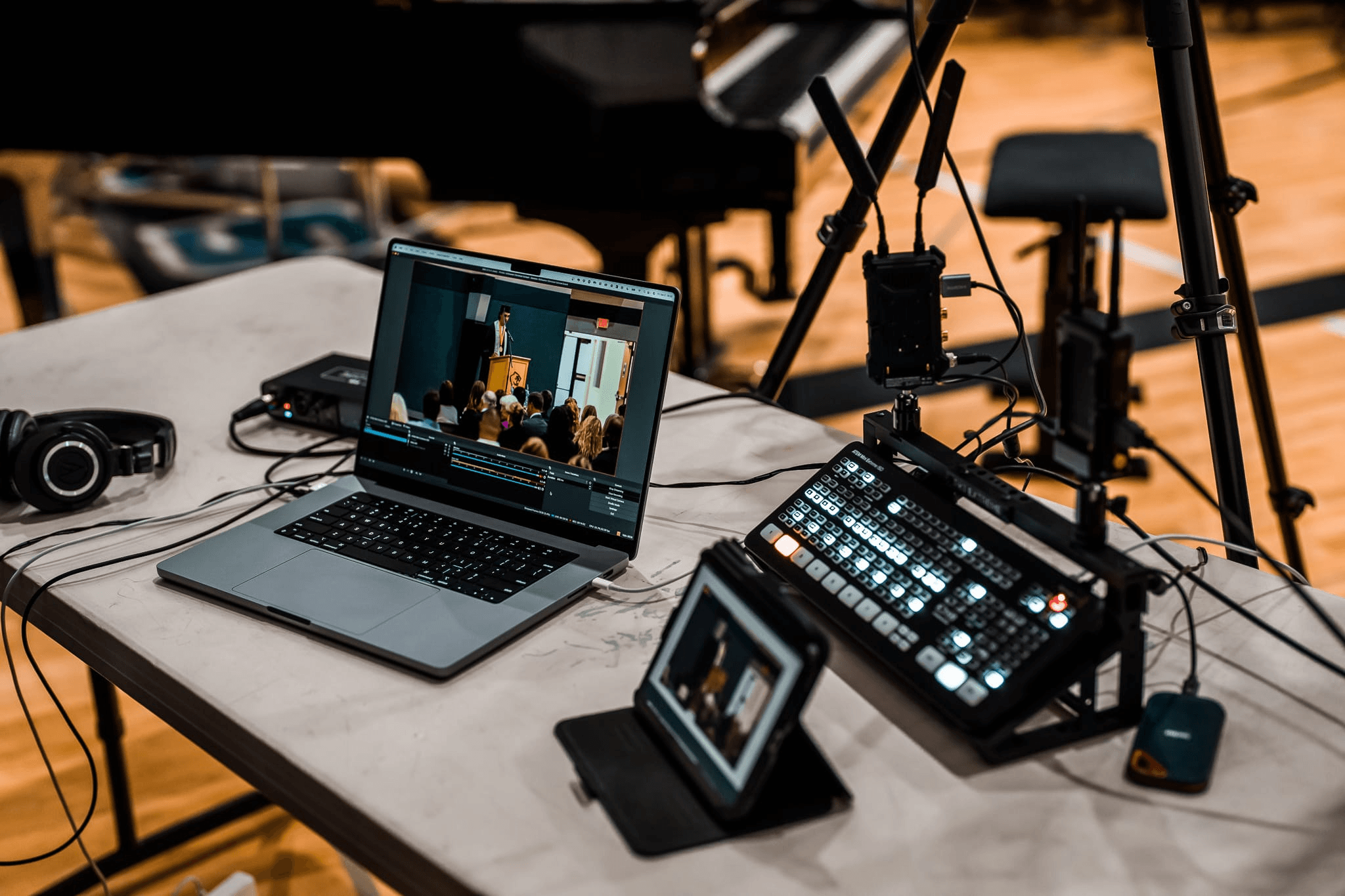
You don't need a production studio. But you do need the right gear. A shaky webcam and bad audio will kill trust faster than any algorithm can help you. Here's the toolkit that actually matters:
- Camera — The non-negotiable; clarity and stability determine whether viewers stay or scroll, if you want to show more to your audience, like (Recommended: iPhone 17 Pro / OBSBOT Tail Air)
- Live streaming studio / controller — Handles switching, encoding, and multi-platform output (Recommended: OBSBOT Talent)
- Lighting — A key light and fill light; softboxes or ring lights work for most setups (Recommended: Elgato Key Light, Godox SL60W)
- Microphone — A clip-on or condenser mic; never rely on built-in laptop audio (Recommended: Rode Wireless GO II, Blue Yeti)
- Streaming platform integration — Shopify, WooCommerce, or native platform checkout (Recommended: Shopify, TikTok Shop native checkout)
- Live chat moderation tool — Critical for Q&A management when viewer counts scale (Recommended: Streamlabs, OBS Studio)
Bonus: OBSBOT Talent Live Streaming Studio
Managing scene switches, brand overlays, and multi-platform output from a laptop mid-stream is a reliable way to lose momentum. If you need to showcase more content, such as details about the host and product, or how the product looks when worn, then a multi-camera setup is essential—but it usually requires a massive technical crew. The OBSBOT Talent solves this by consolidating an encoder, switcher, recorder, and monitor into one device. It allows a single presenter to control up to three Tail Air cameras via NDI, push to multiple platforms simultaneously, and handle countdown timers and lower-thirds without a separate operator.
- All-in-One Encoder + Switcher + Recorder — One device replaces a stack of separate gear; handles the full production chain from capture to output
- Multi-platform simultaneous streaming (RTMP) — Push one live session to TikTok, Instagram, YouTube, and other live shopping apps at the same time
- Deep integration with OBSBOT Camera — Control PTZ movement, AI tracking, and camera presets directly from the Talent touchscreen
- Built-in brand overlays, countdowns, and lower-thirds — Adds urgency (limited-time offer timers, product name cards) without a separate graphics tool
- 5.44" AMOLED touchscreen + Tally light — Real-time stream monitoring and scene switching with minimal latency; Tally light confirms you're live at a glance
How to Launch Your First Live Commerce Campaign

Before You Go Live
- Set a specific goal — Target new product awareness, clearing inventory, or follower growth—vague goals produce vague results
- Choose your platform based on your AOV — Low AOV ($20–$100)? TikTok Shop or Instagram. Mid ($100–$500)? Amazon Live. High ($500+)? Consultative formats or YouTube
Note: If you are running a Consultative Format, your "Before You Go Live" checklist will look different. Focus on calendar booking integrations (like Calendly) rather than preparing a public countdown stream. The script should shift from high-energy product pitching to a personalized, private discovery call.
- Select 3–5 hero products — Pick products with strong visual appeal, clear differentiation, and a story the host can tell
- Test your tech 24 hours before — Camera feed, audio levels, upload speed (minimum 5 Mbps for 1080p), and checkout integration
- Warm up your audience — Post teaser content 3–5 days out; announce the date, products, and any exclusive deals
- Prepare a loose script — Map the opening hook, product demo sequence, Q&A windows, and closing CTA; use it as a framework, not a script to read
- Set up a moderation system — Assign someone to flag real viewer questions for the host to answer on air
During the Stream
- Open with a hook, not a greeting — Start with the product in hand or a bold claim, not "Hey guys, thanks for joining!"
- Create urgency at the right moments — Flash sales, limited-quantity counters, and live-only discount codes work; don't over-rely on discounts, they train buyers to wait
- Answer questions by name — Reading a commenter's username before answering keeps others engaged and the session personal
- Demo in real conditions — Try on the fashion, operate the electronics, taste the food; showing beats telling every time
After the Stream
- Repurpose the replay — Clip the best product moments for short-form posts and pin the replay to your profile
- Run retargeting ads to viewers — People who watched but didn't buy are often your highest-converting retargeting audience
- Review five core metrics: peak concurrent viewers, conversion rate, add-to-cart rate, replay view count, and average watch time

Common Mistakes to Avoid:
- Going live with no pre-promotion (cold audiences rarely convert)
- Mismatching platform to product price point
- Ignoring the replay—many purchases happen after the session ends
- Skipping post-stream retargeting
- Over-discounting instead of building product desire through demonstration
FAQs About Live Commerce
Q: What is the difference between live commerce and social commerce?
A: Social commerce covers all selling through social platforms—shoppable posts, influencer links, in-app stores. Live commerce is a specific format within that: real-time video with interactive purchasing. All live commerce is social commerce, but not all social commerce is live.
Q: Is live commerce profitable?
A: Yes. Live commerce drives higher conversion and cuts return rates by up to 40% because hosts resolve buyer objections in real-time. Keep early ROI high by starting with a lean production setup and scaling your gear only after proving your sales model.
Q: What industries benefit most from live commerce?
A: Beauty, fashion, food, and consumer electronics dominate globally—visually driven categories where seeing a product in use answers the buyer's key objection before checkout.
Conclusion
The global live commerce market is forecast to grow at a 33% CAGR from 2025 to 2034—this isn't a channel that's peaking. Brands building repeatable live systems now—right platform, right gear, right post-stream workflow—are the ones that will own the category before it gets crowded. Pick one platform, run three streams, measure what works, and scale from there.