Best 4K PTZ Cameras for Live Streaming in 2026
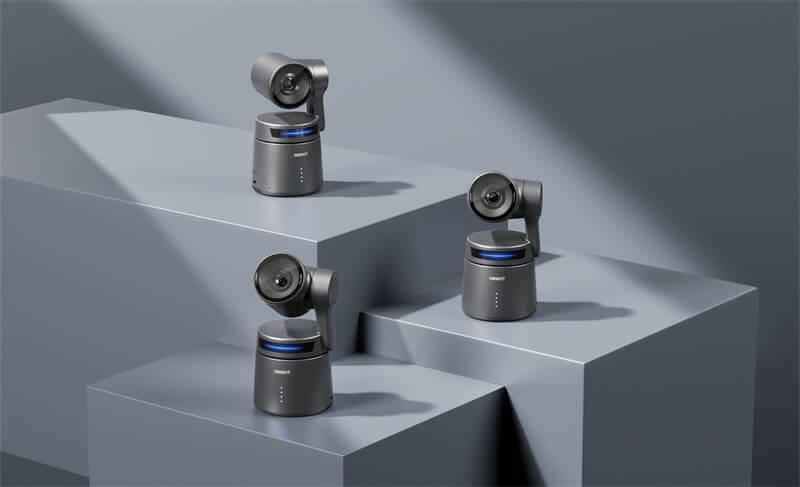
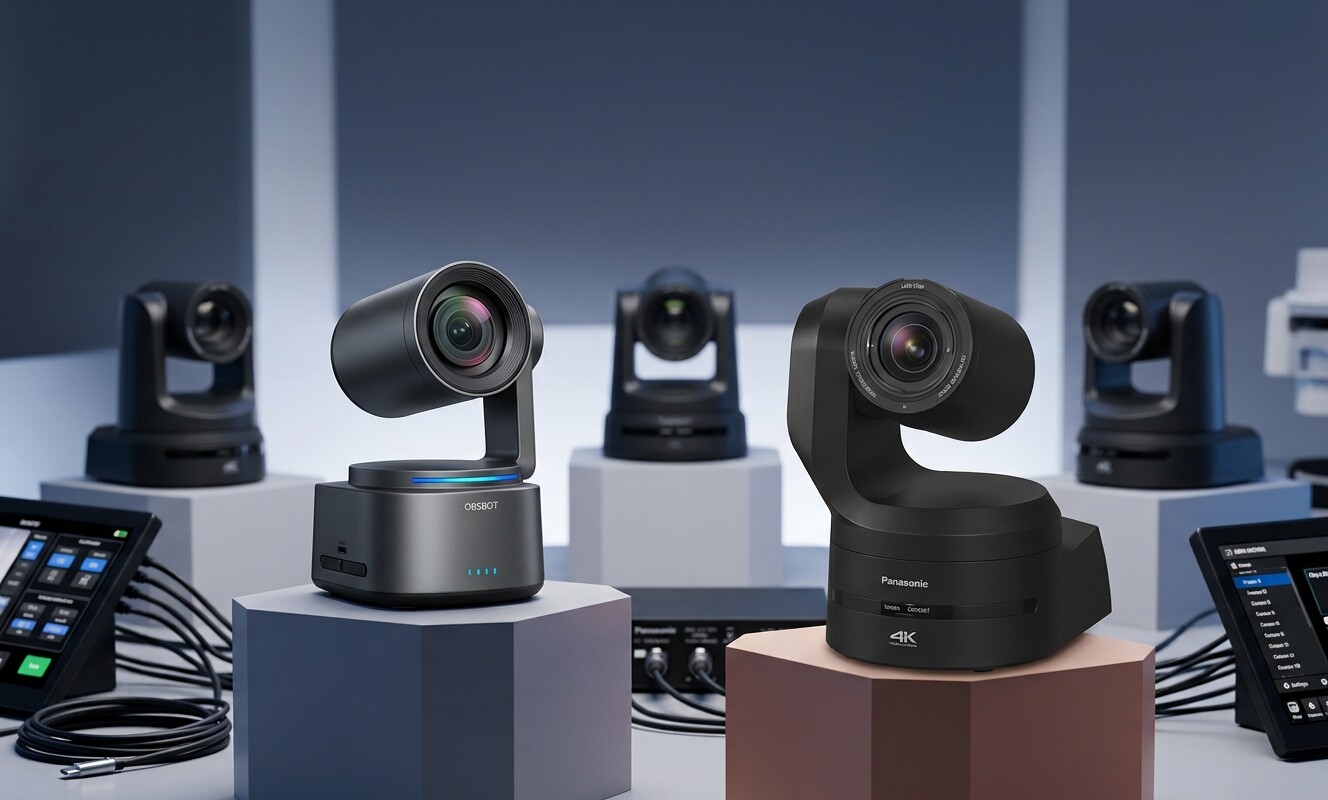
A 4K PTZ camera combines pan, tilt, zoom, and remote control in one production tool. It can follow a presenter, recall preset shots, cover a stage from a fixed mounting point, or send video across an IP network without placing an operator behind the camera.
However, the best model depends on more than resolution. A solo creator may value reliable AI tracking, while a church or auditorium may need 20x–30x optical zoom. A multi-camera studio may prioritize SDI, NDI, PoE, and control-system compatibility.
This guide compares seven 4K PTZ cameras designed specifically for live streaming and video production, not outdoor surveillance.
4K PTZ Camera Comparison Table
| Camera | Best Use | 4K and Zoom | Main Connections | Tracking | Main Trade-Off | Approx. Price |
|---|---|---|---|---|---|---|
| OBSBOT Tail 2 | Small production teams and hybrid shoots | 4K60; 5x optical, 12x hybrid | SDI, HDMI, USB, Ethernet, NDI | AI Tracking 2.0 | Limited optical reach for deep venues | $1,199–$1,299 |
| OBSBOT Tail Air | Portable and wireless streaming | 4K30; 4x digital | USB-C, Micro HDMI, Wi-Fi, Ethernet, NDI | AI subject tracking | No optical zoom | $499 |
| FoMaKo K20UH | Budget long-distance streaming | 4K30; 20x optical | HDMI, USB 3.0, IP | AI auto-tracking | No SDI; NDI depends on version | About $359 |
| PTZOptics Move 4K 30x | Churches and large venues | 4K60; 30x optical | HDMI, SDI, USB, NDI, IP | Presenter tracking | High price for small setups | $2,699 |
| Canon CR-N300 | Permanent AV installations | 4K30; 20x optical | HDMI, SDI, USB, IP, NDI | Optional auto tracking | No 4K60 | $2,699 |
| Sony SRG-A40 | Presenter-led events | 4K30; 30x Clear Image Zoom | HDMI, SDI, IP | Built-in AI auto framing | Premium price and no 4K60 | About $3,195 |
| BirdDog X4 Ultra | Wireless professional and temporary productions | 4K60; 20x optical | HDMI, USB-C, SDI, Wi-Fi, NDI, IP | AI tracking and auto framing | SDI output is limited to 1080p | About $2,195 |
Quick Picks
- Best overall: OBSBOT Tail 2
- Best portable option under $500: OBSBOT Tail Air
- Best budget 20x camera: FoMaKo K20UH
- Best for a large church or auditorium: PTZOptics Move 4K 30x
- Best for a permanent AV system: Canon CR-N300
- Best AI auto-framing camera: Sony SRG-A40
- Best for wireless professional production: BirdDog X4 Ultra
Best 4K PTZ Cameras for Live Streaming and Video Production
1. OBSBOT Tail 2 — About $1,199–$1,299
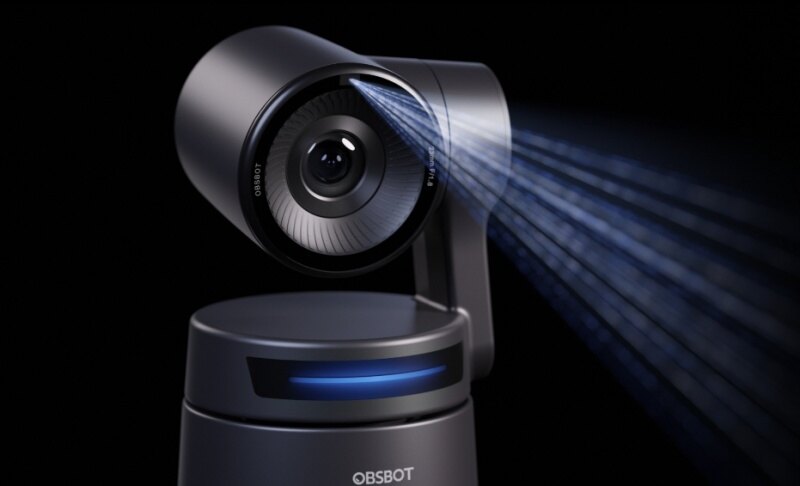
The OBSBOT Tail 2 is the strongest all-around choice for a creator or production team that wants professional connections without a full broadcast-camera setup.
Its 1/1.5-inch sensor records up to 4K60, while the 5x optical zoom covers desktop studios, classrooms, small stages, and medium-distance presenter shots. AI Tracking 2.0 can recognize people, animals, and selected objects, reducing the need for a dedicated camera operator.
Where it makes a practical difference:
- SDI, full-size HDMI, USB 3.0, Ethernet, PoE+, RS-232, and NDI|HX3 allow the same camera to move between computer-based streaming and professional switcher workflows.
- Native horizontal and vertical rotation produces portrait video without digitally cropping a landscape frame.
- The larger sensor gives the camera more room to control noise and exposure in studios with mixed or limited lighting.
- Subject tracking is useful for demonstrations, cooking streams, teaching, worship, and presentations where the speaker moves around.
The main limitation is reach. Its 5x optical zoom is suitable for close and medium distances, but it cannot replace a 20x or 30x camera positioned at the back of a large auditorium.
2. OBSBOT Tail Air — About $499
The Tail Air is designed for productions that need to move quickly. It is compact enough for travel, supports wireless operation, and can output video through USB-C, Micro HDMI, or an IP workflow.
That flexibility makes it useful for pop-up streams, podcasts, small events, mobile interviews, and multi-camera productions where running SDI cables would be excessive.
Its onboard AI tracking can keep a solo presenter framed while the operator manages audio, graphics, or chat. Gesture control also lets the presenter adjust tracking or framing without walking back to the control computer.
The camera records up to 4K30 and can join an NDI|HX3 workflow with the appropriate license. Multiple Tail Air units can also be used for a compact multi-angle production.
Its weakness is the 4x digital zoom. Because it does not have optical zoom, it should be positioned reasonably close to the subject. It is a better choice for portability and flexible placement than for the back of a long venue.
3. FoMaKo K20UH — About $359

The FoMaKo K20UH solves a specific problem: getting a close shot from across a room without spending several thousand dollars.
Its 20x optical zoom is unusual at this price. A church, lecture hall, or community venue can place the camera near the back of the room and still frame a speaker tightly without relying on a soft digital crop.
The camera provides 4K30 video, AI auto-tracking, HDMI, USB 3.0, LAN, PoE, and serial control. This gives budget productions several ways to connect it to OBS, a hardware switcher, or an IP-based control system.
The image and movement controls may require more setup than a compact creator camera. It also lacks SDI, and NDI support varies across versions and bundles. Confirm the exact model before ordering if NDI is essential.
Choose the K20UH when optical reach matters more than premium build quality or advanced color matching.
4. PTZOptics Move 4K 30x — About $2,699

A camera mounted at the rear of a sanctuary or auditorium needs more than a high pixel count. It needs enough optical reach to turn a distant person into a useful close-up.
The PTZOptics Move 4K 30x provides that reach while supporting up to 4K60. Its 30x optical lens can cover wide stage shots, medium groups, and tight presenter framing from the same fixed position.
Presenter tracking helps the camera stay with a selected speaker, even when other people enter the frame. This is valuable for worship services, lectures, and conferences where volunteers may not be available to operate every camera.
HDMI, 3G-SDI, USB, NDI|HX3, and IP output make it easier to integrate with existing production systems. PoE+ can carry power and network connectivity to a permanently mounted camera, while presets let operators recall common compositions quickly.
The Move 4K is less compelling for a short room or single-camera home studio. Its price and 30x lens make the most sense when the venue can use its reach and professional connections.
5. Canon CR-N300 — About $2,699
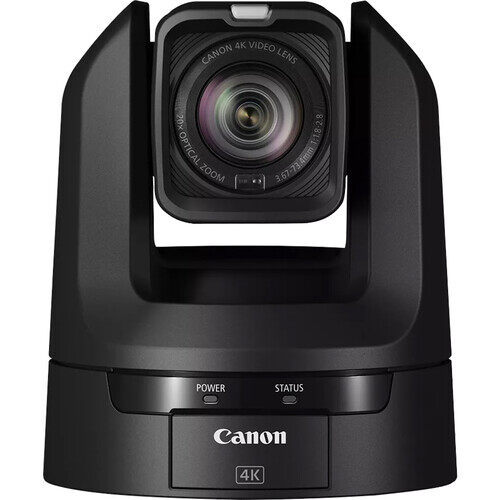
The Canon CR-N300 is less about one headline feature and more about predictable operation in an installed AV system.
It offers a 20x optical zoom, 4K30 recording, 1080p60, HDMI, 3G-SDI, USB, IP output, PoE+, and built-in NDI|HX support. These connections make it suitable for schools, churches, corporate studios, council chambers, and event spaces that already use switchers or network video.
The 20x zoom covers considerably more distance than creator-focused PTZ cameras. Operators can save preset positions for a lectern, stage, audience, or presentation screen and recall them during a production.
Canon also offers auto-tracking options, but buyers should check current software and licensing requirements instead of assuming every tracking function is included with the camera.
Its main compromise is the 4K30 ceiling. Choose it for integration, repeatable presets, and long-term installation rather than slow-motion flexibility or an all-in-one solo-creator experience.
6. Sony SRG-A40 — About $3,195

The Sony SRG-A40 stands out when the production depends on keeping a moving presenter framed naturally.
Its built-in PTZ Auto Framing analyzes the presenter's position and movement, then adjusts pan, tilt, and zoom without requiring a full-time operator. The system is designed to leave appropriate space around the subject rather than keeping a face rigidly centered.
That distinction matters during lectures, training sessions, live events, and stage presentations. More natural framing makes automated movement less distracting to viewers.
The SRG-A40 can stream 4K30 over IP and output video through HDMI or SDI. It offers up to 30x Clear Image Zoom in 4K and 40x in Full HD, plus as many as 256 preset positions. PoE++ can provide power, control, and video through one network cable.
It is not the value choice for a manually operated production. The premium is primarily justified by its AI framing, remote-management options, and ability to reduce operator workload.
7. BirdDog X4 Ultra — About $2,195
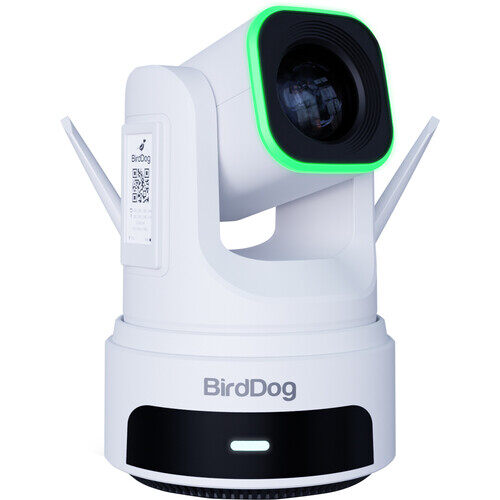
The BirdDog X4 Ultra fills the gap between a permanently installed long-zoom PTZ camera and a portable production camera.
Its built-in battery can run for up to four hours, while Wi-Fi 6 lets a team position the camera where power or Ethernet is difficult to reach. Combined with 20x optical zoom, this makes it useful for temporary stages, sports productions, event halls, and venues where cameras must be installed and removed regularly.
The X4 Ultra uses a 1/1.8-inch sensor and supports up to 4K60 through HDMI, USB-C, and compatible IP workflows. NDI|HX3, SRT, RTMP, RTSP, PoE+, serial control, and 255 presets give it several ways to join a professional production.
Its HALO tally light surrounds the lens, making it easier for presenters to identify the live camera in a multi-camera setup. AI tracking and automatic framing can also reduce the number of operators needed for smaller productions.
There is one important connection limitation: its 3G-SDI output is limited to 1080p. Buyers who need 4K over a physical video cable should plan to use HDMI, while 4K network production can use NDI or another supported IP protocol.
How to Choose a 4K PTZ Camera
Camera Distance and Optical Zoom
Start with the distance between the camera and the subject. A 4x–5x zoom is usually enough for a studio, classroom, or small stage. A church, theater, or auditorium may need 20x–30x optical zoom to produce a close shot from the back of the room.
Prioritize optical zoom when the camera will be far away. Digital zoom enlarges and crops the existing image, so detail decreases as magnification increases.
Connections and Production Workflow
Choose connections based on how the camera will enter your production system:
- USB works well for a single camera connected directly to a computer.
- HDMI is practical for short runs to a capture card or switcher.
- SDI is more dependable over long cable runs in permanent installations.
- NDI sends video and control across an Ethernet network and makes multi-camera expansion easier.
- PoE can reduce installation work by carrying power and network data through one cable.
Check the camera’s maximum resolution for each output. A camera may support 4K through HDMI or IP while limiting its SDI connection to 1080p.
AI Tracking and Camera Control
AI tracking is most valuable when a presenter moves and no dedicated camera operator is available. Look for tracking that can hold a selected subject, recover after temporary obstruction, and avoid switching to another person unexpectedly.
A staffed production may benefit more from smooth manual control, accurate presets, and compatibility with a joystick or production switcher. Automation is not automatically better if an operator will control the shots.
Image Quality and Frame Rate
Do not judge a camera by 4K resolution alone. Sensor size, exposure control, autofocus, lighting, and lens quality affect the image viewers actually see.
4K30 is sufficient for sermons, lectures, interviews, and most presentations. Choose 4K60 for sports videography, stage performances, or fast subject movement. Before paying more for 4K60, confirm that the switcher, capture device, network, and streaming computer can process it.
For a multi-camera setup, also consider whether the cameras can be color-matched and controlled from one system. See this guide to multi-camera live streaming.
Frequently Asked Questions
What is the best 4K PTZ camera for live streaming?
The OBSBOT Tail 2 is the best overall option for many small and medium productions because it combines 4K60, AI tracking, a larger sensor, and professional outputs. A large venue may be better served by the PTZOptics Move 4K 30x, while the BirdDog X4 Ultra suits productions that need long zoom and flexible wireless placement.
Do I need 4K for live streaming?
Not every stream needs to be delivered in 4K. However, a 4K camera provides more detail for recording and allows a producer to crop a 1080p shot without an immediate loss of quality. Lighting, lens quality, and exposure still matter more than resolution alone.
How much optical zoom does a PTZ camera need?
For a close studio or classroom, 4x–10x may be enough. Medium and large venues commonly need 20x–30x. Measure the installation distance and decide how tight the closest required shot must be before selecting a zoom range.
Is NDI better than HDMI or SDI?
NDI is useful for flexible network-based and multi-camera production. HDMI is affordable and simple over short distances, while SDI is dependable for long professional cable runs. The best connection depends on the venue's existing infrastructure.
Can a 4K PTZ camera stream directly to YouTube?
Some models support direct RTMP or RTMPS streaming. Others send video to OBS, a hardware encoder, or a production switcher first. Using an encoder or production platform usually gives you more control over audio, graphics, scene changes, and stream reliability.
What is the difference between a production PTZ camera and a security PTZ camera?
A production PTZ camera prioritizes clean video output, smooth camera movement, preset recall, subject tracking, color control, and connections such as HDMI, SDI, USB, or NDI. A security PTZ camera prioritizes continuous monitoring, night vision, weather resistance, motion alerts, and NVR recording. They are not direct substitutes.
Conclusion
The best 4K PTZ camera should match the venue and production workflow. OBSBOT Tail 2 offers the strongest overall balance, while Tail Air prioritizes portability. FoMaKo provides affordable optical reach, and PTZOptics, Canon, and Sony suit larger installed systems. BirdDog combines 20x zoom with battery-powered wireless operation. Before buying, measure the shooting distance, confirm the resolution supported by each output, and decide whether AI tracking or manual camera control better fits the production.