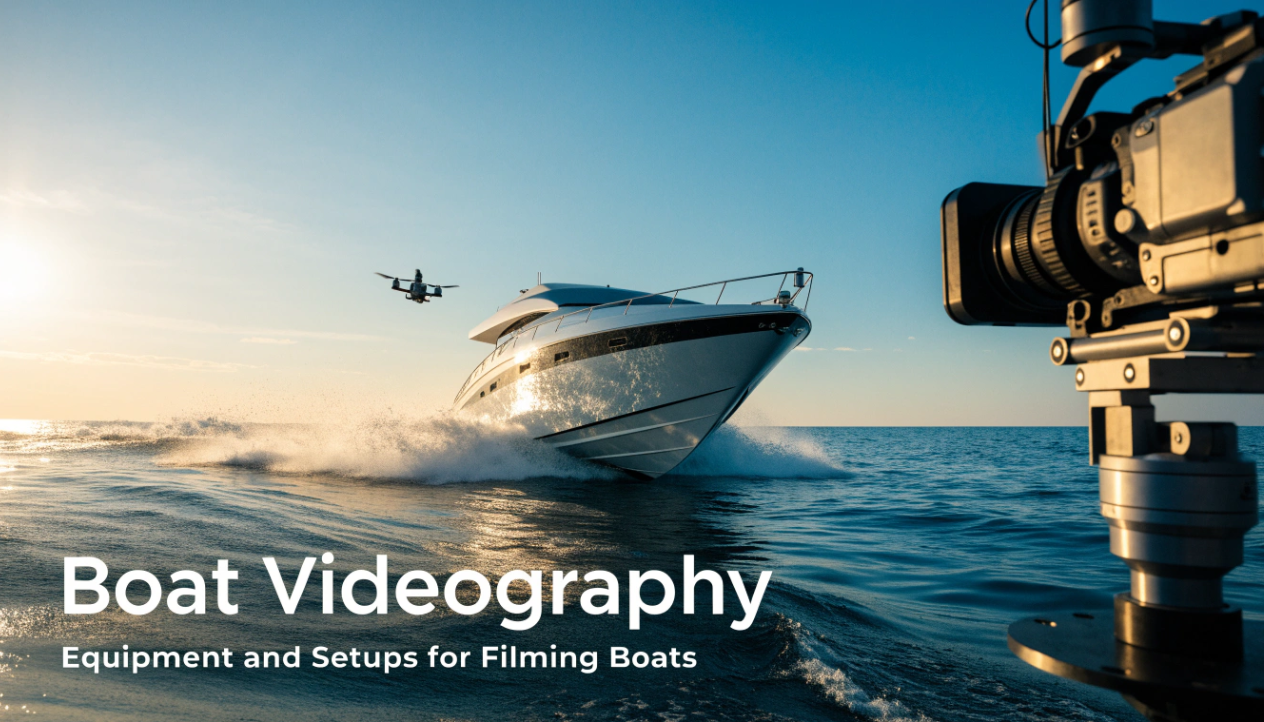
Boat videography can be quite challenging because the subject you're filming may move across the water while the camera platform, horizon, lighting and shooting distance can also change.
The right setup depends on where you film from, whether it's onshore, onboard, from a chase boat, overhead or underwater.
This guide covers complete boat videography setups for each position, including cameras, lenses, stabilization systems and supporting accessories.
Plan a Boat Videography Shoot Around the Final Goal
What does the finished video need to show?
This is what you need to define when planning a boat videography setup. A yacht listing may require exterior shots, interior walkthroughs and close-ups of controls, while a fishing video may focus on anglers, catches and POV footage.
Choose your primary shooting position based on the footage you need:
- Shore or dock: Long-range shots of boats, marinas and race routes.
- Onboard: POV footage, fishing action, passenger experiences and boat details.
- Chase boat: Moving exterior shots of another vessel.
- Drone: Aerial views and overhead tracking shots.
- Underwater: Hull, propeller and underwater movement.
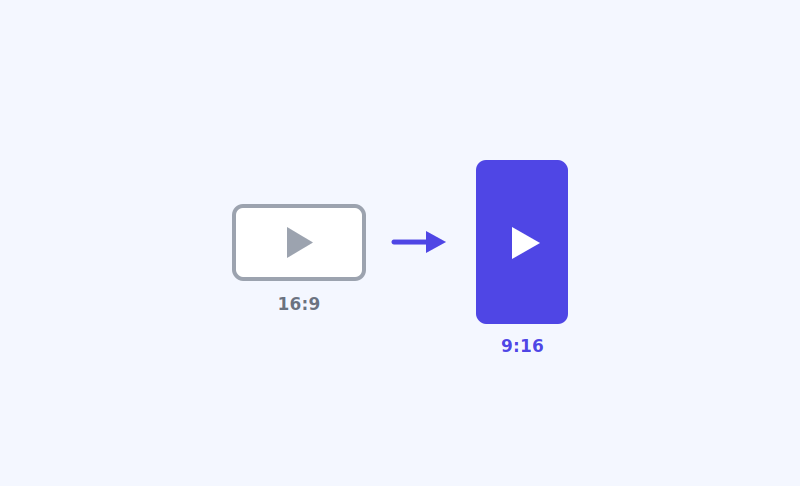
Before the shoot begins, choose the final aspect ratio. Use 16:9 for YouTube and boat listings, and 9:16 for TikTok and Reels. If you need both, plan for vertical capture or reframing during editing.
Boat Videography Equipment and Setups by Shooting Position
You must consider the camera position to determine which equipment will deliver the best footage. Use this table as a starting point to weigh your options.
| Shooting position | Core camera | Recommended gear | Best suited for |
|---|---|---|---|
| Shore or dock | Long-range PTZR camera | OBSBOT Tail 2 ADV, heavy-duty tripod, external monitor, remote controller and power supply | Long-range boat footage, marinas, race routes and tracking moving vessels |
| Onboard | Wide-angle action camera | DJI Osmo Action 6, Sony FX3, stabilized lens, rail mounts, safety tethers, gimbal and wind-protected microphone | POV footage, boat walkthroughs, fishing action and passenger experiences |
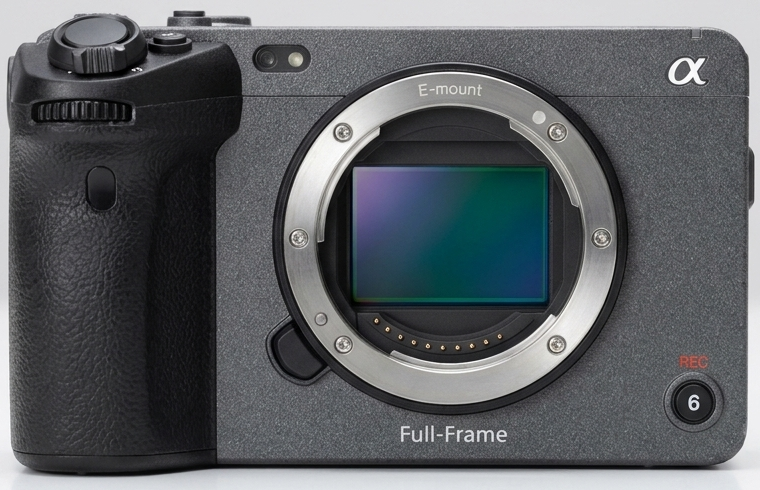
| Chase boat | Video-focused mirrorless/cinema camera | Sony FX3, 24-70mm or 70-200mm lens, DJI RS 4 Pro, external monitor, ND filters and radio communication | Cinematic running shots, boat-to-boat footage and moving exterior shots |
| Drone | Wind-capable 4K drone | DJI Air 3S or Mavic 3 Pro, ND filters, spare batteries, landing pad and visual observer | Aerial establishing shots, overhead views and tracking footage |
| Underwater | Waterproof action camera | DJI Osmo Action 6, waterproof housing, underwater filter, handle and safety tether | Hull footage, propeller views, underwater perspectives and shots beneath the waterline |
Shore and Dock-Based Long-Range Setup
Recommended camera: OBSBOT Tail 2 ADV ($1,399; sale)
This setup works well for shorelines, docks, marinas, race routes and fishing spots where the boat may stay tens or hundreds of meters away.
The OBSBOT Tail 2 ADV features a 21x optical zoom, allowing you to capture distant boats with greater detail without relying on digital cropping. It makes it easier to frame close-up shots of the hull, passengers, fishing activity and other details while keeping your camera positioned safely onshore.
Other notable features of the Tail 2 ADV include:
- PTZR system for controlling pan, tilt, roll and zoom remotely. This is useful when following a boat along a marina, shoreline or race route.
- 4K60 to capture moving water and boat motion cleanly.
- 1080p120 gives you a slow-motion option.
It also has Focus Over Zooming which helps when you change focal length while following a boat, and AI tracking 2.0 to follow selected people or objects. You can visit OBSBOT's official X page to see real-world footage and examples of the Tail 2 ADV in action.
Use the variable aperture and manual exposure to handle changing sun and reflective water. OBSBOT Log can come in handy too for color matching when the shoot involves other cameras.
Supporting equipment:
- Manfrotto 504X Fluid Video Head with 546B Tripod to provide smooth pan-and-tilt movements and a stable base for tracking boats at long distances.
- SmallHD Indie 7 Monitor: with its bright display making it easy to check focus, framing and exposure easier in outdoor conditions.
- EcoFlow RIVER 2 Pro for additional portable power for extended shoots away from electrical outlets.
- USB-C PD charger or compatible PoE+ switch
- Laptop or tablet for remote camera control and monitoring.
- Sandbags or tripod weights to reduce movements caused by wind.
For tripod choices, see this guide to the best tripod for video cameras.
When planning for audio, you should use a separate recording setup such as the Zoom H1essential Handy Recorder to capture onboard ambient sound.
Limitation: Long focal lengths magnify small tripod vibrations and wind movements which can make footage difficult to watch. Use a sheltered position, a stable support and slow camera movements. Also note that the Tail 2 ADV is not a waterproof action camera, so protect it from spray and rain.
Onboard Handheld and Fixed-Mount Setup
Recommended camera: DJI Osmo Action 6 and Sony FX3
When you film from the boat, you give viewers a closer perspective of the experience. A two-camera setup works well here. Use a wide action camera for continuous coverage and a mirrorless camera for controlled shots of people, equipment and boat details.
Action camera: DJI Osmo Action 6
This works well because of its compact design, waterproof construction and electronic stabilization. It supports high-frame-rate recording and multiple aspect ratios, making it useful for both landscape and vertical content.
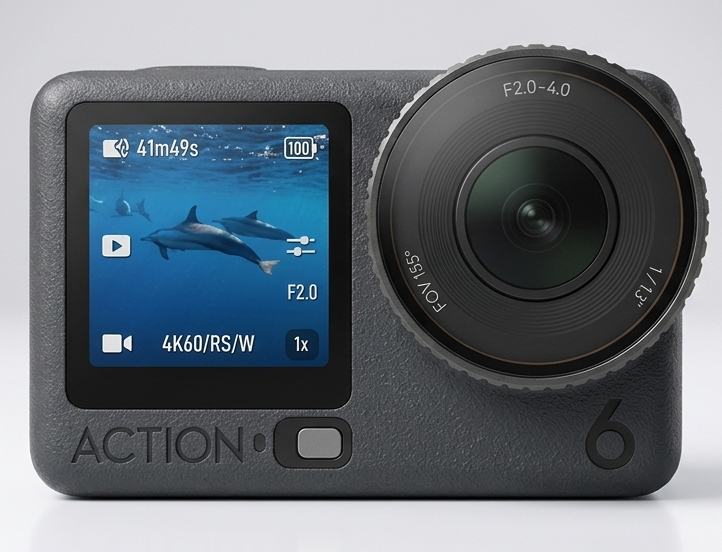
You can mount it near the helm, on the bow or close to the fishing area to capture different perspectives.
Mirrorless camera: Sony FX3
Pair the action camera with a Sony FX3 and a stabilized 24-70mm lens, such as the Sony FE 24-70mm F2.8 GM II. This combination provides more control over framing and depth of field. Users also praise its clean low-light footage and built-in cooling fan, which helps it run long shoots without overheating.
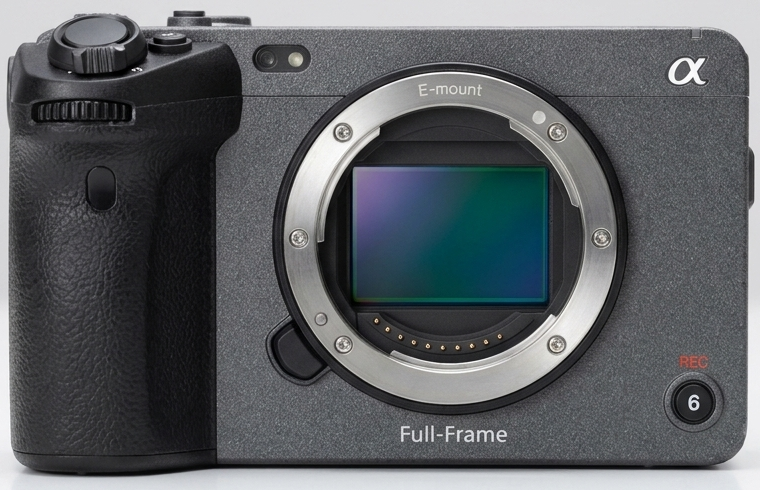
Use the camera's in-body image stabilization or a compact gimbal when shooting handheld. Pair it with a small shotgun microphone, such as the RØDE VideoMic NTG, to capture nearby speech and environmental sound.
Fixed-position equipment for this setup includes:
- RAM Mounts Tough-Claw for suitable boat rails and structures.
- DJI Osmo Action Adhesive Base.
- Safety tether to prevent your camera from falling overboard if its primary mount fails.
- Flexible camera strap for more security when operating handheld.
Ensure that every camera is secured with a safety tether without obstructing passengers or navigation.
This combination captures both the immersive experience of being on the boat and the more polished shots needed for a promotional video. The trade-off is that it may require more batteries, memory cards and monitoring.
Chase-Boat Setup for Moving Exterior Shots
Recommended camera: Sony FX3
This position comes in handy for yacht promotions, speed demonstrations, racing coverage and cinematic running footage.
The Sony FX3, a video-focused camera, offers a great starting point. Pair it with the Sony FE 24-70mm F2.8 GM II or FE 70-200mm F2.8 GM OSS II, depending on the shooting distance.
The shorter focal length is generally easier to manage when both boats are moving. You’ll also appreciate the telephoto lens when capturing distant details in your video.
Supporting equipment:
- DJI RS 4 Pro: Its high payload capacity supports heavier camera and lens combinations, making it suitable for stabilizing the Sony FX3 during moving shots.
- SmallHD Indie 7 Monitor: Its bright 1,000-nit display makes checking focus and composition easier in direct sunlight.
- NiSi True Color Variable ND Filter: Offers adjustable 1–5-stop light reduction while maintaining neutral colours, reducing the need to switch between fixed ND filters
- Circular Polarizer: Manages reflections and glare on the water.
- Sony NP-FZ100 batteries for additional power.
- Sony CFexpress Type A or compatible SD cards
- Lens cleaning clothes.
- VHF marine radios to coordinate movement between the chase-boat crew and another vessel.
The main advantage is the ability to capture side profiles, bow angles and close-up running shots. However, the two boats may move differently, making smooth framing difficult.
When filming, use the shortest practical focal length, communicate with both captains and avoid sudden changes in speed or direction.
Drone and Underwater Setup
Recommended camera: DJI Air 3S and DJI Osmo Action 6
Aerial and underwater footage adds perspectives that are difficult to capture from a conventional camera position.
Drone setup
The DJI Air 3S can be useful for capturing aerial footage in boat videography. Its dual-camera system offers flexibility for wide establishing shots and closer views. It records in 4K and has obstacle-sensing features and a rated maximum flight time of up to 45 minutes under controlled conditions.
Hands-on reviewers typically get 32-38 minutes per battery in normal flying with a dependable obstacle sensing feature, even in low light.
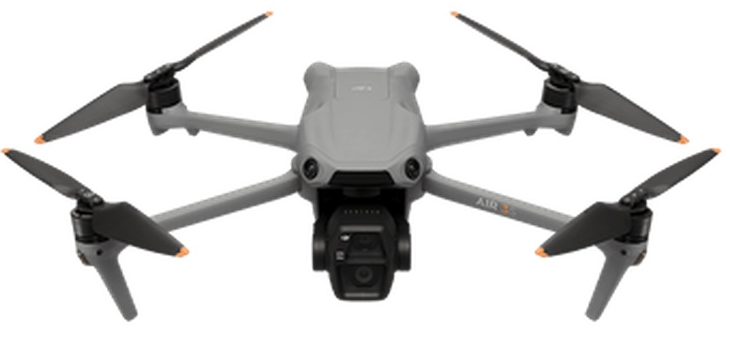
Another option to consider, particularly when you need multiple focal lengths, is the DJI Mavic 3 Pro. Many who have flown it like getting both a wide scene shot and a close-up of a faraway subject in one flight, switching lenses with a tap. Its camera system includes 24mm, 70mm and 166mm equivalent lenses, giving you more framing choices.
Supporting equipment includes:
- ND filters for controlling exposure in bright conditions.
- Spare batteries for additional flight sessions.
- A high-visibility landing pad when operating from shore.
- A trained visual observer to monitor the aircraft and surrounding traffic.
Launching and recovering a drone from a moving boat requires additional planning. Before takeoff, identify a suitable recovery point, such as a clear section of the boat's rear deck or a nearby dock where the drone can land if returning to the vessel becomes difficult.
Underwater setup
The DJI Osmo Action 6 with its dedicated waterproof case is a practical option for underwater footage.
Its compact design makes it easy to attach to a handheld grip or secure mount for capturing the boat's hull, propeller and underwater movement. It also supports RockSteady 3.0+ stabilization, which helps reduce camera shake when filming from a moving or handheld position. The camera can operate at depths of up to 60 metres with the waterproof case, making it suitable for deeper underwater shots.
Camera Settings and Stabilization for Filming Boats
Besides camera choice, you also need to know the ideal exposure, frame rate, and stabilization setting for your videography setup.
Match Resolution and Frame Rate to the Motion
The frame rate should reflect how the footage will be used.
- 4K24 or 4K30: Boat walkthroughs, interiors, interviews and normal-speed footage.
- 4K60: Running boats, fishing action and flexible slow-motion editing.
- 1080p120: Slower playback of splashes, catches and fast movements.
Follow the 180-degree shutter guideline as a starting point. For example, use approximately 1/50s at 25fps or 1/120s at 60fps to create a natural-looking motion blur.
Control Glare, Exposure and Color
Water reflects sunlight, which can make it difficult to retain details in white boat hulls, clouds and bright highlights.
Check exposure using a waveform monitor or zebras.
Also adjust white balance manually when lighting conditions remain relatively consistent to avoid noticeable color shifts between clips.
Keep the Horizon and Subject Movement Usable
A tilted horizon can ruin great footage and make it appear unstable. Use a gimbal, IBIS, Use a gimbal, IBIS or the OBSBOT Tail 2 ADV's auto-leveling roll axis.
For handheld shots, keep your elbows close to your body and use a wide lens where possible. When shooting from a moving platform, avoid excessive panning and zooming. Stick to smooth, deliberate movements.
If you also film animals, the equine videography guide covers similar tracking and long-lens habits.
FAQs About Boat Videography
These quick answers cover the questions people ask most when planning boat shoots.
What camera is best for boat videography?
Your shooting position determines the ideal camera for you. The OBSBOT Tail 2 ADV suits long-range shore-based footage, while the DJI Osmo Action 6 works well for onboard POV recording.
For controlled cinematic shots and chase-boat productions, consider the Sony FX3 instead.
How do you film a moving boat from shore?
Use a camera with optical zoom, a stable tripod and remote pan-and-tilt control. Position yourself along the boat's route, anticipate its movement and use smooth camera adjustments.
You can capture distant details with a long-range camera such as the Tail 2 ADV.
What equipment do you need for fishing boat videography?
The ideal setup for filming fishing boats may include:
- Action camera (DJI Osmo Action 6, GoPro HERO13 Black)
- Secure rail or pole mounts (RAM Mounts Tough-Claw, RAILBLAZA Camera Boom 600 R-Lock)
- Safety tethers (Peak Design Cuff, GoPro Camera Tether)
- Extra batteries (DJI Osmo Action Extreme Battery Plus, GoPro Enduro Battery)
- High-capacity memory cards (SanDisk Extreme PRO microSDXC, Samsung PRO Ultimate microSD)
- Wind-protected microphones (RØDE Wireless PRO, DJI Mic 2
A second camera may also provide another angle for catching fish, handling equipment and recording the angler.
How do you stabilize video while filming on a boat?
First, ensure that your camera comes with optical or electronic stabilization. If it doesn’t, you can use it with a gimbal or better still, go for a securely mounted action camera.
A wide-angle lens can also make movement less noticeable.
Can you use a drone to film boats?
Absolutely. In fact, drones provide some of the best shots in boat videography. They can capture overhead views, side profiles, and cinematic tracking shots.
For more engaging footage, start with a wide shot that shows the boat in its surroundings. Then, use a slow side-tracking movement to follow the boat as it travels. You can also film from directly above to show its layout or gradually pull back to reveal the surrounding water and coastline.
Conclusion
Great boat videography comes down to choosing the right equipment for the conditions and the shots you want.
Match your camera and accessories to the shooting position, check the weather and water conditions, and secure your equipment before heading out. For long-range footage, the OBSBOT Tail 2 ADV offers remote camera control and powerful optical zoom, while action cameras and mirrorless systems give you more flexibility onboard.
The best setup is the one that captures the shots you need without compromising safety.