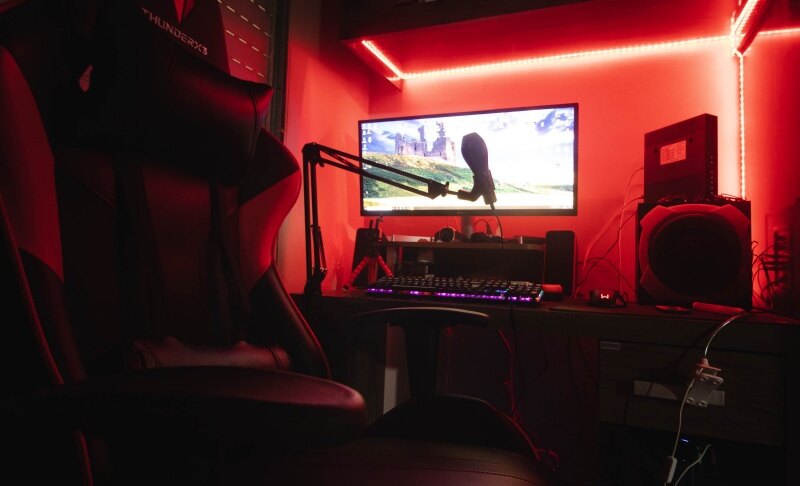
6 Best Cameras for Computer Monitors in 2026

The majority of built-in laptop cameras have poor resolution, which makes you appear fuzzy and noisy during phone calls. Dedicated computer monitor cameras, equipped with larger sensors and intelligent software, give you greater online confidence. To help you select the best cameras for computer monitors in 2026, this blog compares the top-performing models on the market!
Find the Best Cameras for Your Computer Monitors
Choosing the best camera for your computer monitor depends on your workflow. Do you need cinematic 4K detail, studio-grade audio, or smart AI tracking that follows your every move? We’ve analyzed the top contenders to help you find your perfect match.
| Camera | Resolution | Sensor & Optics | AI & Audio Features | Price | Best For |
|---|---|---|---|---|---|
| OBSBOT Tiny 3 | Up to 4K30 / 1080p120 | Flagship 1/1.28" CMOS, Dual Native ISO, f/1.8 Large Aperture | AI Tracking 2.0, Voice Tracking, Spatial Audio (5 Modes), Gesture/Voice Control | $349 | Elite professionals and content creators |
| OBSBOT Tiny 3 Lite | Up to 4K30 / 1080p120 | 1/2" Stacked CMOS, All-Pixel PDAF, HDR | AI Tracking 2.0, Voice Locator, Voice Control, Integrated Stand | $199 | The gold standard for everyday 4K workflows |
| Logitech Brio 4K | Up to 4K30 | Standard sensor with RightLight 3 HDR | Adjustable FOV, 5x Digital Zoom, Windows Hello support | $169 | Traditional corporate office setups |
| Razer Kiyo Pro | 1080p60 | High-performance adaptive light sensor | Wide-angle lens, HDR support, Razer Synapse tuning | $194 | Low-light gaming environments |
| AnkerWork C310 | Up to 4K30 | 12MP Sensor, HDR | AI Framing, Dual noise-canceling mics, adjustable FOV | $99 | Budget-conscious 4K users |
1. The "Tiny Titan" of 4K Webcams - OBSBOT Tiny 3 4K PTZ Webcam
The OBSBOT Tiny 3 isn't just a webcam; it's a miniaturized studio. By packing a massive 1/1.28'' CMOS sensor into a body that weighs only 63g, it sets a new industry benchmark for what a 4k PTZ webcam can achieve.
Why It's Our Top Pick:
- 4K with 1/1.28'' CMOS: The massive sensor provides stunning 4K 30fps clarity and 1080p@120fps that captures ultra-smooth motion, perfect for product demos or expressive presentations.
- AI Tracking 2.0 with Voice Tracking: The gimbal doesn't just see you; it hears you. Driven by Voice Locator technology, the camera auto-rotates to lock onto the speaker instantly.
- Next-Gen Spatial Audio: Offers 5 dedicated modes (Pure, Spatial, Smart Omni, Directional, Dual-Directional), replacing the need for an external microphone.
- Unmatched Low-Light Purity: Featuring Dual Native ISO and a wide f/1.8 aperture, it delivers grain-free 4K video even in dimly lit home offices.
- Effortless Interaction: Use intuitive hand gestures or voice commands to zoom, track, or enter sleep mode without touching your PC.
2. The Best 4K Budget Choice for Monitor Setups - OBSBOT Tiny 3 Lite
For those who want flagship AI intelligence at a more accessible price, the OBSBOT Tiny 3 Lite is the budget 4K upgrade. It inherits the professional audio and AI experience of the flagship model in a sleek, integrated-stand design.
Key Features:
- 4K UHD Resolution: Stunning clarity for professional video calls and content creation.
- 1/2" Stacked CMOS: Delivers high dynamic range and excellent color accuracy through advanced HDR algorithms.
- All-Pixel PDAF: Lightning-fast autofocus that keeps you sharp even when moving quickly.
- Triple Mic System: The same professional spatial audio performance found in the Tiny 3 flagship.
- Compact Portability: At just 73g, it's designed for professionals who switch between home, office, and travel setups.
3. Best Wide Field of View - Logitech Brio 4K
Logitech Brio 4K remains a reliable choice for traditional business environments. Its adjustable field of view allows you to switch between a focused headshot and a wider view that fits multiple people in the frame.
Best for: Corporate teams needing a "set-and-forget" solution with Windows Hello integration.
4. Best for Dark Rooms - Razer Kiyo Pro
While it lacks 4K, the Razer Kiyo Pro excels in challenging lighting. Its adaptive light sensor is specifically tuned to compensate for the harsh shadows and dim ambient light often found in gaming setups.
Best for: Gamers and streamers working in low-light environments who prefer 60fps smoothness over 4K detail.
FAQs about Cameras for Computer Monitors
Q1: Can I Just Stick a Camera on My Monitor?
Yes, most webcams and monitor cameras come with adjustable clips that attach to your display. For very slim or oddly shaped monitors, you may need a 1/4" screw mount to attach it to a tripod or arm.
Q2: What's the Best Webcam for a Desktop Computer?
There’s no single best webcam for desktop computers. For advanced AI tracking and high-quality 4K video, OBSBOT Tiny 3 4k PTZ Webcam is a strong option. If you want a more affordable 4K solution with smart framing, the AnkerWork C310 is also worth considering.
Q3: Do I Really Need an External Webcam or Camera?
Laptop cameras often lack resolution and low-light performance. If you frequently attend video calls, stream, or record content, using a dedicated webcam can noticeably improve image quality.
Q4: How Does a Webcam Help?
A good webcam improves image clarity, exposure, and motion smoothness, helping you look more natural and professional in meetings, online classes, and recordings.
Q5: Which Webcam is the Best for Low-Light Environments?
For dark rooms, the Razer Kiyo Pro is a solid choice thanks to its adaptive light sensor. The OBSBOT Tiny 3 also performs reliably in dim office environments with its Dual Native ISO and large 1/1.28'' CMOS sensor.
Wrap-Up
When choosing the best cameras for computer monitors, factors like image quality, smart tracking, and low-light performance matter most. Considering all these, OBSBOT Tiny 3 4k PTZ Webcam offers a balanced solution for clear and reliable video. It’s a great option for users looking to upgrade their monitor setup.