6 Best Webcams with Microphones for Twitch
Looking for the best webcam with microphones? For most streamers, the NexiGo N970P ($169.99) hits the best balance — 4K video, dual noise-canceling mics, and a 90° FOV. On a tight budget, the EMEET SmartCam C960 ($59.99) covers 4K down to 720p for under $60. If you move around a lot on camera, the OBSBOT Tiny 3 Lite ($199) adds AI tracking and a 3-mic array for hands-free framing. Below is a full comparison of 6 webcams with microphones for Twitch, plus a closer look at each pick.
Part 1: Best 6 Webcams with Microphones for Twitch
The best webcam for Twitch depends on your streaming style, budget, and room. This section includes some options for everyone, including beginner setups, gaming, and streaming.
Quick Comparison Table
| Product |
Resolution |
Sensor | Microphone | FOV | Price |
|---|---|---|---|---|---|
| NexiGo N970P | 4K@30fps 1080p@60fps |
1/2.8" Sony STARVIS | Dual omnidirectional noise-canceling mics | 90° | $169.99 |
| Razer Kiyo Pro Ultra | 4K@30fps 1440p@30fps 1080p@60/30/24fps |
1/1.2" Sony STARVIS 2 IMX585 | Stereo omnidirectional | 82° | $399.99 |
| OBSBOT Tiny 3 Lite | 4K@30fps 1080p@120fps |
1/2" CMOS | 3-mic immersive system: 1 omnidirectional + 2 directional | 79.1° | $199 |
| EMEET SmartCam C960 4K | 4K, 2K, 1080p, 720p@30fps | Sony sensor | 2 omnidirectional noise-canceling mics | 73° | $59.99 |
| Logitech C922 Pro | 1080p@30fps / 720p@60fps | 3-megapixel CMOS sensor | Dual-mic stereo | 78° diagonal | $119.99 |
| Insta360 Link 2C Pro | 4K@30/25/24fps 1080p@60/50/30/25/24fps |
1/1.3" sensor | Dual mics: omnidirectional + directional | 83.9° | $199.99 |
1. NexiGo N970P
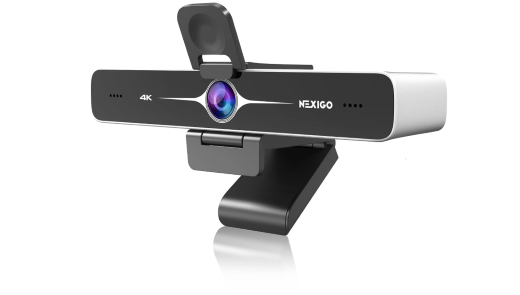
Built for streamers who want easier framing and more control, this good camera for streaming on PC pairs smart tracking tools with flexible viewing adjustments. The NexiGo N970P also offers remote operation, strong software support, and useful positioning options, making it a practical choice for Twitch creators who regularly change scenes or angles.
Key Features:
- AI auto-framing keeps streamers centered during broadcasts
- OBS synchronization simplifies webcam control during Twitch streams
- 90-degree field of view captures wider setups
- Remote control enables fast adjustments while streaming
- Flash memory saves preferred settings between sessions
- USB 3.0 delivers stable, uncompressed video output
2. Razer Kiyo Pro Ultra
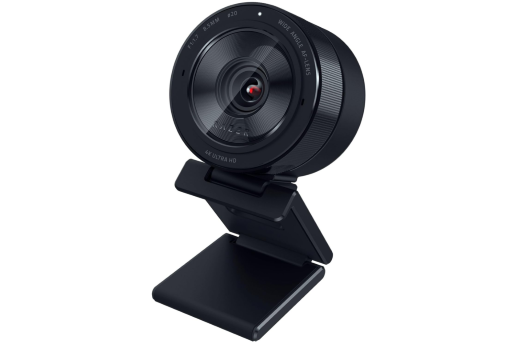
Razer Kiyo Pro Ultra gives Twitch creators stronger control over framing, lighting, and focus during live streams. Its bright lens handles darker rooms well, while face tracking keeps the subject sharp. HDR support, natural background blur, and onboard memory of this webcam for Twitch streaming make it especially useful for polished streaming setups.
Key Features:
- F/1.7 aperture improves clarity in dim rooms
- Face tracking autofocus keeps streamers consistently sharp
- Auto exposure balances facial lighting during broadcasts
- HDR improves contrast across bright and dark areas
- True bokeh creates natural background depth without software
- Synapse controls fine-tune framing and exposure settings
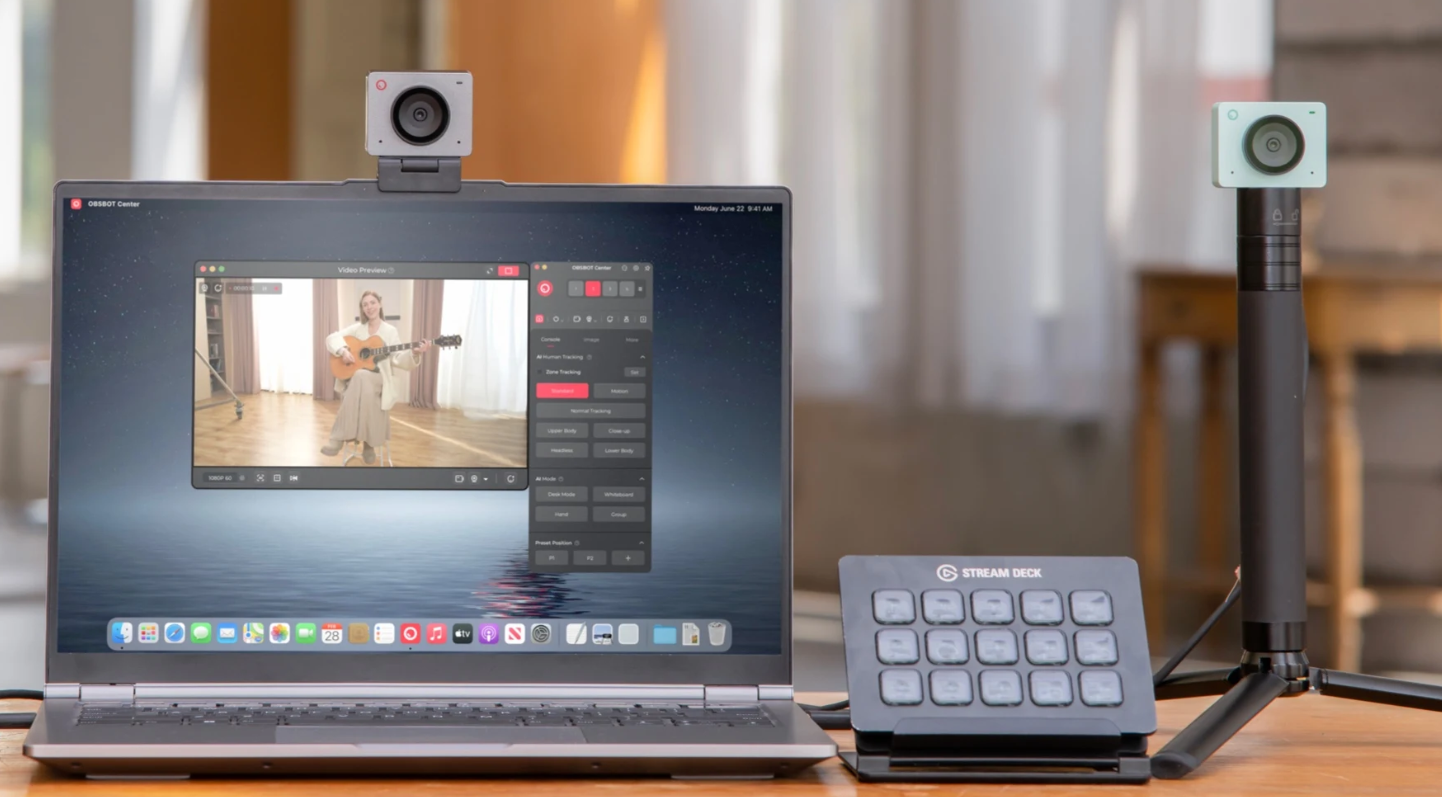
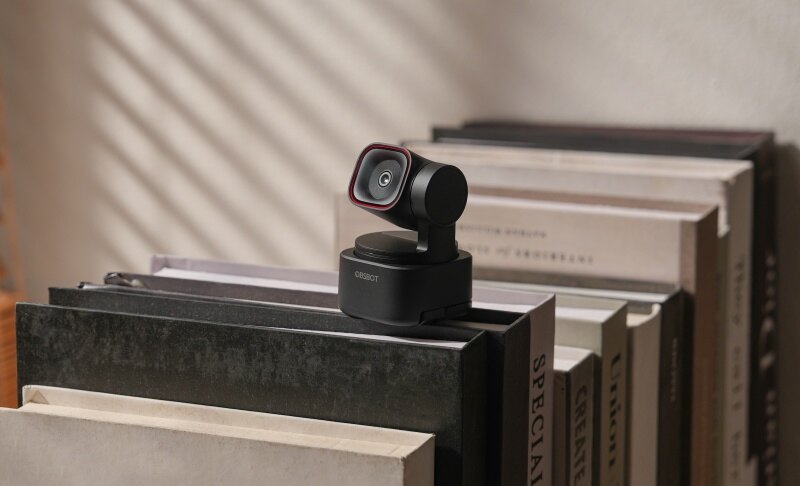
3. OBSBOT Tiny 3 Lite 4K PTZ Webcam
Movement-heavy streams can be difficult to frame with a basic webcam. This model solves that problem by combining motorized positioning with smart creator-focused controls. For Twitch users who shift between gaming, talking, demos, or standing segments, the OBSBOT Tiny 3 Lite helps keep the broadcast visually organized without constant manual changes.
Key Features:
- Top-Notch Video: Records 4K@30fps or 1080p@120fps, giving Twitch streamers the choice between sharper detail and smoother motion for fast-paced content.
- Good Lighting: The ½” 48MP CMOS sensor supports ISO up to 6400, helping maintain cleaner, brighter Twitch video when streaming from rooms with limited lighting.
- Great Audio: Three built-in microphones support 24-bit/48kHz recording, spatial stereo capture, and AI noise reduction for clearer voice pickup during Twitch broadcasts.
- AI Tracking 2.0: Human and object tracking follows movement, while voice tracking can locate the active speaker and reposition the PTZ camera for hands-free streaming.
- Stream Deck Integration: Works with Elgato Stream Deck for one-touch commands so that you can manage webcam functions from your current streaming controls.
4. EMEET SmartCam C960 4K
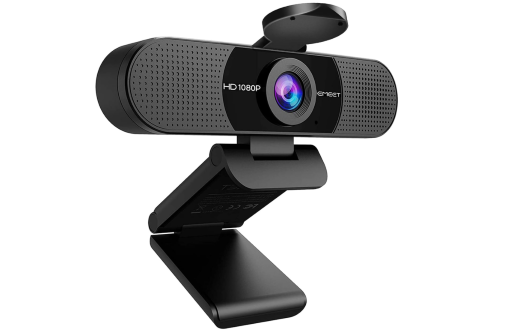
A simple plug-and-play design makes this webcam easy to add to a Twitch desk setup. Its fast autofocus and automatic light correction help keep the picture steady and balanced during live sessions. The EMEET SmartCam C960 4K also offers flexible mounting, broad software compatibility, and convenient physical privacy controls.
Key Features:
- PDAF autofocus quickly sharpens faces during movement
- Auto light correction balances changing room brightness
- EMEETLINK software enables detailed image setting adjustments
- USB-A connection enables fast plug-and-play setup
- Rotatable head supports flexible angle adjustments
- Tripod thread allows more stable custom positioning
5. Logitech C922 Pro
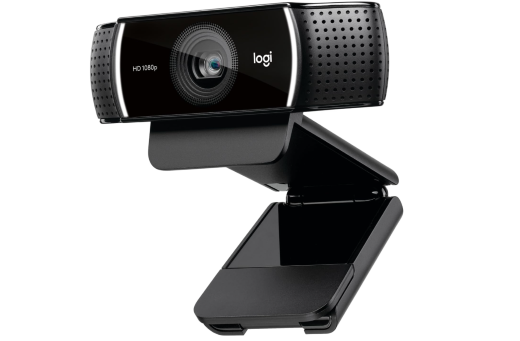
If you want a webcam that "just works" with almost any streaming setup without troubleshooting, the C922 Pro is the safer buy — it's been a Twitch staple for years, so OBS, XSplit, and Streamlabs all support it natively with zero configuration hassle. It also costs less than most 4K options on this list, making it the practical choice if your budget goes toward lighting or a separate mic instead. The trade-off: it maxes out at 1080p, so skip it if you plan to crop/zoom in post or want future-proof resolution.
Key Features:
- Autofocus glass lens keeps footage sharp as you move
- 78° diagonal FOV suits both solo face-cam and small group shots
- Dual omnidirectional mics capture stereo sound from multiple angles
- HD light correction adjusts automatically in dim rooms
- Logitech Capture software adds pan, zoom, and background replacement
- Included tripod mount supports flexible desk or monitor placement
6. Insta360 Link 2C Pro
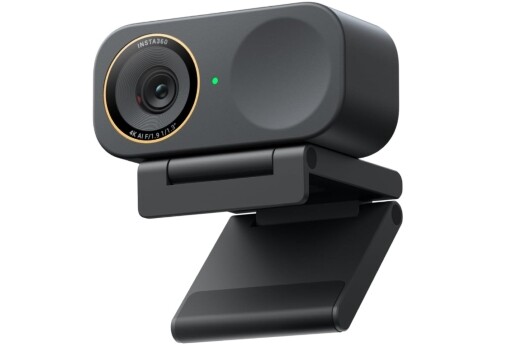
Designed for streamers who want smarter framing without extra movement, this webcam joins quick focus with useful AI tools. Its wide viewing angle, natural bokeh, and strong low-light handling help create a more polished Twitch scene, making it one of the best webcams for Twitch streaming. Insta360 Link 2C Pro also supports Stream Deck controls, vertical shooting, gesture commands, and flexible background effects for easier content creation.
Key Features:
- Auto framing keeps creators centered during broadcasts
- PDAF autofocus reacts quickly to subject movement
- Natural bokeh adds depth without manual editing
- Built-in teleprompter supports smoother scripted streaming segments
- Gesture controls enable hands-free mode and zoom changes
- Portrait mode simplifies vertical social content creation
Part 2: How to Improve the Audio Quality of My Twitch Stream?
A good Twitch webcam setup is not only about sharp video. You also need to hear your voice clearly. Even when you use a webcam's built-in microphone, a few small changes can improve the result.
- Place the webcam close enough to capture your voice without forcing you to speak loudly. The farther the microphone is from your mouth, the more room noise it may pick up.
- Keep speakers away from the webcam or use headphones. This can reduce echoes and stop game audio from entering the microphone.
- Soft materials can also improve your room's sound. Curtains, rugs, sofas, and other fabric surfaces can reduce harsh echoes from bare walls and floors.
- Check your input level before going live. Your voice should be easy to hear without becoming distorted when you speak loudly.
- Use audio filters in streaming software. Noise suppression can reduce background sounds, while a noise gate can limit quieter sounds when you are not speaking.
- Make a short test recording before each stream. Listen with headphones and check your voice, game audio, alerts, and music separately.
Part 3: FAQs About Webcams with Microphones for Twitch
1. What webcams do Twitch streamers use?
Twitch streamers use many webcams, including models from Logitech, Razer, Elgato, and OBSBOT. The choice depends on budget and video needs. Beginners often choose 1080p webcams, while creators who want more detail may use 4K models or dedicated webcams.
2. Is a built-in webcam microphone good enough for Twitch?
Yes, it can be enough for beginners, casual streams, or temporary setups. Results improve when the webcam is close to the speaker and the room is quiet. For professional broadcasts, a separate USB or XLR microphone provides greater control.
3. Do I need a 4K webcam for Twitch streaming?
No, a 1080p webcam can produce clear video for Twitch, especially when the face camera only takes up part of the screen. A 4K model is more useful for cropping or recording high-resolution videos.
4. Where should I place my webcam while streaming?
Place it near eye level and close to your monitor. This creates a more natural viewing angle and helps you look toward viewers while watching your screen. Avoid placing the webcam too low because the resulting angle can look awkward during long broadcasts.
5. Can I use a webcam and separate microphone together on Twitch?
Yes, your streaming software can use the webcam for video and another sound device. In OBS Studio, for example, you can select the webcam as a video source and choose a USB, XLR, headset, or other microphone as the audio input.
6. Is 30 FPS or 60 FPS better for a Twitch webcam?
For normal talking streams, 30 FPS is usually smooth enough. A 60 FPS webcam can move appear more fluid, which may help active streams. However, lighting, resolution, internet connection, and other settings can matter more than frame rate alone.
Conclusion
Choosing reliable streaming equipment does not have to be difficult. The 6 webcams covered above serve different creators, from first-time broadcasters to users who need advanced video features. A webcam with microphones for Twitch can keep your desk simple while handling picture and voice capture through one device. After choosing your webcam, pay attention to its position, room acoustics, input levels, and software controls. These details can make a noticeable difference to the viewer experience. Pick equipment that matches your current needs and upgrade individual parts later as your channel grows.