7 Best Webcams Under $100 in 2026
Whether you need clearer Zoom calls, a face cam for gaming, or a simple camera for YouTube videos, a budget webcam can be a major upgrade from a built-in laptop camera.
The best webcams under $100 now offer useful features such as 1080p or 4K video, autofocus, AI framing, high frame rates, and privacy covers. This guide compares seven options for meetings, streaming, gaming, and content creation.
Quick Answer: Which Budget Webcam Should You Choose?
Choose a 1080p webcam for everyday calls and streaming, and consider 4K only when you need extra detail for recording, cropping, or higher-quality video meetings.
| Webcam | Best For | Max Video Mode | Key Feature | Price |
| OBSBOT Tiny SE | Presentations and active streaming | 1080p@100fps | AI tracking with auto zoom | US$99 |
| Razer Kiyo X | Simple gaming and streaming setups | 1080p@30fps, 720p@60fps | Razer Synapse controls | US$79.99 |
| OBSBOT Meet SE | High-frame-rate streaming and Shorts | 1080p@100fps | AI auto framing and portrait mode | US$69 |
| Elgato Facecam Neo | Everyday streaming and video calls | 1080p@60fps | Autofocus and Camera Hub controls | US$59.99 |
| Logitech Brio 100 | Zoom, Teams, and work calls | 1080p@30fps | Auto-light balance and privacy shutter | US$39.99 |
| AnkerWork C310 | 4K meetings and streaming | 4K@30fps, 1080p@60fps | AI framing and HDR | Under US$100 when discounted |
| EMEET SmartCam S600 | 4K desk setups and flexible framing | 4K@30fps, 1080p@60fps | Adjustable 40°-73° field of view | Under US$100 when discounted |
How to Choose the Best Webcam Under $100
A good budget webcam should solve a specific video problem: unclear calls, poor lighting, limited framing, movement during presentations, or weak built-in laptop video. Compare the following factors before choosing a model.
1. Choose Resolution and Frame Rate for Your Content
For Zoom, Teams, Google Meet, and online classes, 1080p at 30fps is usually enough. Choose 1080p at 60fps or higher for gaming, streaming, fitness instruction, and fast movement. Choose 4K when you record locally, crop the frame during editing, show detailed products, or need extra detail for professional presentations.
2. Check Lighting Features, Not Only Resolution
Budget webcams perform differently in dim rooms and backlit desks. Look for autofocus, HDR, auto exposure, or low-light correction when you sit near a window, work under uneven indoor lights, or stream at night. If your room is dark, adding a small key light may improve your image more than moving from 1080p to 4K.
3. Match the Field of View to Your Space
A narrower field of view works well for one person on a video call because it keeps the face prominent and hides more of the room. A wider or adjustable field of view is better when you share a desk, show products, teach with a whiteboard, or want your hands visible during a stream.
4. Decide Whether Static Framing Is Enough
A fixed webcam is suitable when you remain seated at a desk. Choose AI auto framing or motorized tracking when you stand, move during presentations, teach, demonstrate products, or record exercise and creative content. These features help a solo creator stay framed without adjusting the camera manually.
5. Check Privacy, Mounting, and Connection Before Buying
A physical privacy shutter or cover is useful when the webcam stays connected all day. Check whether the webcam includes a monitor clip, tripod thread, and the right USB cable or adapter for your computer. A webcam positioned close to eye level usually looks more natural than one placed far below or above the screen.
Quick rule: Choose a reliable 1080p webcam for calls and beginner streaming. Spend more for 4K, high frame rates, or AI tracking only when those features directly improve the videos you make.
7 Best Webcams Under $100
1. Best for AI Tracking: OBSBOT Tiny SE
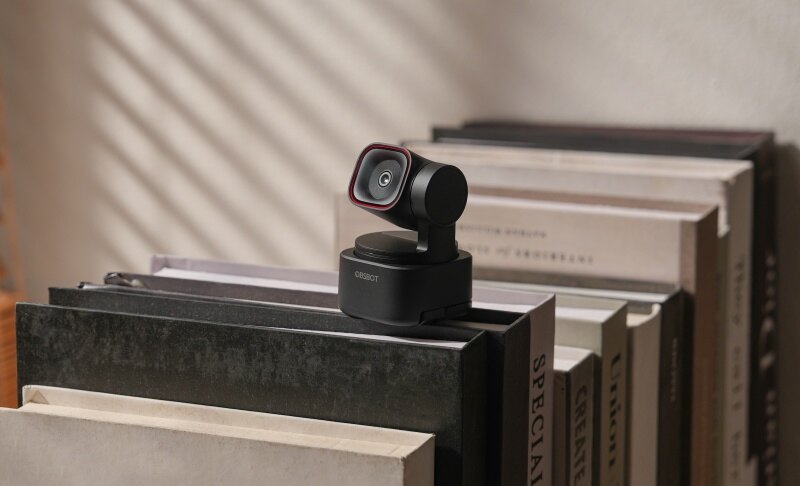
The OBSBOT Tiny SE is for people who do more than sit still in front of a screen. Its motorized PTZ design and AI tracking make it especially useful for teachers, presenters, fitness instructors, streamers, and solo creators who need to stay framed while moving around a room.
- AI Tracking with Auto Zoom: Follows the subject and adjusts framing automatically, helping presenters remain visible while teaching, demonstrating products, or moving during a live stream.
- 1080p at up to 100fps: Captures smoother motion than a standard 30fps webcam, which is useful for gaming, energetic presentations, and fast hand movements.
- 1/2.8-inch CMOS Sensor with Dual Native ISO: Supports clearer exposure in difficult lighting, helping desk setups near windows or indoor lights look more balanced.
- Staggered HDR: Preserves more detail between bright backgrounds and darker faces, which is useful when a window or bright monitor sits behind the speaker.
- Gesture Control and Preset Positions: Lets users adjust tracking and framing without touching the computer, helping solo presenters keep a live session moving smoothly.
2. Best for Simple Gaming Setups: Razer Kiyo X

The Razer Kiyo X is a budget webcam for gamers who want a recognizable streaming-focused option without building a complicated camera setup. It works best for face-cam streams, Discord calls, game reactions, and casual content creation where 1080p video is enough.
- 1080p at 30fps Capture: Delivers Full HD video for gameplay streams, Discord calls, and basic face-cam content without demanding a complex setup.
- 720p at 60fps Option: Provides smoother movement when a creator prefers frame rate over resolution for fast reactions or casual streaming.
- Razer Synapse Support: Gives users access to camera adjustments through the Razer software ecosystem, which suits gamers already using Razer peripherals.
- Adjustable Mounting Design: Helps users position the camera on a monitor or tripod for a more natural face-cam angle.
- USB Plug-and-Play Setup: Makes it easy to add a face camera to a gaming PC without requiring a capture card or separate camera equipment
3. Best for High-Frame-Rate Streaming: OBSBOT Meet SE
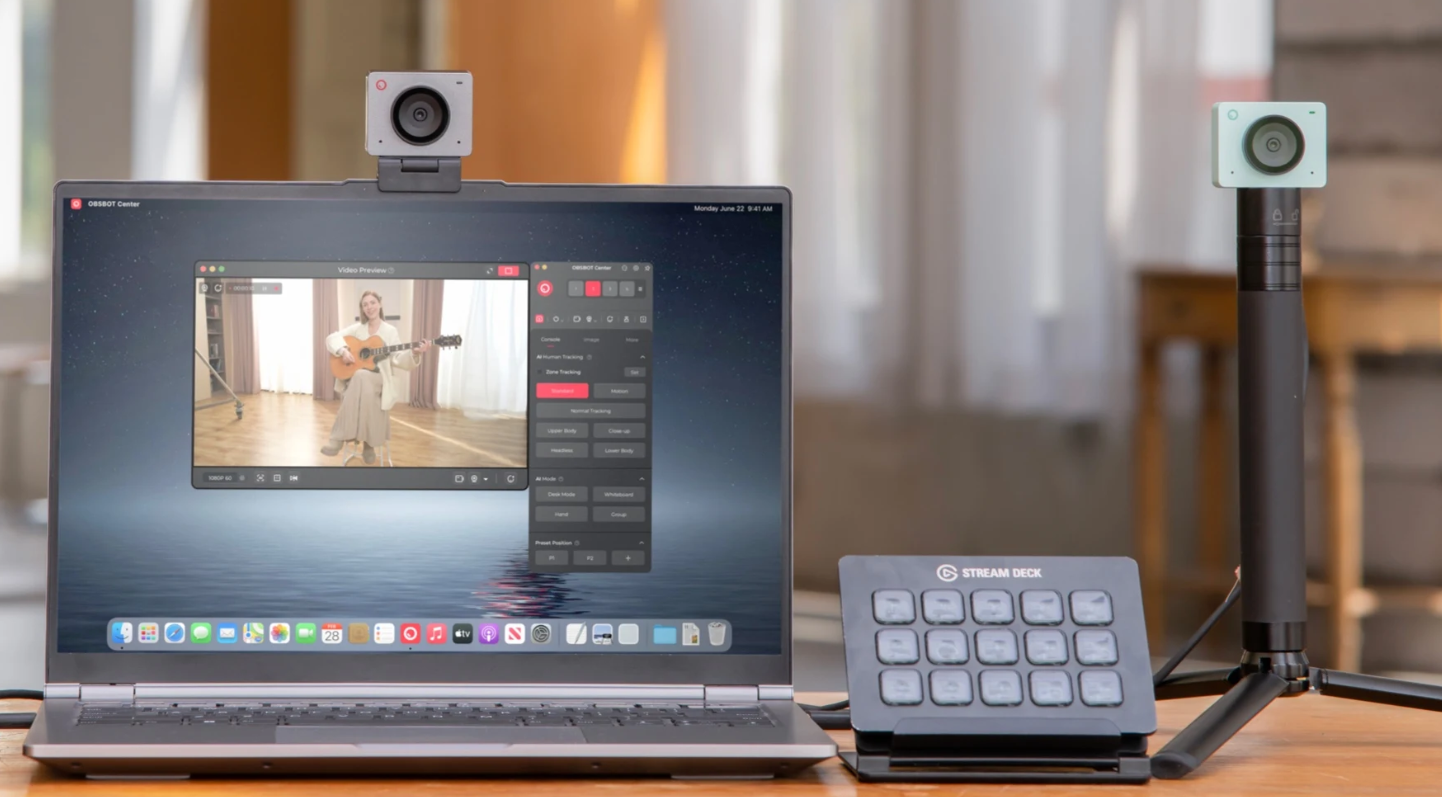
The OBSBOT Meet SE is a compact webcam for creators who want smoother 1080p video, AI framing, and flexible orientations without paying for a 4K model. It fits game streaming, short-form video, online teaching, and creators who need both landscape and portrait content from one desk setup.
- 1080p at up to 100fps: Captures smoother motion for game streams, reaction videos, fast hand movements, and short-form content.
- AI Auto Framing: Keeps the user positioned more consistently in the image, helping speakers stay composed during calls, classes, and recordings.
- Landscape, Portrait, and Upside-Down Modes: Supports different mounting positions and vertical content workflows without requiring a separate mobile camera.
- 78-degree Field of View: Gives an individual creator enough room to move naturally while keeping the frame focused on the subject.
- Privacy Cover and OBSBOT Center Controls: Combines direct lens protection with software tools for adjusting image settings and framing.
4. Best Overall Budget Webcam: Elgato Facecam Neo

The Elgato Facecam Neo is a straightforward choice for buyers who want better video than a laptop camera without adding complex controls to their desk. Its 1080p60 capture, autofocus lens, and Camera Hub software make it a strong fit for everyday streaming, remote work, online classes, and first-time content creators.
- 1080p at 60fps: Produces smoother movement than a standard 30fps webcam, helping livestreams, reactions, and video calls look more natural.
- Autofocus lens: Adjusts focus as you move closer to the camera or hold an object up, which is useful for product demonstrations and casual presentations.
- 77-degree Field of View: Keeps a single person comfortably framed without showing too much of the room during meetings or streaming.
- Camera Hub Software: Gives users control over image settings, helping creators fine-tune their look rather than relying only on automatic processing.
- USB-C Plug-and-Play Connection: Keeps setup simple for creators, students, and remote workers who want a dependable desk webcam.
5. Best Cheap Webcam for Video Calls: Logitech Brio 100

The Logitech Brio 100 is a sensible choice for users who mainly need a webcam for Zoom, Microsoft Teams, Google Meet, online classes, and work-from-home calls. It does not aim to replace a creator-focused streaming webcam; it focuses on making daily communication clearer and easier than a typical built-in laptop camera.
- Full HD 1080p Video: Improves clarity for meetings, classes, and interviews where a sharper image helps communication feel more professional.
- Auto-Light Balance: Adjusts the image for common desk lighting, helping users look more visible when their home office is not perfectly lit.
- Integrated Privacy Shutter: Physically covers the lens, giving users simple privacy protection between calls.
- Built-In Microphone: Provides a basic all-in-one calling setup for users who do not need a separate USB microphone.
- Broad Platform Compatibility: Works with major calling apps and common operating systems, helping remote workers set up quickly.
6. Best 4K Webcam Under $100 When Discounted: AnkerWork C310

The AnkerWork C310 is worth considering when it is available below $100, and you need 4K detail for meetings, recordings, or streaming. It is better suited to users who want sharper footage, AI-assisted framing, and stronger lighting support than a basic 1080p webcam provides.
- 4K at 30fps Capture: Provides extra detail for recorded presentations, product close-ups, and editing workflows where you may crop the image later.
- 1080p at 60fps Mode: Offers a smoother option for streaming and motion-heavy calls when frame rate matters more than 4K resolution.
- AI Auto Framing: Keeps the speaker positioned more consistently, helping users who shift in their chair or present beside a screen.
- AI Autofocus and Dual-Microphone Noise Reduction: Helps keep the speaker clear when moving around a desk or taking calls in a typical home-office environment.
- HDR and Physical Privacy Cover: Balances challenging light and provides a direct way to block the lens when the webcam is not in use.
7. Best for 4K Framing Control: EMEET SmartCam S600

The EMEET SmartCam S600 is a practical option for users who want 4K video and more control over what appears in the frame. Its adjustable field of view makes it useful for a single-person desk setup, product demonstrations, and small shared workspaces. Confirm the current sale price before purchasing because it may vary by retailer.
- 4K at 30fps and 1080p at 60fps: Gives users a choice between greater detail for recording and smoother motion for streaming or active calls.
- Adjustable 40-degree to 73-degree Field of View: Lets users choose a tighter face-focused shot or a wider desk view for demonstrations and shared calls.
- PDAF Autofocus: Helps maintain sharp focus when showing documents, products, or objects closer to the webcam.
- Dual Omnidirectional Microphones: Captures voice from a desk setup, helping remote workers and students start calls without adding a separate microphone immediately.
- Rotary Privacy Cover and Tripod Thread: Supports privacy when idle and more flexible placement when a monitor clip is not the best camera position.
FAQs About Best Webcams Under $100
What is the best budget webcam with good quality?
A good budget webcam should match your main use. For everyday calls, a reliable 1080p webcam with auto-light correction is usually enough. For streaming and presentations, prioritize 60fps or higher, autofocus, and framing tools. For recording and cropping, consider a 4K model when it is available within budget.
What is the best webcam at the lowest price?
The Logitech Brio 100 is a practical low-cost choice for video calls because it provides 1080p video, auto-light balance, a built-in microphone, and a privacy shutter. It is best suited to work, school, and everyday communication rather than advanced streaming.
Is a 4K webcam necessary under $100?
No. A 1080p webcam is sufficient for most Zoom calls, online classes, Twitch streams, and beginner YouTube content. Choose 4K when you record locally, crop your image in editing, show detailed products, or want more flexibility for presentations.
What is the best webcam under $100 for gaming?
For gaming, look for a webcam that supports 1080p at 60fps or higher, has reliable focus, and fits your desk setup. The OBSBOT Tiny SE and OBSBOT Meet SE are useful for smoother high-frame-rate video, while the Elgato Facecam Neo is a simple 1080p60 option for a static gaming setup.
What should I look for in a webcam for Zoom meetings?
Prioritize 1080p video, auto-light correction, a natural field of view, plug-and-play compatibility, and a privacy shutter. A built-in microphone is convenient for basic calls, but a separate microphone will usually improve audio in noisier rooms.
Do webcams under $100 work with Mac and Windows?
Most current USB webcams support Windows and macOS, but you should still verify the webcam's system requirements and connector type before purchasing. If your computer only has USB-C ports, check whether the webcam includes the right cable or adapter.
Conclusion
The best webcam under $100 is the one that solves your actual camera problem. Choose a simple 1080p webcam for work calls and online classes, a 60fps or higher model for streaming and gaming, a 4K webcam for detailed recording and cropping, or an AI-tracking model when you need to move during a presentation.
Before buying, confirm the live price, platform compatibility, privacy feature, and whether your lighting setup supports the image quality you expect. A well-positioned 1080p webcam with good lighting will often look better than a poorly placed 4K webcam.