Easiest Way to Find Twitch Stream Key in 2026

Twitch is arguably one of the most popular streaming platforms for gamers. It had 7.58 million active users in August 2025. With the rise of the gaming industry, more and more content creators are joining the Twitch streaming community.
However, most streaming software will ask you to enter the Twitch key before you can start streaming. So now, let's find out how to find stream key Twitch and start growing your audience base.
Part 1: How to Find Your Twitch Stream Key
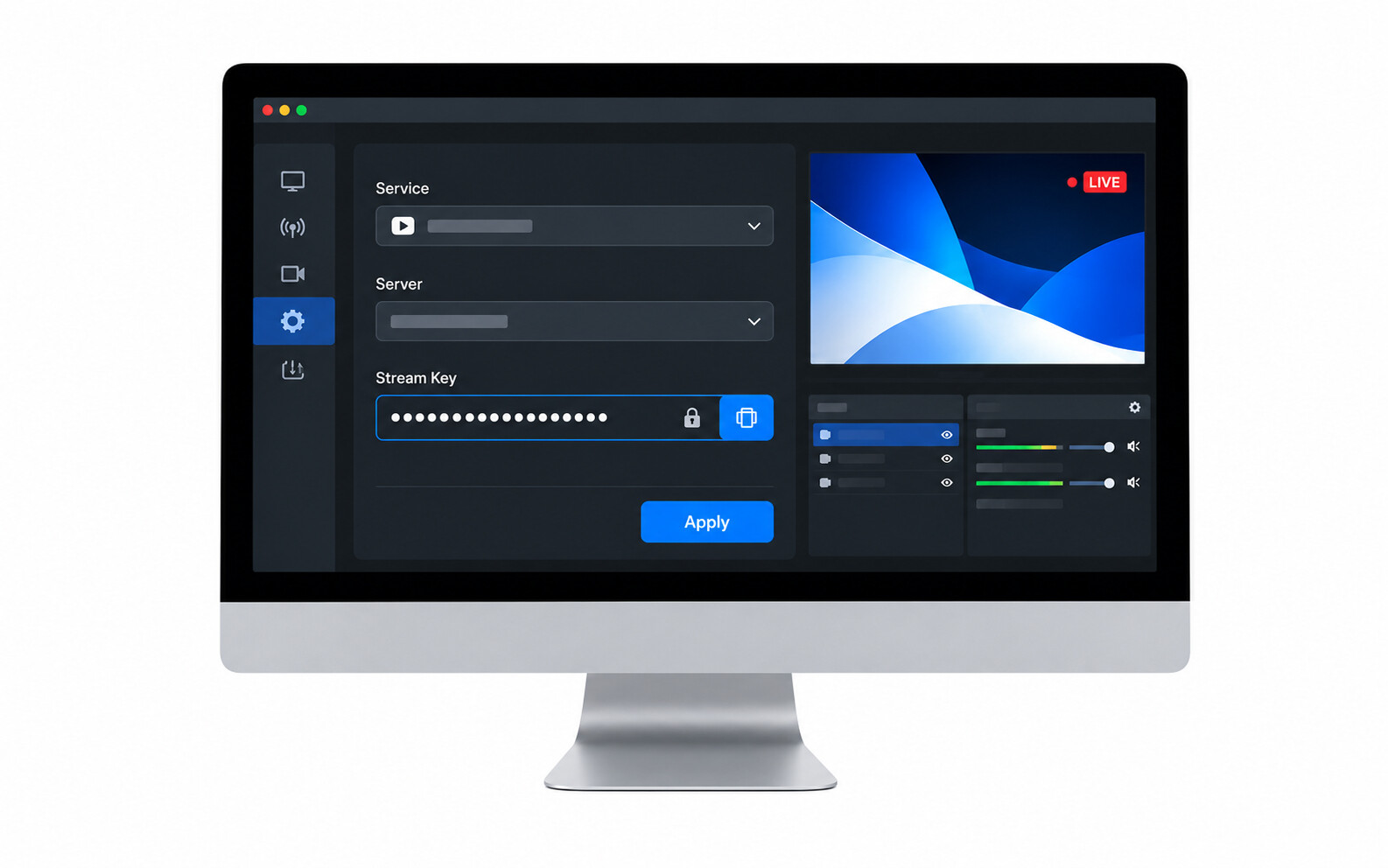
The Twitch key, also known as the authorization key, works as a unique identifier for your streams as it moves to the Twitch ingesting subsystem. You just need to enter it once in your streaming encoder to go live. However, if reset, you will have to re-enter the Twitch key to start live streaming.
Fortunately, it's easy to find and set it up. If you want to get my stream key on Twitch, follow the given instructions as written below:
- Open a reliable browser on your computer and visit the official Twitch page.
- Now, hit on the "Log In" button and then log into your Twitch account. Then, click on your profile present at the top right corner.
- Go to the Creator Dashboard and click on “Settings”.
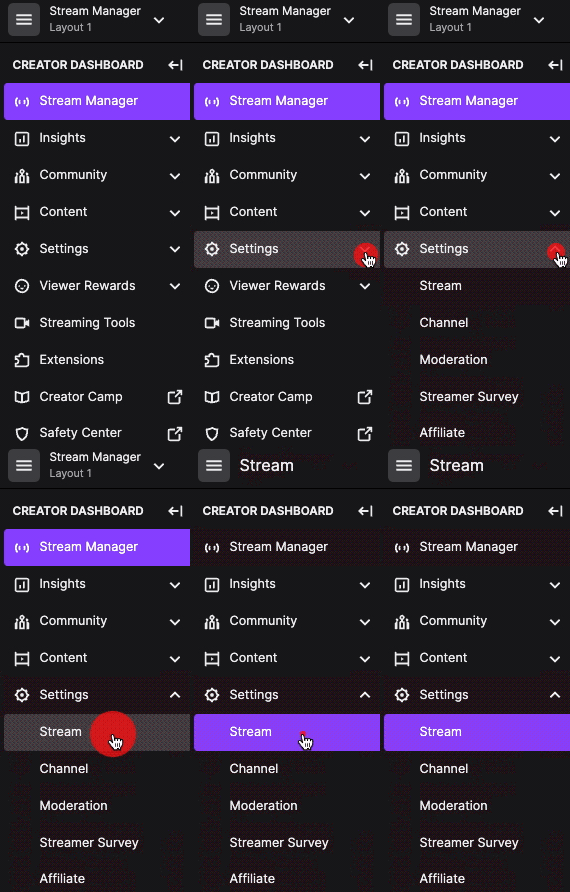
- Choose "Stream" and here you will discover the primary twitch key at the top.
- Click on the "Copy" button to get stream key Twitch.

Part 2: Important Things to Know about Your Twitch Key
Once you get your stream key Twitch, try to keep the following points in mind because it's a confidential detail and need not be shared with anyone else.
Keep it Private
When live streaming on any platform, never reveal your Twitch key even by mistake. Remember, it's your channel and a source of personal branding so keep the Twitch studio stream key to yourself only. If it goes into the wrong hands, your channel will risk being hacked or suspended due to misuse.
Regular Monitoring
Keep a regular check of your channel to ensure that only authorized people have access to it. If you see any strangers using it or unusual content on your channel, change your primary key at an immediate note.
Limited Sharing
Share the Twitch key to limited people only because the more people will have access to it, the higher the risk of losing confidential information. Limiting access to your primary Twitch key will protect your data.
Part 3: Best Streaming Camera to Level Up Your Streaming Videos
The future of content creation is being shaped by technological advancement and the latest one to talk about is the OBSBOT Tail Air Streaming Camera. This product fulfills every requirement in terms of video quality and performance, along with portability, ease of use, and AI tracking. If you are into live streaming and want to create professional videos, here's what you should get.
Key Features:
- Equipped with intelligent AI, the OBSBOT Tail Air Camera provides gesture control 2.0, a director grid, and accurate auto-tracking for high-quality videos.
- Offers compatibility with NDI using wireless and ethernet connection.
- Has multiple built-in interfaces including a USB-C port, micro-HDMI port, and ethernet connection.
- Capable of recording 4k quality videos even in low light with the help of 2μm pixel camera.
FAQs About Twitch Stream Key
How Do I Get My Twitch Stream Key?
Getting your Twitch stream key is straightforward. Open your browser, visit the official Twitch website, and log in to your account. Click your profile icon in the top right corner, go to the Creator Dashboard, select "Settings," then choose "Stream." Your primary Twitch stream key will appear at the top of the page. Click "Copy" to save it to your clipboard for use in streaming software.
2. Where Is the Stream Key?
Your Twitch stream key is located in your Creator Dashboard settings. After logging into your Twitch account, click your profile icon, go to Creator Dashboard, select "Settings," and then click "Stream." Your stream key will be displayed at the top of this page. Remember to keep this key private and secure, as it serves as your unique identifier for broadcasting on Twitch.
3. How Many Followers Do You Need to Get a Stream Key?
No, you don't need any minimum follower count to obtain a Twitch stream key. Every Twitch account has access to a stream key immediately upon creation, regardless of follower numbers. Simply log into your account, navigate to Creator Dashboard settings, and access your stream key. Using quality equipment like the OBSBOT Tail Air camera with AI tracking and 4K recording capabilities can help grow your audience effectively.
4. How Do I Copy My Stream Key?
Copying your Twitch stream key is simple. Navigate to the Creator Dashboard, click "Settings," then "Stream." Your primary stream key will appear at the top with a "Copy" button beside it. Click this button to automatically copy the key to your clipboard. You can then paste it directly into your streaming software like OBS to begin broadcasting without manually typing the long alphanumeric code.
5. How Do I Test My Twitch Stream Without Going Live?
You can test your Twitch stream privately before going live. Set up your streaming software with your Twitch stream key, but configure your channel settings to "Private" or use Twitch's Inspector tool to check stream health without broadcasting. The OBSBOT Tail Air camera's gesture control, AI tracking, and 4K recording features make testing easier, ensuring your setup performs optimally before your actual broadcast begins.
Final Words
Carrying on live streaming is going to be a tough experience for some but with the use of the right technology, you can ease it a little. Using the Twitch key, you can collaborate with fellow streamers and invite them to your channel.
Moreover, if you are streaming alone and want to create better videos, why not get OBSBOT Tail Air Camera? It's a new generation live streaming camera to improve your streaming experience and aid you in bringing more audience.