10 Best HDMI Switchers in 2026 for 4K 120Hz, Gaming, and TV

Do you have multiple devices but want to display them all on a single screen? If yes, you need a good HDMI switcher. With an HDMI switcher, you won't have to worry about running out of HDMI ports on your monitor or TV. This means it will be easier to switch between different devices without unplugging the cables. It's also ideal for IT professionals or anyone looking to set up their own home entertainment system. Unlike a network switch, which manages data traffic, an HDMI switch handles video and audio signals. We're sharing the best HDMI switchers for you to use!
Best HDMI Switchers in 2026: Quick Comparison
| Product | Price | Ports | Max Video | Key Support | Best for |
|---|---|---|---|---|---|
| GANA 3-Port HDMI Switch | $21.99 | 3 in, 1 out | 4K30 | Manual switching, no external power | 1080p devices and portable setups |
| IOGEAR 3-Port True 4K HDMI Switch | $29.95 | 3 in, 1 out | 4K60 | HDR, HDCP 2.2, remote | 4K TVs and projectors |
| Zettaguard ZW510 HDMI Switch | $35.99 | 5 in, 1 out | 4K60 | 18Gbps, HDCP 2.2, remote | Multi-device TVs and home theaters |
| Anker A83H2 HDMI Switch | $42.99 | 4 in, 1 out | 4K60 | HDR, remote, USB-C power | Home entertainment and office displays |
| Kinivo 550BN HDMI Switch | $64.99 | 5 in, 1 out | 4K60 | HDR10, Dolby Vision, auto-switching | 4K home theaters and multi-console setups |
| IOGEAR GHSW8481 8-Port Switcher | $249.95 | 8 in, 1 out | 4K60 | HDR, CEC, RS-232, auto-switching | Conference rooms and equipment racks |
| UGREEN 3-in-1 HDMI 2.1 Switch | $42.99 | 3 in, 1 out | 4K120/144, 8K60 | VRR, ALLM, QFT, Dolby Vision | Current consoles and gaming PCs |
| StarTech 4-Port 8K HDMI Switch | $99.99 | 4 in, 1 out | 4K120/144, 8K60 | VRR, ALLM, CEC, auto-switching | Multi-console gaming and high-refresh PCs |
| FERRISA 4×2 HDMI Matrix | $57.11 | 4 in, 2 out | 4K30 | Matrix routing, audio extraction | Dual-display rooms and separate audio |
| OBSBOT Talent 2 | $2,099 | 4 HDMI plus USB and IP | Live output up to 4K60 | Switching, recording, mixing and streaming | Multi-camera studios and live events |
The best HDMI switch reviews focus on supported video formats, port count, switching controls, and recurring compatibility problems. A good HDMI switcher should match the resolution, refresh rate, audio format, and number of devices in your setup.
Top 10 Best HDMI Switchers
The list starts with simple and affordable options, followed by mainstream home models, HDMI 2.1 gaming switches, and professional production equipment.
1. GANA 3-Port HDMI Switch

The GANA 3-Port HDMI Switch is a compact option for connecting three basic HDMI sources to one display. It works well with streaming sticks, older game consoles, laptops, and 1080p televisions.
The switch draws power through HDMI in most setups, so it does not add another power adapter behind the TV. A physical button changes the active source. Its integrated output cable also makes it convenient for travel, classrooms, and temporary workspaces.
Price: $21.99
Number of Ports: 3 in, 1 out
Supported Resolution: 4K30, 1080p
Key Features:
- 12-bit deep color
- 3D video support
- Dolby and DTS audio
- Optional USB power for demanding sources
Suitable For: 1080p televisions and portable setups
Reason to Buy: The lowest-cost pick is also one of the simplest to use: compact, widely chosen, and dependable for basic console, streaming, and 1080p switching.
Main Limitation: Its 4K30 limit makes it unsuitable for 4K60 movies and current 4K120 gaming consoles.
Customer Review: Owners praise simple button switching and plug-and-play setup across several game consoles.

2. IOGEAR 3-Port True 4K HDMI Switch

The IOGEAR GHDSW4K3 is a practical entry point for 4K60 home entertainment. Its 18Gbps HDMI 2.0 connection can pass 4K60 video with 4:4:4 color, HDR, HDCP 2.2, Dolby TrueHD, and DTS-HD.
Three inputs cover a common living-room setup: a streaming box, a Blu-ray player, and a game console. Sources can be changed with the front button or included IR remote. The metal housing also feels more secure than lightweight plastic switches.
Price: $29.95
Number of Ports: 3 in, 1 out
Supported Resolution: Up to 4096×2160 at 60Hz
Key Features:
- DSD and 7.1-channel audio
- Automatic resolution detection
- One-year warranty
Suitable For: 4K televisions and projectors
Reason to Buy: This is the strongest budget 4K60 pick because it combines proven signal stability, simple controls, a metal body, and support from an established AV brand.
Main Limitation: It cannot pass 4K120, VRR, or other HDMI 2.1 gaming features.
Customer Review: Owners find it easy to switch among Apple TV, Fire TV, and DVD players.

3. Zettaguard ZW510 5-Port HDMI Switch

The Zettaguard ZW510 provides five HDMI inputs at a budget price. It suits a living room with a cable box, streaming player, Blu-ray player, console, and laptop connected to one television.
Its HDMI 2.0 connection supports 18Gbps bandwidth, 4K60 video, HDCP 2.2, Dolby TrueHD, DTS-HD Master Audio, and LPCM 7.1. Input selection is handled with the included IR remote.
Price: $35.99
Number of Ports: 5 in, 1 out
Supported Resolution: 4K60
Suitable For: Multi-device TV setups and home theaters
Reason to Buy: The ZW510 is a practical budget hub for equipment-heavy TV setups, combining five inputs, broad audio support, straightforward remote control, and strong owner ratings.
Main Limitation: It does not support 4K120, VRR, ALLM, or other current HDMI 2.1 gaming features.
Customer Review: Owners value five inputs and 4K60 support; some report remote or console-compatibility problems.

4. Anker A83H2 4-in-1 HDMI Switch
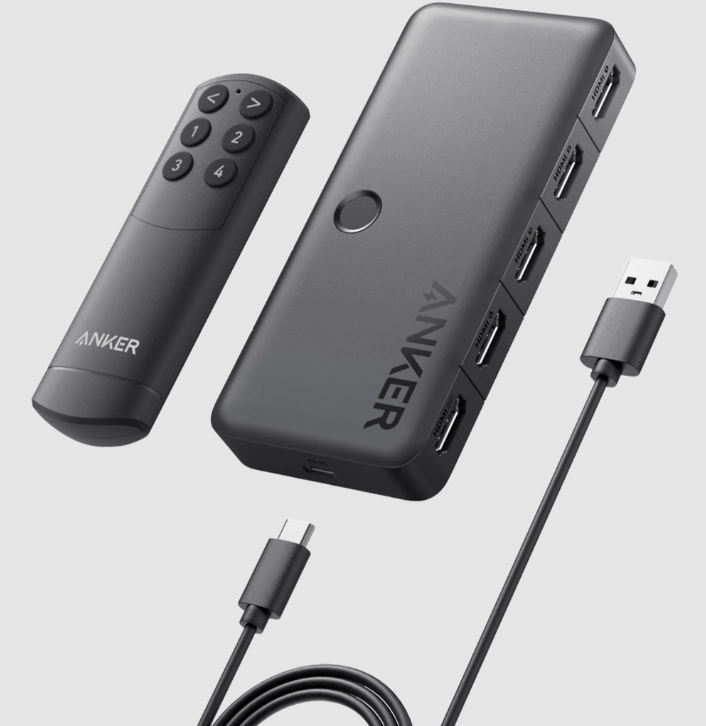
Anker's A83H2 sits between basic three-port switches and larger five-port models. Four inputs are enough for a console, streaming box, laptop, and disc player without leaving an unused bank of ports.
It supports 4K60, HDR, 3D video, HDCP 2.2, Dolby audio, DTS, and up to 7.1-channel sound. The included remote provides direct access to each input, while the front button works for desk and office setups.
Price: $42.99
Number of Ports: 4 in, 1 out
Supported Resolution: 4K60
Key Features:
- USB-C power connection
- 18-month warranty
Suitable For: Home entertainment and office displays
Reason to Buy: Anker is the easiest mainstream choice here, combining four useful inputs, clean controls, consistent 4K60 performance, and familiar warranty support in a compact design.
Main Limitation: It stops at 4K60 and does not support HDMI-CEC.
What Owners Say: Owners praise simple, reliable switching; some report flicker when using lower-quality HDMI cables.
5. Kinivo 550BN HDMI Switch

The Kinivo 550BN remains a strong choice for a large 4K60 entertainment setup. Its five inputs can accommodate several consoles, a streaming box, a Blu-ray player, and a cable receiver without repeated cable changes.
The 18Gbps HDMI 2.0 connection supports 4K60, HDR10, Dolby Vision, HDCP 2.2, Dolby Atmos, and common surround-sound formats. Inputs can be changed with the remote or automatic source detection.
Price: $64.99
Number of Ports: 5 in, 1 out
Supported Resolution: 4K60
Suitable For: 4K home theaters and multi-console setups
Reason to Buy: Kinivo remains the best overall 4K60 choice because owners consistently praise its stable HDR output, useful auto-switching, five-input capacity, and everyday reliability.
Main Limitation: Its HDMI 2.0 connection cannot pass 4K120 from PS5, Xbox Series X, or a gaming PC.
Customer Review: Owners praise stable 4K60 HDR, working auto-switching, and clean handshakes with Xbox and Apple TV.

6. IOGEAR GHSW8481 8-Port HDMI Switcher
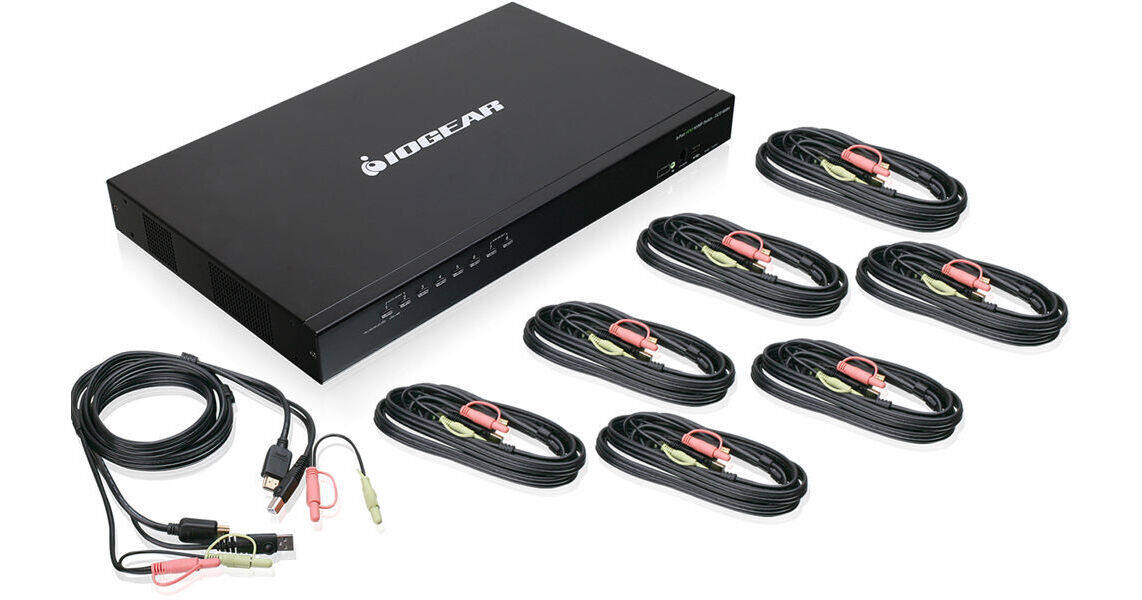
Eight HDMI inputs give the IOGEAR GHSW8481 a clear purpose. It is designed for equipment racks, conference rooms, digital signage, and large collections of consoles or media players.
The rack-width metal chassis supports 4K60 with 4:4:4 color, HDR, HDCP 2.2, CEC, uncompressed audio, automatic switching, and RS-232 control. The RS-232 connection lets professional installations control the switch through an AV system.
Price: $249.95
Number of Ports: 8 in, 1 out
Supported Resolution: Up to 4096×2160 at 60Hz
Key Features:
- Rack-mounting hardware
- Locking DC power connection
- Three-year warranty
Suitable For: Conference rooms and equipment racks
Reason to Buy: This is the most complete high-input option, combining eight-source capacity, rack mounting, automated control, reliable pass-through, and professional build quality.
Main Limitation: The large rack-width chassis and 4K60 ceiling make it excessive for a basic living-room setup.
What Owners Say: Owners praise reliable pass-through and automation; some report slow source changes or remote-sensor problems.
7. UGREEN 3-in-1 HDMI 2.1 Switch

The UGREEN 3-in-1 is the best value option for users who need three high-bandwidth gaming inputs. It supports 48Gbps transmission, 8K60, 4K120/144, 1440p165, and 1080p240.
Its gaming features include VRR, ALLM, QFT, QMS, FreeSync, and G-Sync. HDR10+, Dolby Vision, Dolby Atmos, and HDCP 2.3 support also make it suitable for gaming and home theater equipment.
A PS5, Xbox Series X, and gaming PC can share one high-bandwidth television input while keeping 4K120 and variable refresh rate.
Price: $42.99
Number of Ports: 3 in, 1 out
Supported Resolution: 8K60, 4K120/144, 1440p165, 1080p240
Key Features:
- IR remote and physical button
- HDMI 2.0 and HDMI 1.4 backward compatibility
Suitable For: Current game consoles and gaming PCs
Reason to Buy: UGREEN offers the best balance of price and gaming capability, with broad console compatibility, full 4K120 support, useful gaming features, and positive owner feedback.
Main Limitation: Three inputs may not cover a gaming setup that also includes several streaming and home theater devices.
Customer Review: Owners report smooth 4K120 HDR switching across Switch 2, PS4 Pro, and Xbox Series S.

8. StarTech 4-Port 8K HDMI Switch
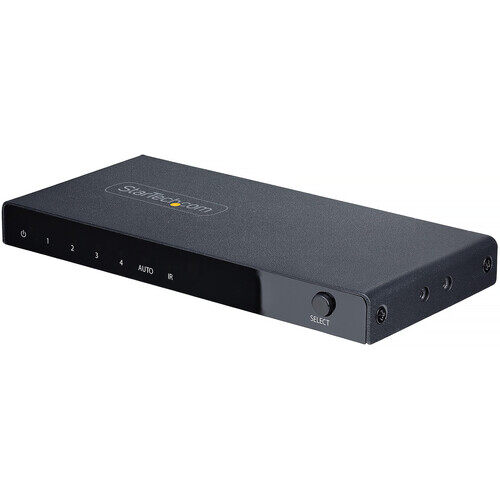
The StarTech 4-Port 8K HDMI Switch adds a fourth high-bandwidth input for users with several HDMI 2.1 devices. It can connect a PS5, Xbox Series X, gaming PC, and streaming box to one television or monitor.
It supports 8K60, 4K120/144, 1080p240, VRR, ALLM, HDR10+, CEC, automatic switching, remote selection, and front-panel controls. The metal enclosure and mounting accessories also suit permanent desk and AV installations.
Price: $99.99
Number of Ports: 4 in, 1 out
Supported Resolution: 8K60, 4K120/144, 1080p240
Key Features:
- USB or wall-adapter power
- Mounting kit and rubber feet
- Two-year warranty
Suitable For: Multi-console gaming and high-refresh-rate PCs
Reason to Buy: StarTech is the premium four-port pick for buyers who value high-bandwidth gaming, flexible controls, stronger mounting hardware, and accessible technical support.
Main Limitation: Its price is considerably higher than most three-port HDMI 2.1 models.
What Owners Say: Owners praise the solid build; reported issues include 720p detection and Mini DisplayPort adapter syncing.
9. FERRISA 4×2 HDMI Matrix

The FERRISA 4×2 is an HDMI matrix, so each of its four sources can be routed to either of two displays. A television can show one source while a projector shows another, or both displays can show the same source.
It also includes optical and analog audio outputs. This helps when video goes to a display while sound goes to speakers, a receiver, or another audio system.
Price: $57.11
Number of Ports: 4 HDMI inputs, 2 HDMI outputs
Supported Resolution: Up to 4K30
Key Features:
- EDID management
- IR remote and front controls
- LPCM, Dolby, and DTS 5.1 support
Suitable For: Dual-display rooms and separate audio systems
Reason to Buy: FERRISA is the most versatile budget choice for two-screen systems, combining independent routing, audio extraction, simple controls, and strong long-term owner ratings.
Main Limitation: Its HDMI 1.4-era bandwidth does not support 4K60 or 4K120.
Customer Review: Owners highlight simple installation and reliable operation across several months of regular use.

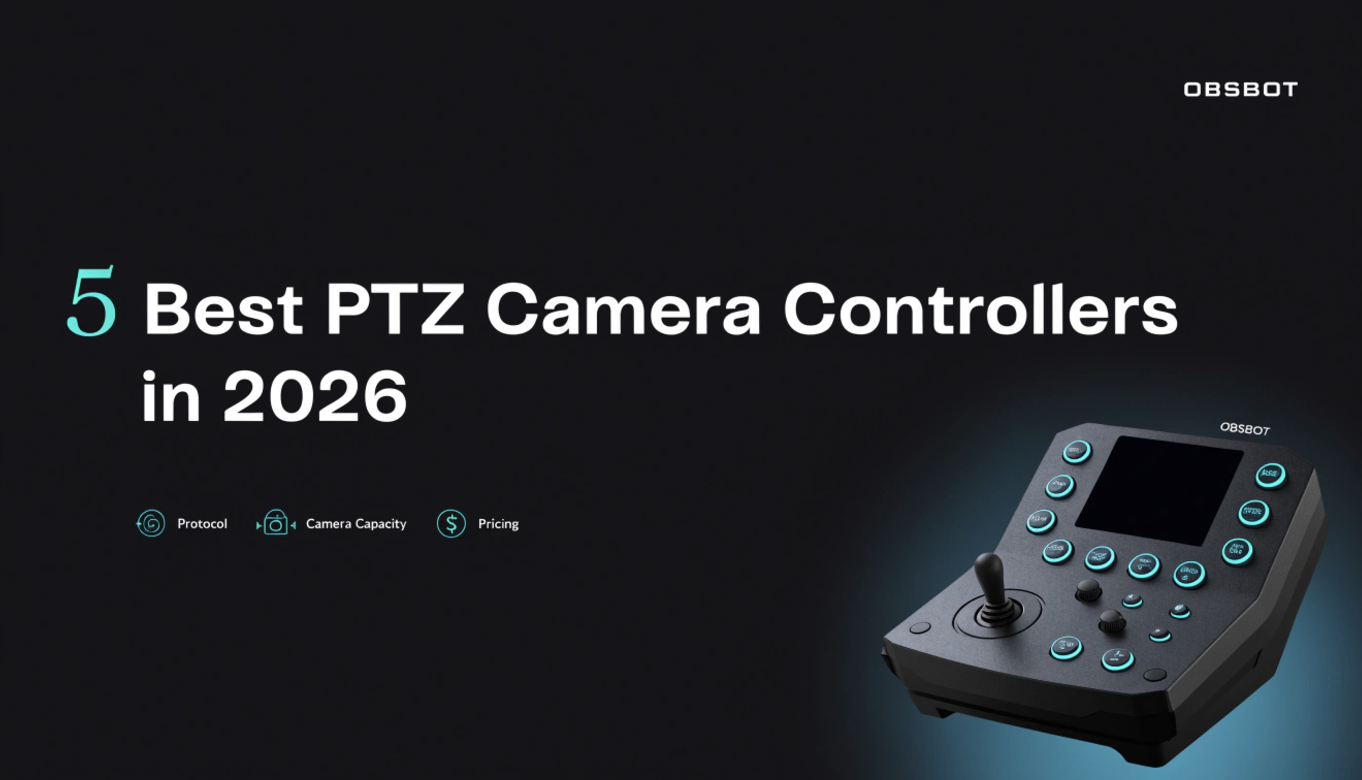
10. OBSBOT Talent 2 Live Streaming Studio
The OBSBOT Talent 2 is an all-in-one live production system. It brings switching, monitoring, audio mixing, graphics, recording, device control, and live streaming into one touchscreen device.
It can manage up to 16 video sources: four HDMI inputs, two USB inputs, and up to ten IP sources. HDMI 1 and HDMI 2 accept video up to 4K60, while HDMI 3 and HDMI 4 accept up to 1080p60. Live output reaches 4K60.
Price: $2,099
Video Sources: Up to 16 total
HDMI Inputs: 4
Maximum HDMI Input: HDMI 1–2 at 4K60; HDMI 3–4 at 1080p60
Maximum Live Output: 4K60
Key Features:
- NDI, SRT, RTSP, and RTMP support
- Dual HDMI output monitoring
- Hot-swappable battery bays
- Integrated OBSBOT camera control
Suitable For: Multi-camera studios and live events
Reason to Buy: Talent 2 is the clear production choice for one-operator teams, combining multi-camera switching, recording, monitoring, graphics, audio, and streaming in one portable workflow.
Main Limitation: Its price and production tools exceed the needs of users who only want more HDMI ports on a television.
What Owners Say: Reviewers praise its integrated workflow and connectivity; batteries must be purchased separately.
How to Choose the Best HDMI Switcher
1. Choose the Right Number of Inputs
Count every device that will remain connected, then leave one open input for future equipment.
- A 2×1 switch works for two devices sharing one monitor.
- A 3×1 switch suits a console, streaming box, and laptop.
- A 4×1 or 5-port HDMI switch fits a home theater with several consoles and media players.
- An 8×1 switch suits an equipment rack, conference room, or large console collection.
- A 4×2 matrix sends four sources to two displays.
A switch uses several sources with one display. A matrix supports several sources and several displays.
2. Match the Resolution and Refresh Rate
| Your Setup | Recommended Specification |
|---|---|
| 1080p TV, projector, or older console | Basic HDMI switch |
| 4K60 TV, streaming box, or Blu-ray player | 18Gbps HDMI 2.0 switch |
| PS5, Xbox Series X, or gaming PC | 4K 120Hz HDMI 2.1 switch |
| High-refresh-rate gaming monitor | 4K120/144 or 1440p165 |
| 8K television | 8K60 and HDCP 2.3 |
A 4K60 switch is enough for most streaming boxes, movies, and television content. A 4K120 switch is needed to play supported console and PC games at 120 frames per second.
For example, a PS5 connected through a 4K60 switch will output at a maximum of 4K60 through that path. A switch with explicit 4K120, VRR, and ALLM support keeps the gaming features available.
3. Check Gaming and Audio Features
The HDMI version alone does not show every supported feature. Check the listed formats.
- VRR matches the display refresh rate to the game's frame output, reducing tearing and stutter.
- ALLM tells a compatible television to activate its low-latency game mode.
- QFT reduces the time required to transport each video frame.
- HDR10 and Dolby Vision preserve supported high-dynamic-range video.
- Dolby Atmos passthrough carries compatible object-based audio to a receiver or soundbar.
- eARC supports high-bandwidth audio between a television and audio system.
- HDCP 2.3 supports current protected 4K and 8K content.
The best HDMI switch for PS5 or Xbox Series X should explicitly list 4K120, VRR, ALLM, and HDCP 2.3.
4. Choose Remote, Auto, or Manual Switching
A physical button works well on a desk. A remote is more useful when the switch sits beside a television or projector. Automatic switching selects a newly powered source without another button press.
Externally powered switches provide a steadier connection for several 4K60 or 4K120 devices. Basic bus-powered switches are compact and work well with 1080p equipment.
FAQs About HDMI Switchers
1. What Is the Best HDMI Switch for TV?
The Kinivo 550BN is a strong choice for a 4K60 television because it provides five inputs, HDR10, Dolby Vision, automatic switching, and a remote. The IOGEAR GHDSW4K3 is a lower-cost option for three 4K60 devices.
For a 4K120 gaming television, choose the UGREEN 3-in-1 or StarTech 4-Port HDMI 2.1 switch.
2. What Is the Best HDMI Switch for PS5 and Xbox Series X?
The UGREEN 3-in-1 is the best value choice for a PS5, Xbox Series X, and gaming PC. It supports 4K120, VRR, ALLM, HDR10+, and Dolby Vision.
The StarTech 4-Port model adds a fourth HDMI 2.1 input for another console or media device.
3. Do I Need an HDMI 2.1 Switch for 4K120?
Yes. A 4K120 setup needs a switch that explicitly supports 4K120 bandwidth and gaming features. The source, switch, HDMI cables, and display must all support the selected format.
A 4K60 streaming setup works well with an HDMI 2.0 switch.
4. Do HDMI Switches Add Input Lag?
A switch that passes the signal without video processing adds no noticeable gameplay delay. Input changes can produce a short black screen while the source and display establish a new HDMI connection.
Matrix devices with scaling or video processing can add more delay than a basic HDMI switch.
5. What Is the Difference Between an HDMI Switch, Splitter, and Matrix?
An HDMI switch connects several sources to one display. A splitter duplicates one source across several displays. A matrix routes several sources independently to several displays.
Use a switch for multiple devices and one TV. Use a splitter to show the same image on several screens. Use a matrix when each screen may need a different source.
6. Do HDMI Switches Support Dolby Atmos and eARC?
Many HDMI switches pass Dolby Atmos from a source to a compatible receiver, soundbar, or television. The product specifications must list the required audio format.
eARC is a separate feature. Choose a switch with explicit eARC support when audio needs to travel from the television back to a soundbar or AV receiver.
Conclusion
The best HDMI switcher depends on the devices and display format you use. A basic 4K60 model is enough for streaming boxes, Blu-ray players, and older consoles. PS5, Xbox Series X, and gaming PCs need an HDMI 2.1 switch with 4K120, VRR, and ALLM. Multi-display and live production setups require a matrix or production switcher with the correct routing and control tools.