How to Record Multiple Scenes Separately in OBS

Open Broadcaster Software (OBS) is a powerful tool for content creators, offering advanced features such as multi-camera recording and scene management. If you're wondering how to record multiple scenes separately or set up more than one camera simultaneously, OBS makes it possible with the proper configurations.
Whether managing multi-camera live streams or creating separate video tracks for editing, OBS provides the flexibility to meet your needs. In this guide, we'll explore step-by-step instructions for setting up and recording multiple cameras for live streaming, configuring scenes, and improving your workflow to efficiently capture high-quality, synchronized footage.
Part 1: Can I Record Multiple Scenes in OBS?
OBS Studio does not natively support recording multiple scenes simultaneously. When you start recording, OBS captures only the active scene, meaning that only the currently selected scene will be recorded if you switch scenes during a recording.
However, there are alternative ways. One method involves using the NDI (Network Device Interface) plugin, which allows you to send video streams over a network. This enables you to record scenes on separate instances of OBS running on the same or different computers. Another approach is to create a new scene that combines sources from multiple existing scenes, allowing you to capture elements from each without switching between them during recording.
For users looking to record multiple camera feeds, utilizing separate recording devices or software can also be effective. This way, you can edit the footage together later in post-production. Alternatively, some users have reported success by running multiple instances of OBS, each configured to record different scenes or sources simultaneously.
Best Camera for OBS Recording - OBSBOT Tail 2 Live Production Camera
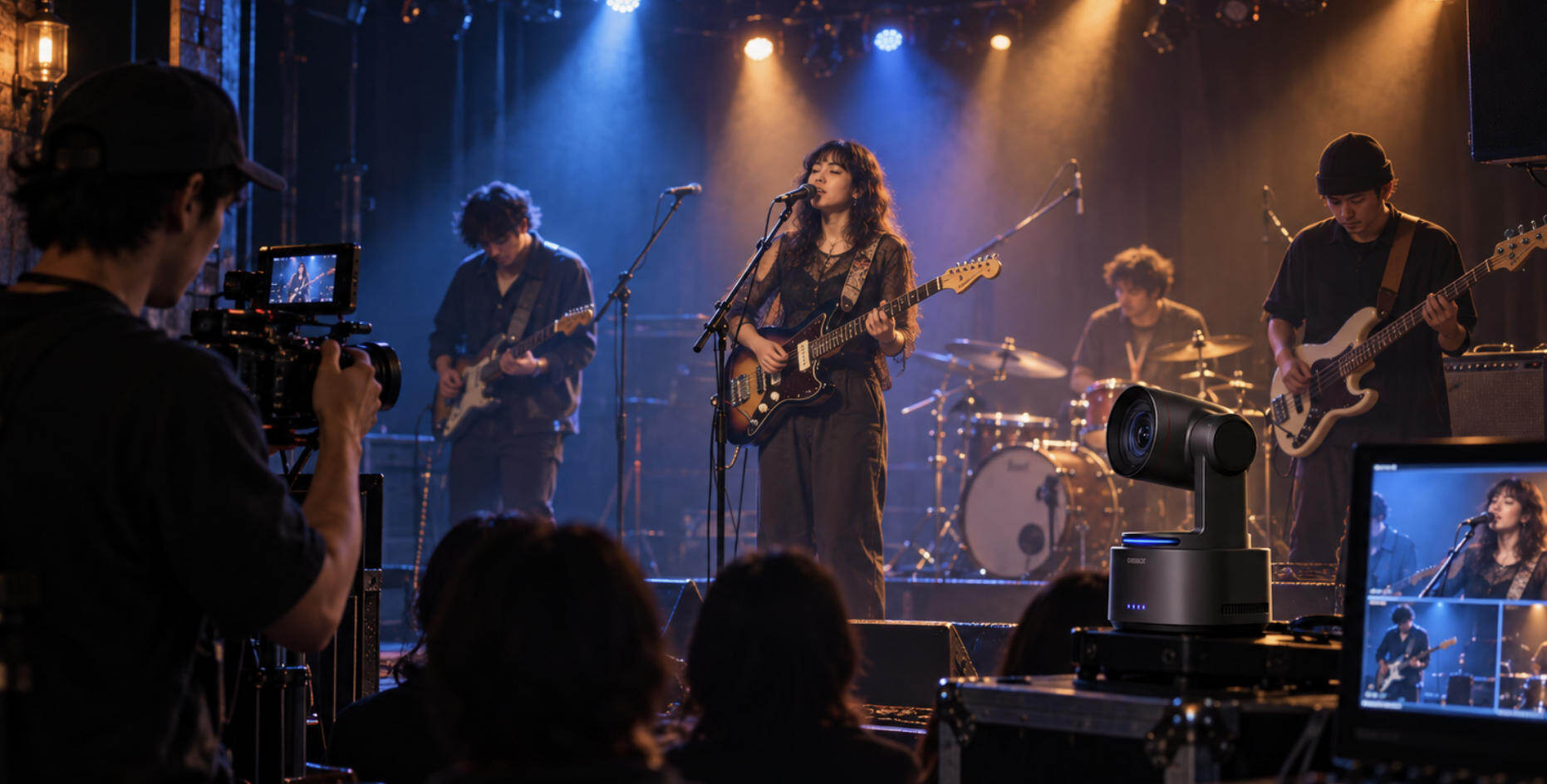
The OBSBOT Tail 2 is an AI-powered PTZR live production streaming camera designed to elevate your streaming and recording experience in OBS. With its 5x optical zoom, you can capture distant subjects with impressive clarity and detail, even from far away. The Tail 2 also boasts a stunning 4K resolution, delivering exceptionally clear video that makes it an ideal choice for OBS recording. Its compact design, combined with advanced features, positions it as an excellent option for content creators looking for high-quality video output and intelligent tracking capabilities.
Key Features:
- 90° Rotatable Gimbal: This feature enables seamless transitions from stunning wide-angle compositions to portrait setups, enhancing your creativity in OBS recordings.
- High Resolution: The Tail 2 captures videos in 4K at 60fps and 1080p at 120fps, providing you with clearer and more dynamic video capture. This ensures detailed footage that is perfect for live streaming and recording.
- Zoom Performance: Featuring 5x optical zoom and 12x hybrid zoom, this camera enables stunning close-ups and unique angles, making it ideal for highlighting key moments in OBS recordings while enhancing the overall visual experience.
- AI Tracking 2.0: Bid adieu to manual tracking because the Tail 2 comes with AI Tracking 2.0. This advanced technology can effortlessly and precisely track subjects, effortlessly capturing movements and creative sessions during OBS recordings.
- Low-Light Adaptability: Equipped with an enhanced 2μm pixel size sensor and an advanced AI noise reduction algorithm, the Tail 2 delivers stunning, vibrant footage even in challenging dark conditions, making it ideal for high-quality recordings in OBS.
- Multiple Connectivity: The Tail 2 supports multiple connection options, including HDMI, Ethernet, SDI, USB 3.0, and more. This versatility ensures compatibility with various devices and streaming setups, facilitating seamless integration into your OBS recordings.
Part 2: How to Record Multiple Scenes Separately in OBS?
Step 1: Install OBS Studio
Download and install OBS Studio from the official website. Ensure you have the latest version for optimal performance.

Step 2: Set Up Your Scenes
- Open OBS Studio and locate the Scenes box at the bottom left.
- Click the + (plus) icon to add a new scene. Name it appropriately (e.g., Intro Scene).
- Repeat this process to create additional scenes (e.g., Gameplay Scene, Outro Scene).

Step 3: Add Sources to Each Scene
- Select your first scene (e.g., Intro Scene).
- In the Sources box next to Scenes, click the + (plus) icon.
- Choose the source type (e.g., Display Capture, Video Capture Device) and configure it as needed.
- Repeat for each scene, ensuring that each has its unique sources.

Step 4: Configure Recording Settings
- Go to Settings in the lower right corner.
- Navigate to the Output tab.
- Under the Recording section, choose your desired file format (e.g., MP4 or MKV) and set your recording path.
- Adjust Encoder Settings based on your system's capabilities.

Step 5: Record Each Scene Separately
- Select your first scene and click Start Recording.
- Perform any actions you wish to capture.
- Click Stop Recording when finished.
- Switch to the next scene and repeat the recording process.

Step 6: Edit Recordings
After recording, use video editing software like Adobe Premiere Pro or DaVinci Resolve to fine-tune and combine your clips.
Alternative Way
There is also an alternative way to record multiple scenes in OBS. The following is a guide to stream your content to multiple screens using the NDI Network Device Interface.
- Step 1: On your PC, install NewTek NDI Tools software. This software helps you capture the desktop screen and helps you stream the content on other screens if connected to the same network.
- Step 2: After installing, go to the Screen Capture option to configure the settings like resolution, frame, etc.

- Step 3: Go to this link and download the latest NDI plugin for OBS. After this, install the NDI Runtime installer.
- Step 4: Once done, launch OBS Studio and press the "+" button given in the Source box. Click NDI Source and add the new source to the scene.
- Step 5: Now, tap Source Name and choose the source you want, and click on OK.
- Step 6: The stream will now display on multiple screens.
FAQs About How to Record Multiple Scenes Separately
1. How to record multiple scenes separately in OBS?
It’s possible, but OBS does not do this by default. OBS records one output file even if you switch scenes. To record scenes separately, you need plugins or advanced setups with multiple instances of OBS. This adds complexity, so most users record one file and split scenes later during editing.
2. How to record gameplay separately while streaming?
OBS allows you to record gameplay separately while streaming. Enable recording and streaming at the same time, then assign different audio tracks if needed. Recording quality can be set higher than streaming quality. This is useful if you want a clean, high-quality gameplay file for later editing.
3. How to make one video with multiple clips?
The easiest way is to record clips separately and combine them in a video editor. Editing apps let you place clips on a timeline and arrange them in order. This gives more control than recording everything in one take. Simple editors work well for short videos or social media content.
4. What is the easiest way to record scenes separately?
The simplest method is to stop and start recording when changing scenes. Each recording creates a new file automatically. This avoids plugins and keeps files organized. While it takes more manual effort, it is more stable and beginner-friendly than advanced OBS setups.
5. Can I switch scenes while recording and keep files separate?
No, OBS cannot automatically create separate files when switching scenes. All scene changes are saved in one recording file. If you need separate files, you must record scenes individually or use third-party tools. Editing later is usually faster and safer than forcing separate recordings.
6. How to make a video collage on an iPhone?
You can make a video collage using iPhone editing apps. Apps like iMovie or CapCut let you place multiple videos on one screen. This works well for reaction videos or highlights. Built-in tools are easy to use, while third-party apps offer more layout options.
Conclusion
Recording multiple scenes separately in OBS can transform your content creation process, whether you're managing multi-camera live streams or capturing unique video tracks for post-production. With the right tools and techniques, such as the source record plugin, running multiple OBS instances, or utilizing advanced hardware like the OBSBOT Tail 2, you can create professional-quality recordings tailored to your needs.
OBS, paired with innovative hardware solutions, offers unparalleled flexibility for creators who prioritize efficiency and quality. Mastering these techniques not only saves time but also enhances the appeal of your content, allowing you to engage your audience more effectively. With OBS and the OBSBOT Tail 2, your recordings can achieve a new level of creativity and precision.