720p vs 1080p: Differences, Comparison, and Which Is Better?

When choosing video quality for streaming, recording, or displaying content, resolution is one of the most important factors to consider. 720p vs 1080p is a common comparison because both resolutions are widely used in TVs, phones, webcams, cameras, and online video platforms. While 1080p provides more pixels and clearer image details, 720p requires less bandwidth, storage, and processing power. The better choice depends on your specific needs, such as video quality requirements, internet connection, device compatibility, and storage capacity. In this article, we will compare 720p and 1080p to help you understand their differences and choose the right resolution.
Part 1: What Are 720p and 1080p?
Before comparing 720p vs 1080p, it is important to understand what these resolutions mean. Both are high-definition video formats, but they differ in the number of pixels they contain.
What Is 720p?
720p, also known as HD (High Definition), refers to a video resolution of 1280 × 720 pixels. The “p” stands for progressive scan, which means each frame displays all image lines progressively rather than using interlaced scanning.
With around 0.9 million pixels, 720p can provide clear image quality for everyday video viewing, video calls, and basic streaming. It also requires less bandwidth and storage compared with higher resolutions, making it suitable for devices or situations with limited resources.
What Is 1080p?
1080p, also known as Full HD (FHD), refers to a video resolution of 1920 × 1080 pixels. It contains about 2.1 million pixels, providing more image details compared with 720p.
Because of its higher resolution, 1080p is commonly used for YouTube videos, gaming, video recording, webcams, monitors, and TVs. It offers sharper visuals, especially on larger screens or when viewers are closer to the display.
Part 2: 720p vs 1080p: What's the Difference?
Quick Comparison Table
| Feature | 720p | 1080p |
|---|---|---|
| Resolution | 1280 × 720 pixels | 1920 × 1080 pixels |
| Total Pixels | About 0.9 million pixels | About 2.1 million pixels |
| Image Detail | Contains fewer pixels, resulting in less image detail | Contains more pixels, allowing more details to be displayed |
| File Size | Usually produces smaller video files due to fewer pixels and lower data requirements | Usually produces larger video files due to higher resolution and more image data |
| Bandwidth Requirement | Around 2.5–5 Mbps for HD streaming in many cases | Around 5–10 Mbps for Full HD streaming in many cases |
| Storage Usage | Requires less storage space for the same video length and encoding settings | Requires more storage space for the same video length and encoding settings |
| Processing Requirement | Requires less processing power for encoding, decoding, and playback | Requires more processing power due to higher pixel processing load |
Resolution and Pixel Difference
The biggest difference between 720p and 1080p is the number of pixels. A 720p video contains 1280 × 720 pixels, while a 1080p video contains 1920 × 1080 pixels. This means 1080p displays more than twice the total pixels of 720p.
More pixels allow 1080p videos to capture and display finer details, making images appear sharper and clearer, especially on larger screens or when viewing content at a closer distance.
File Size and Storage Difference
Because 1080p contains more image data, videos recorded in 1080p usually have larger file sizes than 720p videos when using the same video length and encoding settings.
For users who frequently record videos or have limited storage capacity, 720p can help reduce storage requirements. However, 1080p is usually preferred when maintaining higher image detail is more important.
Bandwidth Requirement
The bandwidth required for streaming 720p and 1080p depends on factors such as video bitrate, compression format, frame rate, and streaming platform settings. However, 1080p generally requires more bandwidth because it transfers more image data.
For many streaming scenarios:
- 720p: Around 2.5–5 Mbps is commonly required for HD streaming.
- 1080p: Around 5–10 Mbps is commonly required for Full HD streaming.
If the internet connection is unstable, 1080p streaming may experience buffering or automatically reduce video quality. In comparison, 720p can provide smoother playback under limited network conditions.
Processing Requirement
Since 1080p contains more pixels than 720p, devices need to process more image data when encoding, decoding, editing, or playing videos.
Devices with limited processing power may handle 720p more efficiently, while modern computers, smartphones, cameras, and webcams can usually support 1080p without issues.
Part 3: When to Use 720p and 1080p?
The choice between 720p and 1080p depends on your priority. If you need lower bandwidth usage, smaller files, or better compatibility with older devices, 720p can be a practical option. If you need clearer image details for recording, streaming, or larger displays, 1080p is usually the better choice.
Use 720p When:
- You have limited internet bandwidth
- You need smaller video files
- You use older devices with limited processing power
- You only need basic video calls, online classes, or simple streaming
Use 1080p When:
- You need clearer image details
- You record videos for YouTube or other platforms
- You use webcams or cameras for higher-quality video
- You watch content on larger screens
720p vs 1080p on Phone
On phones, 1080p is commonly preferred for video recording because it provides more details and better image clarity. However, recording in 1080p usually takes more storage space compared with 720p.
For users who frequently record videos or need higher-quality footage, 1080p is a better option. For casual recording where saving storage space is more important, 720p can still be sufficient.
720p vs 1080p on TV
The difference between 720p and 1080p is more noticeable on larger TVs because bigger screens can display more image details. A 1080p TV or video source can provide sharper images compared with 720p, especially when viewed from a closer distance.
720p vs 1080p YouTube
For YouTube videos, 1080p generally provides a better viewing experience because it offers higher image detail and sharper visuals. However, 720p can still be useful for viewers with slower internet connections or limited data usage.
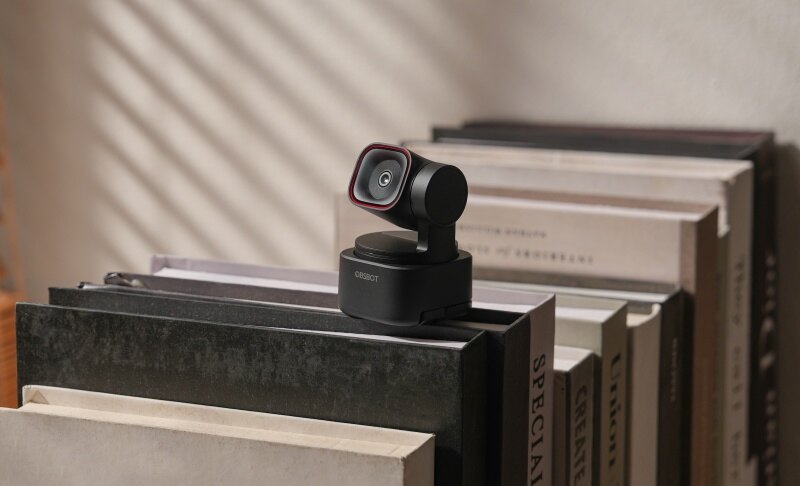
Bonus: A Flexible Webcam for Different Video Needs - OBSBOT Tiny 3 Lite 4K PTZ Webcam
When choosing a webcam, the ideal resolution depends on your specific usage scenario. OBSBOT Tiny 3 Lite supports different video quality options, making it suitable for various situations, including video calls, online classes, live streaming, and content creation.
Key Features:
- Flexible Resolution Options: Supports 720p and 1080p video quality, allowing users to balance image clarity, bandwidth usage, and device performance based on different needs.
- Smooth Video Performance: Provides up to 120fps performance for smoother motion capture, which is helpful for live streaming, demonstrations, and dynamic content.
- AI Auto Tracking: Automatically keeps you centered in the frame, making it easier to stay visible during presentations, online teaching, and video recording.
- Gesture Control: Allows quick control of tracking functions without interrupting your workflow.
- 4K Video Capture: Supports higher-resolution recording for creators who need more detailed footage.
Part 4: FAQs About 720p vs 1080p
1. Is there a huge difference between 1080p and 720p?
Yes, there is a noticeable difference between 1080p and 720p, especially on larger screens or when viewing content up close. Since 1080p has about 2.1 million pixels compared with about 0.9 million pixels in 720p, it can display more details and sharper images.
2. What's better, 1080p or 720p?
For most users, 1080p is better than 720p because it provides higher resolution, more image details, and sharper visuals. It is a better choice for video recording, YouTube content, gaming, webcams, and larger displays. However, 720p can still be a suitable option when bandwidth, storage space, or device performance is limited.
3. Is Netflix better in 720p or 1080p?
1080p generally provides a better Netflix viewing experience than 720p because it offers more pixels and clearer image details. The difference is especially noticeable on larger TVs, monitors, or when sitting closer to the screen.
4. Is it better to stream in 1080p or 720p?
For most streaming scenarios, 1080p is the better choice because it provides higher image quality and a more detailed viewing experience. It is commonly preferred for YouTube videos, gaming streams, live content, and professional video communication.
5. Can the human eye distinguish between 720p and 1080p?
Yes, the human eye can often distinguish between 720p and 1080p, but the difference depends on several factors, including screen size, viewing distance, and image content. On larger screens or when viewing detailed images, 1080p usually appears sharper because it contains more pixels. On smaller displays, the difference may be harder to notice, especially when viewed from farther away.
Conclusion
Both 720p and 1080p are widely used video resolutions, but they serve different needs. 720p vs 1080p mainly comes down to image detail, bandwidth requirements, storage usage, and device performance. 1080p provides more pixels and clearer visuals, making it a better choice for video recording, streaming, webcams, and larger displays. Meanwhile, 720p remains useful when lower bandwidth consumption, smaller file sizes, or better compatibility are priorities. Understanding these differences can help you choose the right resolution for your device and viewing needs.