Budget Remote Controlled Cameras 2026: Top 5 Picks
 Even on a budget, the right remote-controlled camera can make you look sharp and professional on screen. AI tracking and PTZ features help you stay perfectly framed for streaming, meetings, or content creation.
Part 1: Top 5 Remote Controlled Cameras
A webcam with remote control provides clear video, smooth tracking, and effortless framing. This lets you move freely without constantly adjusting the frame. A closer look at the best five remote-controlled cameras is provided below.
1. OBSBOT Tiny 3 4K PTZ Webcam — Overall AI Best Remote Controlled Camera
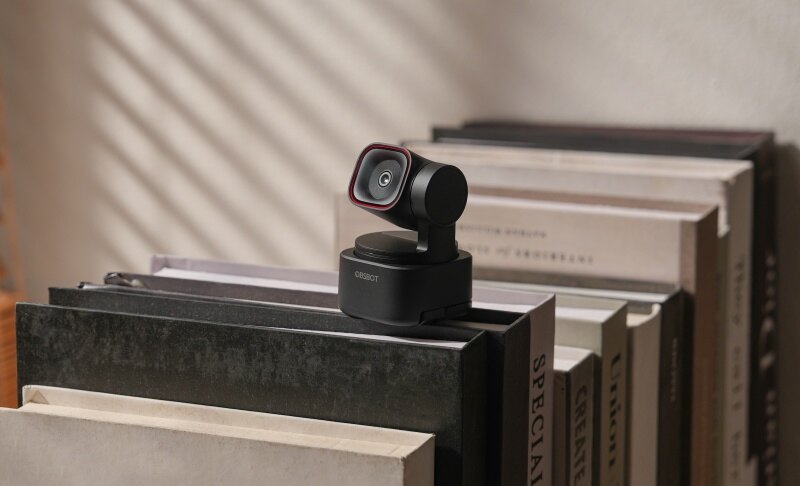
The OBSBOT Tiny 3 is the ultimate evolution for professionals and educators who demand precision. As the smallest 4k PTZ Webcam with "Titan power," it redefines hands-free operation. This AI-powered masterpiece features next-gen automatic tracking, gesture recognition, and a voice-responsive PTZ gimbal, making it the most user-friendly remote camera on the market.
Key Features:
- Tiny in Size, Titan in Power: The smallest professional PTZ webcam with a flagship 1/1.28" CMOS sensor for unmatched 4K clarity.
- Immersive Audio: Stereo Mic System with Voice Locater targets your voice while suppressing background noise.
- AI Tracking 2.0: Combines precision Human Tracking with innovative Voice Tracking to stay locked on you through movement and speech.
- Superior Low-Light: Dual Native ISO (100~12800) ensures noise-free, professional video in any lighting condition.
- Ultimate Focus Speed: Dual All-Pixel PDAF provides near-instant focus, even when capturing 1080p at 120fps.
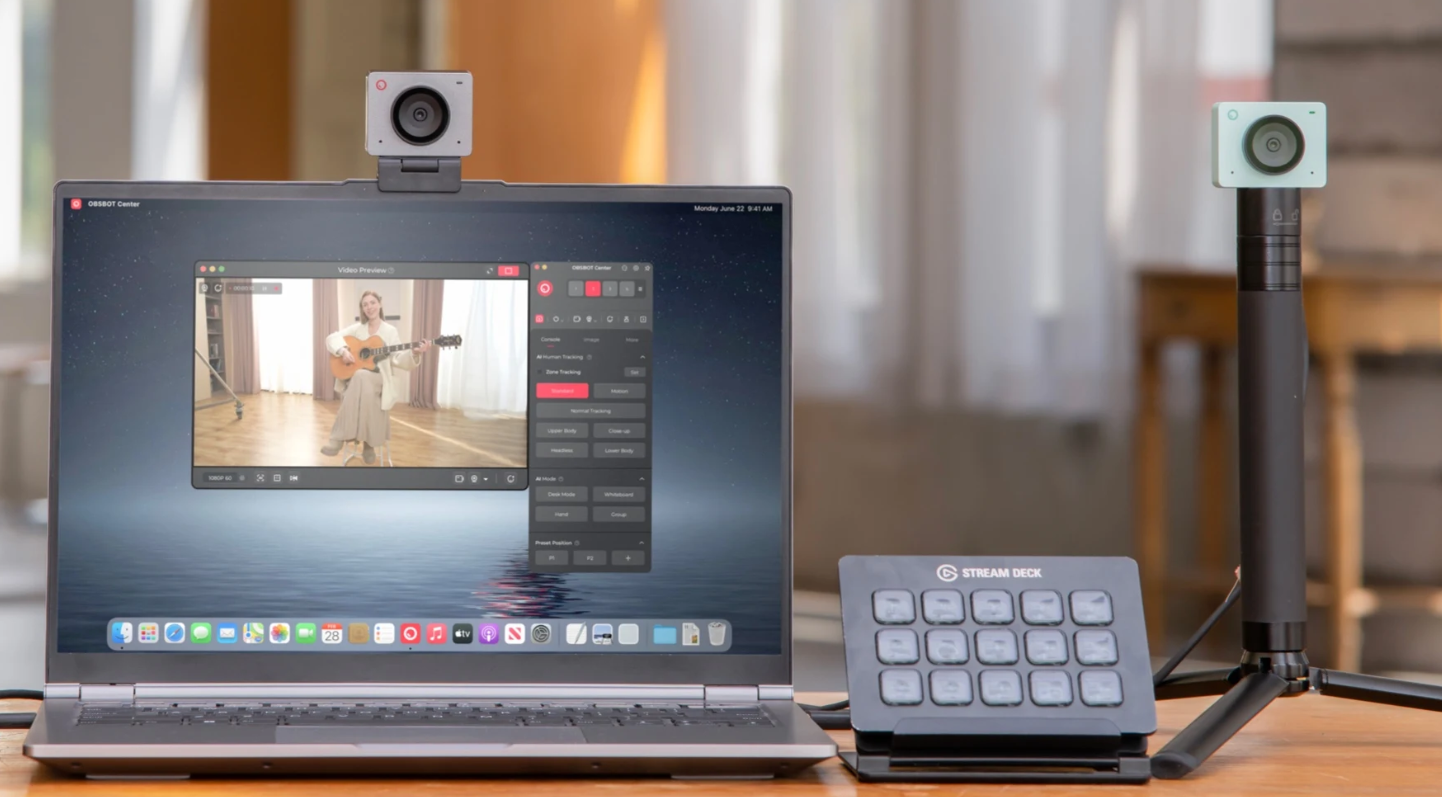
- Remote Pro Ecosystem: Full compatibility with Stream Deck and specialized modes for whiteboards and desktop presentations.
Price: USD $349
Customer Review:
"The OBSBOT Tiny 3 has completely changed my setup. The 4K detail is incredible, but it's the Voice Tracking that blows me away—it follows me based on my sound and movement seamlessly. It truly feels like having a professional cameraman in a tiny device."
2. Logitech PTZ Pro 2 - Ideal for Conference Rooms
The Logitech PTZ Pro 2 is good when one is in big rooms, conference rooms, or auditoriums. It has smooth pan, tilt, and zoom, which guarantees proper capture of all the participants or speakers. This is a camera designed to be used on a multi-person basis, thus suitable in the case of corporate presentation, group presentation, or training.
Key Features:
- The 90-degree field of view comfortably covers large rooms, so everyone stays visible on screen.
- 10x optical zoom with smooth pan and tilt allows you to focus on speakers or details without reducing video quality.
- Autofocus high definition video ensures that faces are sharp and in focus even when people move or change their positions.
- It can be easily mounted on a table, on a wall, or on a tripod to be placed anywhere in a room.
- Preset scene switching is used to save and alternate among camera angles in real time when attending a meeting or presentation.
- USB compatibility provides smooth integration with Zoom, Teams, OBS, and other popular conferencing applications.
Price: $599 USD
Customer Review:
"Very pleased with this camera. I looked for quite a while to find an affordable camera with remote pan, tilt, and zoom with a minimum of 10x zoom. Some people have complained about picture quality, but I have not had any problems. Set up simple, works great with Zoom and Skype. Does everything I need!"
3. NexiGo N990 - Affordable 4K PTZ Camera with Remote Control
The NexiGo N990 is a budget-friendly 4K PTZ webcam designed for users who need reliable remote pan, tilt, and zoom control without investing in high-end enterprise cameras. With smooth movement and sharp 4K video, it works well for conferencing, live streaming, and online teaching.
Key Features:
- Remote-controlled pan, tilt, and zoom (PTZ) for flexible framing.
- 4K resolution delivers clear and detailed video output.
- Suitable for remote meetings, live streaming, and classroom use.
Price: Around $399 USD (Varies by retailer)
Customer Review:
"We have ours covering a large conference room, and the detail is top notch even at the longest distance."
"Love this camera, use it for streaming, the zoom and tilt feature with remote is fantastic! Fast delivery as well!"
4. Insta360 Link Webcam 4K - AI Tracking for Creators
The Insta360 Link 4K is compact, powerful, and designed to suit solo creators or small set-ups. It has artificial intelligence tracking that maintains presenters in the center, making them look natural and professional on video.
Key Features:
- Crisp 4K video quality that keeps faces, text, and details clear on every call.
- AI tracking that follows naturally, keeping you centered without sudden camera jumps.
- Slim, compact design that fits easily on laptops and small desk setups.
- Flexible mounting options for monitors, tripods, or desk placement.
- Hands-free gesture controls to zoom or switch modes without interrupting your flow.
Price: Around $299 USD
Customer Review:
" Great solution for online meetings. Overall, I'd strongly recommend this as a great solution for anyone working from home."
5. Aver CAM520 Pro - Customized for Large Meeting Rooms
The Aver CAM520 Pro is perfect for large areas where a group needs to make a presentation, collaborate or provide high-quality live video. It is ideal for business meetings, training, and classroom settings.
Key Features:
- Full HD 1080p with powerful PTZ/optical zoom for clear video even at a distance.
- Interoperable with most conference room systems.
- High-quality video coverage over broad areas.
- Intelligent auto-framing adapts when participants enter, exit, or change positions.
- Excellent low-light capability.
Price: Approximately $1,273 to $1,427 (Varies by vendor)
Customer Review:
" The CAM520 Pro is praised for its excellent image quality, making it suitable for professional use. I can vouch for the quality"
Part 2. How to Choose the Right Remote-Controlled Camera for You
Choosing the right remote-controlled camera depends on how you plan to use it. Compare the key factors below to find the best fit for your setup.
| Factor | What to Consider | Product Examples | Notes / Tips |
|---|---|---|---|
| Control Options | AI tracking or PTZ remote control | OBSBOT Tiny 3, Insta360 Link (AI); Logitech PTZ Pro 2, NexiGo N990, Aver CAM520 Pro (PTZ) | AI for solo use; PTZ for groups |
| AI & Auto Tracking | Automatic subject following | OBSBOT Tiny 3, Insta360 Link | Best for movement on camera |
| Video Quality | 4K or 1080p, low-light performance | OBSBOT Tiny 3, Insta360 Link, NexiGo N990 (4K); Logitech PTZ Pro 2 (1080p) | 4K offers more flexibility |
| Use Cases | Streaming, teaching, meetings | OBSBOT Tiny 3, Insta360 Link; Logitech PTZ Pro 2, NexiGo N990, Aver CAM520 Pro | Match room size |
| Budget | Price vs. features | NexiGo N990; OBSBOT Tiny 3, Insta360 Link; Logitech PTZ Pro 2, Aver CAM520 Pro | Avoid unused features |
Recommendation: If you want an all-in-one solution, the OBSBOT Tiny 3 4k PTZ Webcam stands out. It combines advanced AI Tracking 2.0, multi-mode remote control, and cinematic 4K clarity, making it ideal for professionals, teachers, and content creators.
Part 3: FAQs About Remote-Controlled Cameras
1: What Is a Remote-controlled Camera?
A remote-controlled camera allows you to pan, tilt, and zoom the lens from a distance. Many models also include AI tracking to automatically follow movement, making them ideal for streaming, online meetings, and content creation.
2: Budget Cameras with Remote Settings Control Recommendations?
For users looking for budget-friendly remote-controlled cameras, the NexiGo N990 offers reliable 4K PTZ functionality at a lower price, making it ideal for online teaching, live streaming, and remote meetings.
3: Are Remote-controlled Cameras Good for Streaming?
Yes. Remote-controlled cameras with AI tracking and remote zoom provide smoother framing during live streams. Models like the OBSBOT Tiny 3 4k PTZ Webcam deliver clear 4K video and automatic subject tracking, making them a strong choice for streamers and creators.
4: What's the Difference Between PTZ and AI Tracking Cameras?
PTZ cameras require manual control for pan, tilt, and zoom. AI tracking cameras move automatically to follow the subject, keeping you centered without manual adjustments, such as the OBSBOT Tiny 3 4K Webcam.
5: Can I Use These Cameras with Zoom, Teams, or OBS?
Yes. Most remote-controlled cameras are compatible with Zoom, Microsoft Teams, Google Meet, and OBS. Popular options like OBSBOT Tiny 3, Logitech PTZ Pro 2, and Insta360 Link work seamlessly across these platforms.
Conclusion
There are many budget remote-controlled cameras available, but only a few are reliable. The OBSBOT Tiny 3 4k PTZ Webcam provides clear 4K video, fast AI tracking, and simple remote control, making it perfect for teachers, presenters, and creators. It keeps you centered and helps you communicate better online. For a smooth, professional, and future-proof experience, the OBSBOT Tiny 3 is the smartest choice!