6 Best Wide Angle Webcams for 2026

Webcams are an important part of your virtual setups for meetings and classes these days. However, many people struggle because the framing isn’t correct, especially if you take meetings with multiple people. This is why you should choose a wide angle webcam. The wide-angle cameras have a field of view of 90° or more. As a result, you can capture more people and background during your online calls. However, it can be difficult to find the right one. With this article, we are sharing the six best wide angle webcams.
Part 1: Standard Webcam vs Wide Angle Webcam Key Differences
When we compare simple webcams with wide-angle webcams, the primary difference is how much of the scene these cameras can show. In addition, it impacts how many people fit into the view, image distortion, and what you can use it for.
| Feature | Standard Webcam | Wide Angle Webcam |
|---|---|---|
| FOV Range | 60°–80° | ~ 90° and above |
| Suitable Number of People | 1–2 people comfortably | 3 or more people/groups |
| Background Coverage | A smaller part of the room | Much more room |
| Image Distortion | Less distortion | More risk of distortion at edges |
| Common Use Cases | Single person calls, streaming close-up | Group calls, meetings, showing room, or whiteboard |
Part 2: How to Choose the Best Wide-Angle Webcam?
What Field of View (FOV) Do You Actually Need?
Ask: How many people or how much of the room do I need to show? If you’re alone, a 90° FOV might be fine. If you want to show a group or a whiteboard behind you, maybe 100°+ is better when you purchase the wide angle computer camera. But note that very wide FOVs can cause distortion (people on edges look stretched).
Video Quality Requirements
Resolution and frame rate matter. Do you need 1080p (Full HD) or 4K? Higher resolution means sharper images and more flexibility (you can crop). But higher resolution also demands more from your computer and internet if streaming. Also, look for a good sensor and good light performance.
Audio Quality: (Built-in Mics or External Microphone?)
Many webcams have built-in microphones, which is convenient. But if you want great audio (especially if the room is large or more than one person speaks), you might prefer using an external microphone. Decide whether you want “all-in-one” or if you will pair it with a mic.
Autofocus, Exposure & AI Framing
A good webcam will auto-adjust focus and exposure (light levels) so you look good under varying lighting. Some webcams also have “AI framing” or “auto-zoom/tracking” so the camera follows you or keeps you centered. This is very helpful if you move around a lot.
Compatibility & Connectivity
Make sure the webcam works with your computer (Windows, Mac, etc.), video‐chat tools (Zoom, Teams, etc.), and has the right connection (USB-A, USB-C). Plug-and-play is best. Also, check mounting options (clip to monitor, tripod mount), and if software is needed while choosing the wide angle lens webcam.
Part 3: 6 Best Wide Angle Webcams
Quick Comparison Table
| Webcam Model | FOV (Field of View) | Video Quality | Audio Quality | Autofocus / AI Features | Connectivity & Compatibility | Price |
|---|---|---|---|---|---|---|
| OBSBOT Tiny 3 | (D): 82.4° (H): 70° |
4K@30fps 1080p@120fps |
Silicon MEMS microphones | human & voice tracking, auto zoom, face framing | USB 3.0, Windows & macOS, software controls | $349 |
| Innex C831 | (D): 180° (H): 170° (V):90° |
4K@30fps | Dual Stereo Omnidirectional Microphone Array | Fixed focus/AI facial recognition | USB Type C / USB Type A | $350 |
| Logitech ConferenceCam Connect | 90° diagonal | 1080p@30fps | 360° speakerphone + noise-canceling mics | Autofocus, digital pan/tilt/zoom | USB, wireless mirroring; PC/mobile | $399.00 |
| Razer Kiyo Pro | 80°/90°/103° adjustable | 1080p@60fps HDR@30fps |
Built-in mic | Adaptive light sensor, autofocus | USB 3.0; Works with OBS, XSplit | $199.99 |
| Logitech C930e | 90° diagonal | 1080p@30fps | Dual omnidirectional mics | Autofocus, RightLight 2 exposure | USB-A; meeting app certifications | $129.99 |
| AnkerWork C310 | 95° wide-angle | 4K resolution 1080p@60fps |
Dual AI noise-canceling mics | AI autofocus, AI framing, HDR | USB 3.0; Anker software | $99.99 |
Best Webcam for Hands-Free Control: OBSBOT Tiny 3 4K PTZ Webcam
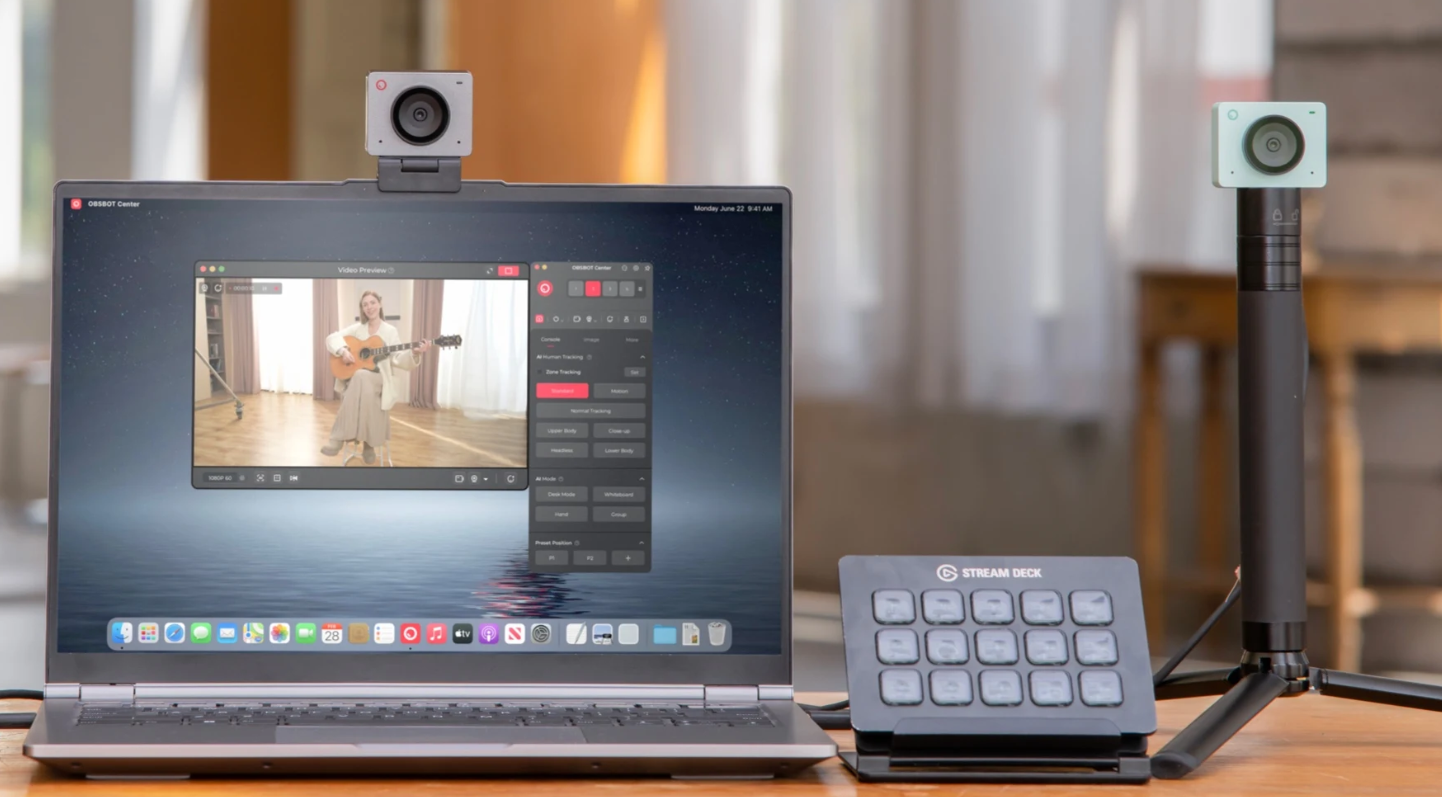
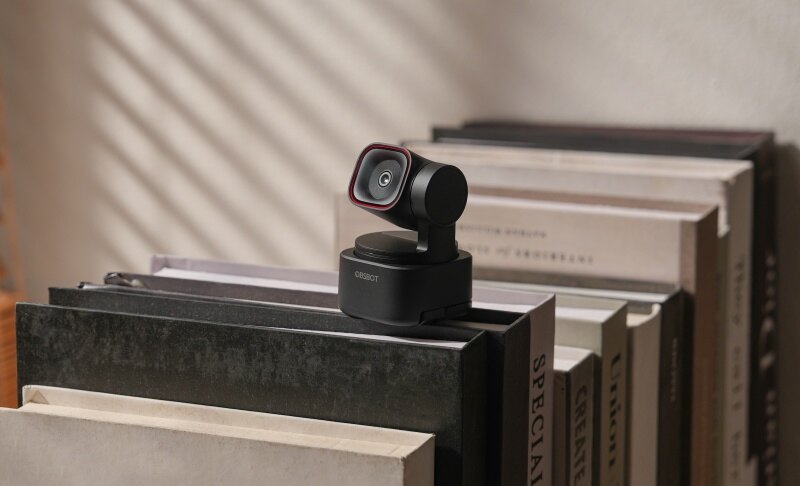
The OBSBOT Tiny 3 delivers a major leap in webcam innovation, combining a large CMOS sensor with powerful AI features that make everyday video work smoother and more dynamic. Its intelligent PTZ design and advanced automation create a more flexible shooting experience. As a wide-angle webcam, it also captures a broader view while keeping subjects framed accurately.
Key Features:
- Tiny in size, Titan in power: The most compact 4k PTZ Webcam that fits any setup, providing expansive room coverage through physical rotation.
- Advanced AI Tracking 2.0 with Voice Tracking: Unlike a fixed wide-angle computer camera that leaves edges distorted, Tiny 3 physically follows you or your team, keeping everyone perfectly centered with smooth motion.
- Immersive Stereo Mic & Voice Locator: In large rooms where wide-angle shots are needed, the Voice Locator tech uses a professional triple-mic array to find and focus on the speaker's voice instantly.
- Elite 4K Imaging with Dual Native ISO: Features a massive 1/1.28 sensor that maintains sharp detail even when capturing wide, complex backgrounds in low-light environments.
- PDAF Instant Focus: Dual All-Pixel PDAF ensures that whether you are up close or at the back of a large conference room, the focus remains razor-sharp.
- Smart Gesture Control & Voice Control: Control your wide-angle lens webcam hands-free to zoom in on a whiteboard or pan across the room.
Best For
It is ideal for creators, presenters, teachers, and professionals who move around while speaking. Also, it's perfect for users who need smart tracking, high clarity, and hands-free control in video calls or recordings.
User Review 1:
"I'm extremely impressed with the OBSBOT Tiny 3. The video quality is ultra-clear, the autofocus is fast, and the AI tracking works flawlessly even when I move around the room. The voice and gesture controls make it super easy to use during meetings or recordings, and the overall build quality feels premium."
User Review 2:
"The OBSBOT Tiny 3 has completely leveled up my Twitch streams. The video quality is razor sharp with vibrant colors and smooth motion — it honestly looks like I upgraded to a pro studio camera. The built-in AI tracking is awesome too; it follows me around naturally when I move without being distracting, which keeps the stream dynamic and engaging."
Best Ultra-Wide Angle Conference Webcam: Innex C831

The Innex C831 is designed for teams, classrooms, and meeting spaces that need the widest possible coverage without sacrificing clarity. Its 180° panoramic 4K lens captures an entire room in a single shot, while AI-powered facial recognition and multi-person tracking ensure everyone stays visible and well-framed. With the support of Innex Studio, the C831 transforms into a smart conferencing system capable of auto-framing, grid layouts, and panoramic-plus-close-up views—delivering a more immersive and efficient collaboration experience.
Key Features:
- 180° panoramic 4K lens captures full-room coverage with zero blind spots
- AI facial tracking & multi-person framing keep every participant clearly visible
- Up to 8 auto-generated close-up views with panoramic-overview layout
- Track Once & On-Tracking modes adapt to busy or calm environments
- Auto light correction & 3D noise reduction improve clarity in challenging lighting
- Plug-and-play USB connectivity requires no setup or drivers
Best For
Perfect for small to medium meeting rooms, hybrid classrooms, group discussions, and any setting where you need to capture everyone in the space.
User Review 1:
"Got this for a larger conference room and to record trainings. The wide lens captures people who like to walk around and speak. The mic is excellent. Compared to other cameras that follow subjects around and get lost, this was a better option. Easy to use and set up."
User Review 2:
"The panoramic view captures the whole room clearly. AI tracking keeps the speaker in frame without glitching or lag."
Best Webcam for Small-Team Conferences: Logitech ConferenceCam Connect

The Logitech ConferenceCam Connect is a portable, all-in-one conferencing solution designed for small teams needing flexible meeting setups. With its built-in speakerphone, wireless screen mirroring, and standalone battery power, it supports collaboration almost anywhere. As a wide-angle webcam, its 90° FOV makes it easy to include multiple participants at a small table.
Key Features:
- Four-times digital zoom displays objects clearly at a distance
- Acoustic echo cancellation ensures cleaner conference audio
- Wireless connectivity supports cable-free mobile presentations
- Rechargeable battery enables meetings without constant plugging
- Noise-reducing microphone improves clarity in busy environments
Best For
It is ideal for small teams, remote workers, and traveling professionals who need a portable conference camera. Perfect for huddle rooms or flexible workspaces where easy setup and mobility matter most.
User Review 1:
"Easy to connect with my PC, laptop. Use it for Zoom calls where we want the remote folks to see the clubhouse room where our board meeting is being held."
Best Webcam for Low-Light Clarity: Razer Kiyo Pro

The Razer Kiyo Pro is designed for creators and professionals who demand top-tier clarity in any lighting environment. Powered by a large Sony STARVIS sensor and advanced exposure control, it consistently produces sharp, natural-looking video. As a wide-angle webcam, it offers adjustable FOV modes, such as 103° (Wide), 90° (Medium), and 80° (Narrow). It gives you flexible control over how much of your space appears on screen.
Key Features:
- Uncompressed 1080p output delivers exceptionally clean image quality
- Adjustable FOV settings allow flexible framing control
- HDR mode improves dynamic range for vibrant visuals
- USB 3.0 connection supports fast, stable data transfer
- Corning Gorilla Glass lens resists scratches effectively
Best For
It is excellent for streamers, content creators, and professionals who want maximum clarity with customizable settings. Also ideal for users needing versatile framing, thanks to multiple wide-angle field-of-view modes.
User Review 1:
"Great webcam! Been using it a few years for streaming for a good 3+ years now. I got it on a nice sale so it was a great value, good picture quality, and easy to install out the box. There is some additional software you can download from Razer but it isn't really necessary since I just installed it, tweaked some settings, and got it working in OBS."
User Review 2:
"Works out of the box. Camera looks great (reminds me of a pancake lens). The image looks pretty clear, especially in low light."
5. Best Webcam for Business Video Meetings: Logitech C930e

The Logitech C930e is a business-grade webcam designed to deliver dependable 1080p video quality in nearly any lighting situation. With a strong focus on clarity and stability, this Logitech wide angle webcam is aimed at professionals who need reliable performance in virtual meetings. Also, its 90° diagonal field of view easily captures multiple participants or a full workspace.
Key Features:
- RightLight 2 enhances visibility in difficult lighting
- Dual mics capture voices naturally from one meter
- Four-times digital zoom displays physical objects clearly
- Durable build feels solid for long-term business use
- The tripod thread enables flexible multi-angle positioning
Best For
It is perfect for office workers and remote teams wanting reliable, professional-grade video performance. Great for meeting rooms, training sessions, and anyone needing a consistent wide-angle business webcam.
User Review 1:
"For folks with bright backlit background like me, this is the webcam to buy, no question! I am really happy with this purchase and my fellow Zoom attendees thank me for not giving them a headache by blinding them with alternate light & dark Zoom image :)"
User Review 2:
"I am incredibly happy with this camera. True, it is quite expensive, but (at least right now) it is the top of the Logitech line; in this case, you really do get what you pay for."
6. Best Webcam for 4K Detail: AnkerWork C310

The AnkerWork C310 is a feature-packed webcam built to deliver crisp 4K visuals and smooth 1080p livestreaming through high-speed USB 3.0 transmission. With its combination of HDR support and a 1/2.5” sensor, it adapts well to varied lighting. Most importantly, its 95° field of view captures more background and multiple participants with ease.
Key Features:
- AI autofocus reacts quickly to shifting subjects
- Dual microphones reduce background noise using AI
- High-speed YUV encoding ensures stable motion output
- Built-in privacy shutter protects the lens between meetings
- HDR mode enhances brightness balance in mixed lighting
Best For
It is ideal for remote professionals and content creators who need sharp 4K clarity and strong low-light performance. Also great for users wanting a wide FOV for group calls, teaching sessions, or larger room coverage.
User Review 1:
"The AnkerWork C310 Webcam has significantly enhanced my video conferencing experience. Its sound quality is outstanding, thanks to the AI noise-canceling microphones that ensure clear audio even in noisy environments. The webcam's seamless compatibility with Microsoft Teams and other platforms makes it a reliable choice for professional meetings."
Part 4: FAQs about Wide Angle Webcam
1. What is considered a wide-angle webcam?
A webcam with a field of view (FOV) of around 90° or more is generally considered “wide-angle.” This lets you capture more of the room, more people, or more background than a standard narrow view.
2. How to make a webcam wide-angle?
You can't always convert a narrow-angle webcam into a true wide-angle unless the lens is designed for it. Some webcams let you switch FOV settings (wide vs normal) in software. But if the hardware is narrow, you’ll need a different model with a wider lens.
3. Is an ultrawide camera worth it?
If you need to show a large group, a whiteboard, or a room behind you, then ultrawide (100°+ or even 120°) is very helpful. But ultrawide can also introduce image distortion and might pick up too much background. So, it depends on your use case.
4. What are the downsides of wide-angle lenses?
Potential downsides include more distortion at edges, possible lower image quality if the camera has to "cover more" area, more background distractions, and sometimes you'll need to sit further from your camera so you fill the frame properly.
5. Which camera has a wider field of view?
Among webcams, some models boast very wide FOVs (up to 120° or more). Always check the diagonal FOV (D) vs horizontal (H) vs vertical (V) because sometimes a model might say "120° wide angle" but that might be diagonal or horizontal.
Conclusion
In summary, if you're looking for a wide angle webcam, you're choosing a tool that captures more of the room or more people, rather than just a narrow view of your face. We discussed how a standard webcam differs from a wide-angle one, how to choose by checking FOV, video & audio quality, autofocus/AI features, connectivity, and compatibility. We listed six strong picks.