Best SRT Encoders for Live Streaming: 5 Picks for 2026
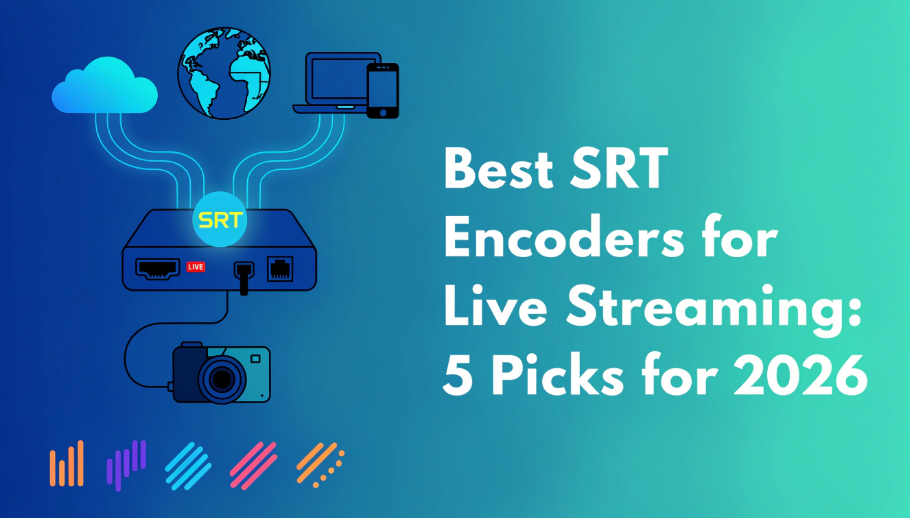
A stream can look perfect inside the venue and still break up on its way to a remote studio. That is the problem an SRT encoder is built to solve: it compresses an HDMI or SDI feed and sends it across an unpredictable IP network with packet recovery, encryption, and an adjustable reliability buffer. This guide compares the best SRT encoders for live streaming, from practical single-channel units to 4K60 broadcast systems.
5 Best SRT Encoders for Live Streaming in 2026
The right encoder depends on the signal you must preserve and the network risk you must manage. Magewell Ultra Encode AIO is the most balanced single-channel choice, Kiloview E3 suits multi-protocol delivery, and AJA HELO Plus is a focused 1080p streaming-and-recording appliance. Teradek Prism Flex and Haivision Makito X4 serve higher-end 4K contribution workflows.
| Product | Maximum Encoding | Video Inputs | Codecs | SRT Connection | Best Fit |
|---|---|---|---|---|---|
| Magewell Ultra Encode AIO | 4K30 | HDMI and SDI | H.264, H.265 | Caller, Listener | General live production |
| Kiloview E3 | 4K30 from HDMI; 1080p60 from SDI | HDMI, 3G-SDI, USB | H.264, H.265 | SRT supported | Multi-protocol delivery |
| AJA HELO Plus | 1080p60 | HDMI and 3G-SDI | H.264 | Caller, Listener | 1080p stream plus recording |
| Teradek Prism Flex | 4K60, 10-bit 4:2:2 | HDMI and 12G-SDI | H.264, H.265 | SRT supported | Portable 4K contribution |
| Haivision Makito X4 | 4K60, 10-bit 4:2:2 | 12G-SDI or ST 2110 configurations | H.264, H.265 | Caller, Listener, redundancy | Mission-critical broadcast |
Best Overall: Magewell Ultra Encode AIO
Magewell Ultra Encode AIO offers the strongest balance of input flexibility, encoding quality, and manageable setup. It accepts HDMI up to 4K60 and SDI up to 4K30, then encodes a main stream up to 4K30. SRT Caller and Listener modes make it useful for both field-to-studio contribution and a controlled point-to-point link.
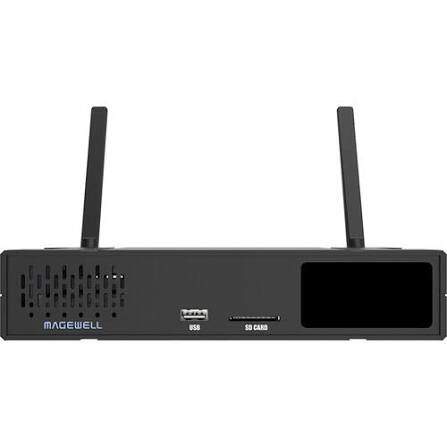
- Useful in mixed production kits: HDMI and SDI are built into one box, so the same encoder can move between mirrorless, PTZ, and broadcast cameras.
- Good for several delivery paths: it can stream to as many as six destinations across supported protocols while recording to SD, USB, or network storage.
- Practical codec choice: H.264 maximizes receiver compatibility, while H.265 reduces the bitrate needed for similar image quality when both endpoints support it.
Practical example and field experience: A weekly church or conference can send SRT to a remote control room, record locally, and deliver a second platform stream from the same box. In a evaluation, streams started quickly, stayed in lip sync, and ran cool without a fan. Teams operating several units also value the repeatable setup, although the detailed settings menu is best prepared by a technician before volunteers take over.
Main limitation: it is a single-channel encoder, and the encoded program tops out at 4K30. Choose a multi-channel or 4K60 system when fast 4K sports or several independent feeds must leave the venue at once.
Best for Multi-Protocol Delivery: Kiloview E3
Kiloview E3 is built for teams that must send the same production into several IP workflows. It supports SRT, RTMP/RTMPS, NDI HX, HLS, RTSP, WHIP, and other protocols, with as many as eight destinations. HDMI, SDI, and USB inputs also make it easy to reuse across event, education, and remote-production setups.
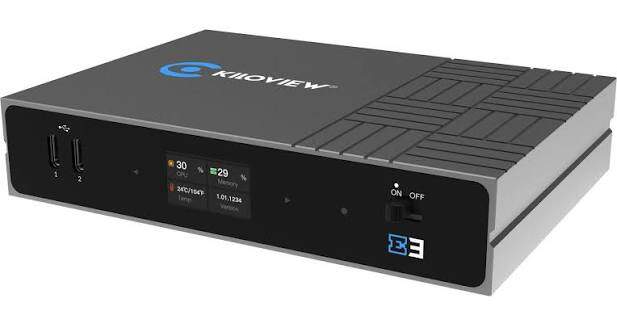
- Flexible source handling: switch between HDMI, SDI, and USB, or combine HDMI and SDI as a picture-in-picture composition.
- Designed for distribution: one feed can go to an SRT receiver while additional outputs serve NDI, RTMP, or monitoring workflows.
- Useful onboard processing: rotation, cropping, overlays, audio meters, and color adjustments reduce the number of external tools needed.
On a soundstage, the E3 can turn a guest laptop or DSLR into an SRT feed while preserving a local loop output, then provide NDI when the production needs another IP path. A production user found this flexibility useful when other links failed. Timing still needs testing: one reported setup measured roughly 230–400 ms, and separate E3 streams need an external synchronization plan for frame-matched switching.
Main limitation: its 4K claim applies to the HDMI path at up to 4K30. The 3G-SDI input is limited to 1080p60, so it is not the right choice for a 4K SDI camera chain.
Best for Reliable 1080p Streaming and Recording: AJA HELO Plus
AJA HELO Plus makes sense when a dependable 1080p60 program feed matters more than 4K or HEVC. It can stream and record from HDMI or 3G-SDI, send two independently configured streaming outputs, and save a local copy to SD, USB, or network storage. Front-panel Stream and Record buttons also give an operator a clear hardware fallback.
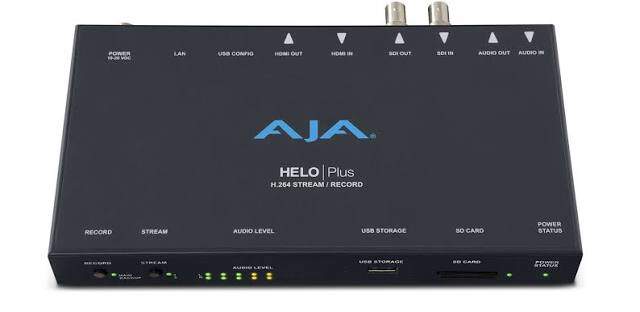
- Simple event operation: physical controls and audio meters reduce the need to keep the web interface open during a show.
- Flexible SRT connection: current firmware supports Caller and Listener modes with AES encryption.
- Strong archive workflow: stream the program while recording a high-quality local copy for editing or delivery.
Practical example: A venue can send one encoded feed to an internal network and a second to YouTube while recording a local master.
Main limitation: HELO Plus encodes H.264 only and stops at 1080p60. It suits church services, conferences, education, and event streams that have standardized on HD, not a 4K HEVC contribution chain.
Best 4K Portable Encoder: Teradek Prism Flex
Teradek Prism Flex is a compact professional choice for 4K60 HDR contribution. Its 12G-SDI and HDMI connections, 10-bit 4:2:2 pipeline, H.264/H.265 encoding, and broad protocol support fit mobile production trucks, remote event control rooms, and camera-side contribution. It is the clearest pick here when you want the best 4K SRT encoder for live streaming in a portable form.
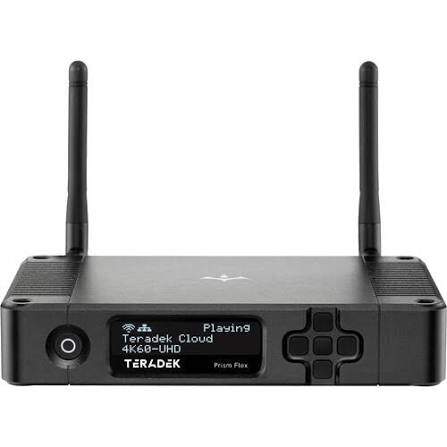
- Preserves demanding sources: 4K60, HDR, 10-bit depth, and 4:2:2 color support match higher-end production cameras.
- Fits field or control-room placement: the small enclosure can sit on a table, camera rig, or rack shelf.
- Supports advanced transport: SRT sits alongside RIST, RTMP(S), MPEG-TS, and cloud-connected workflows.
A concert or sports crew can send a 4K HDR SRT contribution feed to a remote studio while recording an external backup at the venue. In practical HDR-over-SRT testing, users reported clean PQ metadata transport. The metal enclosure also acts as a heatsink and becomes noticeably warm, so leave airflow around it and rehearse any Core cloud routing before the event.
Main limitation: the current official price starts around $3,990, and some advanced platform functions require additional licenses or services. Budget for the complete contribution system, not only the encoder.
Best for Mission-Critical Broadcast: Haivision Makito X4
Haivision Makito X4 is designed for broadcast contribution where a failed path is more costly than a complex deployment. It supports 4K60 H.264 and H.265, 10-bit 4:2:2 video, high-bitrate encoding, multiple encoding cores, AES-protected SRT, and active-backup SRT path redundancy. That combination suits sports, news, government, and enterprise broadcast networks.
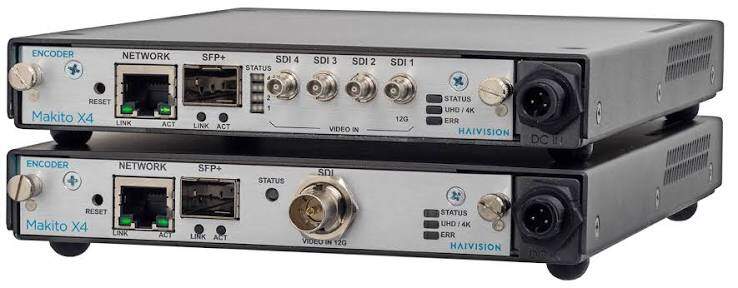
- Handles dense broadcast signals: encode one 4K60 source or several HD outputs with separate parameters.
- Protects the contribution path: active-backup SRT can use two network paths so a second route is ready when the first fails.
- Preserves production metadata: supported configurations can carry captions, audio, and broadcast metadata through the contribution workflow.
Main limitation: this is an enterprise system with quote-based configuration, licensing, and integration. It needs engineering time and a matched receiving workflow, so it is excessive for a single creator sending one feed to a public platform.
How to Choose an SRT Encoder
Start with the receiver and signal format, not the product name. An encoder is useful only when its input, codec, connection mode, and output profile match the system at the other end.
Confirm the Real Encoding Resolution
A 4K input does not guarantee a 4K stream. Check the maximum encoded output for the exact connector you will use. Kiloview E3, for example, accepts 4K30 through HDMI but limits SDI to 1080p60. Magewell Ultra Encode AIO can accept 4K60 over HDMI but produces a main encoded stream up to 4K30.
For a 4K60 contribution link, both the input and encoding engine must support 4K60, and the receiver must decode the same codec, bit depth, and frame rate. This is why Prism Flex and Makito X4 sit in a different class from compact 4K30 encoders.
Choose H.264 or H.265 for the Receiving Workflow
- Use H.264 when broad compatibility matters or the receiver, cloud service, or platform has limited HEVC support.
- Use H.265/HEVC when both endpoints support it and you need to preserve quality at a lower bitrate, especially for 4K contribution.
SRT transports the encoded stream; it does not make an incompatible codec work. Confirm the decoder or production platform before choosing an HEVC-only workflow. For a broader protocol comparison, see RTMP vs. RTSP vs. SRT.
Match Caller and Listener Modes
One endpoint must initiate the connection and the other must wait for it:
- Caller: initiates the session and needs the Listener's address and UDP port.
- Listener: waits on an open UDP port for the Caller.
- Rendezvous: both endpoints initiate the session, but both devices and the network must support the same setup.
Caller mode is usually the simplest choice for a field encoder behind a changing internet connection. Place the receiver at a studio or cloud endpoint with a known address and an opened UDP port.
Plan for Network Headroom and Recovery
SRT repairs packet loss by retransmitting data inside a configured latency buffer. More buffer time improves recovery but delays the picture. On a reasonably clean network, Haivision's current SRT guidance uses about four times the round-trip time as a starting point. A measured 50 ms RTT therefore suggests roughly 200 ms of SRT latency before encoder, decoder, and display delay are added.
Do not set the video bitrate equal to the full upload speed. Leave room for audio, SRT recovery traffic, and changing network capacity. A practical target is to keep the complete SRT stream below about 75% of the reliably measured upload capacity.
How to Set Up and Test an SRT Encoder
Configure the receiving side first, then make the encoder call it. This order gives you a known IP address, UDP port, codec profile, and monitoring point before the field feed begins.
- Connect the camera or switcher. Use HDMI or SDI and confirm that the encoder detects the intended resolution, frame rate, and embedded audio.
- Prepare the receiver. Set it to SRT Listener mode, choose a UDP port, and open or forward that port on the receiving network.
- Set the encoder to Caller. Enter the receiver's public IP address or hostname, UDP port, and Stream ID when the receiving service requires one.
- Match the media settings. Select H.264 or H.265, progressive video, the correct frame rate, AAC audio, and a bitrate the receiver can decode.
- Set latency from the network RTT. Start near four times RTT on a clean connection, then increase it if burst loss causes visible errors.
- Enable encryption. Use the same AES option and passphrase at both endpoints.
- Run a realistic test. Stream motion, speech, and music for at least 15 minutes while watching packet loss, retransmissions, buffer level, audio sync, and decoder stability.
Do not confuse SRT contribution with final platform delivery. SRT commonly carries a reliable feed from the venue to a studio or cloud receiver. The receiving system can then switch, add graphics, and send RTMPS or HLS to YouTube. YouTube's current encoder guidance recommends RTMPS for standard live ingest.
If you are comparing a wider range of dedicated appliances, the hardware encoder guide covers additional RTMP, bonded cellular, and all-in-one production options.
Bonus: Use a Camera with Native SRT Output
A separate encoder is unnecessary when the camera already creates the required SRT stream. OBSBOT Tail 2 can operate as an SRT Caller or Listener, sending its camera feed directly to compatible software or production hardware over Ethernet or Wi-Fi. This is useful for a remote stage angle, worship camera, lecture room, or event position where a compact camera-to-network path keeps the rig simple.
Key SRT and production features:
- Native SRT Caller and Listener modes: connects directly to compatible software, servers, or production devices.
- 4K60 imaging: captures detailed, fluid video while the selected SRT media profile controls the transmitted format.
- AI Tracking 2.0: follows people, groups, animals, and supported objects without a camera operator at the remote position.
- PTZR framing: combines pan, tilt, zoom, and rotation for landscape or vertical production.
- Professional connectivity: HDMI, 3G-SDI, USB-C, Ethernet, Wi-Fi 6, and IP video options support several production paths.
Workflow note: enabling SRT mode makes UVC, RTSP, NDI, and the camera's other live-stream mode unavailable until you change the output mode.
FAQs About SRT Encoders
Can an SRT encoder stream directly to YouTube?
Not through standard YouTube SRT ingest. Send SRT to a compatible receiver or cloud gateway, then deliver the program to YouTube through RTMPS or supported HLS ingest. Some encoders can create both outputs from the same source.
How much upload bandwidth does an SRT stream need?
Add the video, audio, metadata, and SRT recovery overhead, then keep the total below about 75% of stable measured upload capacity. A 12 Mbps stream should have considerably more than 12 Mbps of reliable upstream bandwidth.
Is H.265 better than H.264 for SRT?
H.265 is more bandwidth-efficient, especially for 4K, but H.264 works with more receivers and services. Choose H.265 only after confirming that every receiving and decoding stage supports it.
What is the difference between SRT latency and total stream delay?
SRT latency is the recovery buffer reserved for network retransmissions. Total delay also includes camera processing, encoding, decoding, switching, and display time, so it will be longer than the SRT setting alone.
Do both SRT endpoints need the same settings?
They must agree on the connection mode pair, UDP port, Stream ID when used, and encryption passphrase. The decoder must also support the incoming codec, resolution, frame rate, audio format, and bitrate.
Conclusion
Magewell Ultra Encode AIO is the safest general-purpose choice, AJA HELO Plus is strong for reliable 1080p streaming and recording, and Kiloview E3 fits mixed-protocol delivery. For portable 4K60 contribution, choose Teradek Prism Flex; for redundant broadcast infrastructure, choose Haivision Makito X4. Confirm the receiver, encoded resolution, codec, SRT mode, and network headroom before buying.