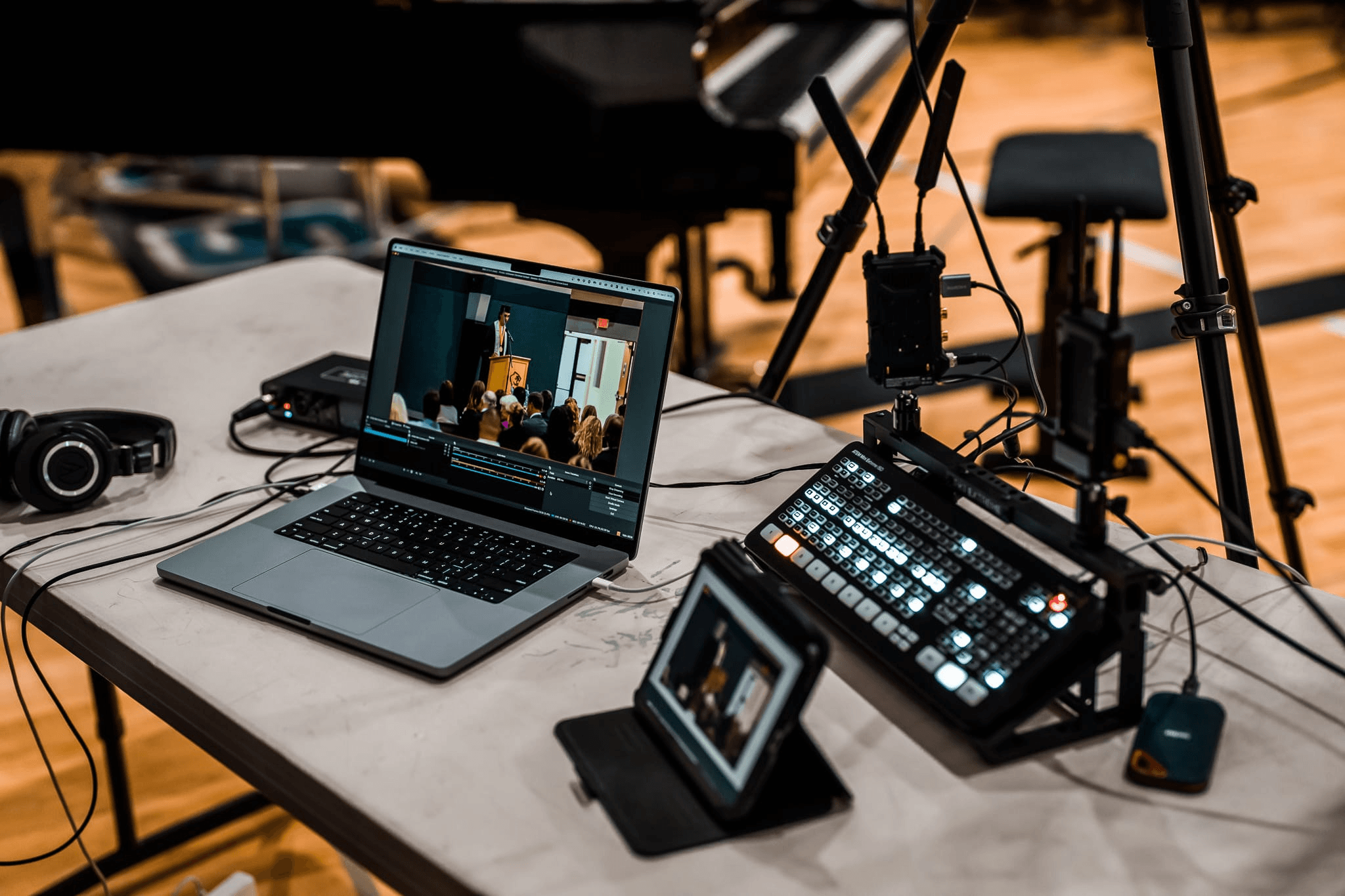
7 Best IP Streaming Encoder: A Complete Guide

Your camera captures great video. Your audience never sees it — because something has to compress and package that signal before it travels over a network. That something is an IP streaming encoder. Pick the wrong one and you get buffering, lip-sync drift, CDN rejections, or a stream that simply won't start. This guide covers what an IP streaming encoder does, which type fits your situation, and which seven products — four hardware, three software — are worth your money.
What Is an IP Streaming Encoder?
An IP streaming encoder converts raw video and audio signals into compressed digital packets that travel across an IP network to reach viewers on TVs, phones, or computers. Without encoding, a single uncompressed 1080p60 feed would consume roughly 3 Gbps — far too large to stream live over any practical internet connection.
The encoder ingests video from a source (camera, switcher, capture card) via HDMI, SDI, or USB, applies a codec to compress the data, then wraps the stream in a transport protocol and pushes it toward a platform, CDN, or local network.
Codecs at a glance:
| Codec | Compression Efficiency | Compatibility | Best For |
|---|---|---|---|
| H.264 (AVC) | Baseline | Universal | Broad audience, older devices |
| H.265 (HEVC) | ~50% better than H.264 | Wide, growing | 4K, bandwidth-limited setups |
| AV1 | Best in class | Modern browsers / platforms | Software-only OTT workflows |
Protocols at a glance:
| Protocol | Typical Latency | Best Used For |
|---|---|---|
| RTMP | 3–5 seconds | CDN ingest (YouTube, Twitch) |
| SRT | 0.5–2 seconds | IPTV contribution, unstable connections |
| HLS / DASH | 6–30 seconds | Wide-scale viewer delivery |
| UDP / RTP | <500 ms | LAN multicast, closed IPTV networks |
Hardware vs. Software IP Streaming Encoder: Top Picks
| Product Name | Type | Price | Max Resolution | Codec Support | Protocols | Platform | Best For |
|---|---|---|---|---|---|---|---|
| OBSBOT Talent 2 | Hardware | ~$2,099 | 4K@60fps | H.264 / H.265 | RTMP / SRT / RTSP / NDI | Standalone | Multi-cam creators |
| Epiphan Pearl Nano | Hardware | ~$1,495 | 4K (add-on) | H.264 / H.265 | RTMP / SRT | Standalone | AV pros / events |
| BM Web Presenter HD | Hardware | ~$589 | 1080p | H.264 | RTMP / SRT | Standalone | Budget SDI teams |
| Magewell Ultra Encode AIO | Hardware | ~$899 | 4K | H.264 / H.265 / NDI HX3 | RTMP / SRT / NDI / HLS / RTP | Standalone | IP production / AV-over-IP |
| OBS Studio | Software | Free | Up to 4K | H.264 / H.265 / AV1 | RTMP / SRT / HLS | Win / Mac / Linux | Flexible / DIY |
| vMix | Software | $60–$1,200 | Up to 4K | H.264 / H.265 | RTMP / SRT / NDI | Windows only | Full production suites |
| Wirecast | Software | ~$599/yr | Up to 4K | H.264 / H.265 | RTMP / SRT | Win / Mac | Enterprise broadcast |
Note: Hardware encoders run independently of any computer. Software encoders depend on your host machine's CPU or GPU — which directly affects encoding stability.
Hardware Encoders
OBSBOT Talent 2 Live Streaming Studio - ($2099)
Most multi-cam productions require separate devices for encoding, switching, monitoring, and recording. The OBSBOT Talent 2 consolidates these workflows into a single production unit, giving small production teams a more streamlined alternative to a laptop-and-capture-card setup. With built-in video processing, multi-network connectivity, and battery-powered operation, it is designed for teams that need professional multi-source production without building a full production rack.
Key Features:
- Up to 16 video inputs (4 HDMI, 2 USB, 10 IP); streams to 4 destinations simultaneously
- True 4K@60fps H.264 and H.265 encoding via RTMP, SRT, RTSP, and NDI
- Smart Network Bonding across 4G/5G, Wi-Fi 6, and 2.5Gbps Ethernet for stable delivery
- Smart Auto-Switch with sequential, random, and audio-follow modes; ISO recording of up to 4 feeds
- 7" AMOLED touchscreen (800 nits); controllable via web browser or Tail Air remote
- Hot-swappable dual NP-F batteries for uninterrupted live streaming
Epiphan Pearl Nano - $1495

Fixed installations — lecture halls, courtrooms, conference rooms — need an encoder you configure once and leave running. That is the Pearl Nano's job. It accepts HDMI and 12G-SDI, delivers 1080p60 natively, and adds 4K via a paid license. PoE+ means one Ethernet cable handles both power and data, cutting installation complexity significantly. Epiphan Edge lets you monitor and control any number of units from a browser without being on-site. H.265 arrived free via firmware, halving bandwidth requirements. At around $1,495, it is the right pick for AV teams managing permanent deployments where downtime is not acceptable.
Key Features:
- HDMI and 12G-SDI inputs; 4K via optional add-on license
- H.264 and H.265 encoding; SRT contribution encoding built in
- PoE+ powered — one cable for power and data
- Cloud monitoring and control via Epiphan Edge
- SD card slot, USB transfer, and optional M.2 SSD for local recording
Blackmagic Design Web Presenter HD - $589

Many broadcast teams already have SDI cameras and a working production workflow — they just need a way to push it online. The Web Presenter HD does exactly that. Feed it any 12G-SDI source, including 4K cameras it downconverts to 1080p, and it streams directly to YouTube, Facebook, X, or any RTMP/SRT destination over Ethernet or a tethered 5G/4G phone. No encoding PC, no capture card, no extra software. A USB Type-C port doubles as a USB webcam for any computer if needed. At ~$589, it is the most direct, lowest-friction entry point into IP streaming for existing SDI productions.
Key Features:
- 12G-SDI input with built-in 4K-to-1080p downconversion
- RTMP and SRT output to major platforms and custom destinations
- Ethernet or 5G/4G mobile tethering via USB for remote deployments
- Functions as a USB webcam — no driver required
- Front panel with buttons and color display for standalone configuration
Magewell Ultra Encode AIO - $899

Most encoders stream to one or two destinations. The Ultra Encode AIO streams to six simultaneously — across RTMP, SRT, NDI|HX3, HLS, RTP, and more — at up to 32 Mbps per stream. It takes HDMI (4K60) and 6G-SDI in a single unit, with PiP or side-by-side dual-input mixing built in. Protocol coverage here is the widest in this list by a significant margin. Eight configurable overlays, onboard scheduling, and network recording via NFS or SMB make it a self-contained broadcast node. Rack-mountable at 1 RU, it is built for IP production infrastructure and AV-over-IP headend deployments. MSRP is $899.
Key Features:
- HDMI (4K60) and 6G-SDI inputs; PiP or side-by-side dual-input mixing
- H.264, H.265, NDI|HX2, and NDI|HX3 encoding; up to 32 Mbps per stream
- Up to 6 simultaneous streams across RTMP, SRT, NDI, HLS, RTP, and more
- SD card and USB external storage; network recording via NFS, CIFS, or SMB
- 1 RU rack-mountable; scheduling, overlays, and browser-based management
Software Encoders
OBS Studio

Free software that is also the industry benchmark is rare. OBS is that. It runs on Windows, macOS, and Linux, encodes via x264, x265, or AV1, and outputs to RTMP, SRT, or HLS — with GPU acceleration through NVENC, AMD AMF, or Intel QuickSync. The plugin ecosystem covers NDI, virtual camera, multi-stream output, and more. The tradeoff is the learning curve: advanced configurations require manual setup, and there is no support line when something breaks mid-event. For technically capable users who stream regularly and want maximum flexibility at zero cost, nothing else comes close.
Key Features:
- Free and open-source; Windows, macOS, and Linux
- Hardware-accelerated encoding via NVENC, AMD AMF, and Intel QuickSync
- RTMP, SRT, and HLS output; unlimited scenes and source types
- Large plugin library: NDI, virtual camera, multi-stream output, and more
- Built-in scene switching and audio mixing
vMix
When a production needs more than encoding — camera switching, instant replay, virtual sets, chroma key, video call guests — vMix is where Windows teams typically land. It functions as a full software broadcast switcher that also encodes and streams. Sources span cameras, capture cards, NDI, IP streams, and media files, all mixable in real time. Multi-destination output runs simultaneously across YouTube, Facebook, and custom RTMP servers. Four one-time license tiers run from $60 (Basic HD) to $1,200 (4K Pro). Windows-only — Mac shops need another option — but for Windows productions, it replaces hardware costing an order of magnitude more.
Key Features:
- Multi-camera switching, NDI, virtual sets, and chroma key in one application
- Simultaneous multi-destination streaming; RTMP, SRT, and NDI output
- Built-in instant replay, scoreboards, and video call guest input
- 4K output on higher license tiers; H.264 and H.265 encoding
- Windows only; one-time license from $60 to $1,200
Wirecast
Some productions cannot afford a failure with no one to call. Wirecast, by Telestream, is built for those situations. It runs on Windows and Mac, accepts unlimited sources — cameras, NDI, IP streams, screen capture, ISO feeds — and outputs to multiple destinations simultaneously with built-in graphics and lower-thirds. The ~$599/year license includes software updates and standard support; a premium SLA option is available for guaranteed response times. When the stream is a CEO town hall or an investor call, that support channel matters in a way a forum thread cannot replace. Enterprise teams running high-stakes broadcasts should seriously consider it.
Key Features:
- Cross-platform: Windows and macOS; unlimited source inputs
- Built-in graphics, lower-thirds, ISO recording, and replay
- Multi-destination simultaneous output; RTMP and SRT support
- Standard support included; premium SLA support available as add-on
- ~$599/year; free trial available with watermark
How to Choose the Right IP Streaming Encoder
Five questions narrow the field quickly.
1. How many channels do you need? A standard live stream usually targets one or two platforms. If you need to push to multiple social channels and custom networks simultaneously, look for a multi-destination powerhouse like the Magewell Ultra Encode AIO or a robust software suite. For complex commercial IPTV headends (like hotel or hospital TV systems) requiring dozens of independent network channels, specialized multi-channel rack appliances (4, 8, or 16 channels per unit) are typically utilized.
2. How often do you stream? Occasional streams suit a software encoder on a dedicated machine. Streams running 24/7 — IPTV channels, stadium displays, corporate signage — need a hardware appliance. Software running on a general-purpose PC will eventually crash, update itself at the wrong moment, or fall victim to a background process stealing CPU.
3. What inputs does your source use? HDMI covers consumer cameras and switchers. SDI is the broadcast standard for professional cameras and long cable runs — confirm 12G-SDI support if your cameras use it. NDI suits campus IP networks and software-routed workflows.
4. H.264 or H.265? H.264 if your viewers include older smart TVs or set-top boxes. H.265 if you are streaming 4K or need to stretch a limited upload pipe — it delivers equivalent quality at roughly half the bitrate.
5. What is your upload speed? Keep your total encoding bitrate at or below 70% of your available upload bandwidth. A 1080p H.264 stream at 5 Mbps needs at least 7 Mbps of stable upload. A 4-channel IPTV encoder running four 1080p streams at 5 Mbps each requires at least 30 Mbps.
FAQs About IP Streaming Encoders
What is an IP streaming encoder?
It is a device or application that compresses video from a camera or source and sends it as a data stream over an IP network to a platform, CDN, or IPTV system.
Hardware or software encoder — which should I pick?
Hardware for 24/7 or mission-critical streams. Software for flexible, occasional broadcasts where you have a capable host machine and can accept some configuration overhead.
What is SRT and why do IPTV encoders use it?
SRT (Secure Reliable Transport) recovers lost packets mid-transmission, keeping streams stable over congested or unpredictable connections. It is the standard protocol for IPTV contribution and remote production.
Can I stream over 4G or 5G with an IP streaming encoder?
Yes. Use SRT — its packet recovery handles the variable packet loss typical of cellular connections. The OBSBOT Talent and Blackmagic Web Presenter HD both support direct 4G/5G tethering.
Conclusion
For multi-cam production IP streaming encoder, the OBSBOT Talent 2 is the strongest all-in-one pick. For permanent professional installations, go with the Epiphan Pearl Nano. For budget SDI teams, the Blackmagic Web Presenter HD does the job at $589. For IP production workflows and AV-over-IP headends that need maximum protocol reach, the Magewell Ultra Encode AIO stands alone. On the software side, OBS covers nearly every use case for free, vMix handles complex Windows productions, and Wirecast is the right call when support matters as much as features. Pick by use case, not by price alone.