Multi-Channel Distribution: Strategy, Tools, and Live Streaming
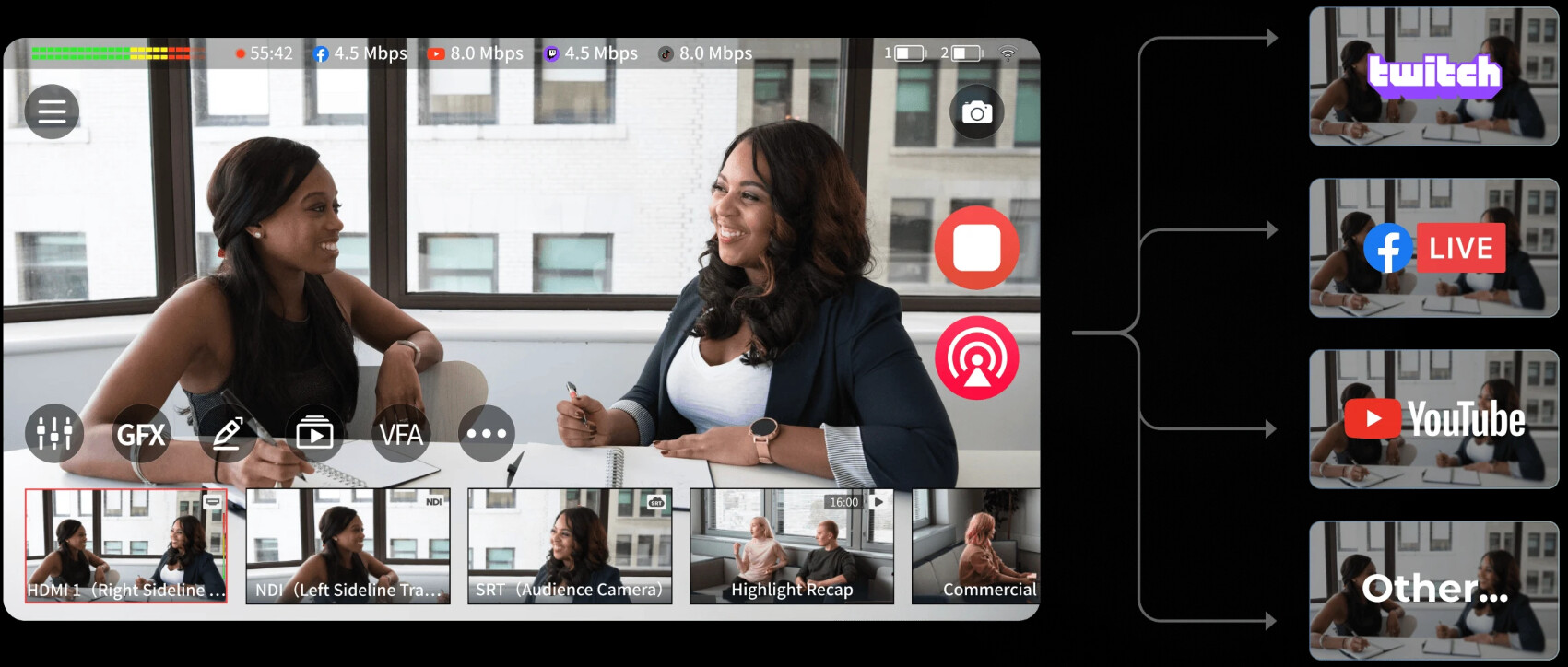
Publishing one video to one platform is simple. Managing the same live production across YouTube, Twitch, Facebook, LinkedIn, a website, and later on-demand channels is a different workflow. Each destination has its own format, audience, metadata, chat, and performance data.
This guide explains what multi-channel distribution means for video content, how it differs from omnichannel distribution, what equipment and software support a professional workflow, and how to turn one live production into a coordinated content system.
- What Is Multi-Channel Distribution?
- How to Build a Multi-Channel Content Distribution Strategy
- Equipment and Software for Professional Multi-Channel Streaming
- How to Distribute One Video Across Multiple Channels
- How AI Can Streamline Multi-Channel Content Distribution
- Advantages and Challenges of Multi-Channel Distribution
- FAQs About Multi-Channel Distribution
What Is Multi-Channel Distribution?
Multi-channel distribution is the process of delivering the same content, product, or message through several independent channels. For video creators, that can mean sending one live production to YouTube, Twitch, Facebook Live, LinkedIn, and a website at the same time.
Each platform remains its own destination. You may use the same camera feed, but the title, thumbnail, chat, description, vertical cut, and audience interaction can still be different on each channel.
For example, a product launch might use:
- YouTube: Full-length livestream and searchable replay.
- Twitch: Live interaction and community discussion.
- Facebook: Existing followers and group sharing.
- LinkedIn: Professional and business-focused viewers.
- Company website: Embedded event player and lead-generation content.
- Short-form channels: Vertical clips created from the original broadcast.
Multi-Channel vs Omnichannel Distribution
Multi-channel distribution means that content appears in several places, but those channels may operate separately. Omnichannel distribution connects the channels into a more unified customer or viewer experience.
| Approach | How it works | Example |
|---|---|---|
| Multi-channel | The same content reaches several separate channels | A livestream sent to YouTube, Twitch, and Facebook |
| Omnichannel | Channels are connected into one coordinated experience | A viewer moves from a social post to a website event page without losing context |
In this article, multi-channel distribution refers to video and live content distribution. Amazon selling, retail distribution, and multi-channel warehousing are related business topics but require a different strategy.
How to Build a Multi-Channel Content Distribution Strategy
A strong strategy begins with the content goal, not the number of platforms. Sending every video everywhere can create extra work without improving reach or viewer quality.
1. Define the Main Content Goal
Decide what the content needs to achieve before selecting distribution channels.
- Reach: Put the content where new viewers are most likely to discover it.
- Community: Prioritize channels with active chat, comments, or returning followers.
- Leads: Direct viewers toward a website, registration page, or product page.
- Education: Use searchable long-form video, replay access, and organized resources.
- Sales: Match the channel to the audience’s buying behavior and trust level.
A live product demonstration, for example, may use YouTube for search visibility, Facebook for existing followers, LinkedIn for business prospects, and a website embed for direct conversion.
2. Separate Primary and Secondary Channels
Choose one primary channel for the main audience and treat the other platforms as supporting destinations. This makes the production easier to manage because the team knows where the main chat, call to action, and post-event follow-up should happen.
The primary channel may be YouTube for searchable content, Twitch for live community interaction, or a company website for a controlled event experience.
3. Match the Format to Each Platform
Multi-channel does not mean copying the exact same file everywhere. A horizontal 16:9 livestream may become a vertical highlight, a short tutorial, a quote graphic, or an edited replay.
| Content asset | Main purpose | Typical destination |
|---|---|---|
| Full livestream | Real-time viewing and interaction | YouTube, Twitch, Facebook, LinkedIn |
| Edited replay | Searchable and evergreen viewing | YouTube, website, knowledge base |
| Short vertical clip | Discovery and quick engagement | Shorts, Reels, TikTok, social feeds |
| Email or article summary | Follow-up and conversion | Email, blog, landing page |
4. Plan Ownership and Measurement
Record which team owns the source video, captions, thumbnails, platform uploads, moderation, and reporting. Then define the measurement for each channel before publishing.
- Reach: Impressions, views, unique viewers.
- Engagement: Watch time, comments, chat activity, shares.
- Action: Clicks, registrations, downloads, or sales.
- Retention: Returning viewers, subscribers, followers, and replay views.
Equipment and Software for Professional Multi-Channel Streaming
A professional multi-channel setup needs to manage four jobs: capture the sources, produce the show, encode the output, and distribute the stream reliably.
| System part | What it handles | Typical options |
|---|---|---|
| Camera sources | People, products, presentations, and environments | Webcams, PTZ cameras, camcorders, phones, HDMI cameras |
| Audio system | Voice, music, remote guests, and program mix | USB microphones, XLR microphones, mixers, audio interfaces |
| Production layer | Switching, scenes, overlays, graphics, and guest feeds | OBS Studio, hardware switchers, all-in-one production studios |
| Encoder | Converts the production into a streamable signal | Computer encoder, hardware encoder, cloud encoder |
| Distribution layer | Sends one production to multiple destinations | RTMP outputs, cloud relay, multistream platform, IP workflow |
| Content management | Replays, clips, captions, metadata, and versioning | Video CMS, cloud storage, editing software, caption tools |
Camera and Video Sources
The camera should match the way the stream is produced. A single presenter may only need one dependable angle, while an interview, class, or event may benefit from a wide shot and a closer view that can be switched during the broadcast.
The OBSBOT Tail 2 is designed for live production workflows that need more than a fixed webcam view. Its PTZR design, 4K imaging, and AI tracking are useful for live events, presentations, interviews, classes, and product demonstrations where the subject may move around the scene.
- PTZR camera movement: Adjust the pan, tilt, zoom, and rotation when the broadcast needs a wider view, a closer shot, or a vertical composition.
- AI tracking: Keep a presenter, speaker, or performer in frame while they move across a stage or demonstration area.
- 4K video capture: Preserve additional image detail when the production needs to crop, reframe, or create multiple versions for different platforms.
- Network-ready production: Integrate the camera into a professional live workflow when the production uses network video sources and remote camera control.
For a single-camera stream, Tail 2 can serve as the main camera for the presenter or event. In a multi-camera setup, it can cover the primary speaker, stage, or activity area while other sources handle audience views, presentation screens, or close-up shots.
Audio and Monitoring
Audio problems become more noticeable when a stream reaches several platforms at once. Use a consistent audio mix, monitor the program output with headphones, and keep a backup microphone available for important events.
Separate the microphone mix from the camera sources when possible. This makes it easier to keep speech at a stable level while switching between cameras, slides, and video clips.
Local, Cloud, or Hardware Distribution
YouTube describes two common simulcasting approaches: a local encoder that sends to several destinations, or a cloud service that receives one high-quality stream and distributes it across platforms. A local encoder gives the production team more direct control. A cloud relay can reduce computer load and simplify the number of outgoing connections.
Your upload connection must support the total stream requirement. If multiple platforms receive separate outgoing streams, add their target bitrates together and leave additional headroom for stability.
All-In-One Multi-Cam Live Streaming & Production Studio: OBSBOT Talent 2
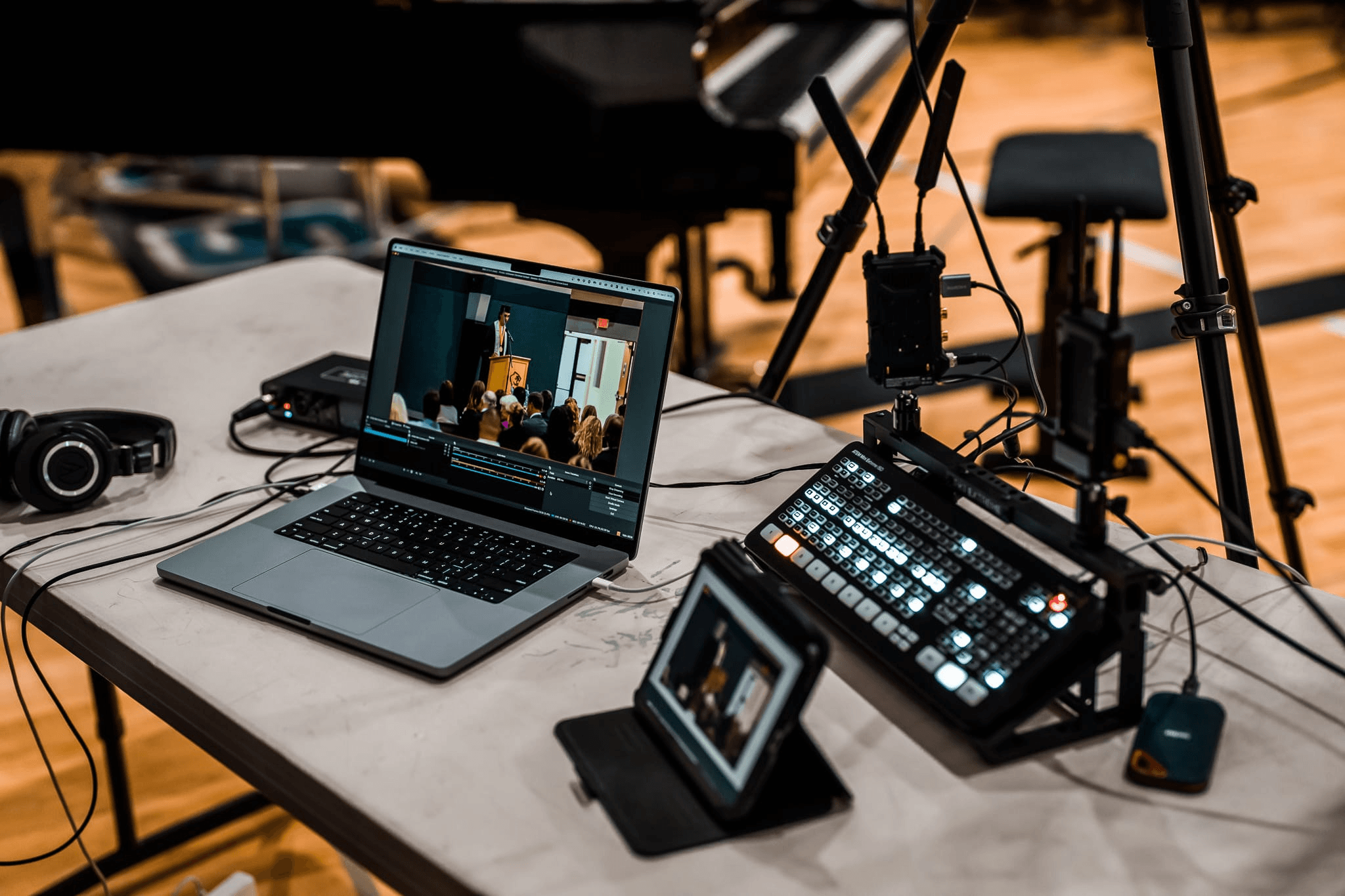
When a production includes several cameras, IP sources, remote contributors, multiple destinations, and local recording, a computer-only setup can become difficult to operate. OBSBOT Talent 2 is designed for this type of professional workflow.
It works as a central production engine where the operator can bring together camera feeds, network sources, switching, recording, monitoring, and distribution. This is more relevant to corporate events, churches, sports, conferences, and mobile productions than to a basic single-camera livestream.
- Multi-source production: Handles up to 16 video sources across supported HDMI, USB, NDI, SRT, RTSP, RTMP, and local media workflows.
- 4K distribution: Supports high-resolution output for professional live productions and multi-platform delivery.
- IP-first workflow: Brings network cameras, remote feeds, and local video sources into the same production environment.
- On-device monitoring: The 7-inch Full HD AMOLED display keeps preview, switching, and program control close to the operator.
- Recording and replay: ISO recording, distributed recording, internal storage, external storage, and instant replay support post-event content production.
How to Distribute One Video Across Multiple Channels
Step 1: Create the Master Production
Build one clean master program before adapting it for individual destinations. Confirm the camera shots, audio mix, lower thirds, presentation sources, and graphics before connecting the output to multiple platforms.
The master production should be easy to watch without platform-specific text. For example, avoid placing a Twitch-only call to action inside the main video if the same feed will also appear on YouTube or LinkedIn.
Step 2: Choose the Distribution Method
There are two common methods:
- Direct multi-output: The local encoder sends separate outputs to each platform.
- Cloud relay: The encoder sends one stream to a distribution service, which delivers it to the connected channels.
Direct output suits teams that need maximum control and have a strong upload connection. Cloud relay is often easier when the team wants to reduce computer workload or distribute to more than two destinations.
Step 3: Configure Each Channel
Create or schedule the live event on each platform. Depending on the platform and encoder, you may need a stream key, server URL, account connection, title, description, thumbnail, category, and privacy setting.
Keep the core event information consistent, but adjust the title and description to match the audience on each channel. A YouTube title may emphasize search intent, while a Twitch title may emphasize live interaction.
Step 4: Test the Full Distribution Chain
Run a private or unlisted test before the public broadcast. Test the camera movement, audio, captions, platform preview, bitrate, chat, and stream health on every destination.
Include realistic motion and speech in the test. A static slide may look stable while a camera movement or animated lower third causes dropped frames.
Step 5: Repurpose the Master Recording
After the livestream, create versions for different channels instead of uploading the raw recording everywhere.
- Trim the full broadcast into a searchable replay.
- Extract short highlights for vertical platforms.
- Create a written summary for a blog or email.
- Turn repeated questions into an FAQ or tutorial.
- Save clean camera and audio files for future editing.
How AI Can Streamline Multi-Channel Content Distribution
How can AI help streamline multi-channel content distribution? AI is most useful after the master content exists. It can help identify important moments, prepare platform-specific versions, and organize the publishing workflow while a human remains responsible for accuracy and final approval.
Content Repurposing
AI tools can scan a long livestream for repeated questions, strong explanations, product moments, or sections with clear standalone value. Those moments can become short clips, chapter markers, article drafts, or social captions.
Platform-Specific Drafting
The same event can require different titles, descriptions, captions, and calls to action. AI can prepare the first draft for each channel while preserving the original facts, terminology, and brand voice.
Transcription and Caption Preparation
Transcripts create a searchable record of the event and make it easier to review, edit, translate, and caption the content. Always review names, technical terms, product specifications, and speaker changes before publishing.
Content Versioning
A multi-channel workflow becomes easier to manage when every version has a clear relationship to the master recording. AI can help label files by platform, aspect ratio, language, topic, speaker, and publishing status.
Performance Analysis
AI can compare watch time, retention, comments, clicks, and conversions across channels. The useful question is not simply which platform received the most views. It is which channel produced the right action for the content goal.
Advantages and Challenges of Multi-Channel Distribution
| Area | Potential benefit | What needs management |
|---|---|---|
| Audience reach | Reaches viewers on the platforms they already use | Different audiences may respond to different formats and messages |
| Production efficiency | One master production can support multiple assets | Each version still needs review, formatting, and metadata |
| Business continuity | The audience is not dependent on one platform | Accounts, permissions, stream keys, and platform policies must be maintained |
| Measurement | Performance data can reveal where each content type works best | Metrics are not always directly comparable across platforms |
FAQs About Multi-Channel Distribution
What is a multi-channel distribution strategy?
A multi-channel distribution strategy defines how one product, message, or piece of content reaches multiple independent channels. For video, it may include live platforms, websites, email, social media, replay libraries, and short-form channels.
What is an example of multi-channel distribution?
A company may broadcast a product launch to YouTube, Twitch, Facebook, and LinkedIn, embed the event on its website, email the replay to subscribers, and publish short clips from the broadcast afterward.
What is the difference between multichannel and omnichannel distribution?
Multichannel distribution places content or products across several separate channels. Omnichannel distribution connects those channels into a more consistent experience, so the audience can move between them with less friction.
What equipment and software do I need for professional video live streaming and multi-channel distribution?
A professional setup usually includes one or more cameras, microphones, monitoring headphones, a production switcher or software encoder, a reliable upload connection, distribution software or a cloud relay, and a system for recording and repurposing the content.
How much upload speed is needed for multi-channel livestreaming?
The requirement depends on whether your encoder sends one stream to a cloud relay or separate streams directly to each platform. Add the target bitrates of direct outputs and leave additional headroom for stability. Always test the connection with realistic audio and video movement before the event.
What are the main types of content distribution channels?
For content marketing, the main groups are usually owned channels such as a website or email list, social and platform channels, partner or community channels, and paid distribution channels. The right combination depends on whether the goal is reach, engagement, leads, or sales.
Conclusion
Multi-channel distribution works best when one reliable master production supports several purposeful versions. Start by choosing the primary audience and channel, then match the camera, audio, encoder, internet connection, and distribution method to the scale of the production. Use AI to organize and repurpose the content, but keep human review in the workflow so every platform receives accurate, useful, and properly formatted content.