How to Publish a Podcast on Different Platforms
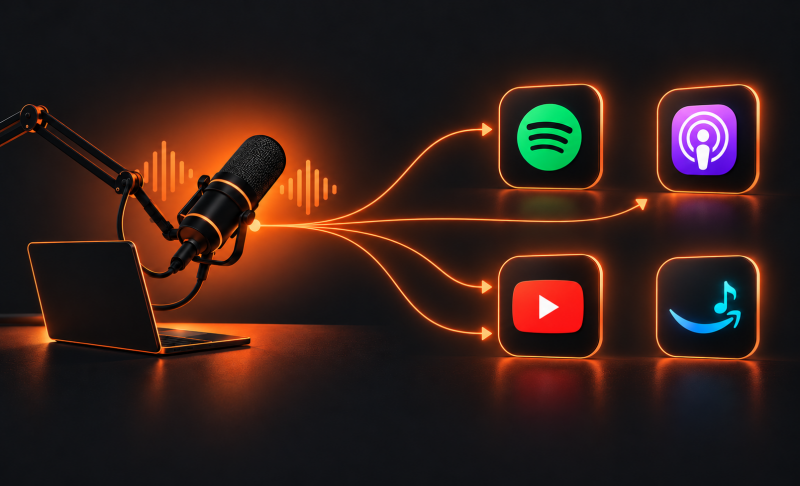
To publish a podcast on different platforms, upload your first episode to a podcast host, copy its RSS feed, and connect that feed to your chosen listening platforms. Once connected, supported platforms retrieve new episodes when you publish through your host.
Spotify, Apple Podcasts, YouTube, and Amazon Music have different setup steps, but you can manage most audio distribution from one place. This guide explains how to prepare your show, submit it to each platform, and check that your episodes are available to listeners.
Part 1: Prepare Your Podcast for Publishing
Choose a Podcast Host and Understand RSS Distribution
A podcast host stores your episode files and creates your podcast's RSS feed. Listening platforms use that feed to access your show's information and episodes.
For example, you might host your podcast with Buzzsprout or Podbean while making it available on Spotify and Apple Podcasts. Spotify for Creators also provides hosting.
Your RSS feed contains your show title, description, artwork, and episode details. When you publish another episode through your host, the feed updates.
For publishing a podcast on multiple platforms, choose a host that provides a public RSS feed. Check its storage limits, pricing, scheduling tools, and distribution options. Some hosts provide integrated submission tools; others require you to connect platforms manually.
Upload Your First Episode and Check Your Feed
Prepare these essentials before submitting your show:
- Episode file: Finished audio, plus a separate video file if you recorded a filmed version.
- Show information: Podcast title, description, language, and category.
- Cover artwork: A square image that meets your target platforms' requirements.
- Episode details: Title, summary, explicit-content label, and release date.
- Contact email: An accessible address for ownership verification.
Upload and publish your first episode or trailer through your host. Then find the RSS feed in its distribution or show settings.
Copy the RSS feed URL rather than your podcast website address or Spotify listening link. Open the feed, confirm that your episode plays, and resolve any validation errors before submission.
Part 2: How to Publish a Podcast on Different Platforms
The main difference between platforms is how you connect your show initially. Use this table to choose the appropriate publishing route.
| Platform | Main publishing route | What to remember |
|---|---|---|
| Spotify | Host directly or submit an existing RSS feed | Choose the path matching your current host |
| Apple Podcasts | Submit RSS through Apple Podcasts Connect or an integrated host | Complete validation and show review |
| YouTube / YouTube Music | Connect an eligible RSS feed or upload video episodes | RSS imports audio as static-image videos |
| Amazon Music | Submit or claim your show using RSS | Complete ownership verification |
How to Publish a Podcast on Spotify
There are two routes for uploading a podcast to Spotify, depending on whether you already have a host.
If you want Spotify to host your show:
- Sign in to Spotify for Creators.
- Select Add a new show, then choose the option to create one.
- Enter your show information and add artwork.
- Upload your finished episode and complete its details.
- Publish immediately or schedule the episode.
If your podcast is hosted elsewhere:
- Open Spotify for Creators and select Add a new show.
- Choose Find an existing show.
- Enter your podcast's RSS feed.
- Follow the verification prompts and complete the submission or claim process.
Claiming an existing listing gives you management access; it does not require moving your hosting to Spotify.
For Spotify-hosted shows, find your RSS feed under Settings → Availability to distribute elsewhere. Publishing on Spotify does not automatically submit your show to Apple Podcasts or Amazon Music.
How to Publish a Podcast on Apple Podcasts
To submit a podcast to Apple Podcasts, use Apple Podcasts Connect or your host's supported submission integration.
For manual submission:
- Sign in to Apple Podcasts Connect.
- Click Add (+) → New Show.
- Choose Add a show with an RSS feed.
- Paste your feed URL and click Add.
- Check the imported title, artwork, description, and episode information.
- Complete content-rights and contact information.
- Review availability, transcript preferences, and release settings.
- Save your changes, resolve validation warnings, and publish the show for review.
Apple requires technical validation and review before a show becomes available. Check the dashboard for issues rather than assuming submission means immediate publication.
After approval, continue publishing regular episodes through your host. You do not need to create a separate Apple listing for every episode.
How to Publish a Podcast on YouTube and YouTube Music
You can publish an audio podcast on YouTube through RSS ingestion where available, or upload filmed episodes directly.
For an audio podcast using RSS:
- Open YouTube Studio.
- Select Create → New podcast → Submit RSS feed.
- Accept the terms and enter your RSS feed URL.
- Request a verification code and retrieve it from the email address in your feed.
- Choose all existing episodes, episodes after a selected date, or future episodes only.
- Review visibility settings and save.
- Once processing finishes, go to Content → Podcasts and publish the imported show.
RSS ingestion is available only in supported countries and regions, and advanced feature access may require identity verification. Connecting the feed alone does not publish your initial imported episodes.
YouTube creates static-image videos from imported audio. For a video podcast on YouTube, create a podcast in YouTube Studio and upload full video episodes to its podcast playlist. Add titles, descriptions, thumbnails, and publication settings.
Eligible podcast content can also appear in YouTube Music. Avoid importing an audio duplicate when the same episode already exists as a filmed upload.
Bonus: Best Camera for Podcast Video Recording - OBSBOT Tail Air Streaming Camera
Planning to publish a filmed version of your podcast on YouTube or Spotify? The OBSBOT Tail Air is a practical choice for solo hosts and interview setups. Record your conversation on camera, edit the full episode for video platforms, and export an audio version for RSS distribution. This gives you both formats from the same session while keeping your publishing workflow manageable.
Key Features:
- 4K Video Recording: Capture up to 4K at 30fps or 1080p at 60fps for detailed podcast footage.
- AI Human Tracking: Keep a moving host in frame with fewer manual camera adjustments.
- Gesture Control 2.0: Start or stop recording and adjust zoom with hand gestures.
- Flexible Connections: USB-C and micro HDMI outputs support computer-based recording and compatible production equipment.
- Multi-Camera Setup: Combine multiple Tail Air cameras with a compatible production workflow for host close-ups, guest angles, and wide shots.
How to Publish a Podcast on Amazon Music
To submit a podcast to Amazon Music, have your RSS feed and verification email ready.
- Sign in to Amazon Music for Podcasters.
- Choose the option to add or claim your podcast.
- Paste your RSS feed URL.
- Review the imported show information and follow the submission prompts.
- Complete ownership verification using the email associated with the feed.
- Check that the listing appears and episodes play correctly.
If your show is already listed, claim it rather than creating another version. Amazon supports RSS submission and ownership claiming through its podcaster portal.
Verify Your Listings and Publish Future Episodes
Before sharing your launch, check each platform for:
- Correct artwork, show title, and episode order.
- Working audio and complete descriptions.
- Accurate explicit-content labels.
- Public availability and a working share link.
For future audio episodes, upload once to your host and let connected platforms retrieve the feed updates. Publication times can vary, so allow time for synchronization.
Maintain a separate checklist for filmed episodes wherever direct video uploads are required. An audio RSS connection does not guarantee video distribution.
Part 3: FAQs About Publishing a Podcast
1. Can I Publish a Podcast on Multiple Platforms for Free?
Yes, free hosting and platform-submission options are available. However, some hosts charge for storage, analytics, or additional features. Compare ongoing plan limits before choosing a service, and distinguish ordinary podcast distribution from optional paid subscriptions.
2. Do I Need to Upload Every Episode to Each Platform?
Usually, one upload to your host is enough for connected audio platforms. After the initial RSS setup, they retrieve new episodes from your feed. Direct video publishing may require additional uploads or a supported distribution integration.
3. Can I Publish a Podcast Without an RSS Feed?
Yes, you can upload video episodes directly to YouTube without an RSS feed. However, distributing a conventional audio podcast across several listening apps generally requires one. A YouTube channel URL cannot replace a podcast RSS feed.
4. How Long Does It Take for a Podcast to Appear?
Timing varies by platform, and initial review can take longer than later episode updates. Check your submission dashboard for approval status or errors. Leave room in your launch schedule for processing instead of promising simultaneous availability everywhere.
5. Why Is My Podcast Not Showing Up on a Platform?
Incomplete verification, feed errors, pending review, or synchronization delays are common causes. Confirm that submission is complete, the RSS feed is accessible, and episode files play. Resolve dashboard warnings, then contact platform support if the issue continues.
Conclusion
Learning how to publish a podcast on different platforms starts with one host, a valid RSS feed, and the correct submission process for each service. Connect Spotify, Apple Podcasts, YouTube, and Amazon Music, then verify every listing before promoting your launch. After setup, publish audio episodes through your host and manage video through supported workflows. Keep your platform links together so listeners can easily choose their preferred app.