How to Set Up Video Podcast Lighting: Steps and Tips
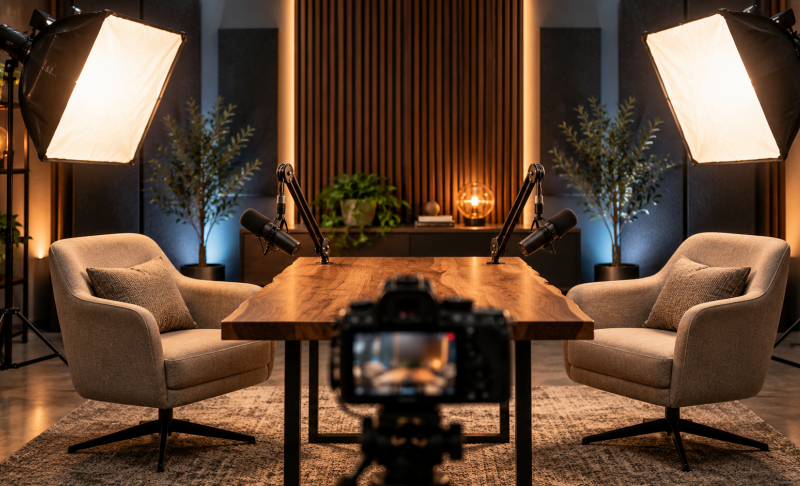
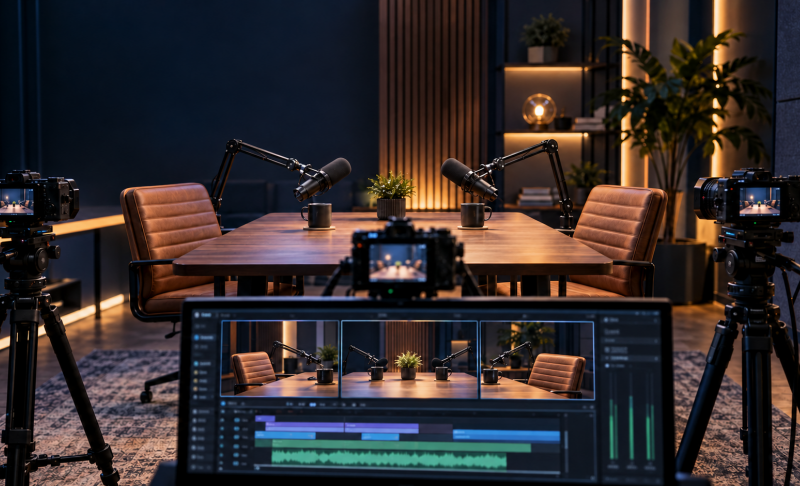
Video podcast lighting starts with a soft main light, controlled shadows, and consistent color across your cameras. You can begin with one diffused light and a reflector, then add fixtures when your room or seating arrangement requires them. This guide explains the lighting basics, walks through setups for solo and two-person podcasts, and shares practical adjustments for clearer faces, fewer reflections, and repeatable results.
Part 1: What to Know Before Setting Up Video Podcast Lighting
LED Panels, COB Lights, and Ring Lights
Continuous LED lights let you preview your lighting before recording. The right type depends on your available space, the number of speakers, and how much control you need.
| Light Type | Best Use | Main Consideration |
|---|---|---|
| LED panel | Desks and compact studios | Smaller panels may need diffusion to soften shadows |
| COB light with softbox | Directional, adjustable lighting | Requires space for the modifier and stand |
| Ring light | Simple solo recordings | Can reflect in glasses and create a flatter appearance |
A softbox is a modifier attached to a compatible light. It spreads illumination over a larger surface, helping soften shadows. Check mounting compatibility before buying a light and softbox separately.
Key Light, Fill Light, and Backlight
These terms describe what a light does:
- Key light: Provides the main illumination and shapes the face.
- Fill light: Reduces shadows from the key. A white reflector can provide fill without another powered fixture.
- Backlight: Illuminates the head or shoulders from behind, helping separate the speaker from the set.
- Background light: Lights the room, wall, or decorative elements behind the speaker.
You do not need four fixtures to fulfill these roles. A basic video podcast lighting setup may only require a key light and reflected fill.
Soft Light, Hard Light, and Shadows
Soft light produces gradual transitions between bright and dark areas. Hard light produces sharper shadow edges.
A larger light source relative to the subject generally creates softer shadows. Moving a softbox closer can soften its effect, although you may need to reduce brightness.
Keep some facial shadow for dimension. Adding too much fill can make faces look flat, while insufficient fill may leave the eyes difficult to see.
Color Temperature and White Balance
Color temperature describes whether white light appears warmer or cooler, measured in Kelvin. Lower values look warmer; higher values look cooler.
Match the lights illuminating faces, then set camera white balance accordingly. Mixing warm ceiling lights with daylight can make skin tones uneven. Background accent lights can use different colors, provided they do not spill unwanted color onto faces.
Part 2: How to Set Up Video Podcast Lighting
Step 1: Arrange the Room and Control Existing Light
Position your chairs, microphones, and cameras first. Leave space between speakers and the background where possible to reduce wall shadows and create depth.
Next, control existing light:
- Close curtains if daylight changes noticeably during recording.
- Turn off ceiling lights that create dark eye sockets or conflicting colors.
- Keep stands and cables outside walking paths.
For long sessions, controlled artificial lighting is usually easier to maintain than changing window light.
Step 2: Position the Key Light
Place a diffused key light approximately 30–45 degrees to one side of the camera, slightly above eye level and angled toward the speaker.
Use this as a starting position, then watch the camera preview. Adjust until both eyes remain visible, facial shadows look gentle, and bright areas retain detail.
If the face looks too bright, dim the fixture. If shadows look harsh, increase the apparent size of the source using suitable diffusion or a larger softbox. Simply reducing brightness will not soften shadow edges.
Step 3: Adjust Shadows and Background Separation
Place a white reflector opposite the key light to bounce illumination into the darker side of the face. Move it closer for more fill or farther away for less.
If a reflector is insufficient, add a dim fill light. Judge the balance on camera rather than relying on matching brightness percentages.
Add a backlight only if the speaker blends into the background. Position it behind and to one side, outside the frame, and prevent it from shining directly into the lens. A dim background lamp can also add depth.
Step 4: Adapt the Setup for Two Speakers
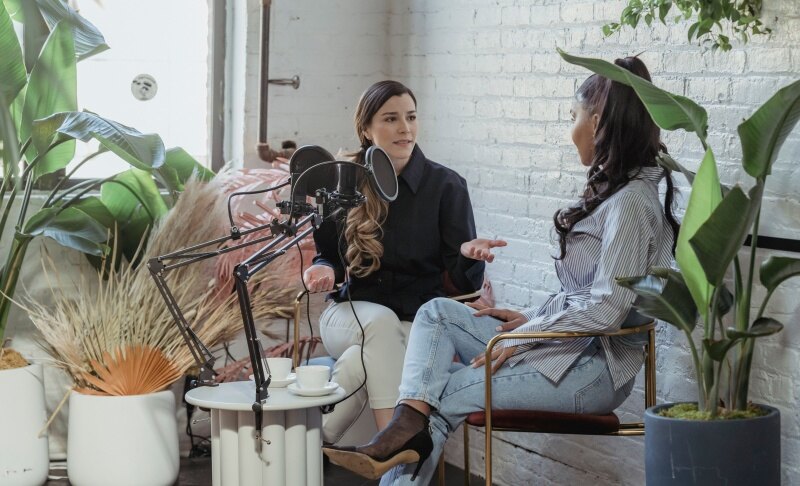
For two people, start with one soft key light per speaker. This allows independent adjustments for different seating positions and camera angles.
For speakers facing each other, place lights across the set so each illuminates its intended speaker from the front-side. Check where the beams overlap.
One broad, diffused source can cover both people in a compact space, but offers less independent control. Whichever approach you choose:
- Check each close-up and the wide shot.
- Ensure neither speaker blocks the other’s light.
- Keep fixtures out of every camera frame.
- Adjust for visible brightness, rather than identical light settings.
The best lighting for video podcast interviews keeps both participants clearly visible as they turn and speak naturally.
Step 5: Set Camera Exposure and Record a Test
Set a fixed white balance on each camera and adjust exposure for faces. Lock exposure where supported to prevent brightness shifts during conversation.
Record a short test with normal gestures and head movements. Review every angle for clipped highlights, deep shadows, reflections, and inconsistent skin tones. Different cameras may need individual adjustments even when their settings match.
Part 3: Tips for Better Video Podcast Lighting
Small positioning changes often improve lighting for podcast video more than adding another fixture.
| Problem | Practical Adjustment |
|---|---|
| Reflections in glasses | Raise the light or move it farther to the side |
| Microphone shadows | Reposition the boom arm or change the light angle |
| Bright nearby walls | Aim the light more carefully or use a compatible grid |
| Flicker or moving bands | Test shutter settings and light dimming levels |
| Audible cooling fans | Check quieter fixture modes and microphone placement |
Check glasses reflections while speakers turn toward each other. A position that works when someone faces forward may produce glare during conversation.
For repeatable podcast video lighting, mark chair and stand positions, photograph the arrangement, and save light brightness, color temperature, and camera settings. Secure stands appropriately and keep a short test recording in your pre-session routine.
Bonus: Choosing the Best Camera for Podcast Recording - OBSBOT Tail Air Streaming Camera
Once your lighting is in place, choose a camera that fits your podcast format and recording workflow. For creators looking for the best camera for podcast recording, OBSBOT Tail Air is a versatile option for solo shows and multi-camera interviews. Its compact design makes it easy to position around a podcast table, helping you capture different perspectives without crowding your carefully arranged lighting setup.
Key Features:
- 4K Video Recording: Capture detailed footage at 4K@30fps or record at 1080p@60fps for smooth video.
- Low-Light Performance: An f/1.8 aperture and 2μm pixel size help capture detail in dimmer podcast settings while you maintain intentional lighting on faces.
- AI Human Tracking: Keep a selected speaker in frame as they move, reducing manual camera adjustments during solo recordings.
- Gesture Control 2.0: Start or stop recording and adjust zoom with supported gestures, making operation easier when recording alone.
- Flexible Multi-Camera Setup: Use multiple Tail Air cameras for individual close-ups and a wide shot, with Micro HDMI and USB-C connectivity for integration into your production workflow.
Part 4: FAQs About Video Podcast Lighting
1. Can You Use Natural Light for a Video Podcast?
Yes, a window can provide soft main lighting, especially when direct sunlight is diffused. Position it in front of you and slightly to one side. Changing weather and daylight can affect longer recordings, so consider curtains and supplemental lighting for consistency.
2. Is a Ring Light Enough for a Video Podcast?
A ring light can be enough for a simple solo podcast. If you are choosing the best ring light for podcast recording, prioritize adjustable brightness, sufficient size, stable mounting, and quiet operation. For glasses wearers or two-person interviews, an off-axis soft light generally offers more placement flexibility.
3. How Many Lights Do You Need for a Two-Person Podcast?
Two soft key lights are a practical starting point. A single broad source may work when speakers sit close together, while fill or backlights can address specific shadows or separation problems. Decide based on the camera image rather than a fixed fixture count.
4. Can You Create Good Podcast Lighting on a Budget?
Yes. Start with one diffused key light and a white reflector. Control existing room light and improve placement before purchasing more equipment. Add another fixture when your test footage reveals a problem that repositioning cannot solve.
Conclusion
Effective video podcast lighting depends on soft facial illumination, controlled shadows, and consistent color. Start with a well-positioned key light, add fill where necessary, and adapt coverage for each speaker. Before recording a full episode, test every camera angle for glare, uneven exposure, and flicker. Save the arrangement once it works so your next session starts with a reliable setup.