30fps vs 60fps: Which Frame Rate Should You Use?

When recording videos, playing games, or choosing a camera, frame rate is one of the most important factors that affects motion smoothness and overall viewing experience. The comparison between 30fps vs 60fps is a common question because both frame rates are widely used for different types of content. While 30fps provides a natural and cinematic look, 60fps delivers smoother motion and better clarity for fast-moving scenes. Understanding the difference between these two frame rates can help you choose the right setting for gaming, video recording, streaming, and everyday content creation.
Part 1: What Is FPS and What Do 30fps and 60fps Mean?
What Does FPS Mean?
FPS stands for frames per second, which refers to the number of individual frames displayed or recorded every second. A video is made up of a sequence of still images played continuously, and FPS determines how many frames appear within one second.
A higher frame rate usually creates smoother motion because more frames are captured and displayed in the same amount of time. A lower frame rate can create a more cinematic look while requiring less storage space.
What Is 30fps?
30fps means a video or game displays 30 frames every second. It is one of the most common frame rates used for video content because it provides a natural viewing experience while balancing image quality, file size, and storage requirements.
30fps is commonly used for movies, tutorials, interviews, online courses, and everyday video recording. It is suitable for scenes with limited movement where smooth motion is not the primary focus.
What Is 60fps?
60fps means a video or game displays 60 frames every second. Compared with 30fps, it captures twice as many frames, allowing movements to appear smoother and details to remain clearer during fast action.
60fps is commonly used for gaming, sports recording, live streaming, and action videos. It is a better choice when capturing fast-moving subjects or creating slow-motion effects during editing.
Part 2: What Is the Difference Between 30fps and 60fps?
30fps vs 60fps mainly differs in motion smoothness, image clarity during movement, file size, and suitable use cases. Since 60fps captures twice as many frames as 30fps, it can provide smoother playback, especially when recording fast-moving subjects.
| Feature | 30fps | 60fps |
| Smoothness | Standard | Smoother |
| Motion clarity | Good | Better |
| File size | Smaller | Larger |
| Storage requirement | Lower | Higher |
| Editing workload | Easier | More demanding |
| Best for | Movies, tutorials, standard videos | Gaming, sports, action scenes |
30fps vs 60fps: How Do They Look Different?
30fps:
- Provides natural-looking motion with a traditional video style.
- Uses less storage space because fewer frames are recorded.
- Commonly used for movies, tutorials, interviews, and standard video content.
60fps:
- Captures twice as many frames as 30fps, creating smoother motion.
- Makes fast movement clearer and reduces motion blur.
- Better suited for sports, gaming, action scenes, and videos with quick movement.
For example, when comparing 30fps vs 60fps video, a 60fps recording will usually look smoother when showing moving objects, while a 30fps recording can provide a more cinematic appearance.
Part 3: 30fps vs 60fps: Which One Should You Use?
Choosing between 30fps and 60fps depends on the type of content you are creating or viewing. There is no single frame rate that is always better because each option has different advantages. The right choice depends on factors such as motion speed, video style, storage requirements, and the final purpose of the content.
Use 30fps When:
- Recording cinematic videos: 30fps provides a natural and traditional video appearance, making it suitable for content that focuses on storytelling and visual style.
- Creating tutorials and educational videos: 30fps is usually enough for screen recordings, tutorials, and online classes because the content does not involve much fast movement.
- Recording interviews and talking-head videos: 30fps delivers smooth enough motion while keeping file sizes smaller.
- Video conferencing and everyday recording: 30fps provides a good balance between image quality, bandwidth usage, and storage space.
Use 60fps When:
- Recording sports and fast-moving subjects: 60fps captures more frames per second, making quick movements appear smoother and clearer.
- Gaming and live streaming: A higher frame rate improves motion smoothness and responsiveness, which is especially important for fast-paced games.
- Creating action videos: 60fps is better for scenes with rapid movement, such as dancing, outdoor activities, and sports.
- Creating slow-motion effects: Recording at 60fps provides more frames that can be slowed down during editing while maintaining smoother playback.
For users comparing 30fps vs 60fps gaming, 60fps is generally the better choice because it provides smoother gameplay and faster response. For camera users comparing 30fps vs 60fps camera settings, 30fps works well for everyday videos, while 60fps is more suitable for action, sports, and fast-moving scenes.
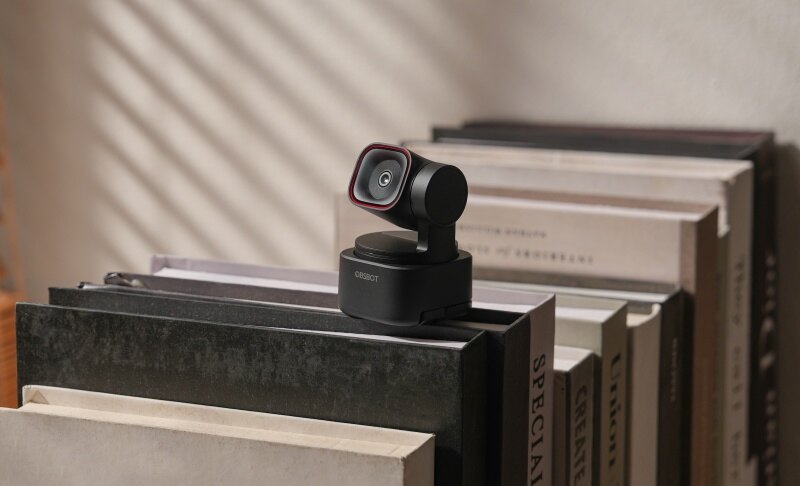
Bonus: Looking for the Best of Both Worlds? Meet OBSBOT Tiny 3 Lite 4K PTZ Webcam
If you can't decide between high resolution and high frame rate, the OBSBOT Tiny 3 Lite gives you both in one smart, compact package. Whether you need cinematic detail or ultra-fluid motion, the AI-powered webcam lets you switch seamlessly to match your exact recording needs.
Key Features:
- 4K @ 30fps for Ultimate Detail: Perfect for high-definition video calls, content creation, and professional presentations where crisp visual clarity matters most.
- 1080p @ 120fps for Ultra-Smooth Motion: Ideal for fast-moving action, fluid slow-motion clips, and dynamic live streaming.
- AI PTZ & Voice Tracking: Automatically tracks your movement and locates sound sources in real time to keep the speaker perfectly framed.
- Spatial Audio: Delivers natural, immersive sound that matches your visual quality.
Part 4: FAQs About 30fps vs 60fps
1. Which is better 30fps or 60fps?
60fps is generally better when you need smoother motion and clearer details during fast movement. Since 60fps captures twice as many frames as 30fps, it provides a more fluid viewing experience for gaming, sports, and action videos. However, 30fps can still be a better choice for movies, tutorials, interviews, and other content where a cinematic look and smaller file size are more important.
2. Is 30fps good enough for video?
Yes, 30fps is good enough for many types of videos, including tutorials, interviews, online courses, and everyday recordings. It provides natural-looking motion while requiring less storage space and processing power compared with higher frame rates. However, 60fps is a better option for videos with fast movement, such as sports, gaming, and action scenes.
3. Is 60 fps better than 30 fps for gaming?
Yes, 60fps generally provides a smoother and more responsive gaming experience than 30fps. At 60fps, the game updates 60 times per second, allowing it to detect player inputs more frequently and display smoother motion. This is especially beneficial for fast-paced action games that require quick reflexes. However, for slower-paced games such as puzzle or strategy games, 30fps can still provide a playable and enjoyable experience.
4. 4K 30fps vs 4K 60fps: Which Is Better?
The choice between 4K 30fps vs 4K 60fps depends on the type of content you are recording. 4K 30fps provides high resolution with a smaller file size and is suitable for cinematic videos, tutorials, and general recording. In comparison, 4K 60fps offers smoother motion and is better for sports, action scenes, and fast-moving subjects.
5. 1080p 60fps vs 4K 30fps: Which Video Quality Is Better?
When comparing 1080p 60fps vs 4K 30fps, the better option depends on whether you prioritize resolution or motion smoothness. 4K 30fps provides more image detail because of its higher resolution, while 1080p 60fps delivers smoother movement with a higher frame rate. For fast-moving content, 1080p 60fps may look better, while 4K 30fps is often preferred for detailed, cinematic footage.
6. What is the highest FPS a human can see?
There is no exact FPS limit for human vision because the ability to perceive motion depends on factors such as brightness, contrast, content type, and individual differences. While many people can notice improvements when moving from 30fps to 60fps, higher frame rates can still provide smoother motion in certain situations, especially in gaming and high-speed scenes.
7. Why does 60fps look bad on a 144Hz monitor?
60fps can look less smooth on a 144Hz monitor because the frame rate and refresh rate are not perfectly matched. A 144Hz monitor refreshes the screen up to 144 times per second, while a 60fps video or game only provides 60 new frames per second. This difference can sometimes cause uneven motion or make the content feel less smooth compared with using a frame rate closer to the monitor's refresh rate.
8. 30fps vs 60fps vs 120fps: Which Frame Rate Should You Choose?
When comparing 30fps vs 60fps vs 120fps, the best choice depends on your recording needs. 30fps is suitable for standard videos and cinematic content, 60fps is ideal for smoother motion in gaming, sports, and action videos, while 120fps is mainly used for professional slow-motion recording and high-speed scenes.
Conclusion
Understanding the difference between 30fps vs 60fps helps you choose the right frame rate for different recording and viewing situations. 30fps is a reliable option for movies, tutorials, interviews, and everyday videos because it provides natural motion and smaller file sizes. On the other hand, 60fps delivers smoother movement and better clarity for gaming, sports, and action content. The best frame rate depends on your specific needs, including the type of video you create, storage requirements, and the level of motion you want to capture.