Best 7 Affordable Webcams in 2026

The affordable webcam category includes OBSBOT Meet Flip, EMEET SmartCam C960, Elgato Facecam Neo, and others. It's important to find an affordable webcam that balances performance, reliability, and price. A good webcam improves image clarity, lighting balance, and focus stability across video calls, streaming, content creation, and online meetings. With this article, we are sharing the 7 best options, alongside the most important factors that you need to keep in mind!
Part 1: 7 Best Affordable Webcams
We'll be reviewing 7 of the best affordable webcams currently available, focusing on performance, features, and real-world usability rather than just price.
Quick Comparison Table
| Product | Resolution & FPS | Sensor | Microphone | Connection Type | Price |
|---|---|---|---|---|---|
|
OBSBOT Meet Flip Foldable 4K Webcam |
4K@30fps 1080p@60fps |
1/2" CMOS | Intelligent Dual-Mic System | USB-C | $119 |
|
YoloLiv YoloCam S3 |
4K@30fps 1080p@60fps |
1/3-inch CMOS |
No built-in mic | USB-C | $199 |
|
EMEET SmartCam C960 |
1080p@30fps | 1/2.7" CMOS | Dual omnidirectional mics | USB-A | $38.99 |
|
Elgato Facecam Neo |
1080p@60fps |
1/2.9” CMOS |
No built-in mic | USB-C | $59.99 |
| NexiGo N680E Pro | 4K@30fps 1080p@60fps |
Sony 1/2.5" CMOS |
Built-in noise-canceling mic | USB-A | $99.99 |
| Lenovo Essential FHD Webcam Gen2 | 1080p@30fps | 1/2.7" CMOS | Dual microphones | USB-A (USB 2.0) | $39.99 |
| DEPSTECH DW49 4K Webcam | 4K@30fps |
1/3" Sony CMOS |
Dual microphones | USB-A | $69.99 |
| AnkerWork C310 | 1080p@60fps |
1/2.5" CMOS |
Dual AI noise-canceling mic array | USB 3.0 (USB-C to A) | ~$99 |
1. Best Overall – OBSBOT Meet Flip Foldable 4K Webcam
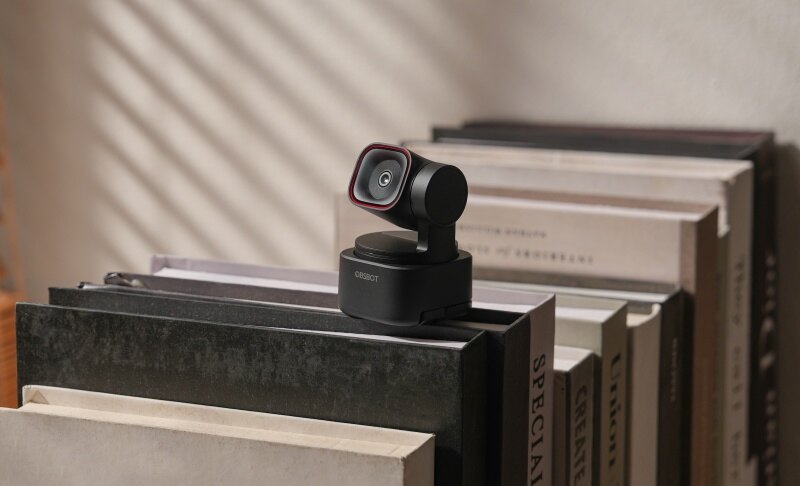
The OBSBOT Meet Flip is a compact yet powerful and cheap webcam for PC designed for users who want premium AI features without a premium price. Its sleek cube design, intelligent controls, and strong ecosystem support make it ideal for video conferencing, remote work, and content creation setups.
Key Features:
- Great Video Performance: Delivers 4K@30fps and 1080p@60fps, ensuring sharp visuals and smooth motion for both professional meetings and high-quality streaming.
- AI Gesture Control Integration: Supports gesture-based controls that allow users to trigger actions like framing or zooming to enhance workflow efficiency.
- Broad Connectivity Support: Works with NDI adapters, HDMI adapters, remote control, and extended USB-C cables (up to 5m USB 3.0) to scale your setup.
- Intelligent AI Auto Framing System: Uses advanced AI auto-framing algorithms with digital zoom tracking to keep subjects centered and adjust framing.
- Intelligent Audio System: Captures clear front-facing voice with omnidirectional and directional microphones while reducing background noise through AI Noise Reduction and Auto Gain.
2. Best Content Creators – YoloLiv YoloCam S3

The YoloCam S3 is a creator-focused webcam designed for users who want advanced control and flexibility in their video setup. With its camera-like design and powerful software integration, it bridges the gap between traditional webcams and professional video equipment for streaming, recording, and live production workflows for people the best budget camera for streaming.
Key Features:
- Supports an interchangeable lens system for customized framing control
- Enables multi-scene cropping from a single sensor input
- Offers advanced color grading via dedicated Compose software
- Uses a fast hybrid autofocus system for consistent subject tracking
- Integrates seamlessly with YoloLiv Compose production ecosystem
- Provides USB-C connectivity for stable high-bandwidth data transfer
3. Best for Video Calls – EMEET SmartCam C960

The EMEET SmartCam C960 is a practical, cheap USB camera built for everyday video communication. Designed with simplicity and reliability in mind, it offers stable performance, quick setup, and essential features that make it ideal for remote work, online meetings, and students who need a dependable, budget-friendly solution.
Key Features:
- Supports UVC 1.0–1.5 protocol for seamless device recognition
- Equipped with a 4-layer anti-glare optical lens design
- Uses an automatic exposure and white balance calibration system
- Includes a physical privacy shutter for instant lens blocking
- Features a 1/4-inch tripod thread for flexible mounting setups
- Compatible with USB-A interface using plug-and-play architecture
4. Best for Streaming Setup Customization – Elgato Facecam Neo

The Elgato Facecam Neo is a performance-focused affordable webcam designed for users who want smoother video quality and deeper image customization than most entry-level models. Built for streamers, remote workers, and creators.
Key Features:
- Works with Elgato Camera Hub for manual image tuning.
- Includes a privacy shutter and LED status light.
- Offers 1/4-inch tripod mounting support.
- Uses USB-C with UVC plug-and-play compatibility.
- Zoom Certified for reliable meeting performance.
5. Best Webcam with Built-In Lighting – NexiGo N680E Pro

The NexiGo N680E Pro is a feature-rich yet the best cheap streaming camera designed for users who need consistent visual quality without extra accessories. With integrated lighting and advanced imaging hardware, it simplifies setup while delivering a more controlled and professional look for video calls, streaming, and content creation environments.
Key Features:
- Utilizes a Sony 1/2.5-inch sensor for enhanced image processing
- Features PDAF autofocus system for rapid subject acquisition
- Includes tri-tone adjustable ring light with multiple color modes
- Integrates a hardware privacy shutter for secure lens coverage
- Supports plug-and-play compatibility across major operating systems
- Offers multi-position mounting with adjustable viewing angles
6. Best for Simple Office Use – Lenovo FHD Gen2

The Lenovo Essential FHD Webcam Gen2 is a straightforward budget camera for streaming designed for hassle-free daily use. Built with practicality in mind, it focuses on reliability, ease of setup, and essential conferencing features, making it a dependable option for office environments, remote work, and basic communication needs.
Key Features:
- Uses MJPEG and YUY2 codecs for efficient video encoding
- Supports USB 2.0 interface with stable data transmission
- Features adjustable tilt (-20° to 10°) with monitor clip tolerance
- Features a physical privacy shutter for instant security control
- Offers adjustable mounting with tripod support compatibility
- Enables camera FOV and zoom control via system settings
7. Best for Smart AI Features – AnkerWork C310

The AnkerWork C310 is a feature-packed, cheap webcam with mic built for users who want intelligent automation in their video setup. Combining AI-powered enhancements with high-speed connectivity, it delivers a smarter and more responsive experience for meetings, streaming, and professional communication without requiring constant manual adjustments.
Key Features:
- Uses an AI framing algorithm for automatic subject positioning
- Integrates an AI autofocus engine for real-time focus adjustment
- Supports USB 3.0 bandwidth with YUV encoding pipeline
- Uses anti-flicker technology for stable indoor lighting output
- Enables firmware updates and advanced tuning through AnkerWork software
- Offers Zoom-certified optimization for platform-level compatibility
Part 2: How to Choose an Affordable Webcam
Choosing the right affordable webcam for streaming or meetings depends on several technical factors, including resolution, frame rate, sensor quality, field of view, and audio capabilities. Below are the key aspects to consider:
1. Resolution and Sensor Quality
Look for at least 1080p resolution with a CMOS sensor size of 1/2.8” or larger. Larger sensors capture more light, improving image clarity and reducing noise in low-light conditions. Some budget models now offer 2K or 4K, but sensor quality matters more than resolution alone.
2. Frame Rate (FPS)
A webcam with 30fps is sufficient for video calls, but 60fps provides smoother motion, especially for streaming or recording. Higher frame rates require more processing power and bandwidth, so ensure your system can handle it.
3. Field of View (FOV)
FOV determines how much of the scene is captured. A 65°–78° range is ideal for personal use, while 90°+ works better for group calls or presentations. Adjustable FOV is a valuable feature in flexible setups.
4. Low-Light Performance
Check for HDR support and auto-exposure algorithms. Webcams with HDR can balance highlights and shadows, while advanced low-light correction uses software-based gain adjustments to maintain visibility without excessive grain.
5. Microphone and Audio Processing
Built-in microphones should include noise reduction or beamforming technology. Dual-mic setups are better at isolating voice direction and minimizing ambient noise, which is crucial for professional communication.
Part 3: FAQs About Affordable Webcam
1. What is the best resolution for an affordable webcam?
For most users, 1080p resolution is the ideal balance between quality and cost. It provides clear image detail without requiring excessive bandwidth or processing power. While 4K webcams are becoming more common in the affordable webcam category, they often don't deliver full benefits unless paired with a high-quality sensor and proper lighting.
2. Are cheap webcams good for streaming?
Yes, many modern budget webcams support 1080p at 60fps, which is sufficient for streaming on platforms like Twitch or YouTube. However, streaming quality also depends on lighting, internet speed, and encoding settings. An affordable webcam with adjustable exposure, white balance, and manual controls can improve stream quality.
3. Do affordable webcams have good microphones?
Most affordable webcams include built-in microphones. Entry-level models typically use mono microphones with basic noise suppression, while higher-end budget webcams feature dual microphones with beam forming and AI noise reduction. For professional use, even with a good, affordable webcam, an external USB microphone is still recommended for superior audio clarity.
4. Is autofocus important in a webcam?
Autofocus is useful if you move frequently during calls or presentations. It ensures your image remains sharp even when your distance from the camera changes. However, fixed-focus webcams are often optimized for a specific range (usually 50–100 cm) and can deliver consistent sharpness without focus hunting.
5. Can I use an affordable webcam for professional meetings?
Absolutely. Many affordable webcams now include features like HDR, noise reduction, and AI framing, which enhance professionalism during meetings. As long as the webcam provides stable 1080p resolution, good lighting correction, and clear audio, it is more than capable of handling business calls, interviews, and presentations.
Conclusion
Choosing the right affordable webcam is less about compromise and more about understanding your priorities. With advancements in AI features, improved sensors, and better low-light performance, even budget webcams now deliver impressive results. Whether you need a webcam for casual video calls, professional meetings, or content creation, there's a reliable option available without overspending while still getting good video quality. Focus on practical features like resolution, frame rate, and audio quality rather than marketing claims. A well-chosen webcam can enhance your online presence and communication experience without stretching your budget. So, go through the features and choose the one that fits your needs.