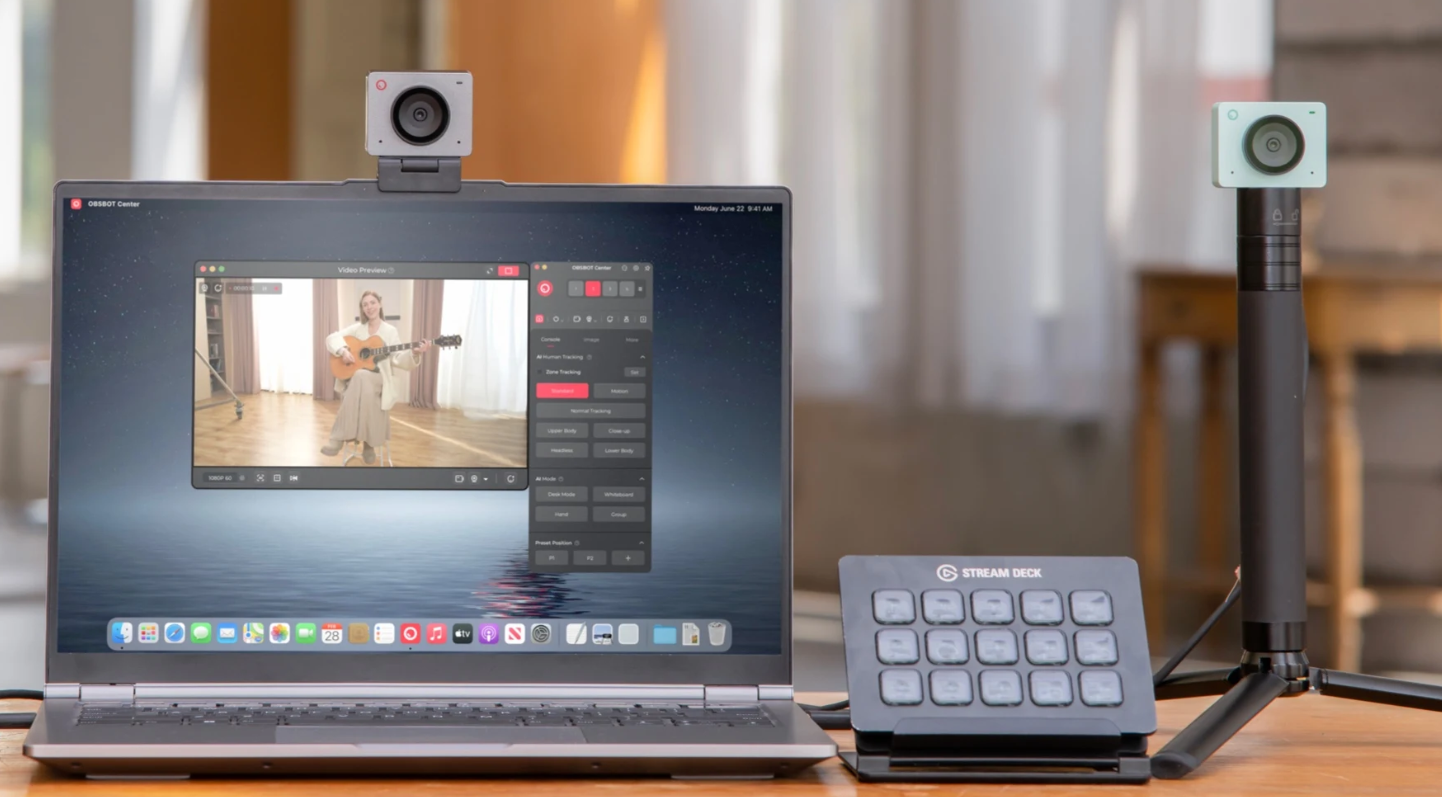
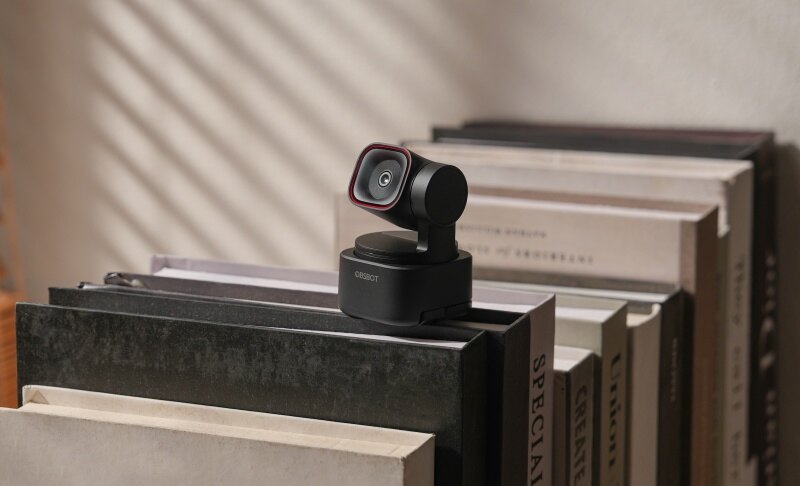
10 Best Computer Cameras with Microphone in 2026

The best computer cameras with microphones include the Razer Kiyo V2, OBSBOT Tiny 3, Logitech MX Brio, and Insta360 Link 2C. These webcams offer a combination of clear video and built-in audio for online meetings, virtual classes, streaming, and content creation. However, not all webcams have a good microphone, so audio quality is an important factor to consider when choosing a computer camera with a microphone. In this guide, we'll compare the top options to help you find the right one for your needs.
10 Best Computer Cameras with Microphone
Quick Comparison Table
| Model | Resolution | Microphone | Mounting Type | Connection |
Price |
|
Razer Kiyo V2 |
4K@30fps | Built-in mic | Clip + tripod support | USB-A | $149.99 |
|
Razer Kiyo Pro Ultra |
4K@30fps 1080p@60fps |
Built-in mic | Clip + tripod support | USB-C | $399.99 |
|
OBSBOT Tiny 3 |
4K@30fps 1080p@120fps | Tri-mic (omni + directional) | AI-Powered PTZ + tripod support | USB-C | $349 |
|
Elgato Facecam 4K |
4K@60fps | No built-in mic | Monitor clip + tripod | USB-C (USB 3.0) | $199.99 |
|
Insta360 Link 2 Pro |
4K@30fps | Dual mic | 1/4" mounting point for external tripod | USB-C | $249 |
|
Anker PowerConf C200 |
2K@30fps | Dual stereo mics | Clip mount | USB-C | $59.99 |
|
Insta360 Link 2C |
4K@30fps | Single mic | Magnetic mount | USB-C | $149 |
| Logitech MX Brio | 4K@30fps 1080p@60fps |
Dual beamforming mics | Clip + tripod support | USB-C | $199.99 |
|
Logitech C920s Pro HD |
1080p@30fps | Dual stereo mics | Clip + tripod support | USB-A | $69.99 |
|
EMEET C980 Pro |
1080p@30fps | Quad mic (4 omni-directional) + 2 built-in speakers | Clip + tripod support | USB-A | $89.99 |
1. Best Overall – Razer Kiyo V2

The Razer Kiyo V2 is a powerful computer camera with mic built for streamers and creators who want high-quality video without a complex setup. It records in 4K at 30FPS and uses AI tools to keep you centered and well-lit. With built-in software controls, it helps users create professional-looking content easily.
Key Features:
- Advanced ISO and shutter speed settings through Razer Synapse
- AI auto framing adjusts pan, tilt, and zoom
- One click enhancement tunes exposure and white balance automatically
- HDR improves contrast in mixed lighting conditions
- Ultrawide lens captures full setup without edge distortion
- Uncompressed encoding preserves detail during live streaming
Ideal for: Streamers who need automated framing and clarity. A right companion for creators using OBS, Twitch, or YouTube.
2. Best for Low-Light Video Quality – Razer Kiyo Pro Ultra

Poor lighting is one of the most common complaints in webcam video, and the Kiyo Pro Ultra directly targets that problem with a large-format Sony STARVIS 2 sensor and an f/1.7 aperture that pulls in significantly more light than standard lenses. Streamers and creators who work without professional lighting rigs will notice the difference immediately.
Key Features:
- 1/1.2-inch Sony STARVIS 2 sensor captures more light
- F/1.7 aperture lens improves brightness without external lighting
- 2.9 micrometer pixel size enhances detail in darker scenes
- AI autofocus tracks face position for sharp subject focus
- Uncompressed video output maintains maximum image fidelity
- Onboard memory stores customized camera configuration settings
Ideal for: Users working in dim or uneven lighting. It also works well for streamers without professional lighting setups.
3. Best for Studio-Level Video Production – Elgato Facecam 4K

Full manual control over ISO, shutter speed, color profiles, and external 49mm lens filters puts the Facecam 4K in a different category from typical plug-and-play webcams. Creators who treat their video output with the same attention as their content will find this level of customization hard to match.
Key Features:
- Sony STARVIS 2 sensor captures detailed light data
- USB 3.0 enables zero-compression video transmission
- Prime lens provides consistent sharpness up to 1.2m
- Supports external 49mm filters like CPL and Black Mist
- Dedicated processor handles real-time noise reduction
- Pan or tilt your frame while zooming in for a sharp image
Ideal for: Users building a controlled studio setup. Besides, it's also good for creators who want cinematic customization options.
4. Best for Streaming and Content Creation – OBSBOT Tiny 3 4K PTZ Webcam
Most webcams require you to stay centered and still — the OBSBOT Tiny 3 removes that constraint entirely with AI-powered PTZ tracking that follows your movement in real time. For presenters, educators, and streamers who work in motion, this level of hands-free framing flexibility is difficult to find elsewhere at this tier.
Key Features:
- Clearer Voice Pickup: A tri-mic array combines one omnidirectional mic with two directional MEMS mics for more focused speech capture.
- Smarter Audio Modes: Five audio modes adapt the microphone system for meetings, calls, gameplay, short-form content, and entertainment use.
- Stronger Noise Reduction: The spatial audio system reduces background distractions while keeping voices more natural and present.
- Smoother Motion Capture: It records up to 4K@30fps or 1080p@120fps for clearer movement and fluid video.
- Sharper Low-Light Video: A 1/1.28-inch CMOS sensor, ISO 100–12800 range, and DCG HDR improve detail in dim rooms.
Ideal for: Perfect for users who move while speaking or teaching, and also works best for creators needing AI tracking and strong built-in audio.
5. Best for Moving Presentations – Insta360 Link 2 Pro

Active presenters and workshop hosts who shift position, demonstrate on whiteboards, or switch between tasks mid-call need a webcam that adapts without manual intervention — the Insta360 Link 2 Pro delivers that through AI tracking, dual pickup modes, and Stream Deck integration. Few webcams in this category offer that degree of responsiveness in a live environment.
Key Features:
- 1/1.3-inch sensor captures cleaner low-light video
- Beamforming mics isolate speech from surrounding sounds
- Dual pickup modes switch voice capture direction
- HDR preserves detail in bright, shadowy scenes
- Natural Bokeh adds DSLR-style background separation
- Stream Deck supports triggers, presets, and controls
Ideal for: Teachers, trainers, and workshop hosts. A right choice for users who present while standing or moving.
6. Best for Budget Meetings – Anker PowerConf C200

The Anker PowerConf C200 is an affordable camera mic for PC built for everyday video calls and remote work. It focuses on ease of use with simple controls and adjustable viewing angles. With built-in software customization and a privacy-first design, it offers a reliable solution for users who want a straightforward webcam experience.
Key Features:
- Light-absorbing lenses to ensure good brightness and clarity in videos
- AI stereo microphones improve voice clarity in calls and audio fidelity
- A larger aperture allows more light in darker rooms
- Built-in privacy cover blocks the camera when not needed
- AnkerWork software customizes framing and camera settings
Ideal for: Students and remote workers on a budget. A great choice for daily meetings without complex setup needs.
7. Best for Presentations – Insta360 Link 2C

Compact and AI-powered, the Insta360 Link 2C delivers balanced visuals and clear voice capture for smooth video calls and smart presentations. Users who want better quality without a complicated setup will find it a strong and capable choice.
Key Features:
- Uses a 1/2-inch sensor for improved light capture
- Supports real-time HDR for balanced exposure levels
- PDAF autofocus ensures fast and accurate subject focus
- Three audio modes adapt to different environments
- Whiteboard mode enhances text clarity during presentations
- Manual desk view adjustment for overhead content capture
Ideal for: Users who want smart controls and automation. The best selection for presentations, teaching, and interactive sessions.
8. Best for Professional Video Meetings – Logitech MX Brio

The Logitech MX Brio is a premium camera for PC with mic designed for clear and polished video communication. It uses advanced image processing to improve face visibility and maintain color accuracy during calls. Built for modern work setups, it delivers consistent performance across different lighting conditions without requiring manual adjustments.
Key Features:
- 8.5MP Sony STARVIS sensor improves facial detail capture
- Dual beamforming microphones reduce noise within four feet
- RightLight 5 adjusts exposure based on face detection
- Auto-exposure and auto white balance for good color accuracy
- Show mode to share your notes or sketches during the call
- Built-in privacy shutter to block the camera when not in use
Ideal for: Professionals attending frequent virtual meetings. It works well when reliable video and voice clarity are needed.
9. Best for Affordable Everyday Use – Logitech C920s Pro HD

Widely used for its balanced performance and easy setup, the Logitech C920s Pro HD remains a popular choice for users who need a trusted webcam for daily communication. Built-in privacy protection and dependable video output have kept it a go-to option for years.
Key Features:
- Webcam software to adjust the field of view and zoom
- Five-element glass lens improves sharpness and color accuracy
- Dual stereo microphones capture sound from both sides
- Autofocus adjusts smoothly for consistent image clarity
- RightLightTM2 for adjusting the lighting conditions for better video
- Built-in shutter slides closed for quick privacy control
Ideal for: Students and casual remote users. Well-suited for everyday calls, classes, and basic streaming.
10. Best All-in-One for Video Calls – EMEET C980 Pro

The EMEET C980 Pro is a true three-in-one device that combines a webcam, microphone array, and built-in speakers in a single plug-and-play unit. It is designed for users who want a clean, cable-light setup without sacrificing audio or video quality during meetings, online classes, or remote work sessions.
Key Features:
- Four omnidirectional microphones pick up voices within 2 meters while reducing background noise and eliminating echo
- Two built-in 1W loudspeakers deliver clear audio up to 81dB, removing the need for external speakers
- Adjustable 60°–98° wide-angle field of view captures full-room setups, ideal for both solo and group calls
- Automatic low-light correction maintains clarity and detail in dimly lit environments
- Clip and 1/4"-20 tripod thread mounts offer flexible placement options
- Magnetic privacy cover fully shields the lens when not in use
Ideal for: Remote workers, students, and small teams who want an all-in-one audio and video solution without extra devices on the desk.
How to Test a Microphone on Your Computer
Testing your microphone before a video call, online class, or recording can help you make sure your voice sounds clear and the correct microphone is selected. Whether you use Windows or macOS, you can test your microphone through your computer's built-in settings or a video conferencing app.
1. Check Microphone Settings on Windows
On Windows, you can check whether your computer detects the microphone and adjust its input volume before testing it.
- Open Settings and select System.
- Click Sound and scroll to the Input section.
- Select the microphone you want to test.
- Speak normally and check whether the input level responds to your voice.
- Adjust the input volume if your voice is too quiet or too loud.
2. Test Your Microphone on Windows
Windows also provides a built-in microphone test that lets you check whether your microphone is picking up your voice properly.
- Go to Settings > System > Sound.
- Under Input, select your microphone.
- Find the microphone test option and start the test.
- Speak for a few seconds and check the test result.
- If the recorded volume is too low, increase the input volume and test again.
If you are using a webcam with a built-in microphone, make sure the webcam is selected as the input device instead of your computer's default microphone.
3. Check Microphone Settings on Mac
Mac users can check microphone access and input levels through System Settings before making a recording or joining a call.
- Open System Settings on your Mac.
- Select Sound and open the Input section.
- Select the microphone you want to use.
- Speak normally and check the input level.
- Adjust the input volume if necessary.
You should also check whether the app you plan to use has permission to access your microphone. This is especially important when testing a webcam microphone for video calls or recording.
4. Test Your Microphone with a Recording
A system-level microphone test can confirm that your computer detects the device, but making a short recording gives you a better idea of the actual audio quality.
- Open a recording app on your computer.
- Select your webcam's built-in microphone as the input device.
- Record yourself speaking for 10 to 20 seconds.
- Play the recording back and listen for background noise, distortion, echo, or low volume.
- Move closer to or farther from the webcam and record again to compare the results.
For a more realistic test, speak at your normal volume and test the microphone in the same environment where you usually attend meetings, teach classes, or record videos.
5. Test Your Microphone in a Video Call
You can also test your webcam microphone directly in a video conferencing app such as Zoom or Microsoft Teams. Open the app's audio settings, select the webcam microphone, and use its built-in microphone test if available.
Pay attention to how clearly your voice is captured and whether background sounds such as keyboard typing, fans, or conversations are noticeable. If the microphone sounds clear in both a recording and a video call, it should be ready for everyday use.
FAQs About Computer Cameras with Microphone
1. Can I test my computer camera's microphone without joining a meeting?
Yes. You can test a webcam microphone through your computer's sound settings or by making a short recording. This lets you check the microphone without joining an online meeting.
2. How do I know if my computer is using the webcam microphone?
Open your computer's sound settings and check the selected input device. If your webcam appears as the selected microphone, your computer is using its built-in microphone. You can also speak while checking the input level to confirm that the microphone is receiving audio.
3. Why is my webcam microphone not working?
Several factors can cause microphone problems, including incorrect input settings, disabled microphone permissions, connection issues, or outdated drivers. Check that the webcam is connected properly, selected as the input device, and allowed to access the microphone.
4. Is a built-in webcam microphone good enough for video calls?
For most video meetings, online classes, and everyday calls, a good built-in webcam microphone can provide sufficient audio quality. Models with multiple microphones and noise reduction can offer clearer voice pickup in environments with background noise.
5. How can I improve the sound quality of my webcam microphone?
Start by placing the webcam at a suitable distance and reducing background noise in your room. You can also adjust the microphone input level and enable available noise-reduction features. If you regularly record professional audio, an external microphone may provide better sound quality.
FAQs About Computer Camera with Microphone
1. What is the best desktop camera with a microphone for PC?
The best desktop camera with a microphone depends on your needs. For example, the Razer Kiyo V2 is a strong choice for streaming and content creation, while the Logitech MX Brio is well-suited for professional video meetings. If you need advanced AI tracking and strong built-in audio, the OBSBOT Tiny 3 is another option to consider.
2. Does a computer camera have a microphone?
Many computer cameras, also known as webcams, come with built-in microphones. These microphones allow you to capture your voice during video calls, online classes, and recordings without connecting a separate microphone. However, not every webcam has a built-in microphone, so check the specifications before buying.
3. What is the best camera and microphone for a desktop computer?
The best camera and microphone combination depends on how you use your desktop computer. For everyday video calls, a webcam with a built-in microphone can provide a simple all-in-one setup. For streaming, content creation, or professional meetings, look for a webcam with high-resolution video, clear voice pickup, and features such as noise reduction or AI-powered audio processing.
4. Can I add a camera to my desktop computer?
Yes. You can add a webcam to most desktop computers by connecting it through USB. After connecting the webcam, your computer should detect it automatically, allowing you to select it as the camera and microphone in apps such as Zoom, Microsoft Teams, Google Meet, or OBS Studio.
Conclusion
Technology is improving fast, and webcams are becoming smarter every year. Today's devices offer features like AI tracking, better low-light performance, and improved sound quality. When choosing a computer camera with microphone, it's important to think about how you will use it in the future, not just today. For example, if you plan to start content creation or online teaching later, investing in a higher-quality webcam now can save money later. Also, lighting, internet speed, and background noise affect performance. A good webcam works best with a proper setup. By making a smart choice, you can enjoy clear video calls every day.