5 Best Pink Webcams for 2026: Cute & Stylish Picks

Pink webcams are less common than standard black or white models, which can make it harder to find one with the right combination of video quality, audio performance, and useful features. To narrow down the choices, we researched the available options and selected these pink webcams worth considering for streaming, video calls, gaming, content creation, and everyday use.
Part 1: 5 Best Pink Webcams
Quick Comparison Table
| Webcam | Resolution | Color | Microphone | Best For | Price |
|---|---|---|---|---|---|
| Razer Kiyo V2 X | 1440p@60fps 1080p@60fps |
Quartz / Black / White | Stereo mic with omnidirectional pattern | Gaming & Streaming | $99.99 |
| NexiGo N660P | 1080p@60fps | Pink/Gray/White | Noise-reduction mics | Video Calls & Streaming | $64.99 |
| OBSBOT Meet 2 | 4K@30fps 1080p@60fps |
Cloud White/Space Grey/Aurora Green |
Dual directional mics with noise reduction & auto gain | Streaming & Content Creation | $129 |
| Logitech Brio 500 | 1080p@30fps 720p@60fps |
Rose | Stereo microphone |
Advanced Video Calls |
$129 |
| Logitech Brio 300 |
1080p@30fps | Rose | Mono mic with noise reduction | Everyday Use | $69.99 |
1. Razer Kiyo V2 X

The Razer Kiyo V2 X combines a distinctive pink finish with features designed for streaming, gaming, and video calls. Its autofocus, image controls, privacy shutter, and software support make it a practical choice for users who want more control over their webcam setup.
Key Features:
- Fast Autofocus: Maintains sharpness as the subject moves closer to or farther from the camera.
- Razer Synapse Support: Provides access to image and camera settings for easier customization.
- Image Presets: Help speed up setup for different lighting and recording environments.
- Integrated Privacy Shutter: Physically blocks the camera when it is not in use.
- Plug-and-Play Operation: Makes it easy to connect the webcam without complicated setup.
- OBS and XSplit Compatibility: Supports common software used for streaming and content creation.
2. NexiGo N660P

The NexiGo N660P offers a practical combination of Full HD video, autofocus, and built-in noise-reduction microphones in a compact design. Its Pink finish gives it a clear place among pink webcam options, while 60fps recording makes it suitable for streaming, video calls, gaming, and everyday content creation.
Key Features:
- 1080p at 60fps: Captures Full HD video at up to 60fps for smoother motion during streaming, video calls, and recordings.
- Autofocus: Automatically adjusts focus to keep subjects clear at different distances.
- Noise-Reduction Microphones: Built-in microphones help reduce background noise and provide clearer voice pickup during calls and recordings.
- Built-In Privacy Shutter: Physically covers the lens when the webcam is not in use.
- Low-Light Correction: Helps improve image quality when lighting conditions are less than ideal.
- Wide Compatibility: Works with Windows, macOS, and Chrome OS, as well as popular applications such as Zoom, Microsoft Teams, FaceTime, OBS, and XSplit.
- 360° Rotation: The adjustable design makes it easier to position the webcam for different viewing angles.
3. OBSBOT Meet 2 4K Webcam
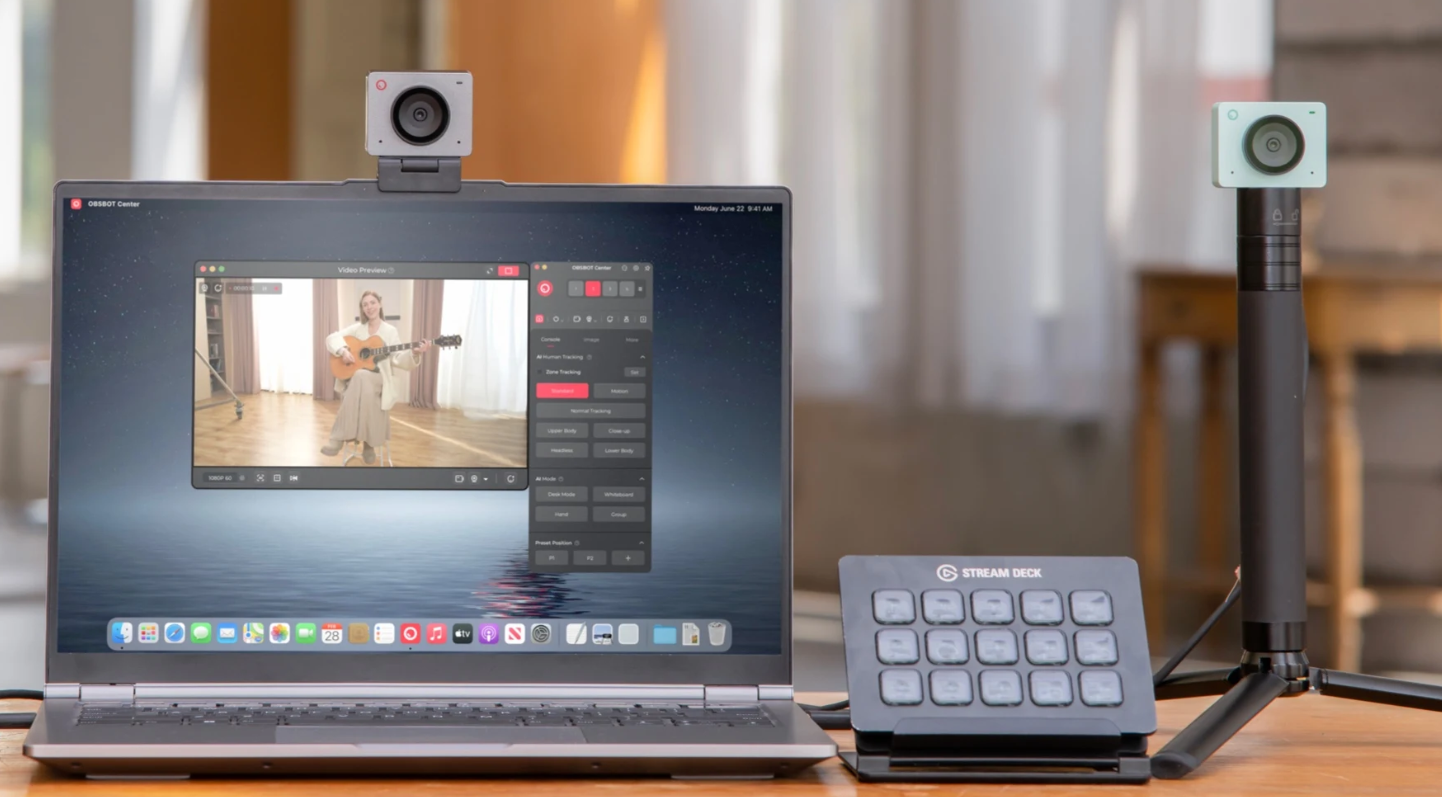
The OBSBOT Meet 2 stands out with a combination of 4K video, AI-powered framing, and creator-focused controls in a compact cube-shaped body. Although it is not available in pink, its Cloud White, Space Grey, and Aurora Green finishes offer alternative ways to add color and personality to different desk setups. It is a strong option for users who want more flexibility than a basic webcam, especially for video calls, streaming, and content creation.
Key Features:
- 4K Video at 30fps: Captures detailed footage at up to 4K@30fps, while 1080p@60fps provides smoother motion for streaming and fast-moving content.
- AI Auto Framing: Automatically adjusts the composition to keep you properly positioned in the frame, making it easier to move naturally during calls, streams, and recordings.
- Gesture Control: Lets you trigger supported camera functions with hand gestures, reducing the need to interact with your computer while recording or streaming.
- Portrait Mode: Switches to a vertical composition for short-form videos, social media content, and other portrait-oriented recordings.
- Dual Directional Microphones: Built-in microphones with noise reduction and automatic gain help maintain clearer voice pickup during calls and recordings.
- Compact Cube Design: Uses a small, space-saving body that fits easily into different desk setups without taking up much room.
4. Logitech Brio 500

The Logitech Brio 500 combines Full HD video with practical features designed for video calls, online meetings, and everyday content creation. Its Rose finish gives it a distinct look, while adjustable framing, automatic light correction, and a stereo microphone make it a more feature-rich option for users who want more than basic webcam functionality.
Key Features:
- Full HD Video: Captures video at 1080p@30fps for clear and detailed video calls, meetings, and recordings.
- RightLight 4 with HDR: Automatically adjusts lighting to help maintain a clearer image in conditions ranging from low light to direct sunlight.
- RightSight Auto-Framing: Automatically keeps you centered in the frame as you move, making it useful for presentations and video meetings. The feature requires Logi Tune.
- Adjustable Field of View: Offers 90°, 78°, and 65° viewing angles, allowing you to choose between a wider or tighter composition.
- Show Mode: Lets you tilt the webcam downward to display physical objects, sketches, or other items on your desk during calls and presentations.
- Stereo Microphone: Uses built-in stereo microphones with a range of up to 1.22 meters to capture your voice during calls and meetings.
- USB-C Plug-and-Play: Connects through USB-C and works with Windows, macOS, and ChromeOS, as well as popular video calling platforms.
5. Logitech Brio 300

The Logitech Brio 300 is a straightforward pink webcam for users who want reliable Full HD video without paying for advanced framing and presentation features. Its compact design, fixed-focus lens, automatic light correction, and simple USB-C connection make it a practical choice for everyday video calls, online meetings, and casual use.
Key Features:
- 1080p Full HD Video: Captures clear video at up to 1080p@30fps for everyday meetings, calls, and online communication.
- RightLight 2: Automatically adjusts image brightness to help compensate for uneven or low-light conditions.
- Fixed-Focus Lens: Keeps the image within a standard viewing range without constantly adjusting focus during calls.
- Noise-Reducing Microphone: The built-in mono microphone helps reduce background noise for clearer voice communication.
- Privacy Shutter: The integrated privacy cover physically blocks the lens when the webcam is not in use.
- USB-C Connectivity: Provides a simple plug-and-play connection with compatible computers and devices.
- Compact Design: Takes up little space and works well for users who prefer a simple webcam setup.
Part 2: What to Consider When Buying a Pink Webcam
Color may be one of the first things you notice, but it should not be the only factor when choosing a webcam. Video quality, audio performance, compatibility, and camera features can have a much bigger effect on your experience.
Resolution
Resolution shows how many pixels make up each frame. Full HD uses 1920 × 1080 pixels, while 4K uses 3840 × 2160. The extra pixels in 4K can reveal finer details. For example, someone showing jewelry or small craft items on camera may benefit from 4K, while 1080p is usually enough for regular calls.
Frame Rate
Frame rate measures how many images a webcam captures each second. A 30fps camera is suitable for normal conversations, while 60fps produces smoother motion. For example, 60fps can make quick hand movements look more natural during a live demonstration. Remember that some webcams only reach their highest frame rate when you lower the resolution.
Image Sensor
The sensor receives light and turns it into a digital image. Larger sensors generally collect more light, which can reduce grain and improve detail in darker rooms. Sensor sizes may appear as 1/2.8-inch or 1/1.8-inch. If you often record at night, a larger sensor can be useful when room lighting is limited.
Autofocus
Autofocus changes the lens position to keep a subject sharp as its distance from the camera changes. Phase-detection systems can make these adjustments faster. For example, if you hold a product near the lens during a demonstration, responsive autofocus can shift from your face to the object and return when you move it away.
Field of View
Field of view (FOV) tells you how much space the lens captures and is measured in degrees. A 65° FOV gives tighter framing, while 90° shows more surroundings. A narrow angle works well for one person, whereas a wider setting can fit two people, a large desk, or presentation materials into the same shot.
Microphone System
Webcams may use one microphone or several microphones working together. Some models use beamforming to focus more strongly on speech, while noise reduction lowers steady background sounds. This can help if a computer fan is running nearby. For professional voice recording, however, a separate USB or XLR microphone usually provides better audio quality.
Part 3: FAQs About Pink Webcam
1. Are pink webcams compatible with Mac and Windows?
Yes. Most modern USB webcams work with both Windows and macOS through standard USB connections. However, manufacturer software and some advanced features may vary depending on the operating system.
2. Can I use a pink webcam with OBS Studio?
Yes, standard USB webcams can appear as video capture devices in OBS Studio. Available resolution, frame rate, exposure, and other controls depend on the camera, its software, drivers, and supported video formats.
3. Do pink webcams work with Zoom and other video calling apps?
Yes. Most USB webcams can work with common video calling platforms such as Zoom, Microsoft Teams, and Google Meet. After connecting the webcam, you can usually select it as the camera source in the app's video settings.
4. Can I turn a regular webcam pink?
Yes, a removable vinyl skin can change a webcam's appearance without replacing it. Avoid covering the lens, microphone holes, cooling areas, buttons, sensors, or indicator lights when applying the material.
5. Can I use a pink webcam with a laptop?
Yes. Most USB webcams can be connected to compatible laptops, including Windows laptops and MacBooks. Check the webcam's connector and operating system requirements before purchasing, especially if your laptop only has USB-C ports.
Conclusion
Finding the right pink webcam can take more research than choosing a standard black or white model because there are fewer options available. Once you narrow down the choices, compare video resolution, frame rate, autofocus, microphone performance, field of view, and compatibility to find the model that best fits your needs. Whether you need a webcam for streaming, meetings, gaming, content creation, or everyday video calls, the four options above provide a useful starting point.