Best 4K Vlogging Camera: 7 Picks for 2026

The best 4K vlogging camera is the one that fits how you actually record. A walking travel vlog needs stabilization. A YouTube desk setup needs clean audio and framing. A beginner needs simple controls. This guide compares practical 4K vlogging cameras by camera type, video specs, stabilization, audio options, and price so you can choose without getting lost in spec sheets.
Best 4K Vlogging Camera Picks
Start with your shooting style. Pocket gimbal cameras are easiest for walking vlogs, mirrorless cameras give you better lens control, and action cameras are better for travel, sports, and outdoor footage.
| Product | Camera Type | Max Video | Stabilization | Audio Input | Price (Only for reference) |
|---|---|---|---|---|---|
| DJI Osmo Pocket 3 | Pocket gimbal | 4K/60, 4K/120 slow motion | 3-axis gimbal | Built-in stereo, DJI Mic support | $499 |
| Canon PowerShot V1 | Compact fixed-lens | 4K/30 full width, 4K/60 cropped | Optical IS | 3.5mm mic | $899 |
| Sony ZV-E10 II | APS-C mirrorless | 4K/60 | Electronic Active Mode | 3.5mm mic | $999 |
| Canon EOS R50 V | APS-C mirrorless | 4K/30 full width, 4K/60 cropped | Movie IS | 3.5mm mic, headphone | $650 |
| Fujifilm X-M5 | APS-C mirrorless | 6.2K/30, 4K/60 | Digital IS | 3.5mm mic, headphone | $800 |
| DJI Osmo Action 5 Pro | Action camera | 4K/120 | RockSteady, HorizonSteady | 3 mics, DJI Mic support | $349 |
| GoPro HERO13 Black | Action camera | 5.3K/60, 4K/60 | HyperSmooth | Built-in audio, Media Mod support | $399 |
Best Overall for Walking Vlogs: DJI Osmo Pocket 3

Price: $499.
The DJI Osmo Pocket 3 is the easiest pick for creators who walk, travel, film handheld clips, or shoot solo. Its built-in gimbal solves the biggest vlogging problem first: shaky footage.
Key Features:
- 3-axis mechanical gimbal: Helps walking footage look smoother without adding a separate stabilizer.
- 1-inch CMOS sensor: Gives better low-light performance than many tiny action-style cameras.
- 4K/60 recording: Covers normal high-quality vlogs, travel clips, and YouTube videos.
- Rotatable screen: Makes horizontal and vertical framing easier for YouTube, Shorts, Reels, and TikTok.
- DJI Mic support: Makes it easier to improve voice quality without a complicated audio rig.
The main tradeoff is lens flexibility. You cannot swap lenses like a mirrorless camera, so it is best for creators who want speed and stabilization more than lens control.
Best Compact 4K Vlogging Camera: Canon PowerShot V1

Price: $899.
The Canon PowerShot V1 is built for creators who want a compact camera with a larger-than-typical sensor, a fixed zoom lens, and real video features. It is a strong fit for travel, talking-head vlogs, product clips, and creators who do not want to build a lens kit.
Key Features:
- 1.4-type CMOS sensor: Gives the camera more image-quality potential than many small-sensor compact cameras.
- 4K/30 full-width recording: Useful for everyday YouTube and travel footage without a heavy crop.
- 4K/60 cropped recording: Helpful for smoother motion when you can work with the tighter framing.
- Optical image stabilization: Supports handheld filming better than digital-only stabilization.
- Built-in cooling fan: Helps with longer video sessions compared with small compact cameras that overheat quickly.
The tradeoff is price. It costs more than many beginner cameras, but it keeps the setup simpler than an interchangeable-lens system.
Best Mirrorless 4K Vlogging Camera: Sony ZV-E10 II

Price: $999.
The Sony ZV-E10 II is best if you want a creator-focused mirrorless camera with interchangeable lenses. It makes sense for YouTube creators who plan to grow from simple vlogs into product videos, interviews, livestreams, or more polished short films.
Key Features:
- 26MP APS-C sensor: Gives better background separation and low-light potential than most pocket cameras.
- 4K/60 recording: Supports smoother motion and more flexible editing for creator videos.
- Sony E-mount lenses: Let you choose wide lenses for handheld vlogs or brighter lenses for indoor shooting.
- Fast autofocus: Helps keep faces, products, and moving subjects sharp.
- 3.5mm microphone input: Makes external audio upgrades simple.
The main caution is stabilization. For walking vlogs, you may still want a stabilized lens, tripod grip, or gimbal.
Best Canon Camera for Video Creators: Canon EOS R50 V

Price: $650.
The Canon EOS R50 V is a good match for creators who want interchangeable lenses, vertical-video features, and Canon color in a compact body. It is especially useful if you shoot both talking-head content and short vertical videos.
Key Features:
- 24.2MP APS-C sensor: Gives a strong starting point for both stills and video.
- 4K/30 full-width recording: Works well for everyday vlogging and YouTube uploads.
- 4K/60 cropped recording: Useful when smoother motion matters more than wide framing.
- Vertical video tripod mount: Makes vertical filming easier for social-first creators.
- Mic and headphone ports: Help you monitor and improve audio while recording.
The lens ecosystem is the key decision. If you already like Canon RF or RF-S lenses, the R50 V becomes more attractive.
Best Hybrid Camera for Vlogging and Photography: Fujifilm X-M5

Price: $800.
The Fujifilm X-M5 is a strong choice for creators who care about still photos as much as video. It fits travel creators, lifestyle vloggers, and hybrid shooters who want a small APS-C camera with strong color options.
Key Features:
- 26.1MP APS-C X-Trans sensor: Supports high-quality photos and detailed video.
- 6.2K/30 open gate recording: Gives extra framing flexibility for cropping into horizontal or vertical edits.
- 4K/60 recording: Handles smoother motion for travel, lifestyle, and creator clips.
- Film Simulation dial: Helps creators get stylized looks without heavy editing.
- Mic and headphone ports: Make it easier to build a more reliable video setup.
The tradeoff is stabilization. It is better for planned shots, tripod work, and careful handheld filming than rough walking footage.
Best Action 4K Vlogging Camera: DJI Osmo Action 5 Pro

Price: $349.
The DJI Osmo Action 5 Pro is best for creators who film outdoors, travel light, move a lot, or need waterproof durability. It is a better fit than a mirrorless camera for biking, hiking, beach videos, sports clips, POV shots, and rougher filming days.
Key Features:
- 1/1.3-inch sensor: Gives the camera a strong base for action footage and low-light scenes.
- 4K/120 recording: Lets you create smooth slow-motion clips from action scenes.
- RockSteady and HorizonSteady: Help keep movement-heavy footage usable.
- Dual touchscreens: Make selfie framing easier when filming yourself.
- DJI microphone connection: Helps outdoor vloggers improve voice capture.
The limitation is background separation. Action cameras are wide and practical, but they do not create the same soft background look as an APS-C mirrorless camera.
Best Rugged Vlogging Camera: GoPro HERO13 Black

Price: $399.
The GoPro HERO13 Black is a strong pick for creators who need a rugged, mountable, outdoor-ready camera. It is ideal for travel, sports, behind-the-scenes clips, underwater scenes, and creators who want a camera they can mount almost anywhere.
Key Features:
- 5.3K/60 recording: Gives extra resolution for cropping and reframing in post.
- HyperSmooth stabilization: Helps control shake in movement-heavy footage.
- HB-Series lens support: Adds creative options for ultra-wide, macro, ND, and anamorphic-style shooting.
- 10-bit HLG HDR: Helps preserve more color information in demanding scenes.
- Media Mod support: Gives creators a cleaner path to improved audio and accessories.
The tradeoff is the action-camera look. It is excellent for movement and durability, but less ideal for cinematic talking-head shots.
Bonus: Best Hands-Free 4K Camera for Solo Vlogging - OBSBOT Tail Air
If your vlog is filmed in a home studio, kitchen, classroom, music room, product demo space, or small creative setup, a handheld camera is not always the easiest choice. You may need to move, explain, cook, teach, unbox, or perform while staying properly framed.
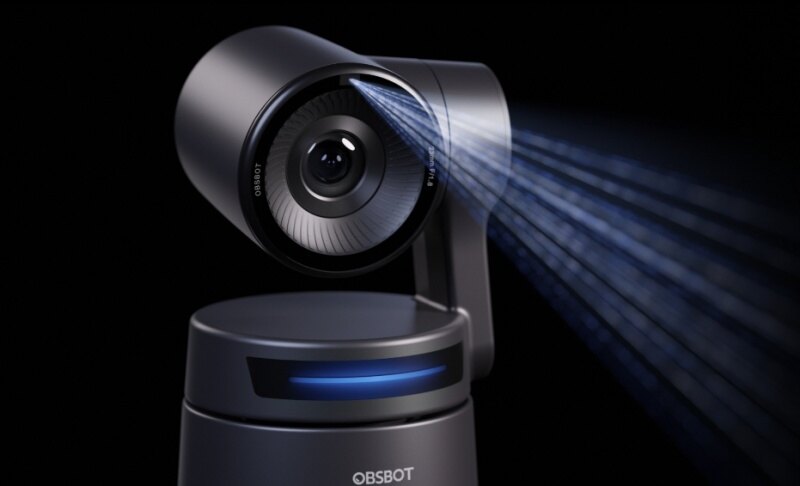
The OBSBOT Tail Air fits this kind of solo vlogging because it works like a compact 4K camera operator. Instead of constantly checking whether you are still in frame, you can focus on the content while the camera helps handle movement and composition.
Why it fits solo vlogging:
- 4K camera quality: Captures sharper creator videos than a built-in laptop camera or basic webcam, especially for tutorials, product demos, and studio-style vlogs.
- AI Auto Tracking: Keeps you framed when you move around the room, cook, teach, play music, or demonstrate products.
- PTZ camera movement: Adds pan and tilt flexibility, so your shot can follow the action instead of staying locked in one fixed angle.
- Flexible connections: Supports HDMI, USB-C, Wi-Fi, Ethernet with adapter, RTMP, RTSP, VISCA, and optional NDI workflows for recording and streaming setups.
- Portable creator setup: Small enough for home studios and mobile setups, while still giving solo creators more control than a phone-on-tripod workflow.
Note: If you need a camera for outdoor walking vlogs, travel clips, or action footage, a pocket gimbal or action camera is still easier. Tail Air works best when your vlog happens in a controlled space where hands-free framing matters.
How to Choose a 4K Vlogging Camera
1. Pick the camera type first
Camera type matters more than 4K alone. If you walk and talk, choose a pocket gimbal camera. If you film travel, sports, or outdoor clips, choose an action camera. If you want better depth of field, lens control, and long-term growth, choose a mirrorless camera.
2. Do not buy only because the box says 4K
A cheap camera can say "4K" and still produce weak footage. Look at the sensor, autofocus, lens width, stabilization, audio input, and real frame-rate options. A good 4K vlogging camera should make your footage easier to shoot, not just bigger in resolution.
3. Make sure the lens is wide enough
For handheld vlogging, wide framing is essential. If the camera crops heavily in 4K or stabilization mode, your face may fill too much of the frame. A wider lens or uncropped 4K mode gives you more comfortable arm's-length framing.
4. Treat audio as part of the camera purchase
Viewers may forgive imperfect video, but poor audio makes a vlog feel hard to watch. If you record voice often, choose a camera with a 3.5mm mic input, good wireless mic support, or a practical accessory path.
5. Choose stabilization based on movement
For walking footage, a gimbal camera such as the DJI Osmo Pocket 3 is easier than trying to stabilize everything later. For biking, hiking, or action clips, an action camera with strong electronic stabilization is usually better. For tripod-based videos, stabilization matters less than autofocus, audio, and lighting.
6. Think about your editing workflow
4K footage takes more storage and computer power than 1080p. If you plan to record long videos, budget for fast memory cards, external storage, and a computer that can edit your files smoothly.
4K Vlogging Camera Setup Tips
Your setup matters as much as the camera. A mid-range camera with good lighting and clean audio often looks better than an expensive camera used in a dark room with echoey sound.
Use a small light before upgrading the camera
If your footage looks noisy indoors, add a soft key light before replacing your camera. Better lighting helps skin tones, autofocus, sharpness, and color.
Add a microphone early
A compact wireless mic or small shotgun mic can upgrade the whole vlog. This is especially important for travel, cooking, teaching, fitness, and outdoor content where the built-in mic is far from your mouth.
Use 4K for flexibility, not just sharpness
Recording in 4K lets you crop, reframe, stabilize, and export cleaner 1080p videos. This is useful when you shoot alone and cannot perfectly frame every clip.
Keep your kit small enough to use often
The best camera is the one you will actually carry. A compact camera that you use every week usually beats a heavy setup that stays in a drawer.FAQs About 4K Vlogging Cameras
FAQs About 4K Vlogging Cameras
Is a 4K video camera worth it for vlogging?
Yes, a 4K camera is worth it if you want sharper footage, better cropping flexibility, and cleaner 1080p exports. It is less important if your lighting, audio, and framing are poor, so do not ignore the rest of the setup.
What camera do most vloggers use?
Many vloggers use compact cameras, pocket gimbal cameras, mirrorless cameras, action cameras, or even phones. The right choice depends on whether the vlog is filmed while walking, sitting at a desk, traveling, or shooting action footage.
Which is better for vlogging, 4K or 8K?
For most creators, 4K is the better practical choice. It is easier to store, edit, upload, and manage. 8K can help with heavy cropping, but it usually adds cost, heat, storage needs, and editing pressure.
What is the best 4K vlogging camera for beginners?
The DJI Osmo Pocket 3 is one of the easiest beginner choices for handheld vlogging because stabilization is built in. For a mirrorless beginner setup, the Canon EOS R50 V or Sony ZV-E10 II gives more room to grow.
Do I need a flip screen for vlogging?
A flip screen is very helpful if you record yourself. It helps you check framing, focus, battery, and recording status without guessing. If the camera does not have a flip or front-facing screen, use a phone app, monitor, or reliable framing preset.
Can I use a phone instead of a 4K vlogging camera?
Yes, a modern phone can be enough for casual vlogging. A dedicated camera becomes more useful when you need better stabilization, longer recording, lens control, external audio, low-light quality, or a more repeatable filming workflow.
Conclusion
The best 4K vlogging camera depends on your content style. Choose the DJI Osmo Pocket 3 for walking vlogs, Canon PowerShot V1 for compact creator work, Sony ZV-E10 II or Canon EOS R50 V for mirrorless growth, Fujifilm X-M5 for hybrid photo and video, and action cameras like DJI Osmo Action 5 Pro or GoPro HERO13 Black for movement-heavy footage. Start with the way you shoot, then match the camera to that workflow.