Top 6 Video Cameras for Beginners
Whether you are just starting a new YouTube channel, making travel vlogs, or simply to have better video quality for memories worth keeping, selecting the perfect video camera may be a daunting task. This article will help you make the right video camera for beginners.
Best Video Cameras for Beginners
| Product Name | Sensor Size | Resolution and Frame Rate | Stabilization | Best For |
| OBSBOT Tail 2 | 1/1.5-inch CMOS |
4K at up to 60fps 1080p at up to 120fps |
Built-in 3-Axis Gimbal | Solo streamers and online course creators |
| DJI Osmo Pocket 3 | 1-inch CMOS | 4K at up to 120fps | Built-in 3-Axis Mechanical Gimbal | Active travel vloggers |
| Fujifilm X-T30 II | APS-C (23.6 x 15.6 mm) |
4K at up to 30fps 1080p at up to 240fps |
Lens-based OIS (No IBIS) | In-camera cinematic color grading |
| Canon EOS R50 | APS-C (22.3 x 14.9 mm) |
4K at up to 30fps 1080p at up to 120fps |
Digital IS + Lens OIS (No IBIS) | Auto-focus heavy vlogging |
| Sony ZV-E10 II | APS-C (23.3 x 15.5 mm) |
4K at up to 60fps 1080p at up to 120fps |
Active Electronic IS (No IBIS) | Low-light shooting and content creation |
| Fujifilm X-M5 | APS-C (23.5 x 15.6 mm) |
6.2K Open Gate up to 30fps 4K at up to 60fps 1080p at up to 240fps |
Digital IS + Lens OIS (No IBIS) | Quick vertical short-form content |
1. OBSBOT Tail 2 Live Production Camera - $1,199
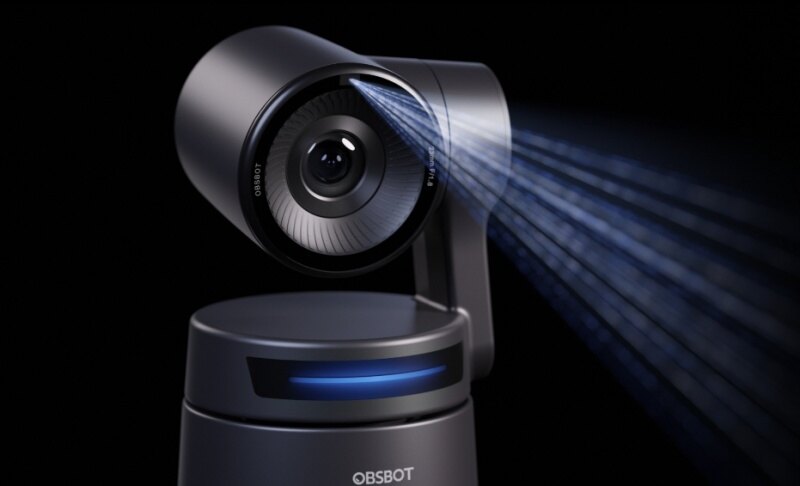
The OBSBOT Tail 2 is a step up from its peers. It is more than just a camera - it is a complete project production system for content creators who want to achieve a studio quality without the need to hire a crew. Whether you are live streaming, presenting webinars, making online courses, or creating multi-angle videos, this gadget will perform tracking, switching, and directing automatically.
- 1/1.5" CMOS sensor: Produces high-quality, sharp footage that has a professional look even at low light indoors.
- AI-Powered Gesture Control & Tracking: Follows you around the space automatically, so you never have to stop and reposition the camera during the shoot.
- 4K at 30fps / 1080p at 60fps: Allows you to shoot footage in cinema-quality resolution or produce smooth slow motion depending on the style of your content.
- Built-in 3 Gimbal Stabilization: Removes any shakiness in the footage without the need to buy or carry an additional stabilizer.
- USB-C, HDMI Out & Livestream Compatibility: Can be connected straight to your streaming system so you can go live without dealing with complicated configurations.
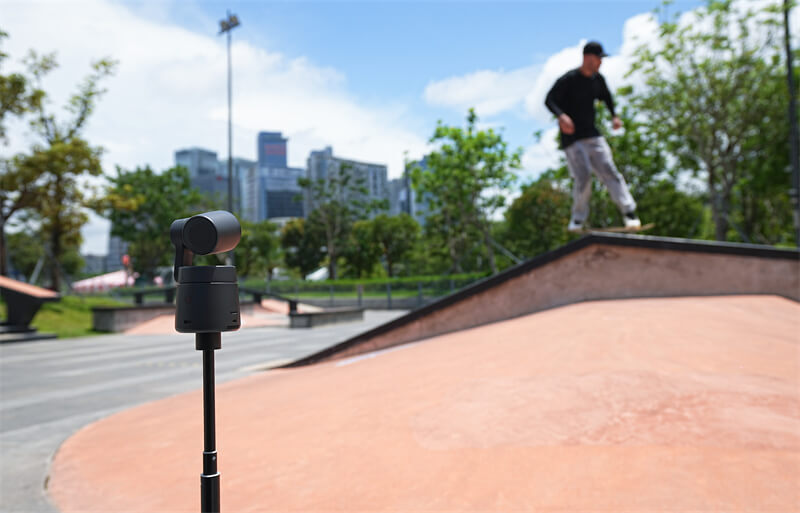
The OBSBOT Tail 2 is a smart AI-powered camera designed for anyone starting their video creation journey. With its automatic hands-free tracking, you can film yourself easily without worrying about complex camera settings or manual adjustments. This camera takes the guesswork out of filming, helping you get smooth, high-quality video right from the start. If you are interested in making a tutorial video, you can see this video production tutorial.
2. DJI Osmo Pocket 3 - $499
Small enough to fit in your pocket, powerful enough to make your travel footage look professional. The DJI Osmo Pocket 3 is DJI's best compact camera yet, and it's built specifically for creators who are always on the move.

- 1-Inch CMOS Sensor: Captures significantly more light and detail than smaller sensors, giving your footage a richer, more professional look.
- Face and Subject Tracking AF: Keeps you sharp and in focus even when you're moving, so you're not constantly stopping to reframe.
- 4K at 120fps: Lets you shoot stunning slow-motion clips without needing a separate high-speed camera.
- 3-Axis Mechanical Gimbal: Smooths out every step, turn, and movement, so your travel footage looks cinematic instead of handheld.
- Rotating 2-Inch Touchscreen: Flips to face you while filming, so you always know exactly what your audience is seeing.
3. Fujifilm X-T30 II - $899
Fujifilm's color science is legendary. The X-T30 II doesn't just shoot good video; it shoots video that looks like it came from a much more expensive setup. The film simulation modes (Eterna, Classic Chrome, etc.) are genuinely useful for beginners who don't want to spend hours color grading in post. The retro design is also a confidence booster.

- 26.1MP APS-C X-Trans CMOS 4 Sensor: Produces incredibly detailed, film-like footage that holds up even when you zoom in or crop in post.
- Phase-Detection AF with Face and Eye Tracking: Locks onto your subject instantly and stays there, so you spend less time fixing focus in editing.
- 1080p at 240fps: Opens up extreme slow-motion possibilities that most cameras at this price simply can't offer.
- Fujifilm Film Simulation Modes: Gives your video a finished, cinematic color grade straight out of the camera, no color grading software needed.
- Retro Dials and Tilting Screen with Mic Jack: Makes manual shooting feel intuitive while keeping your audio and monitoring options open.
4. Canon EOS R50V - $649.99
Canon EOS R50V's autofocus is the reason this camera keeps showing up on beginner lists. It just works; no hunting, no losing focus mid-sentence, no awkward transitions. The vari-angle screen is perfect for vloggers who need to flip it forward. This is one of the most well-rounded video camera for beginners picks available right now.

- 24.2MP APS-C CMOS Sensor with 6K Oversampling: Downscales to 4K with incredible sharpness and detail, giving you cleaner footage than a native 4K sensor.
- Dual Pixel CMOS AF II: Tracks faces and subjects with near-zero hunting or lag, so your footage stays sharp even during fast or unpredictable movement.
- 1080p at 120fps: Gives you smooth, usable slow motion without jumping to a more expensive camera.
- Movie IS with Digital Stabilization: Keeps handheld shots steady enough to use without a tripod, which is a big deal for run-and-gun filming.
- Vari-Angle Touchscreen with USB-C and Micro HDMI: Flips fully forward for vlogging and connects easily to monitors, laptops, and external recorders.
5. Sony ZV-E10 II - $999
Sony listened to everything creators complained about with the original ZV-E10 and fixed it. The ZV-E10 II is a proper step forward; better sensor, better AF, better video specs, designed specifically for content creation.

- 26MP Back-Illuminated APS-C Exmor R Sensor: Pulls in more light from behind the pixel layer, meaning your low-light shots look cleaner and less noisy.
- AI-Based Real-Time Subject Recognition: Identifies and sticks to faces, eyes, and moving subjects automatically so you stay in focus throughout an entire take.
- 4K at 60fps Without Crop: Captures ultra-smooth, full frame 4K footage without the quality loss that a cropped sensor would introduce.
- Active SteadyShot Electronic Stabilization: Reduces camera shake while you walk or move, so your footage stays watchable without extra gear.
- Side-Flip Articulating Screen with 3.5mm Audio Jack: Positions the screen where it doesn't block your ports and lets you monitor audio from a proper external microphone at the same time.
6. Fujifilm X-M5 - $899.95
The Fujifilm X-M5 is an ultra-compact, creator-focused mirrorless camera designed for effortless, high-quality content creation. It features a dedicated Film Simulation dial for instant color styling. With directional audio and a vlogging-first interface, it is a powerful tool for modern storytelling.

- 26.1MP APS-C X-Trans CMOS 5 HR Sensor: Resolves fine detail beautifully, giving your footage that distinct Fujifilm texture that looks expensive without extra effort.
- Subject Detection AF with Face and Eye Priority: Automatically finds and holds focus on people even in busy or cluttered backgrounds.
- 6.2K Open Gate Video with Vertical Mode Built In: Lets you shoot full-resolution footage for any platform; horizontal for YouTube, vertical for Reels and TikTok, without swapping settings.
- Built-In Variable ND Filter: Controls how much light enters the lens in bright conditions, so you get proper exposure without overexposing your shot or compromising your aperture.
- USB-C Power Delivery with Vari-Angle Screen: Lets you charge while you shoot and flip the screen to face you, which is exactly what long filming sessions or solo content days require.
How to Choose a Video Camera for Beginners
Budget
Be honest about your financial limits. If your budget is around $500, starting with a DJI Osmo Pocket 3 is your best choice. If you can stretch your budget to $1,000, the Obsbot Tail 2 is highly recommended. Its versatility makes it an outstanding all-in-one option that excels at both outdoor vlogging and live streaming.
Use Case
Are you vlogging outdoors? Streaming from a desk? Filming short-form content for Instagram? Each scenario favors different cameras. Portability matters more for travel. AI tracking matters more for solo desk setups.
Resolution and Image Quality
4K is the baseline now. Make sure whatever you buy shoots at least 4K; not because you always need it, but because it future proofs your footage and gives you crop room in editing.
Sensor Size and Low-Light Performance
Bigger sensor = better low-light performance, generally. APS-C sensors (found in most cameras on this list) handle dim environments much better than tiny smartphone sensors.
Stabilization and Autofocus
If you're moving while filming, you need stabilization. If you're talking to the camera, you need reliable face tracking. Don't compromise these two; shaky, out-of-focus footage kills viewer retention fast.
Audio Quality and Microphone Support
Built-in mics are fine for testing, terrible for real content. Make sure your camera has a 3.5mm audio input so you can plug in an external mic. The Sony ZV-E10 II and Fujifilm X-M5 both handle this well.
FAQs about Video Cameras for Beginners
Q1: Which camera is best for videography for beginners?
It depends on your use case, but the DJI Osmo Pocket 3 is easy to use at a beginner-friendly price. For solo streamers, the OBSBOT Tail 2 is worth the investment.
Q2: What is the difference between a camcorder and a video camera?
A camcorder is designed purely for video, usually with a built-in zoom lens and longer battery life. A video camera (mirrorless or DSLR) is more versatile; you can swap lenses, shoot stills, and get better overall image quality.
Q3: What camera should a beginner start with?
Start with something that matches how you actually plan to shoot. If you're vlogging on the go, the DJI Osmo Pocket 3 is hard to beat. If you want room to grow, the OBSBOT Tail 2 gives you serious capability without a steep learning curve.
Q4: What is the best inexpensive video camera?
Although DJI Osmo Pocket 3 is cheaper, the Canon EOS R50 is the best budget choice, offering exceptionally sharp 4K video oversampled from 6K. Its class-leading Dual Pixel autofocus and fully articulating touchscreen make it incredibly easy for beginners to use right out of the box.
Conclusion
Picking your first video camera for beginners doesn't have to be a stress-filled decision. Whether you go for the pocket-friendly DJI Osmo Pocket 3, the color-science magic of a Fujifilm, or the full production power of the OBSBOT Tail 2, there's a camera on this list that fits where you are right now and where you're headed. Start shooting, make mistakes, and improve. The best camera is always the one you actually use.